PostHog Desktop

A desktop for product builders, not just for code

Advanced
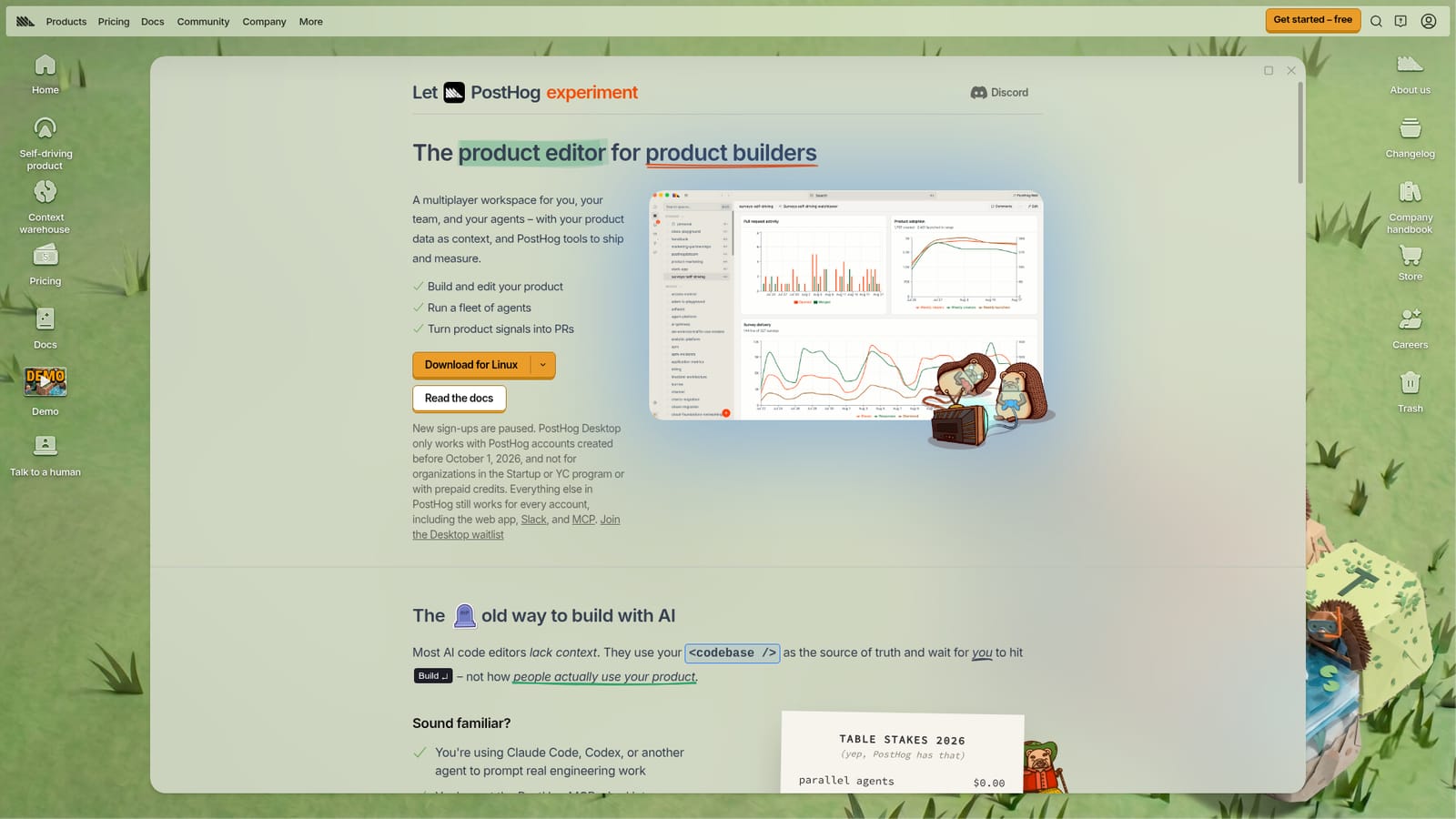
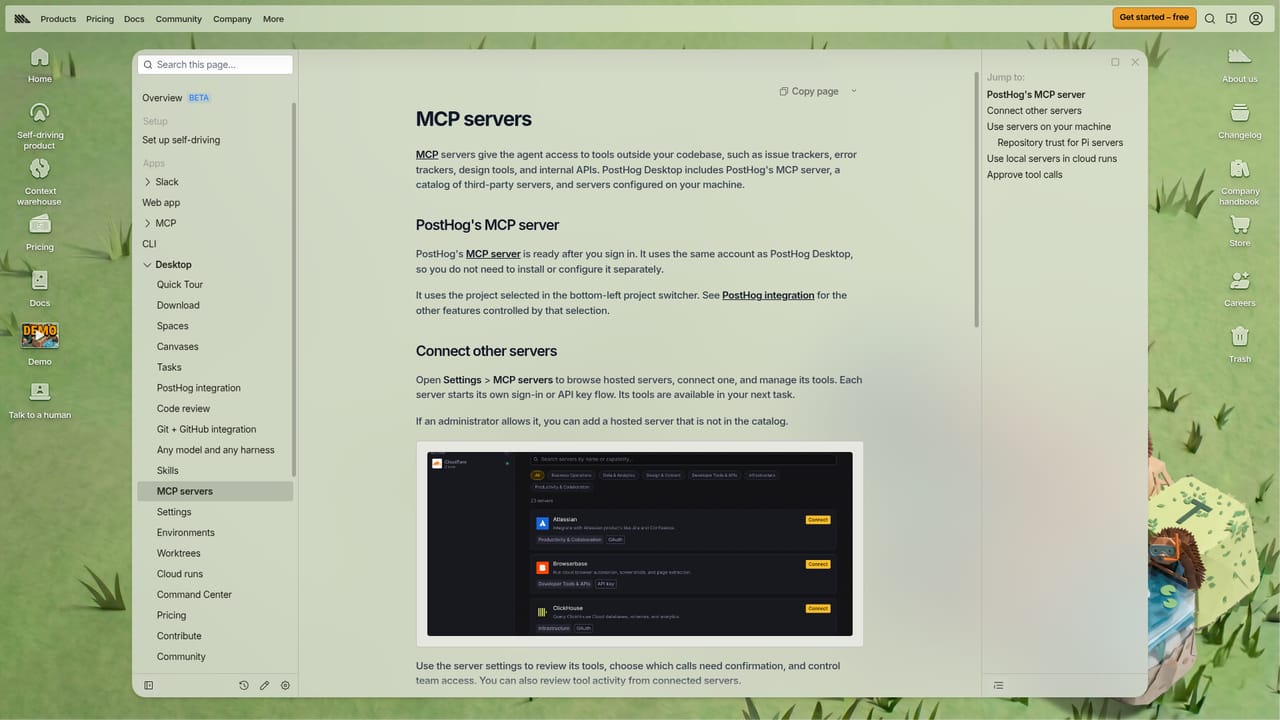
Screenshot of PostHog Desktop, A desktop for product builders, not just for code

What is PostHog Desktop?

PostHog Desktop is an AI project builder tool. A desktop workspace from PostHog where fleets of coding agents work from production signals, not just your repository. Plan mode, multi-model support, cloud sandboxes, shared environments, skills and an MCP marketplace.

PostHog Desktop is a desktop application built for people who ship software products rather than only writing code. Its central idea is that most agent tools treat the repository as the only source of truth, while PostHog Desktop also reads production signals: in-app activity, logs, errors, session recordings, traces, funnel dropoff, feature flag state, experiment results, support tickets and backlog items. Agents use that context to turn product thinking into shippable work. The app covers a full working loop. Tasks can begin in Plan mode, where an agent explores your data, asks clarifying questions and writes an implementation plan for approval before any code is written. Modes can be switched mid-task, and effort levels range from low through max. You choose the model per task, drawing on OpenAI, Anthropic and open weight options such as GLM and Kimi, and PostHog positions the open weight tier as roughly a tenth of the frontier price for a large share of coding work. A fleet of agents can run in parallel, and cloud runs execute in a PostHog-managed sandbox so work continues after the laptop closes or the network changes. Environments define how those sandboxes boot: repositories, hosts, base images and encrypted keys are bundled into a reusable profile that can be personal or shared with a team. Skills work like Claude Code skills, loaded from your machine, the current repo or marketplace plugins, plus PostHog-maintained skills for event capture, feature flags, experiments and error tracking. An MCP marketplace extends agents with tools and data from services including GitHub, Slack, Linear, Figma, Stripe, Sentry, Datadog and many others. This is aimed at engineering and product teams already using agents like Claude Code or Codex and already running the PostHog MCP in their editor or CI. It sits alongside PostHog's Slack integration, web dashboards and MCP surface as part of a self-driving loop. The code is open source, an unusual detail for a commercial agent desktop.

How do you use PostHog Desktop?

  1. 1Install the desktop app
    Download PostHog Desktop for your operating system from the product page and sign in. Confirm the app connects to your PostHog project so production signals are available to agents.
    PostHog Desktop — Install the desktop app
  2. 2Create your first task in Plan mode
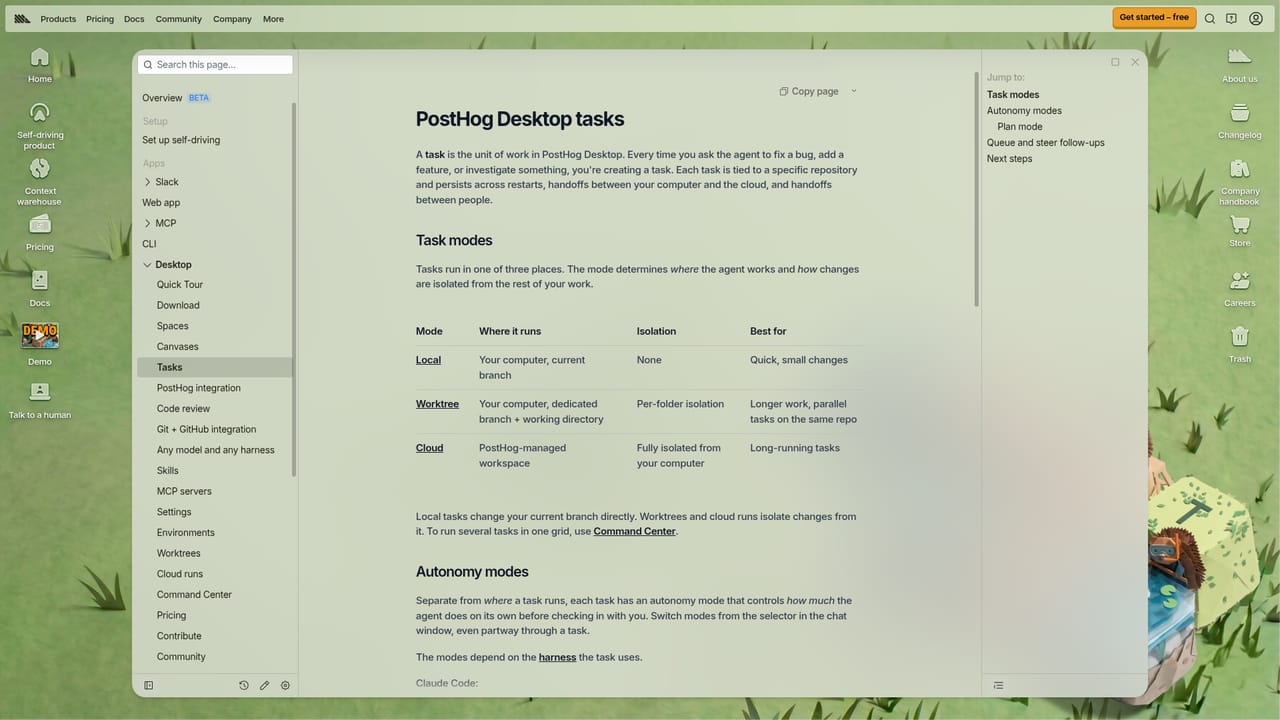
    Start a task and let the agent explore your data and ask clarifying questions. Review the implementation plan it produces and approve it before any code changes begin.
    PostHog Desktop — Create your first task in Plan mode
  3. 3Pick a model and effort level
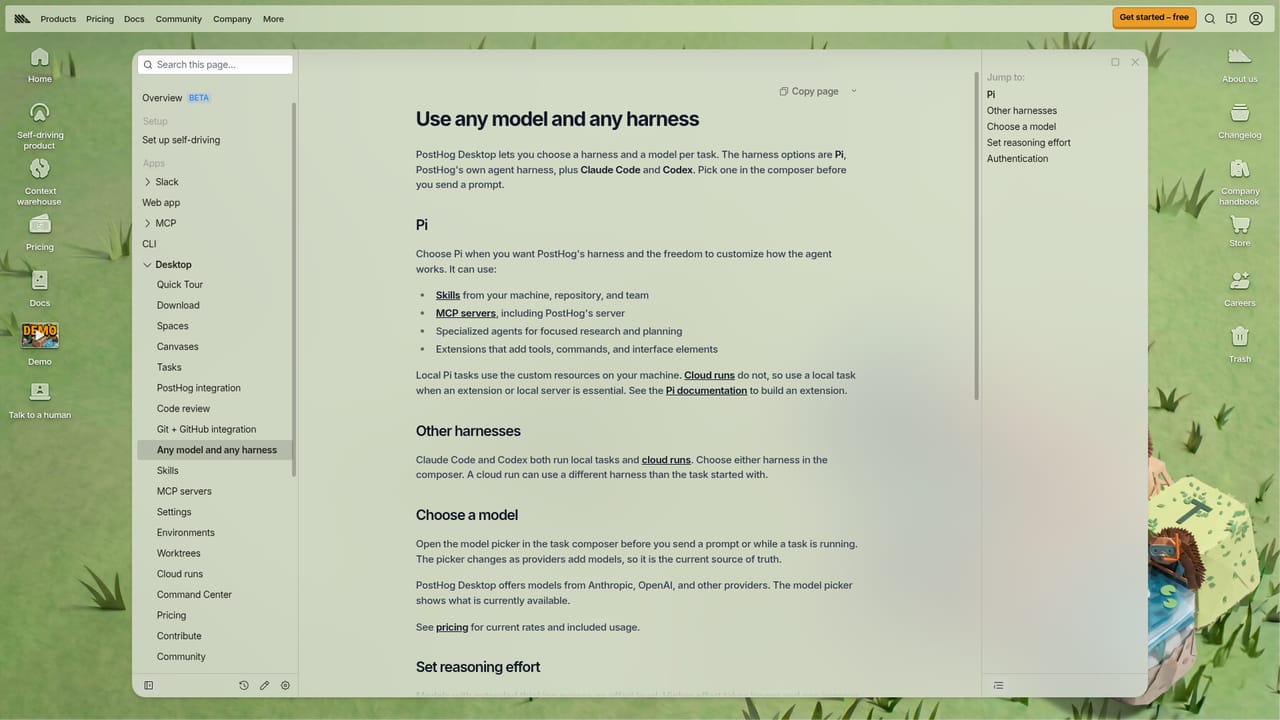
    Choose between OpenAI, Anthropic and open weight models for each task, and set the effort level. Switch modes mid-task whenever the work calls for it.
    PostHog Desktop — Pick a model and effort level
  4. 4Set up an environment for cloud runs
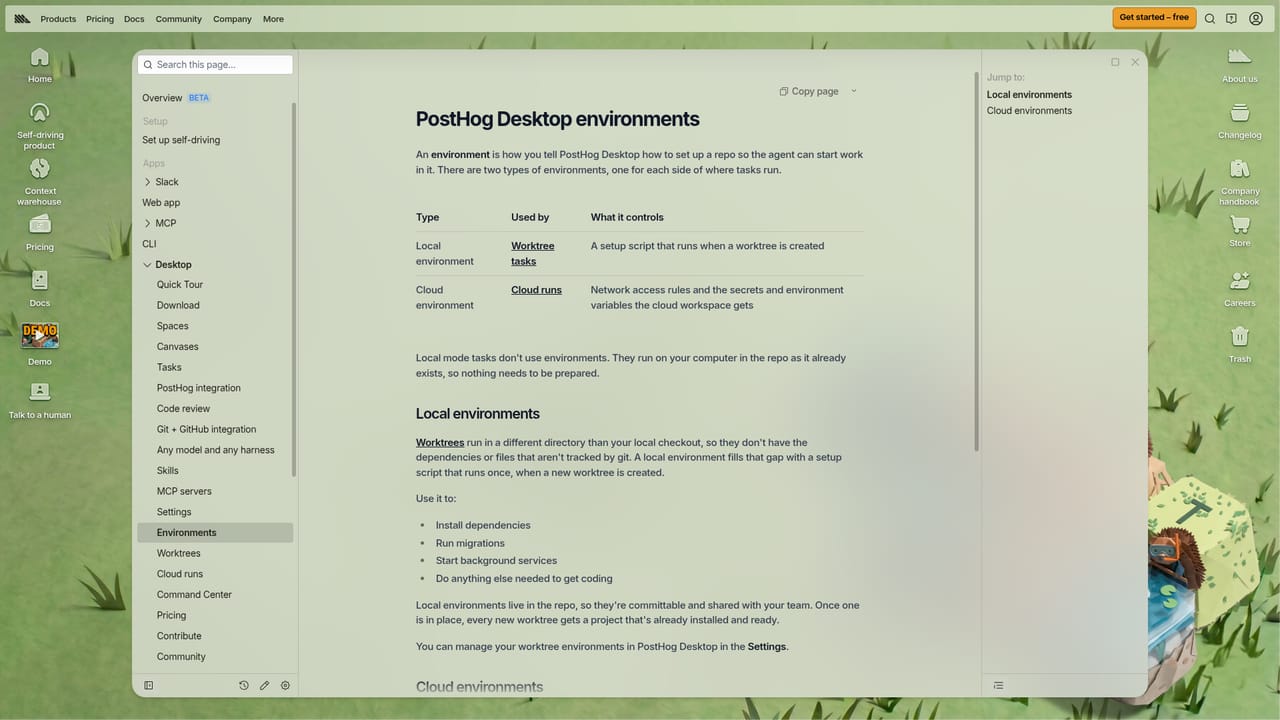
    Define repositories, hosts, base image and access rules once, then reuse the profile so cloud tasks boot with your keys and tools already present.
    PostHog Desktop — Set up an environment for cloud runs
  5. 5Extend agents through MCP servers
    Add tools and data sources such as GitHub, Linear or Sentry from the MCP marketplace so agents can act across the rest of your stack.
    PostHog Desktop — Extend agents through MCP servers

Pros and cons

Pros

  • Agents can read production context such as errors, funnels, flags and experiment results, not only source codeAI
  • Model choice per task spans OpenAI, Anthropic and cheaper open weight modelsAI
  • Cloud runs keep working when the laptop is closed or the network changesAI
  • Plan mode requires an approved implementation plan before code is writtenAI
  • The application is open source, which is rare for a commercial agent desktopAI

Cons

  • The pitch assumes an existing PostHog setup, so the signal-driven advantages shrink for teams on other analytics stacksAI
  • Running a fleet of parallel agents on frontier models can get expensive quicklyAI
  • Feature depth (environments, skills, cloud runs, MCP servers) means a real learning curve before the workflow pays offAI
  • Much of the value depends on third-party model providers, so quality and pricing shift with themAI

How much does PostHog Desktop cost?

Pricing

The homepage does not state prices for PostHog Desktop. It links to a general pricing page and to dedicated desktop pricing documentation, and it notes that open weight models can cost about a tenth of frontier model pricing for much coding work.

Learn more

Integrations

An MCP marketplace connects agents to tools and data including GitHub, Slack, Linear, Notion, Figma, Stripe, Supabase, Sentry, Datadog, Cloudflare, HubSpot, Atlassian and many more. PostHog Desktop also integrates with PostHog itself and with Slack.

Learn more

Features

Core features include Plan mode with approval before coding, swappable modes and effort levels, multi-model selection across OpenAI, Anthropic and open weight models, parallel agent fleets, cloud sandbox runs, reusable environments with encrypted keys, Claude Code-compatible skills, an MCP marketplace and PostHog-maintained skills for flags, experiments, event capture and error tracking.

Learn more

Frequently asked questions about PostHog Desktop

  • How much does PostHog Desktop cost?
    The homepage does not state prices for PostHog Desktop. It links to a general pricing page and to dedicated desktop pricing documentation, and it notes that open weight models can cost about a tenth of frontier model pricing for much coding work.
  • How do you use PostHog Desktop?
    The walkthrough on this page covers 5 steps: 1. Install the desktop app 2. Create your first task in Plan mode 3. Pick a model and effort level 4. Set up an environment for cloud runs 5. Extend agents through MCP servers.
  • What platforms does PostHog Desktop support?
    PostHog Desktop is available on MacOS, Windows and Linux.
  • What does PostHog Desktop integrate with?
    An MCP marketplace connects agents to tools and data including GitHub, Slack, Linear, Notion, Figma, Stripe, Supabase, Sentry, Datadog, Cloudflare, HubSpot, Atlassian and many more. PostHog Desktop also integrates with PostHog itself and with Slack.
  • What are the limitations of PostHog Desktop?
    The pitch assumes an existing PostHog setup, so the signal-driven advantages shrink for teams on other analytics stacks. Running a fleet of parallel agents on frontier models can get expensive quickly. Feature depth (environments, skills, cloud runs, MCP servers) means a real learning curve before the workflow pays off.

Status

StatusActive
Views0
Outbound clicks0
Added10/22/2026

Platforms

MacOSWindowsLinux

Pricing

FreePaidSubscription