reap Ai

AI video editor that cuts long footage into captioned, dubbed, publish-ready clips

Beginner API
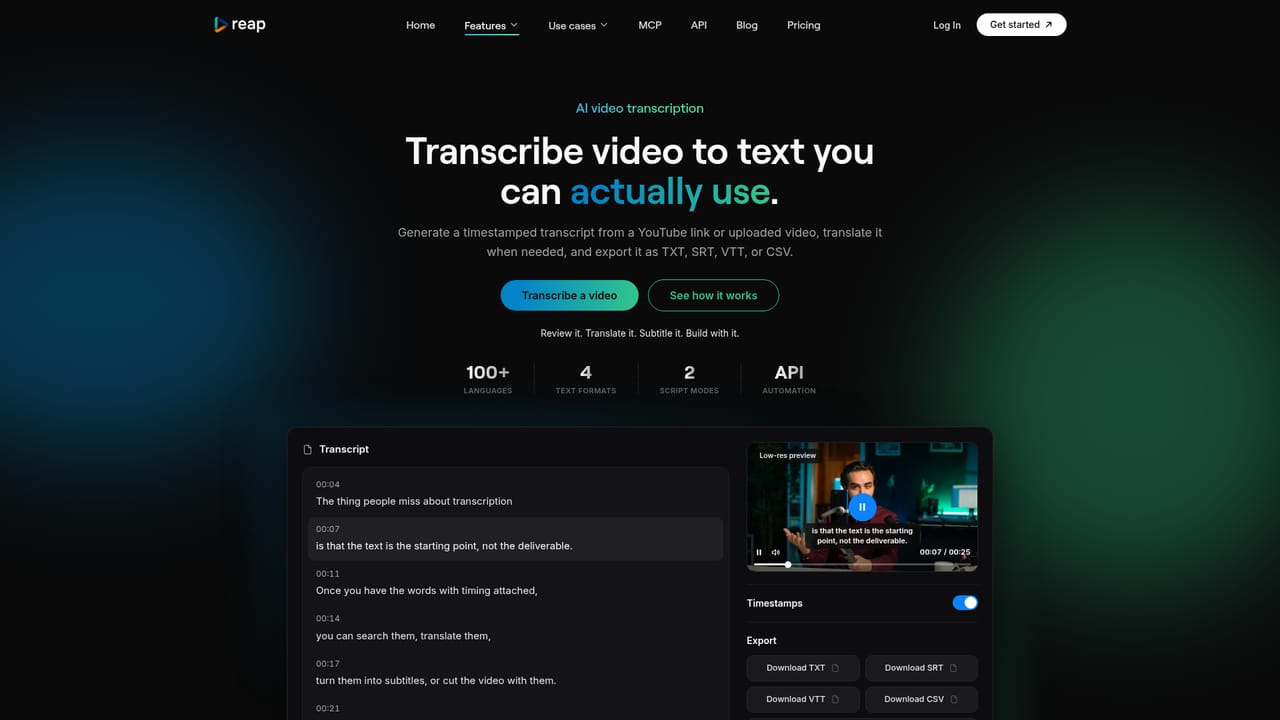
Screenshot of reap Ai, AI video editor that cuts long footage into captioned, dubbed, publish-ready clips

What is reap Ai?

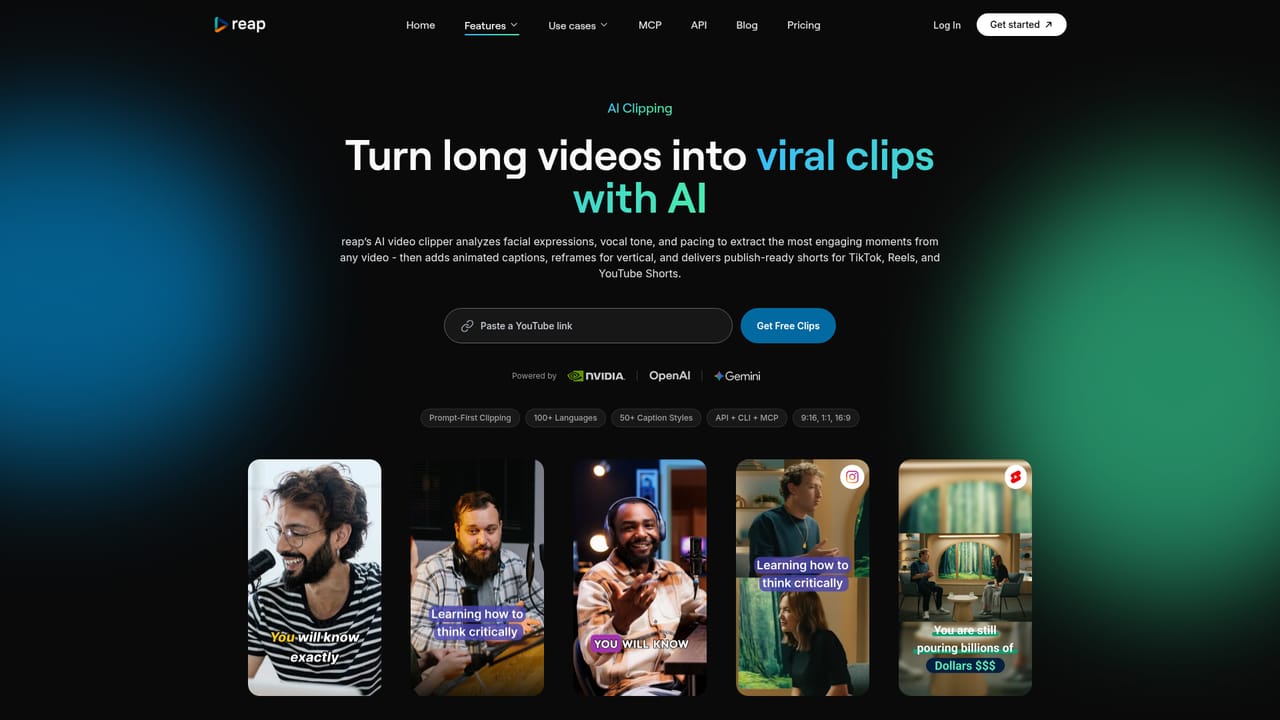
reap Ai is a clip finder tool. reap turns long videos into short clips with animated captions, auto reframing, AI dubbing in 80+ languages and translated subtitles in 100+, including romanized scripts like Hinglish. Text-based editing, brand templates, one-click publishing to major social platforms, scheduling and API, CLI and MCP automation are included from the $9.99 monthly paid tier.

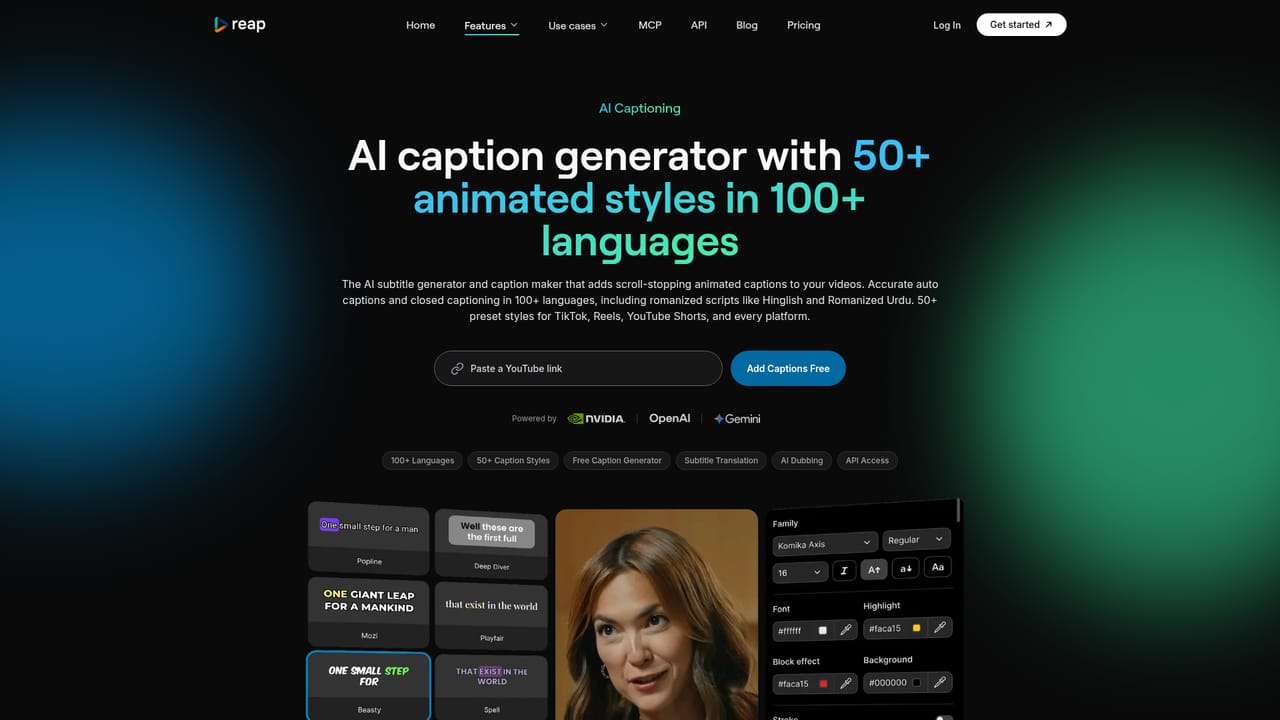
reap is an AI video editor built around repurposing: it takes long videos, webinars, interviews and podcasts and produces short clips, animated captions, dubbed audio and translated subtitles in a single workflow. The clipper analyzes faces, vocal tone, pauses and pacing to score candidate moments, and it also accepts a prompt. A user can ask for every product mention or every hot take, and the tool generates clips by intent rather than handing back generic highlights. From there the output gets packaged. More than 50 animated caption presets cover different brand and campaign aesthetics, auto reframing tracks speakers in real time so multi-person podcasts and panels stay centered in vertical format, and brand templates lock fonts, colors, logos, intros and caption styles so every export stays consistent. Localization is the other half of the product: AI dubbing in more than 80 languages, subtitle translation in over 100, and support for romanized scripts such as Hinglish, Romanized Urdu and Arabizi, which most competing tools do not handle. Editing is text-based. Because reap transcribes the source, cutting and rearranging the transcript changes the video, which suits anyone who thinks in words rather than timelines. AI B-roll insertion, audiogram creation and one-click publishing to TikTok, Instagram Reels, YouTube Shorts, LinkedIn, Facebook and X round out the toolkit, with a content calendar for scheduling ahead. A team workspace with roles and shared assets targets agencies and in-house marketing groups handling several clients or channels. Automation is where reap separates itself from consumer-only clip tools. Every paid plan includes REST API, CLI and MCP access, so clipping, captioning and publishing can run from n8n, Zapier, Make, Claude or ChatGPT, and the entry paid tier starts at $9.99 per month. That puts it against Descript, Opus Clip and CapCut, with a stronger emphasis on localization and developer access than most rivals. Reviewers report fast turnaround and useful viral scoring, while precision edits still call for human judgment.

How do you use reap Ai?

  1. 1Create an account and open the editor
    Sign up at the app portal, then start a new project from the dashboard. Plan tiers, including the $9.99 entry level, are listed on the pricing page if you want API access from the outset.
    reap Ai — Create an account and open the editor
  2. 2Upload your long video or audio
    Bring in a webinar, interview or podcast episode. reap transcribes it automatically, and that transcript becomes the editing surface for everything that follows.
    reap Ai — Upload your long video or audio
  3. 3Generate clips by prompt
    Describe what you want in plain language, such as every product mention or the strongest hot takes. The AI returns scored clip candidates, which you can accept or refine with a different prompt.
    reap Ai — Generate clips by prompt
  4. 4Style captions and reframe for vertical
    Pick from the animated caption presets and adjust wording in the transcript. Auto reframe tracks each speaker and keeps them centered in 9:16, 1:1 or 16:9 output.
    reap Ai — Style captions and reframe for vertical
  5. 5Dub and translate for other markets
    Create dubbed audio in 80+ languages or translate subtitles into 100+, including romanized formats like Hinglish. Review the result before export, since voice cloning quality varies by source audio.
  6. 6Schedule and publish everywhere
    Connect TikTok, Instagram Reels, YouTube Shorts, LinkedIn, Facebook and X, then post directly or queue clips in the content calendar. For batch work, the same tasks can run through the API, CLI or MCP.

Pros and cons

Pros

  • Prompt-first clipping lets users request moments by topic, intent or hook instead of accepting generic highlightsAI
  • Localization depth stands out: dubbing in 80+ languages, subtitles in 100+, plus romanized scripts such as Hinglish and ArabiziAI
  • API, CLI and MCP access is bundled into every paid plan from $9.99 per month, with no enterprise-only gatingAI
  • Speaker detection and auto reframing keep participants centered in vertical output for podcasts, interviews and panelsAI
  • Browser-based text editing, brand templates and a built-in social scheduler reduce the number of separate tools neededAI

Cons

  • The multi-video merge feature is labeled private beta, so stitching several sources into one asset is not yet a dependable part of the workflowAI
  • Automatic clip selection and edits land close but not exact, and precise trims still require manual review in the timelineAI
  • No mobile apps or desktop clients are listed, so everything runs in the browser and depends on a stable connectionAI
  • Dubbing quality and romanized caption accuracy are not independently benchmarked on the site, only asserted by the vendorAI
  • Team workspace appears aimed at paid tiers, and the homepage gives no clarity on seat limits or how collaboration scalesAI

How much does reap Ai cost?

Pricing

Entry paid plan starts at $9.99 per month, and every paid plan bundles API, CLI and MCP access with no enterprise-only gating or per-minute surcharges. The homepage states this starting price but does not break down storage, minute limits or higher tiers; those details sit on the pricing page.

Learn more

Integrations

REST API, CLI and MCP connections let workflows run from n8n, Zapier, Make, Claude and ChatGPT. Publishing connects to TikTok, Instagram Reels, YouTube Shorts, LinkedIn, Facebook and X for direct posting and scheduling.

Learn more

Features

Core features include prompt-first AI clipping with multi-signal moment detection, 50+ animated caption presets, AI dubbing in 80+ languages, subtitle translation in 100+ languages, romanized script support, speaker detection with auto reframe, brand templates, text-based editing, AI B-roll, audiograms, multi-video merge (private beta), social scheduling and a team workspace.

Learn more

Frequently asked questions about reap Ai

  • How much does reap Ai cost?
    Entry paid plan starts at $9.99 per month, and every paid plan bundles API, CLI and MCP access with no enterprise-only gating or per-minute surcharges. The homepage states this starting price but does not break down storage, minute limits or higher tiers; those details sit on the pricing page.
  • Does reap Ai have an API?
    Yes, reap Ai offers an API.
  • How do you use reap Ai?
    The walkthrough on this page covers 6 steps: 1. Create an account and open the editor 2. Upload your long video or audio 3. Generate clips by prompt 4. Style captions and reframe for vertical 5. Dub and translate for other markets 6. Schedule and publish everywhere.
  • What platforms does reap Ai support?
    reap Ai is available on Web App.
  • What does reap Ai integrate with?
    REST API, CLI and MCP connections let workflows run from n8n, Zapier, Make, Claude and ChatGPT. Publishing connects to TikTok, Instagram Reels, YouTube Shorts, LinkedIn, Facebook and X for direct posting and scheduling.
  • What are the limitations of reap Ai?
    The multi-video merge feature is labeled private beta, so stitching several sources into one asset is not yet a dependable part of the workflow. Automatic clip selection and edits land close but not exact, and precise trims still require manual review in the timeline. No mobile apps or desktop clients are listed, so everything runs in the browser and depends on a stable connection.

Status

StatusActive
Views0
Outbound clicks0
Added10/21/2026

Platforms

Web App

Pricing

FreemiumSubscription