RemoveGenie

Brush away unwanted people, objects, text and watermarks with AI inpainting.

Beginner
Screenshot of RemoveGenie, Brush away unwanted people, objects, text and watermarks with AI inpainting

What is RemoveGenie?

RemoveGenie is a brush-based AI photo editor that erases people, objects, text, watermarks and stickers using a credit-based inpainting workflow, with a general-purpose magic eraser for anything else.

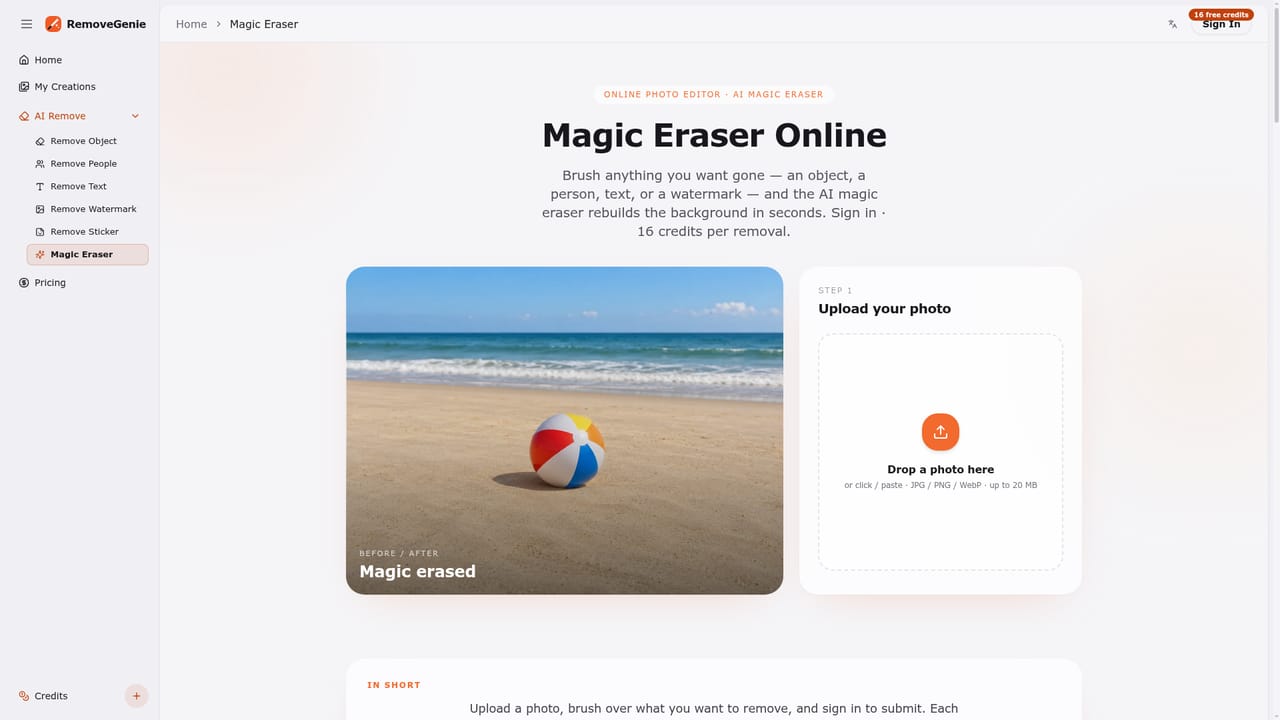
RemoveGenie is a web-based photo editor built around a single brush tool that erases unwanted elements from an image and lets an AI inpainting model rebuild the background in their place. The tool is split into specialized modes, a background people remover for photobombers and crowds, an object remover for clutter and debris, a text remover for captions and date stamps, a watermark remover for copyright marks and signatures, a sticker and emoji remover for social screenshots, and a general magic eraser for anything that does not fit those categories. It suits photographers cleaning up travel or venue shots, social media users recovering screenshots buried under stickers and emoji, and anyone needing to strip a stray date stamp or signature from a personal photo they have the right to edit. It is not positioned as a scene-replacement or compositing tool, so users needing large-area edits or full background swaps will outgrow it quickly. In practice, a user uploads a JPG, PNG or WebP file up to 20MB, which gets resized to a maximum of 1536px on the longest edge. The user then paints a mask over every pixel to remove, using undo, clear, and brush-size controls to refine the selection, signs in, and submits the task for 16 credits. The AI reconstructs the masked area, and the finished PNG can be reviewed and downloaded, with source images, masks and results kept in the account. Against broader photo editors and generic AI inpainting tools, RemoveGenie trades flexibility for focus: a narrow, brush-driven workflow with clearly stated limits around very large erase areas, subjects covering more than roughly 30% of the frame, and dense text removal. That honesty about failure modes, paired with a transparent per-task credit cost and automatic refunds on confirmed failures, sets it apart from tools that oversell their reconstruction quality.

How do you use RemoveGenie?

  1. 1Upload a photo
    Drop in a JPG, PNG or WebP file up to 20MB. The image is resized to a maximum of 1536px on its longest edge before processing.
    RemoveGenie — Upload a photo
  2. 2Pick the right eraser
    Choose the mode that matches the task, such as object, people, text, watermark, sticker, or the general magic eraser for anything else.
    RemoveGenie — Pick the right eraser
  3. 3Brush over what to remove
    Paint a mask over every unwanted pixel, using the undo, clear and brush-size controls to refine the selection before submitting.
  4. 4Sign in and submit for credits
    Sign in to the account and submit the masked image; each removal consumes 16 credits, shown upfront before confirming.
  5. 5Review and download the result
    Inspect the reconstructed area once processing finishes and download the completed PNG from the account.
    RemoveGenie — Review and download the result
  6. 6Check remaining credits
    Track the current credit balance and top up as needed before starting another removal task.
    RemoveGenie — Check remaining credits

Pros and cons

Pros

  • Six specialized removal modes cover people, objects, text, watermarks, stickers and general touch-ups in one interfaceAI
  • Credit cost is shown before submission and confirmed failed tasks are automatically refundedAI
  • Brush controls with undo, clear and adjustable size give precise control over masked areasAI
  • Source images, masks and results are kept together in the user's account for later retrievalAI

Cons

  • Billed as a "free" object remover on the homepage but every removal costs 16 credits and requires sign-inAI
  • Output is capped at 1536px on the longest edge, limiting usefulness for high-resolution or print workAI
  • Explicitly unreliable for large erase areas, subjects over about 30% of the frame, and heavy text removalAI
  • No stated automatic deletion policy for stored photos, which is a consideration for sensitive imagesAI
  • No mention of an API, integrations, or mobile apps, which limits fitting it into automated workflowsAI

How much does RemoveGenie cost?

Pricing

Removals run on a credit system: each submission costs 16 credits, with the cost shown before confirming. Confirmed failed tasks are automatically refunded. Full pricing details are on the dedicated pricing page.

Learn more

Support

Support is available by email at support@removegenie.com through a dedicated contact page; no live chat or phone support is mentioned.

Learn more

Features

Five purpose-built erasers (people, objects, text, watermarks, stickers) plus a general magic eraser, all driven by one brush-based masking tool. Accepts JPG, PNG and WebP uploads up to 20MB, resizes images to a maximum of 1536px on the longest edge, and outputs PNG files stored alongside the original source image and mask in the user's account.

Frequently asked questions about RemoveGenie

  • How much does RemoveGenie cost?
    Removals run on a credit system: each submission costs 16 credits, with the cost shown before confirming. Confirmed failed tasks are automatically refunded. Full pricing details are on the dedicated pricing page.
  • How do you use RemoveGenie?
    The walkthrough on this page covers 6 steps: 1. Upload a photo 2. Pick the right eraser 3. Brush over what to remove 4. Sign in and submit for credits 5. Review and download the result 6. Check remaining credits.
  • What platforms does RemoveGenie support?
    RemoveGenie is available on Web App.
  • What are the limitations of RemoveGenie?
    Billed as a "free" object remover on the homepage but every removal costs 16 credits and requires sign-in. Output is capped at 1536px on the longest edge, limiting usefulness for high-resolution or print work. Explicitly unreliable for large erase areas, subjects over about 30% of the frame, and heavy text removal.

Status

StatusActive
Views0
Outbound clicks0
Added10/10/2026

Platforms

Web App

Pricing

Paid