RoastMyWeb

Paste a URL and get a blunt AI audit of your landing page.

Beginner
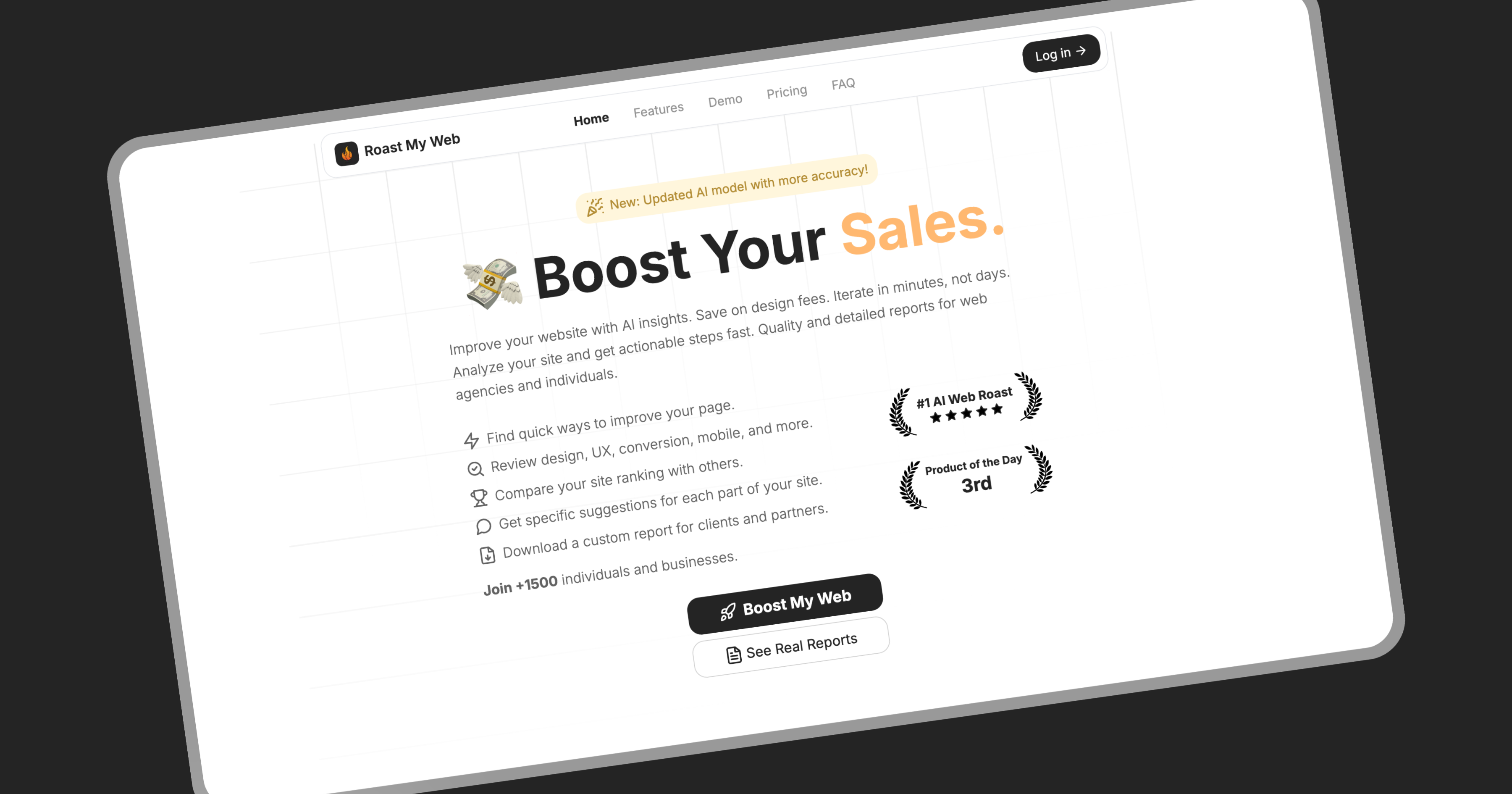
Screenshot of RoastMyWeb, Paste a URL and get a blunt AI audit of your landing page

What is RoastMyWeb?

RoastMyWeb is a landing page analysis tool. An AI landing page audit that returns a section-by-section critique of UX, copy, conversion and on-page SEO, with prioritized fixes, screenshot evidence and backlink data. Credit packs suit founders and agencies who need a fast first-pass review rather than a full analytics suite.

Roast My Web is an AI website audit tool aimed at founders, indie makers and agencies who need a candid read on a landing page without hiring a designer or waiting on a consultant. You submit a URL and the system reviews the page the way a first-time visitor would, flagging points where people get confused, lose trust or abandon the flow. Reports come back in roughly two minutes according to the site, and they combine on-page SEO checks with UX, copy, conversion and mobile observations rather than a single vague score. The output is structured. Each page gets an overall score plus category ratings covering SEO, design and aesthetics, user experience, originality, content quality, conversion and mobile. Findings are organized by page section, and each recommendation carries an importance and difficulty label, quotes the relevant page copy or marks the spot on a screenshot, and arrives with concrete rewrites or fixes. Next steps are ordered so the highest-impact changes surface first. A backlink and authority panel adds domain strength, referring domains, link diversity and spam risk signals, so the audit spans both how the page converts and how it gets found. Agencies are a clear audience here. Reports can be edited before delivery, with text changes, hidden sections and custom notes, and one click applies a client logo, colors and branding for a PDF export. Bulk submissions let a team process more than 100 URLs, and brand competition insights show how a page stacks up against others analyzed on the platform. Standalone calculators for website ROI, SEO title and meta description generation, and FAQ schema sit alongside the core audit. The tool cannot scan sites guarded by captchas or anti-bot measures, and pages behind a login are out of reach. It is positioned as a fast, cheap first-pass critique rather than a replacement for full analytics or a senior UX review, so treat the scores as directional. Pricing is credit-based with no subscription and a 30-day refund window.

How do you use RoastMyWeb?

  1. 1Open the sign-in page
    Head to the sign-in page to create an account or log in. A paid credit pack is required before any reports are generated.
  2. 2Review sample reports first
    Look at published example reports before spending credits. They show the score layout, the section analysis and the level of detail in each recommendation.
  3. 3Submit your URL
    Paste the address of the landing page you want audited. Public pages only: captcha-protected and login-gated pages will not return a result.
  4. 4Read the scores and section findings
    Work through the overall score, the category ratings and the per-section notes. Check the evidence attached to each finding before acting on it.
  5. 5Work the next steps list
    Follow the ordered next steps, starting with items marked important and easy to fix. Rewrites are supplied where copy is the problem.
  6. 6Brand and export the report
    For client work, edit the text, hide sections, add your own notes and apply your logo and colors, then export the branded PDF.

Pros and cons

Pros

  • Section-level findings tied to screenshots and quoted page copy, so each issue is easy to verifyAI
  • Fixes are labeled by importance and difficulty, which helps non-designers decide what to tackle firstAI
  • Combines on-page SEO, UX, copy and conversion checks in a single report instead of separate passesAI
  • Report editor plus logo and color branding makes client-ready PDFs without design workAI
  • Credit packs start at $4 with no subscription and a stated 30-day refund windowAI

Cons

  • Cannot analyze pages behind a login or sites with captcha and anti-bot protection, which rules out many web appsAI
  • Scores are AI-generated judgments, and the site offers no accuracy benchmark or comparison against human reviewAI
  • No API or integrations listed, so pushing results into agency workflows or dashboards means manual exportAI
  • Bulk scanning tops out at 1,200 page reviews even on the $299 agency pack, so large sites need repeat purchasesAI
  • Support is described only as basic on every tier, with no priority or dedicated channel for agency customersAI

How much does RoastMyWeb cost?

Pricing

Credit packs replace subscriptions. The Solo Entrepreneur pack costs $4 for 6 page reviews ($0.67 each), Startup Growth costs $12 for 24 reviews ($0.50 each) and the Agency pack costs $299 for 1,200 reviews ($0.25 each). All tiers include the SEO report, section review, next steps and branded PDFs, with a 30-day refund window.

Learn more

Support

Basic customer support is listed on every pricing tier. No priority tier, dedicated channel or SLA is described on the homepage.

Features

Each roast scores the page overall and across SEO, design, UX, originality, copy, conversion and mobile, then breaks findings down by page section. Recommendations carry importance and difficulty labels and quote the page or mark a screenshot. A backlink panel covers domain authority, referring domains, link diversity and spam risk, and reports can be edited and branded before PDF export.

Learn more

Frequently asked questions about RoastMyWeb

  • How much does RoastMyWeb cost?
    Credit packs replace subscriptions. The Solo Entrepreneur pack costs $4 for 6 page reviews ($0.67 each), Startup Growth costs $12 for 24 reviews ($0.50 each) and the Agency pack costs $299 for 1,200 reviews ($0.25 each). All tiers include the SEO report, section review, next steps and branded PDFs, with a 30-day refund window.
  • How do you use RoastMyWeb?
    The walkthrough on this page covers 6 steps: 1. Open the sign-in page 2. Review sample reports first 3. Submit your URL 4. Read the scores and section findings 5. Work the next steps list 6. Brand and export the report.
  • What platforms does RoastMyWeb support?
    RoastMyWeb is available on Web App.
  • What are the limitations of RoastMyWeb?
    Cannot analyze pages behind a login or sites with captcha and anti-bot protection, which rules out many web apps. Scores are AI-generated judgments, and the site offers no accuracy benchmark or comparison against human review. No API or integrations listed, so pushing results into agency workflows or dashboards means manual export.

Status

StatusActive
Views0
Outbound clicks0
Added10/21/2026

Platforms

Web App

Pricing

Paid