Pricing
Free accounts include a daily analysis quota (the page shows 1 analysis remaining per day for the demo state). Paid tiers and their limits are listed on the pricing page; specific prices are not shown on the homepage.
Learn moreAssess keyword difficulty with explainable SERP evidence, not a mystery score.

SerpStep is a website audit tool. SerpStep Keyword Opportunity estimates keyword difficulty from the visible first-page result set and shows which signals shaped the score. It returns a difficulty band, SERP evidence and a suggested next action for a chosen country, and flags missing provider metrics as unavailable rather than zero.
SerpStep's Keyword Opportunity tool answers a specific question: can a new site realistically rank for this keyword? Rather than returning a single opaque difficulty number, it reads the current first-page result set and estimates difficulty from observable signals. The output pairs a difficulty band with the shape of the SERP and a recommended next action, so the score arrives with its reasoning attached. The model inspects what is actually on page one: the mix of result types, domain diversity, whether dedicated pages target the term, the presence of major platforms, and any provider metrics that happen to be available. When authority or traffic fields are missing, the report marks them as unavailable instead of quietly counting them as zero. That distinction matters, because silent zeros distort difficulty scores and make comparisons across tools misleading. The tool is built for SEO practitioners, content strategists and site owners who are triaging keyword lists and need to decide where to spend research time. In practice you enter a keyword, pick a country from the supported list (US, UK, Canada, Australia, New Zealand, Ireland, Germany, France, Spain, Italy, Netherlands, Sweden, Switzerland, Brazil, Mexico, India, Singapore, Japan and South Korea), and run the analysis. The report returns a decision such as Medium opportunity, SERP evidence such as dedicated tools dominating with mixed authority levels, and a suggested next step such as comparing workflows and entry angles. It also walks through what keyword difficulty means and why its figures can differ from other providers. The tool is a triage signal, not a ranking guarantee. It shows the evidence it used and declines to invent missing metrics, which makes it a transparent first pass rather than a replacement for a full competitive audit. Accounts have a daily analysis allowance, with an upgrade path listed on the pricing page.
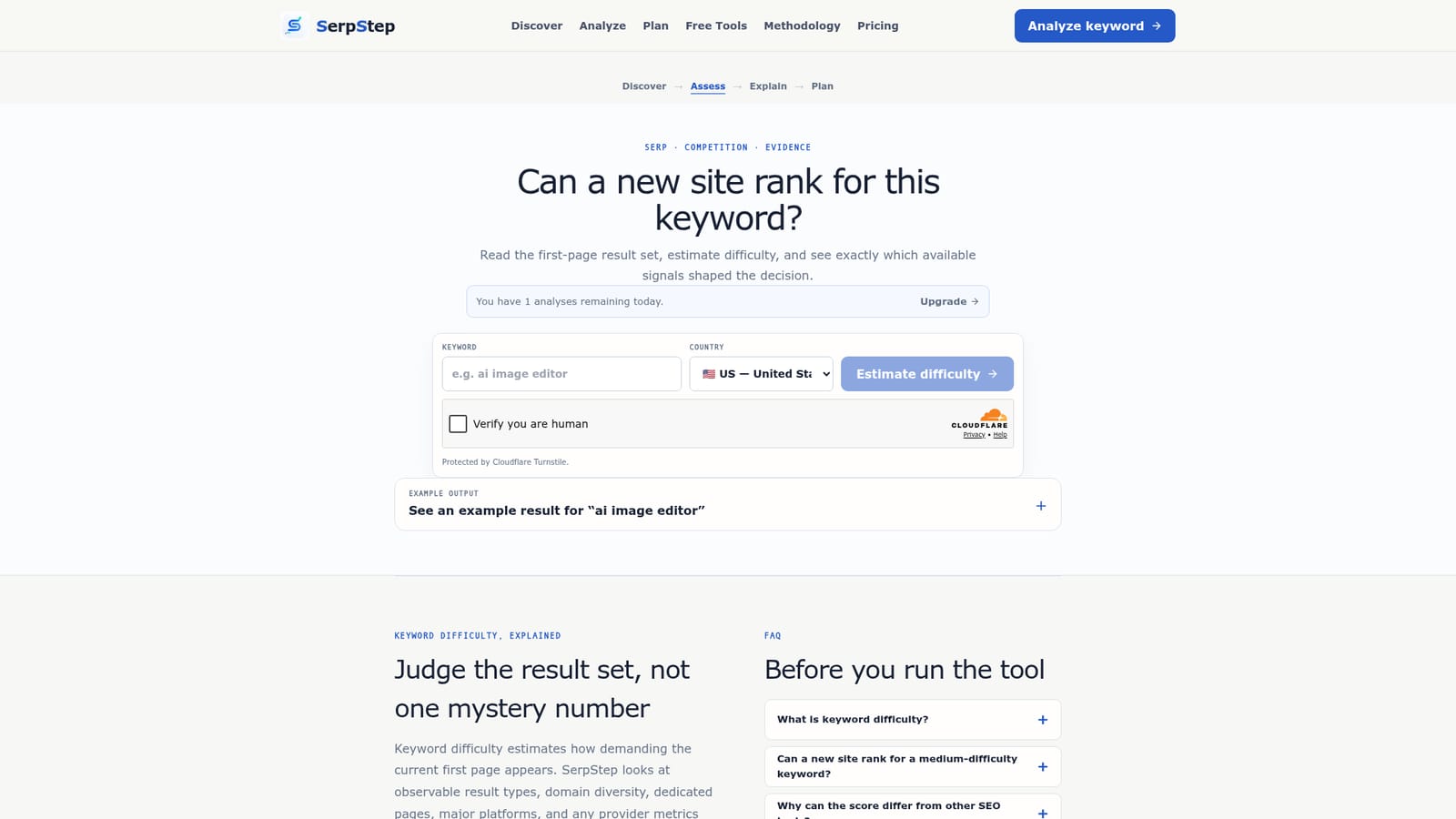
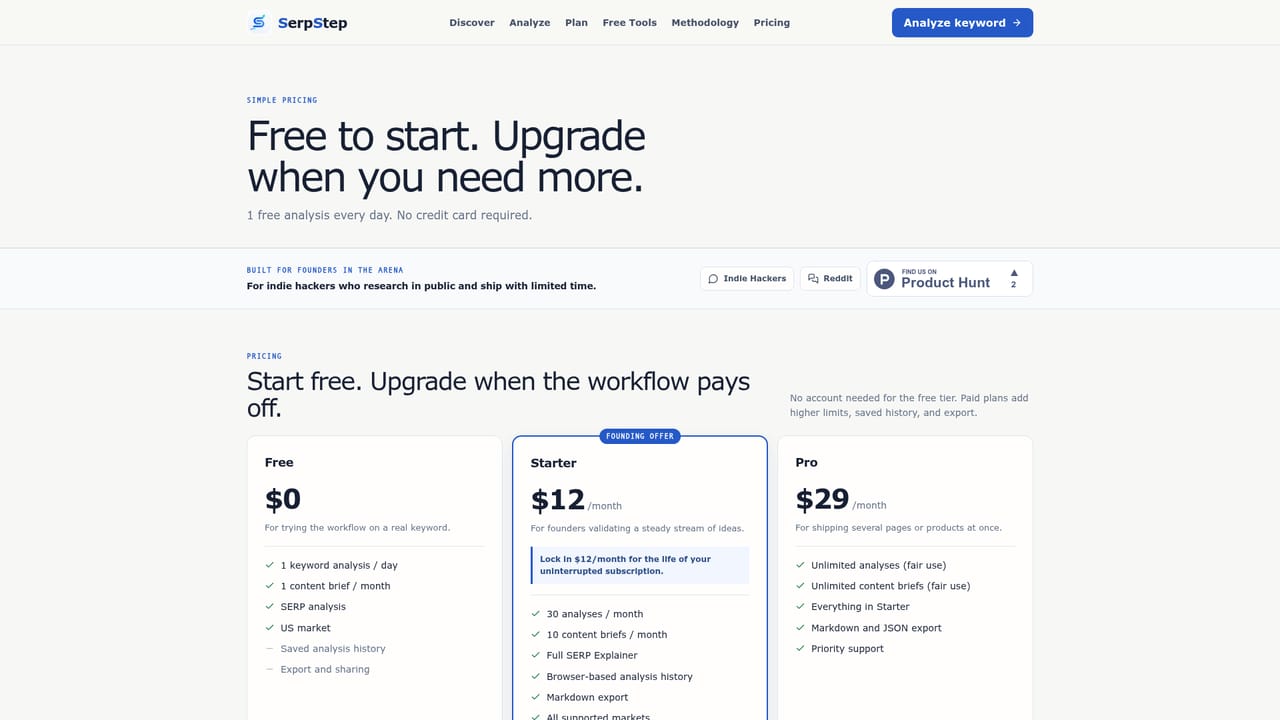
Free accounts include a daily analysis quota (the page shows 1 analysis remaining per day for the demo state). Paid tiers and their limits are listed on the pricing page; specific prices are not shown on the homepage.
Learn moreReads the first-page result set for a keyword and country, estimates difficulty from observable signals (result types, domain diversity, dedicated pages, major platforms and any available provider metrics), returns a difficulty band with SERP evidence and a suggested next action, and flags missing authority or traffic data as unavailable rather than zero.
 AI Angels400+ customizable AI girlfriends for NSFW chat, voice calls, and roleplay
 Candy AIExperience the future of companionship with AI friends who chat, role-play, and connect with you on a human level.
 ourdream.aiA vast AI roleplay platform with millions of characters for chat, images, video and voiceAI Angels400+ customizable AI girlfriends for NSFW chat, voice calls, and roleplayCandy AIExperience the future of companionship with AI friends who chat, role-play, and connect with you on a human level.ourdream.aiA vast AI roleplay platform with millions of characters for chat, images, video and voice


