Free trial
Every new user starts with a 3-day free trial with full access and no limits.
Learn moreSourced Jewish guidance, reflections and 7-day Paths in one app
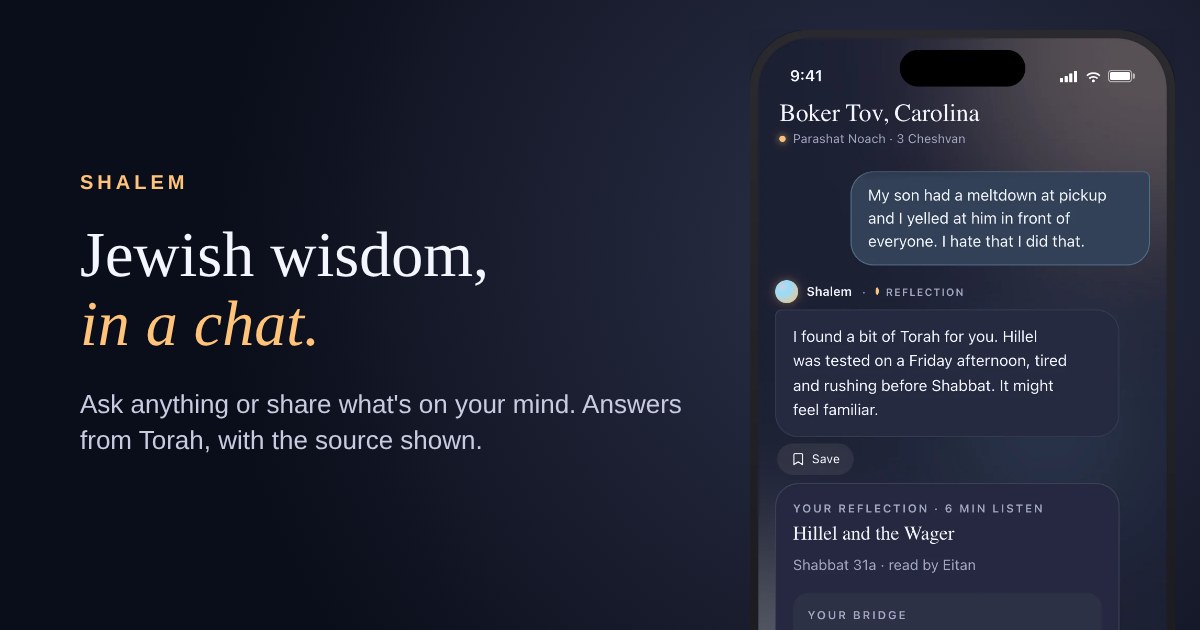
Shalem is an AI companion app that answers questions about Jewish life and law from 51 classic works with sources shown. It also offers reflections with three practices, seven-day Paths, memory, a private journal and audio.
Shalem is a mobile companion for Jewish learning and reflection. It answers questions about Jewish life and halacha by drawing on a library of more than 50,000 passages from 51 classic works, including the Hebrew Bible, the Mishnah, Pirkei Avot, Musar texts and the major codes of Jewish law. Replies are written by AI from those passages and checked against them before they appear, and most answers show the reference with Hebrew and English text. When no passage fits, the reply is labelled "Shalem's reflection". The app offers four modes. Ask handles everyday questions on Shabbat, kashrut, holidays, prayer, mourning customs, the weekly parsha and similar topics, and it presents each view when authorities disagree. Share lets a user speak or write about a hard moment and receive a matched piece of Torah wisdom, a reflection and three small practices called Echo, Naming and Walking. Path turns a goal written in the user's own words into a seven-day sequence, each day marked with a Hebrew letter from alef to zayin. A verse feature picks a passage for the moment and explains it in plain language. Shalem is aimed at people born Jewish, people converting and anyone curious about the Torah, with no denomination, level of observance or Hebrew knowledge required. It does not issue rulings: for a personal halachic question it directs the user to a rabbi, and it states that it is a companion rather than a crisis service. Optional memory, a private journal, voice input and four audio voices round out the experience, with conversations said to be encrypted on the phone. Among alternatives, Shalem sits between general chatbots, which rarely cite Jewish sources reliably, and static text libraries that require the user to know where to look. Its closed source library and citation focus make it a study and reflection aid rather than a replacement for a teacher or rabbi.
Every new user starts with a 3-day free trial with full access and no limits.
Learn moreEvery new user gets a 3-day free trial. After that: Yearly $85.99/year, Monthly $12.99/month (both with full audio), or Reading $7.99/month (text only, no audio). Subscriptions auto-renew.
Learn moreSourced answers with Hebrew and English quotes, halacha questions, reflections with Echo, Naming and Walking practices, 7-day Paths, verse of the moment, voice or text input, four audio voices, optional memory, private journal and morning verses.
 AI Angels400+ customizable AI girlfriends for NSFW chat, voice calls, and roleplay
 Candy AIExperience the future of companionship with AI friends who chat, role-play, and connect with you on a human level.
 ourdream.aiA vast AI roleplay platform with millions of characters for chat, images, video and voiceAI Angels400+ customizable AI girlfriends for NSFW chat, voice calls, and roleplayCandy AIExperience the future of companionship with AI friends who chat, role-play, and connect with you on a human level.ourdream.aiA vast AI roleplay platform with millions of characters for chat, images, video and voice