Free trial
A 7-day free trial is offered through the registration page, with cancellation possible at any time.
Learn moreSchedule, monitor and automate social posts across a dozen networks
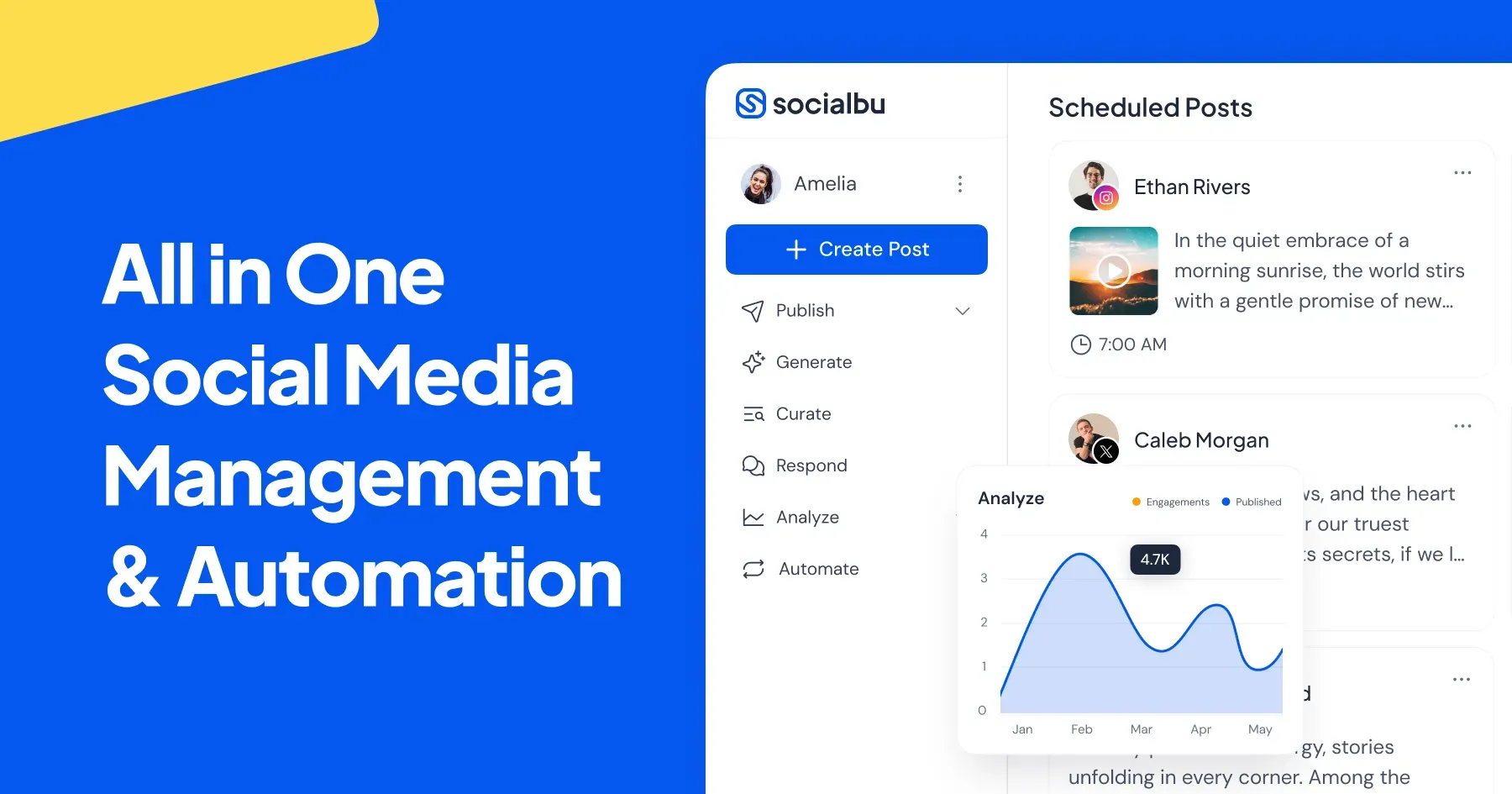
SocialBu is a marketing tool that schedules monitor and automate social posts across a dozen networks. SocialBu is an all-in-one social media manager that schedules posts, drafts captions with AI, monitors mentions, runs a shared inbox, automates rules and reports on performance across 12 networks, with team approvals and a 7-day free trial.
SocialBu is a social media management platform that brings publishing, AI drafting, content discovery, monitoring, inbox handling, automation, reporting and team workflows into one account. It connects to LinkedIn, X, Instagram, Threads, TikTok, Facebook, YouTube, Reddit, Bluesky, Pinterest, Mastodon and Google Business Profile, so a single workspace can cover most of the networks a small brand or agency touches. Day to day, the work starts in the publishing calendar. A post can be written once, sent to several connected accounts, adjusted with network-specific options, and then either given an exact time or dropped into a queue. An AI writing tool helps draft captions and other social copy, which the user edits before it enters the schedule. A curation module collects items from sources the user follows and turns chosen links into drafts, while listening streams track mentions and keywords from supported sources. Engagement and operations are covered as well. A shared inbox gathers supported messages, comments, replies and reviews from connected accounts, with options to assign conversations, change their status and leave private notes where the network allows it. Automation rules react to RSS feeds, supported social activity and webhooks, with the trigger, conditions and actions chosen by the user. Reports compare account, network, content and team performance over a selected date range, and the metrics available depend on what each network exposes. Teammates can be invited with permissions and an approval step for selected posts, which removes the need to share passwords. Limits on team size and accounts depend on the plan. SocialBu is reachable from the web, iOS and Android apps and a Chrome extension. It also offers an MCP server, so a compatible AI assistant can create posts and review schedules in natural language. It suits freelancers, marketing managers and agencies who want a broad, all-in-one tool rather than a single-purpose scheduler, and it competes with other multi-network suites that combine publishing with inbox and analytics features.
A 7-day free trial is offered through the registration page, with cancellation possible at any time.
Learn moreThe homepage states no price figures. Team and account limits depend on the chosen plan, and cancellation is possible at any time.
Learn moreA help center offers setup instructions and answers on features and account connections, and a blog publishes guides on publishing, engagement, automation and reporting.
Learn moreConnects to LinkedIn, X, Instagram, Threads, TikTok, Facebook, YouTube, Reddit, Bluesky, Pinterest, Mastodon and Google Business Profile. Automations use RSS feeds and webhooks, and an MCP server links AI assistants.
Learn moreMulti-account post scheduling and queues, AI caption drafting, content curation, keyword and mention listening, a shared inbox with assignments and notes, rule-based automation, cross-account analytics, team permissions with approvals, and an MCP server.
Learn more AI Angels400+ customizable AI girlfriends for NSFW chat, voice calls, and roleplay
 Candy AIExperience the future of companionship with AI friends who chat, role-play, and connect with you on a human level.
 ourdream.aiA vast AI roleplay platform with millions of characters for chat, images, video and voiceAI Angels400+ customizable AI girlfriends for NSFW chat, voice calls, and roleplayCandy AIExperience the future of companionship with AI friends who chat, role-play, and connect with you on a human level.ourdream.aiA vast AI roleplay platform with millions of characters for chat, images, video and voice