Free trial
No trial is needed because the generator is free to use without an account. Premium Type.ai features for long-form writing are referenced without pricing or trial terms.
Learn moreTurn a short premise into an outlined story with characters and a written opening
Own Story Generator by Type AI? Verify ownership to get a dofollow link

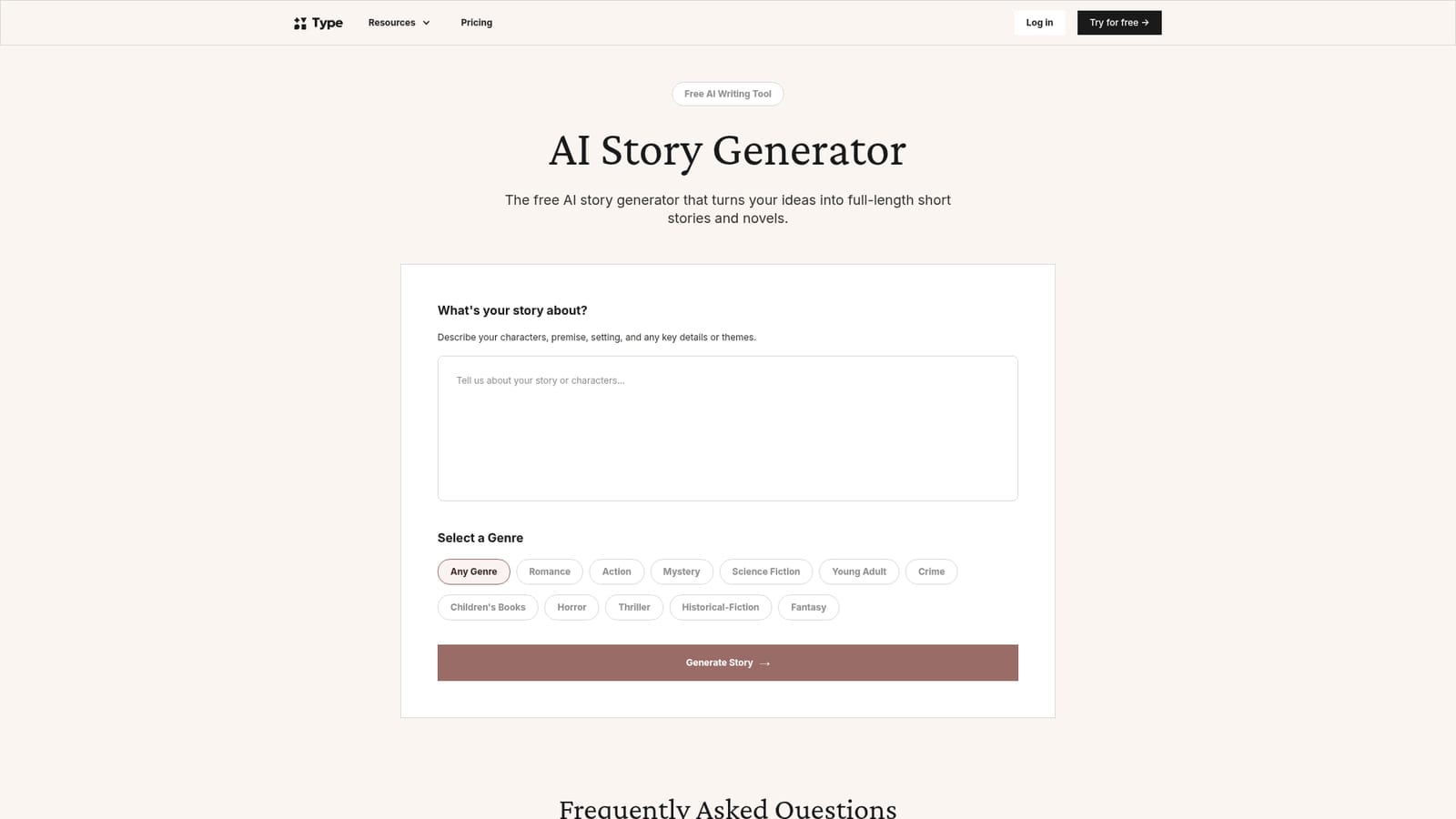
Story Generator by Type AI is a story creation tool that turns a short premise into an outlined story with characters and a written opening. A free, no-signup web tool that converts a story premise and a chosen genre into a character list, plot outline and written opening preview, which can then be imported into Type.ai's editor for long-form drafting.
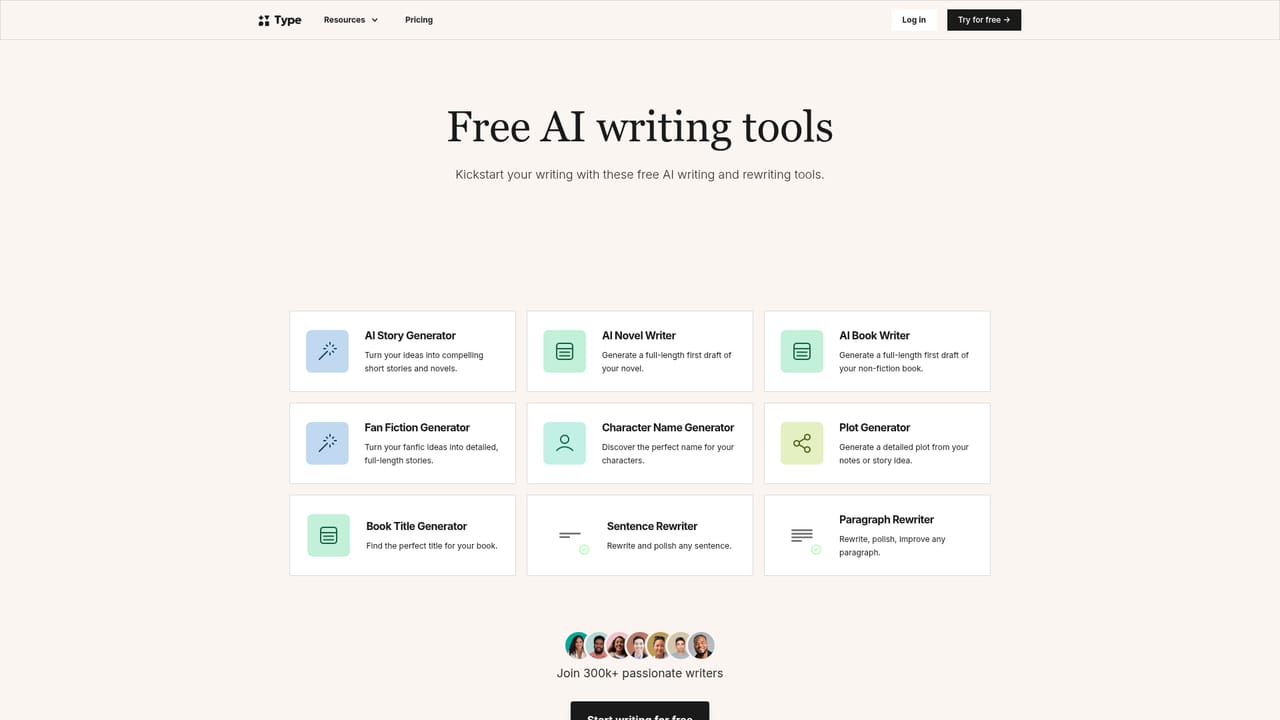
Type.ai's story generator is a free browser tool that takes a written premise and returns a structured plan for a piece of fiction. The user supplies a description of characters, setting, themes and key details, then picks a genre from a fixed list that covers romance, action, mystery, science fiction, young adult, crime, children's books, horror, thriller, historical fiction and fantasy. The tool analyses the idea, builds an outline with character profiles and major plot events, and writes a preview of the opening scene. No account and no payment are needed to run it. The output is deliberately a foundation rather than a finished manuscript. The outline and preview appear as a starting point, and the intended path forward is to send the document into Type.ai's editor, where scenes get expanded, dialogue gets added and the prose gets polished. That handoff is where the product differs from a plain chatbot prompt: the generator front-loads structure, so a writer begins with named characters and a sequence of events instead of a blank page. It suits two audiences. One is the total beginner who wants scaffolding before attempting fiction, since the tool absorbs the plotting decisions. The other is a working writer who wants a fast sketch of several directions for a short story or novel before committing. Genre selection nudges the tone and conventions of the result, and richer input descriptions correlate with tighter output, which the page states directly. Ownership is unambiguous: everything generated belongs to the user, with no claim from the company, and the material can be published, sold or adapted. The page also states that no models are trained on user data and that documents stay private. The generator sits alongside sibling tools for novels, books, fan fiction, character names, plots, titles and rewriting, so it works best as an entry point to a wider writing workspace rather than a standalone app.
No trial is needed because the generator is free to use without an account. Premium Type.ai features for long-form writing are referenced without pricing or trial terms.
Learn moreThe story generator itself is free with no signup and no credit card, and the page states it is free forever with unlimited outline and preview generations. Long-form editing and publishing features inside Type.ai are described as premium, but no prices or plan tiers appear on the page.
Learn moreA contact address is published on the site along with a blog and an FAQ page, but no live chat, ticket system or documentation portal for the story generator is described.
Learn moreGenerated stories hand off to Type.ai's own document editor, and the site offers related generators for fan fiction, character names, plots and book titles. No third party integrations are listed.
Describe a premise, choose from eleven genres, and receive a structured outline with character profiles and key plot events plus a written preview of the opening. The result imports into Type.ai's editor for expansion into a short story or novel. The page also notes creative control over the draft, user ownership of all output, and private handling of ideas and documents.
Learn more AI Angels400+ customizable AI girlfriends for NSFW chat, voice calls, and roleplay
 Candy AIExperience the future of companionship with AI friends who chat, role-play, and connect with you on a human level.
 ourdream.aiA vast AI roleplay platform with millions of characters for chat, images, video and voiceAI Angels400+ customizable AI girlfriends for NSFW chat, voice calls, and roleplayCandy AIExperience the future of companionship with AI friends who chat, role-play, and connect with you on a human level.ourdream.aiA vast AI roleplay platform with millions of characters for chat, images, video and voice