Free trial
A free trial is offered on every plan: three days on the monthly subscription and seven days on the six and twelve month plans.
Learn moreSpeak a new language daily with AI clones of YouTube teachers

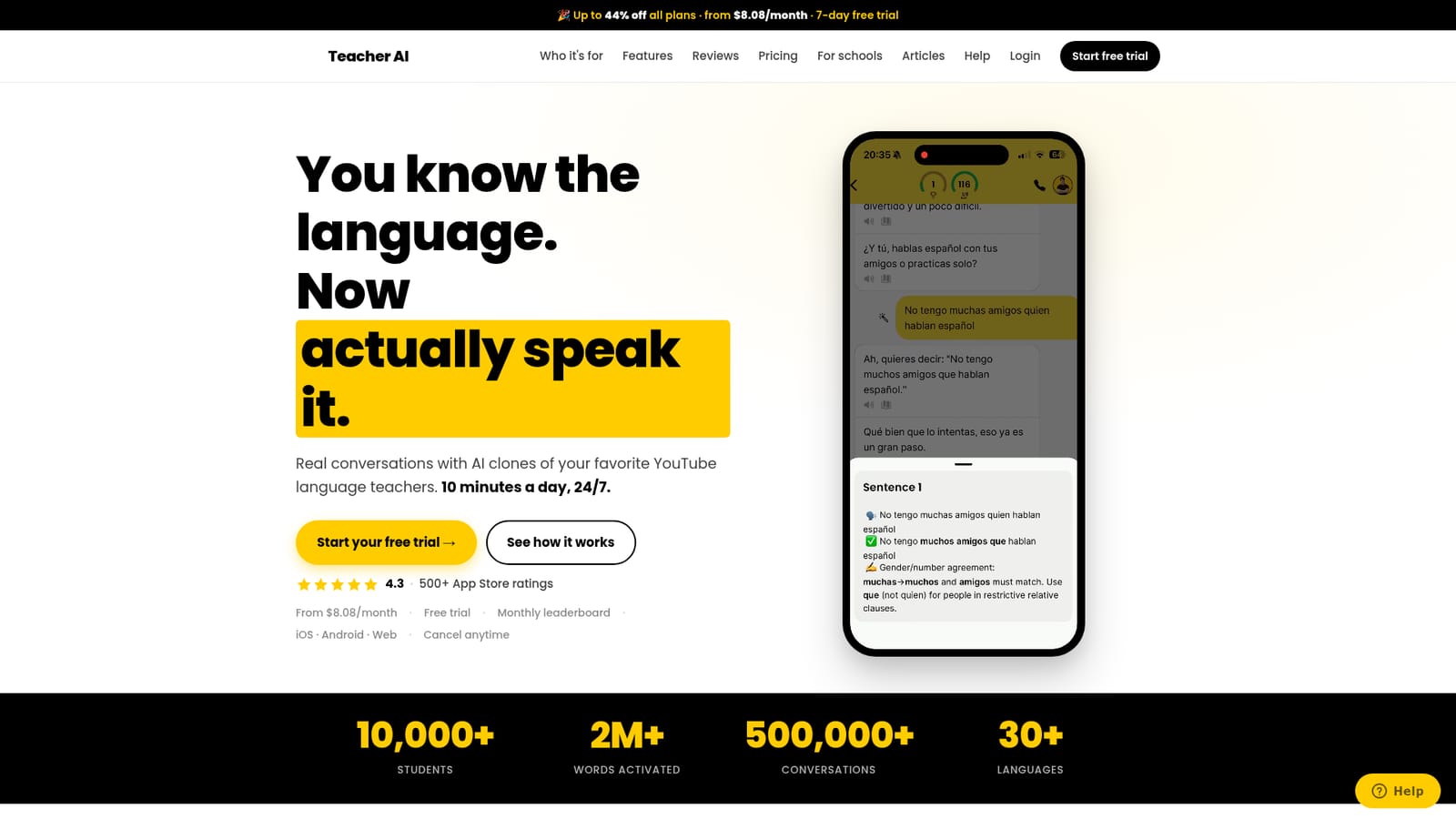
Teacher AI is an AI roleplay chat tool that speaks a new language daily with AI clones of YouTube teachers. Speaking practice app where you hold real conversations with AI clones of popular YouTube language teachers. Call mode, level matched prompts, automatic flashcards and progress tracking across 60+ languages, aimed at intermediate learners rather than beginners.
Teacher AI is a speaking practice app built around AI clones of well known YouTube language teachers. Instead of generic chatbots, you talk to a digital version of an instructor you may already follow, such as Davide Gemello of Podcast Italiano, Spanish With Nate, English Like A Native or Xiaomanyc. The catalog spans more than 60 languages and includes names with subscriber counts ranging from tens of thousands to millions. The premise is narrow on purpose: the product targets learners who have already studied a language and understand a fair amount but freeze when it is their turn to talk. The core experience is call mode, a hands free conversation that behaves like a phone call. There is no script and no button to press between turns, so it works while driving, walking or cooking. A live transcript appears as you speak, and corrections are delivered softly inside the conversation rather than as a separate grammar lecture. Hundreds of conversation starters are sorted by theme (career, relationships, travel, current events) and matched to CEFR levels from A2 upward, so sessions stay slightly ahead of your comfort zone without becoming incomprehensible. Vocabulary is tracked as a running count of unique words you actually use, and any word you tap for a translation is saved automatically as a flashcard for later review. A monthly leaderboard turns practice volume into a friendly competition. The tool runs on iOS, Android and the web under one account, so a conversation can start on a commute and continue at a desk. Pricing is straightforward: a monthly plan at $15, a six month plan at $11.16 per month and a twelve month plan at $8.08 per month, all with unlimited speaking in every offered language. Free trials run three days on monthly and seven days on the longer plans. Against alternatives, Teacher AI sits between a private tutor and a general assistant. It matches ChatGPT on availability and the absence of social pressure, adds teacher personas, structured exercises and automatic vocabulary review, and undercuts human tutoring by a wide margin. The founders are explicit that this is a practice tool rather than a course, and that complete beginners without an A2 foundation will not get enough scaffolding. It is the strongest fit for intermediate learners who want daily reps and cannot justify several tutor sessions a week.
A free trial is offered on every plan: three days on the monthly subscription and seven days on the six and twelve month plans.
Learn moreThree paid tiers in USD: monthly at $15, six months at $67 ($11.16 per month, billed every six months) and twelve months at $97 ($8.08 per month, billed annually, advertised as 44% off). All plans include unlimited speaking practice in every offered language. Cancel anytime in one click; regional taxes may adjust the final amount.
Learn moreSupport is reachable by email at hi@yourteacher.ai, which is also the address for requesting new teachers. No help centre or documentation site is listed on the homepage.
Call mode for hands free spoken conversation with AI teacher clones, live transcripts, in context corrections, hundreds of level matched conversation starters across dozens of themes, automatic flashcards from tapped words, unique word counting, progress tracking and a monthly leaderboard. Accessible on iOS, Android and web with shared progress.
 AI Angels400+ customizable AI girlfriends for NSFW chat, voice calls, and roleplay
 Candy AIExperience the future of companionship with AI friends who chat, role-play, and connect with you on a human level.
 ourdream.aiA vast AI roleplay platform with millions of characters for chat, images, video and voiceAI Angels400+ customizable AI girlfriends for NSFW chat, voice calls, and roleplayCandy AIExperience the future of companionship with AI friends who chat, role-play, and connect with you on a human level.ourdream.aiA vast AI roleplay platform with millions of characters for chat, images, video and voice