Free trial
The core chat experience is free, so no separate trial is required to evaluate the characters. Account creation is optional and only needed to save history.
Learn moreChat with over 30 AI characters, each with a distinct role and personality.
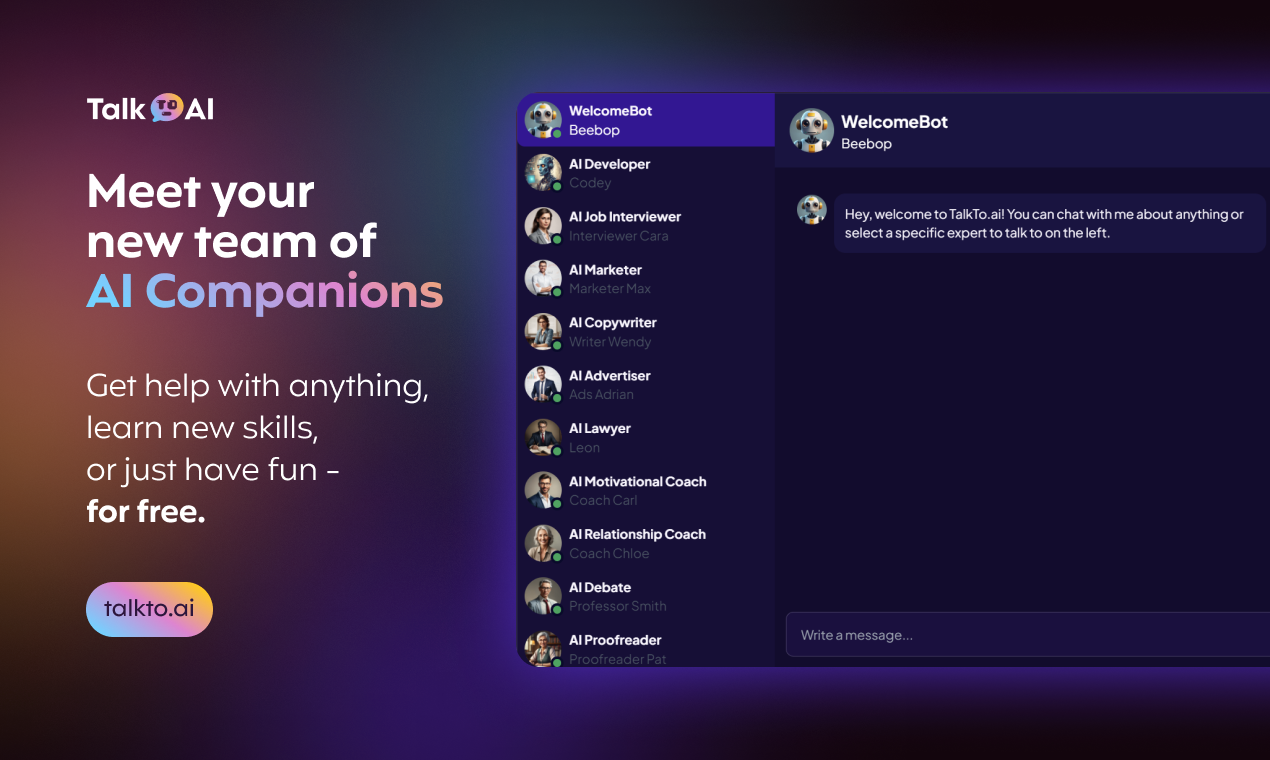
TalkTo.AI is an AI character chat tool that chats with over 30 AI characters, each with a distinct role and personality. TalkTo.AI offers free, ad free chat with more than 30 role based AI characters, from a copywriter and job interviewer to a comedian, roleplay partner and PDF chat assistant.
TalkTo.AI is a web based chat platform built around a cast of more than 30 preconfigured AI characters. Instead of starting with a blank prompt box, you pick a persona: WelcomeBot for open ended chat, a Developer named Codey, a Job Interviewer, a Lawyer, a Proofreader, a Math Teacher and many others. Each character has its own name, area of expertise and conversational style, and the roster stretches from practical work assistants to entertainment roles such as Comedian, Storyteller, Roleplay, Magician and Fortune Teller. The site lets you jump between characters at any time, and signed in users keep their dialogue history so past conversations remain available. The product is aimed at people who want a guided starting point rather than a generic assistant. Job seekers can rehearse with the Interviewer, writers can draft and polish copy with the Copywriter and Proofreader, students can work through problems with the Math or Philosophy Teacher, and anyone can open a casual conversation with a Companion or Roleplay character. A PDF and Documents persona handles chat over uploaded documents, which gives the tool a light research and reading use case alongside its social roles. In practice the workflow is simple: create an account if you want to keep a history, choose a character from the sidebar, and type. The platform describes natural, context aware conversations that adapt to your tone and language, and it claims some emotional recognition in replies. All characters are advertised as available around the clock, with no ads and a stated policy of not training on or reselling user data. You can keep several companions and switch between them; the site says each one remembers your conversations and adapts over time. Compared with general purpose assistants such as ChatGPT or Claude, TalkTo.AI trades flexibility for structure: the fixed persona list is easier for newcomers but offers less control over system prompts and no visible developer tooling. It sits closer to character chat directories, but bundles work oriented roles (marketer, advertiser, screenwriter, lawyer) alongside the entertainment ones. The site is explicit that it is not a substitute for professional therapy or counseling.
The core chat experience is free, so no separate trial is required to evaluate the characters. Account creation is optional and only needed to save history.
Learn moreThe homepage states that chat is 100% free and ad free, and that an account is only needed if you want to keep your dialogue history. No paid tiers, subscription prices or usage limits are listed on the homepage.
Learn moreThe homepage includes an FAQ covering getting started, chat topics, privacy, changing or keeping multiple companions and therapy limitations. No dedicated help centre, email address or live chat support channel is listed.
More than 30 role based AI characters with names and personalities; natural, context aware conversation that adapts to tone and language; claimed emotional recognition in replies; a PDF and documents chat persona; multiple companions with per character memory; history for signed in users; no ads; stated policy of not training on or reselling user data; 24/7 availability on computer, tablet or smartphone.
 AI Angels400+ customizable AI girlfriends for NSFW chat, voice calls, and roleplay
 Candy AIExperience the future of companionship with AI friends who chat, role-play, and connect with you on a human level.
 ourdream.aiA vast AI roleplay platform with millions of characters for chat, images, video and voiceAI Angels400+ customizable AI girlfriends for NSFW chat, voice calls, and roleplayCandy AIExperience the future of companionship with AI friends who chat, role-play, and connect with you on a human level.ourdream.aiA vast AI roleplay platform with millions of characters for chat, images, video and voice


