Free trial
No time limited trial is described. The site states the tool is free to use with basic features available to all users through the V 1.0 model.
Learn moreTurn a written prompt into a finished song with vocals or instrumentals
Own TextMusic.net? Verify ownership to get a dofollow link

TextMusic.net is a bass tab tool that turns a written prompt into a finished song with vocals or instrumentals. A text to music generator with Simple and Custom modes, 40+ genre, mood, and instrument selectors, an AI lyrics writer, stem separation, MIDI export, and commercial licensing on paid plans.
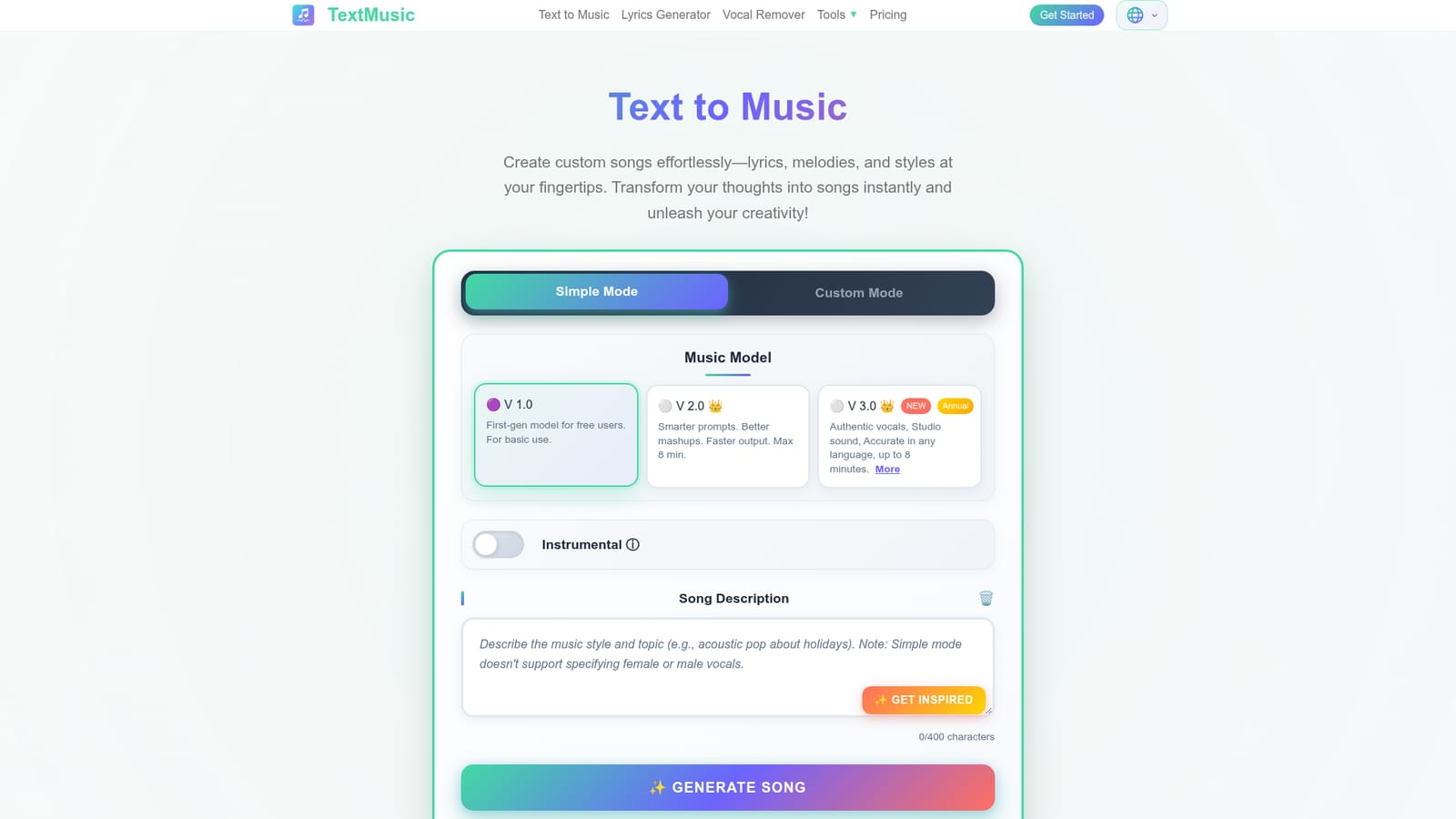
TextMusic.net is a browser based text to music generator that turns written prompts, lyrics, or short scene descriptions into complete songs. A Simple Mode takes a single description and handles the rest, while Custom Mode exposes the individual building blocks: lyrics up to a few thousand characters, a style field, and dropdown selectors for genre, mood, voice type, instruments, and tempo. Three model generations are offered. V 1.0 is the free tier model for basic use, V 2.0 adds smarter prompting and better mashups with a maximum length of eight minutes, and V 3.0 is reserved for annual subscribers and promises more authentic vocals and studio grade sound across languages. The workflow is aimed at people who can describe what they want but cannot play an instrument: content creators scoring a video, songwriters sketching a demo, hobbyists writing a track for an occasion. A built in lyrics generator drafts verses from a rough idea, and an instrumental toggle produces a track with no vocals. Generation takes roughly three minutes and returns two songs at once so there is something to compare. A public gallery of trending tracks shows what other users have made. Premium features go well beyond generation. Users can extend a song to a longer duration, split any track into vocals and instrumental stems, convert audio to MIDI, export synced lyrics as LRC or SRT files, upload a custom cover, and assemble a short lyric video from a single image. Downloads are offered in MP3 and WAV without watermarks, and paid plans include a commercial license for monetization and client work. Against competitors such as Suno and Udio, TextMusic.net competes on bundled extras rather than raw model prestige: stem separation, MIDI export, subtitle files, and licensing sit inside the same subscription. The tradeoff is a tight credit system and a model ladder where the best quality sits behind the annual plan.
No time limited trial is described. The site states the tool is free to use with basic features available to all users through the V 1.0 model.
Learn moreFree tier on the V 1.0 model with basic features. Paid plans unlock V 2.0 and V 3.0, higher monthly song allowances (roughly 300 to 1000 songs), MP3 and WAV downloads, and premium tools. Annual billing includes the V 3.0 model, commercial license, and costs over 50 percent less than monthly. Lifetime credit packs can be bought separately.
Learn moreSimple and Custom generation modes, an AI lyrics writer, 40+ genres with mood, voice, instrument, and tempo selectors, instrumental only tracks, songs up to eight minutes, two outputs per request, vocal and instrumental separation, audio to MIDI conversion, synced LRC and SRT lyric exports, custom cover upload, a short lyric video maker, and MP3 or WAV downloads.
 AI Angels400+ customizable AI girlfriends for NSFW chat, voice calls, and roleplay
 Candy AIExperience the future of companionship with AI friends who chat, role-play, and connect with you on a human level.
 ourdream.aiA vast AI roleplay platform with millions of characters for chat, images, video and voiceAI Angels400+ customizable AI girlfriends for NSFW chat, voice calls, and roleplayCandy AIExperience the future of companionship with AI friends who chat, role-play, and connect with you on a human level.ourdream.aiA vast AI roleplay platform with millions of characters for chat, images, video and voice