Free trial
Signing up grants 3000 free tokens (about 2-3 scripts) with no credit card required, and the homepage states no credit card is needed to start.
Learn moreGenerate TradingView indicators and strategies with an AI chat.
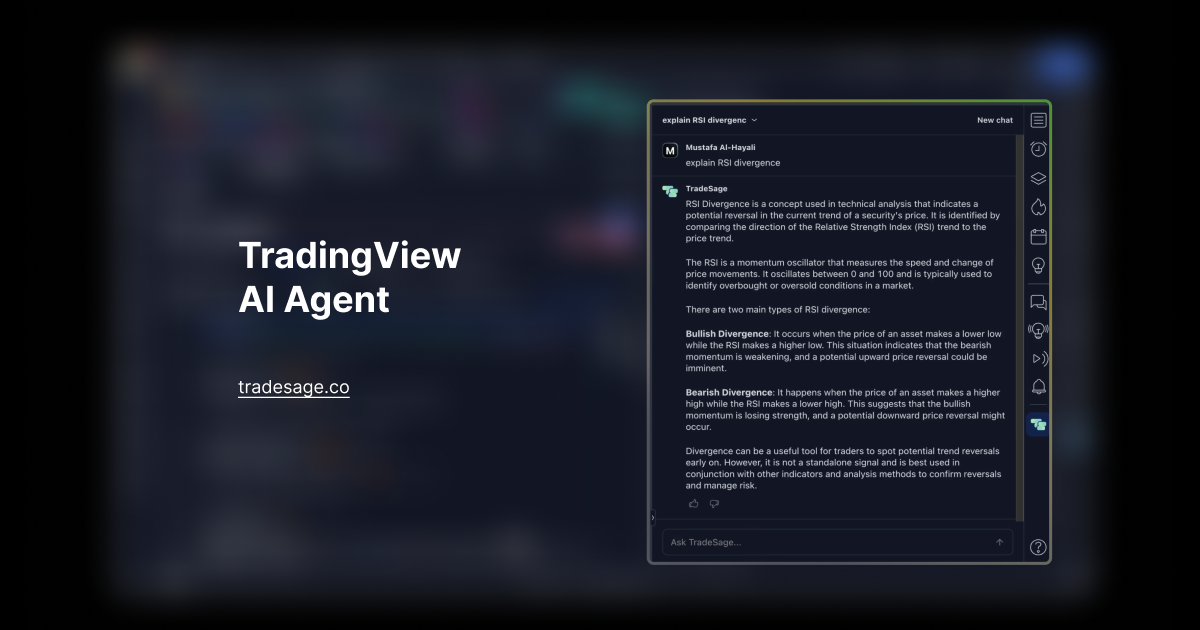
TradeSage is a code modifier tool that generates TradingView indicators and strategies with an AI chat. TradeSage is a Chrome extension that generates and edits Pine Script for TradingView through an AI chat, with a strategy optimizer, backtest report storage and screener alerts on paid tiers.
TradeSage is an AI assistant built for TradingView users who want custom indicators and strategies but do not write Pine Script. It runs as a Chrome extension and pairs a chat interface with an inline editor inside the Pine Script Editor, so a trading idea can be described in plain language and turned into working code without leaving the chart. The product targets active traders, strategy developers and technically minded hobbyists who already use TradingView and want to reduce the time between a concept and a backtest. In practice, the workflow starts with installing the Chrome extension. From there, you describe the rules you have in mind (entry and exit conditions, filters, indicators) and the assistant writes Pine Script in response. You can also ask it to modify an existing script, either through chat or by instructing the model to edit code directly in the editor. The Pro and Premium tiers add a strategy optimizer that stores and reviews backtest reports and saves presets, plus chart analysis and a Claude Sonnet model option. A screener notifier sends desktop alerts when a new ticker appears on your screener. The pricing is token based and tiered by monthly usage. Basic costs $9.99 for 30,000 tokens (roughly 20,000 words), Pro costs $29.99 for 150,000 tokens, Premium costs $99.99 for 600,000 tokens, and a standalone Optimizer plan costs $19.99. Every plan includes chat based script generation and the inline AI editor; the higher tiers layer on the optimizer, chart analysis and model choice. Among alternatives, TradeSage is narrower than general chat assistants such as ChatGPT Plus but more specialized: the homepage argues its tuned model produces more reliable Pine Script with fewer syntax errors. That focus makes it a reasonable fit for traders who want one job done inside TradingView, though it is not a full strategy research or portfolio platform.
Signing up grants 3000 free tokens (about 2-3 scripts) with no credit card required, and the homepage states no credit card is needed to start.
Learn moreMonthly subscription tiers: Basic at $9.99 for 30,000 tokens, Pro at $29.99 for 150,000 tokens with strategy optimizer, chart analysis and Claude Sonnet, Premium at $99.99 for 600,000 tokens with priority support, and a standalone Optimizer plan at $19.99. Tokens map roughly to words, and plans can be cancelled anytime.
Learn moreA chat widget on the site accepts support questions. Priority support is listed on the Premium plan; no other channels are described.
Operates as a Chrome extension inside TradingView, adding a chat interface and inline editor to the Pine Script Editor.
Chat based generation of Pine Script indicators and strategies, an inline AI editor inside the Pine Script Editor, a strategy optimizer that stores and reviews backtest reports and saves presets, chart analysis, a Claude Sonnet model option on Pro and above, and a screener notifier that sends desktop alerts for new tickers.
 AI Angels400+ customizable AI girlfriends for NSFW chat, voice calls, and roleplay
 Candy AIExperience the future of companionship with AI friends who chat, role-play, and connect with you on a human level.
 ourdream.aiA vast AI roleplay platform with millions of characters for chat, images, video and voiceAI Angels400+ customizable AI girlfriends for NSFW chat, voice calls, and roleplayCandy AIExperience the future of companionship with AI friends who chat, role-play, and connect with you on a human level.ourdream.aiA vast AI roleplay platform with millions of characters for chat, images, video and voice