Free trial
A free preview of the translation is available without creating an account, allowing users to assess quality before purchasing.
Learn moreAI book translation with layout preservation and quality proofing.
Own Translate A Book.com? Verify ownership to get a dofollow link

Translate A Book.com is a book formatting tool. Translate A Book translates full manuscripts while preserving layout, fonts, and footnotes. It offers three quality tiers, an editable translation guide, and an AI proofreading report. Aimed at authors and publishers who want a review-ready file in hours, not weeks.
Translate A Book is a specialized service for translating full-length manuscripts while keeping the original file structure intact. Authors upload a book in formats such as PDF, DOCX, EPUB, or InDesign IDML, and the platform returns a translated version that retains fonts, images, footnotes, headings, tables, and links. The homepage states that more than 6,690 books have been translated for over 2,652 authors, with files processed through a multi-stage pipeline: collecting style instructions, building an editable translation guide, translating with top AI models, self-reviewing for consistency, and rebuilding the final file. The service emphasizes that it does not convert files to plain text and back, which is why layout remains stable even in complex layouts like IDML. The tool is aimed at independent authors, publishers, and academic writers who need a translation they can review and publish without rebuilding the book from scratch. It offers three quality tiers: Standard for quick drafts, Pro for better fluency, and Author mode for deep analysis with a custom translation guide. Author mode lets users define character names, terminology, tone, and audience in plain English, and even supply a reference translation for style matching. After translation, an AI proofreader evaluates the text using the MQM framework and produces a scored report with error cards that can be validated, ignored, or edited. The interface is designed for non-technical users, with no account required for a free preview and a quote. In practice, authors start by uploading their manuscript, choosing a tier, and optionally editing the translation guide. The system then produces a translated file ready for proofreading. Reported turnaround ranges from a dozen minutes for Standard and Pro to a few hours for Author mode. For those weighing alternatives, Translate A Book occupies a middle ground between raw machine translation (which loses context and formatting) and professional human translation (which can cost thousands and take weeks). The platform claims around 95% accuracy out of the box, with many books needing only light proofreading. Its proofreading report adds transparency that generic AI translators lack, and the IDML support is a notable differentiator for publishers working in InDesign.
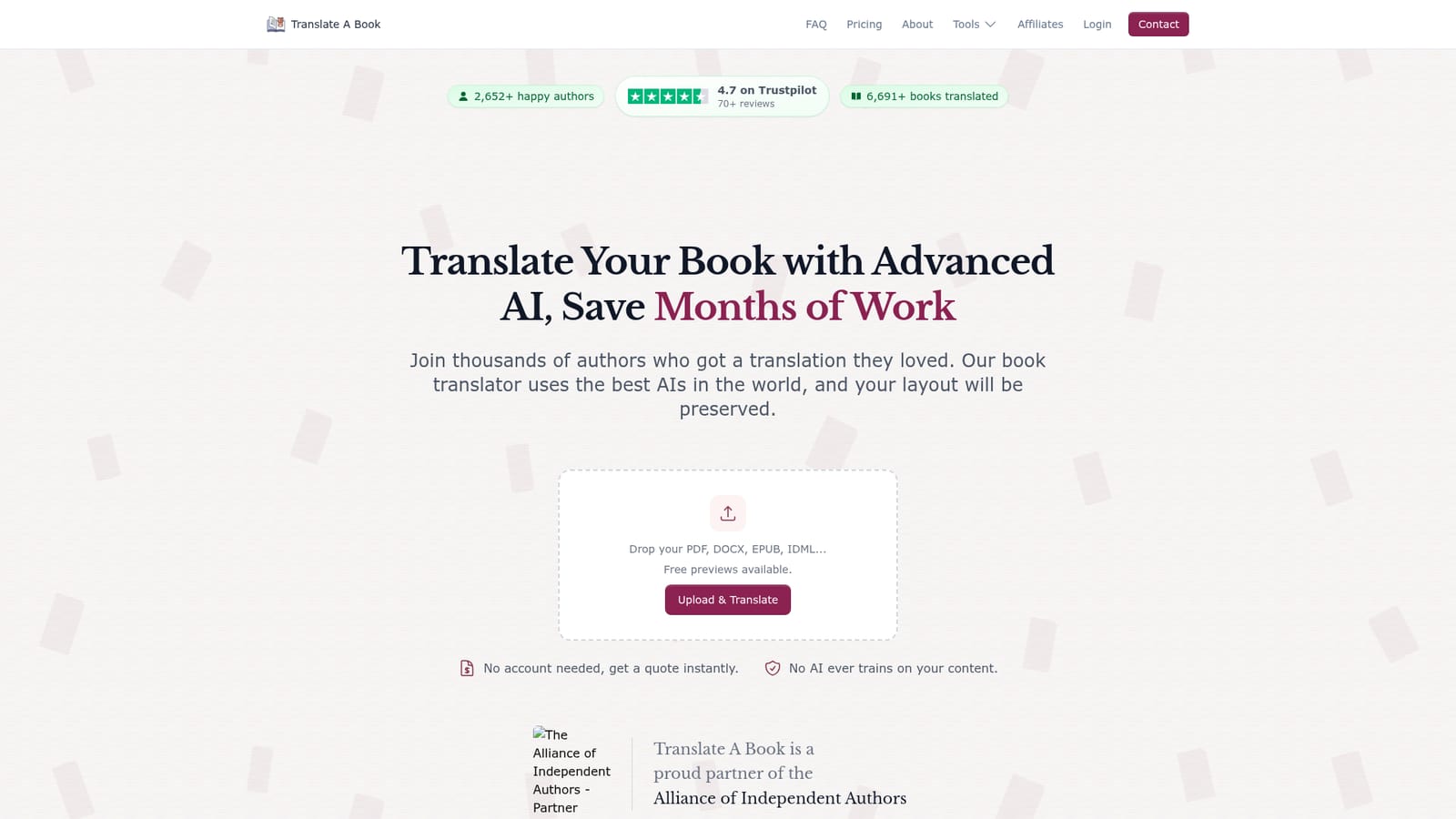
A free preview of the translation is available without creating an account, allowing users to assess quality before purchasing.
Learn moreThe homepage does not list specific prices. It mentions three tiers (Standard, Pro, Author) and states that professional human translation typically costs $5,000 to $17,000, implying the service is positioned as a more affordable alternative. Users can get an instant quote by uploading a file.
Learn moreSupport is available via email at contact@translateabook.com. The homepage also invites users to reach out for help with upload issues.
Learn moreLayout-preserving translation for EPUB, DOCX, PDF, IDML, and more. Three quality tiers including Author mode with an editable translation guide. Self-review pipeline for consistency. AI proofreading with MQM-based error reports and a quality score. No training on user content.
 AI Angels400+ customizable AI girlfriends for NSFW chat, voice calls, and roleplay
 Candy AIExperience the future of companionship with AI friends who chat, role-play, and connect with you on a human level.
 ourdream.aiA vast AI roleplay platform with millions of characters for chat, images, video and voiceAI Angels400+ customizable AI girlfriends for NSFW chat, voice calls, and roleplayCandy AIExperience the future of companionship with AI friends who chat, role-play, and connect with you on a human level.ourdream.aiA vast AI roleplay platform with millions of characters for chat, images, video and voice