Free trial
New users get 120 free credits, which the homepage frames as a no cost way to generate notes before choosing a paid plan. No trial duration is stated.
Learn moreTurn any YouTube video into structured, timestamped notes worth keeping.

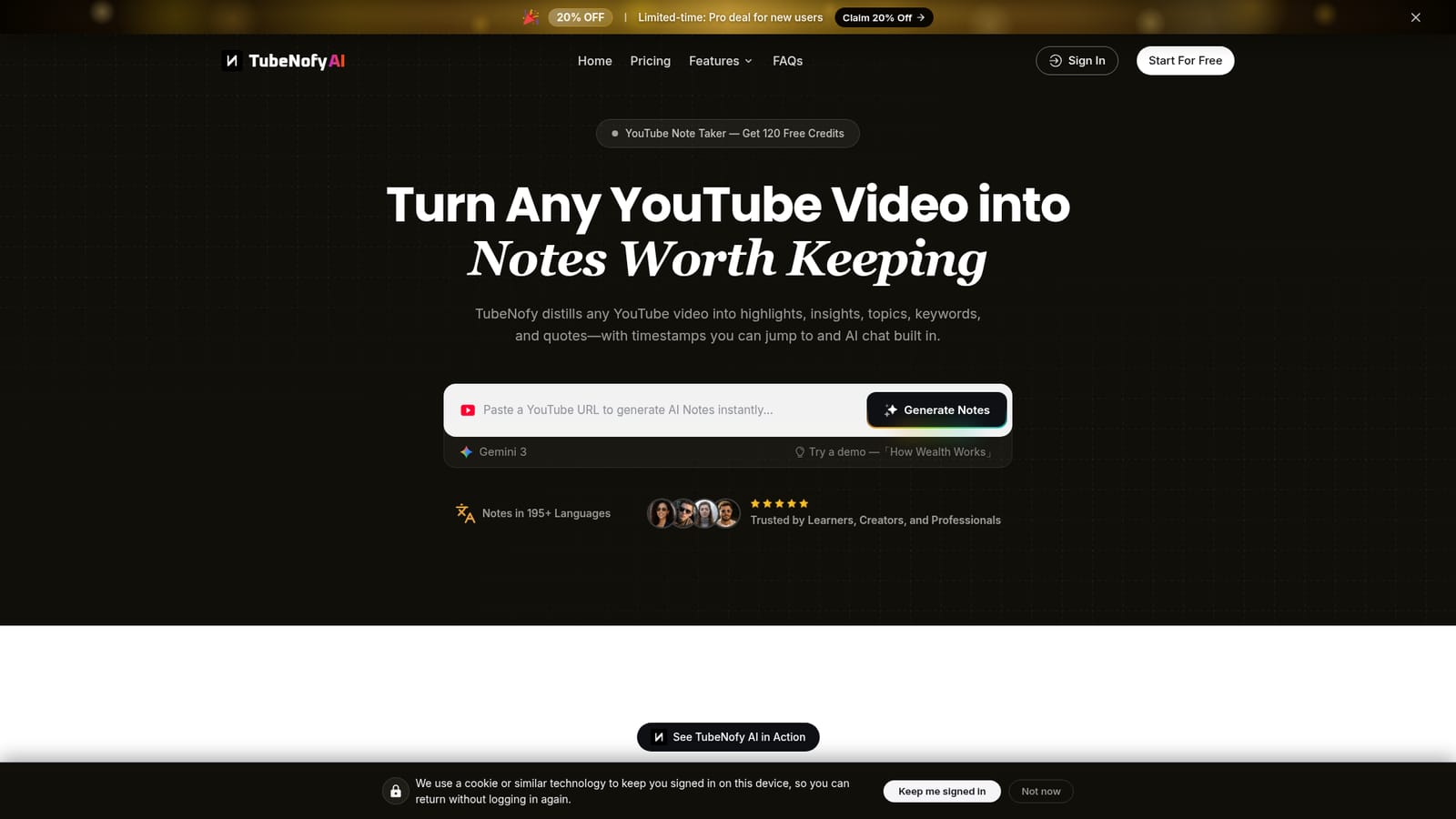
TubeNofy AI is a URL into notes tool that turns any YouTube video into structured, timestamped notes worth keeping. TubeNofy converts YouTube videos and Shorts into structured notes: highlights, insights, topics, keywords and quotes, each with clickable timestamps. It adds in video keyword search, transcript grounded AI chat, and one click export to Notion or Markdown.
TubeNofy is a YouTube note taker built around a simple input: a video URL. Paste a link and the tool processes the transcript into a set of structured notes rather than a single short recap. Notes are split across five views (Highlights, Insights, Topics, Keywords and Quotes), and every highlight carries a timestamp that jumps straight to that moment in the video. Shorts, lectures, interviews and long recordings are all listed as supported source material, with notes generated in more than 195 languages. The design goal is reuse. Instead of a throwaway summary, TubeNofy aims at material you can carry into other work: quotes preserved word for word, topics grouped for scanning, and timestamps kept attached so a claim can be verified later. A keyword search runs inside the video, which is the practical answer to scrubbing a timeline when only one segment matters. An AI chat layer answers questions about any part of the video using the actual transcript as its basis, so follow up detail can be pulled without rewatching. Output travels. Notes can be exported to Notion with one click or copied as Markdown, with highlights and timestamps intact. That makes the tool most useful to people who already live in a notes system: researchers synthesizing interview recordings, writers hunting for direct quotes, podcast hosts assembling show notes, course creators packaging their own channels, students working through lecture series, and marketers reviewing competitor or webinar footage. The homepage testimonials skew heavily toward these research and repurposing workflows rather than casual viewing. Against generic YouTube summarizers, the differentiation is depth over brevity: five structured views and jumpable timestamps instead of a paragraph of overview. The tradeoff is that TubeNofy is scoped to YouTube as a source and to notes as an output; it is not a general meeting recorder or a transcription suite for your own uploaded files. Users who need captions, editing or non YouTube media should look elsewhere. Pricing tiers are not spelled out in the homepage body, though a limited time Pro discount and a 120 credit free allowance are both advertised.
New users get 120 free credits, which the homepage frames as a no cost way to generate notes before choosing a paid plan. No trial duration is stated.
Learn moreThe homepage advertises a limited time 20 percent Pro discount for new users and 120 free credits to start, but it does not publish tier names, recurring prices or how credits are consumed per video.
Learn moreNotion export is the one documented integration, alongside Markdown copy for pasting into other tools. No other connectors are listed on the homepage.
Five note views (Highlights, Insights, Topics, Keywords, Quotes) with exact clickable timestamps, in video keyword search, transcript based AI chat for questions about any part of the video, support for YouTube Shorts and long lectures, notes in 195+ languages, and one click export to Notion or copy as Markdown.
 AI Angels400+ customizable AI girlfriends for NSFW chat, voice calls, and roleplay
 Candy AIExperience the future of companionship with AI friends who chat, role-play, and connect with you on a human level.
 ourdream.aiA vast AI roleplay platform with millions of characters for chat, images, video and voiceAI Angels400+ customizable AI girlfriends for NSFW chat, voice calls, and roleplayCandy AIExperience the future of companionship with AI friends who chat, role-play, and connect with you on a human level.ourdream.aiA vast AI roleplay platform with millions of characters for chat, images, video and voice