Free trial
A free trial is promoted on the homepage and the main app can be tried free, though the trial length and usage caps are not stated.
Learn moreRewrites AI or copied text so it reads like your own writing and slips past detectors.

Twixify is an AI detection remover tool that rewrites AI or copied text so it reads like your own writing and slips past detectors. Twixify rewrites AI generated or copied text into human sounding prose, with a style mimic mode that learns your tone from a writing sample.
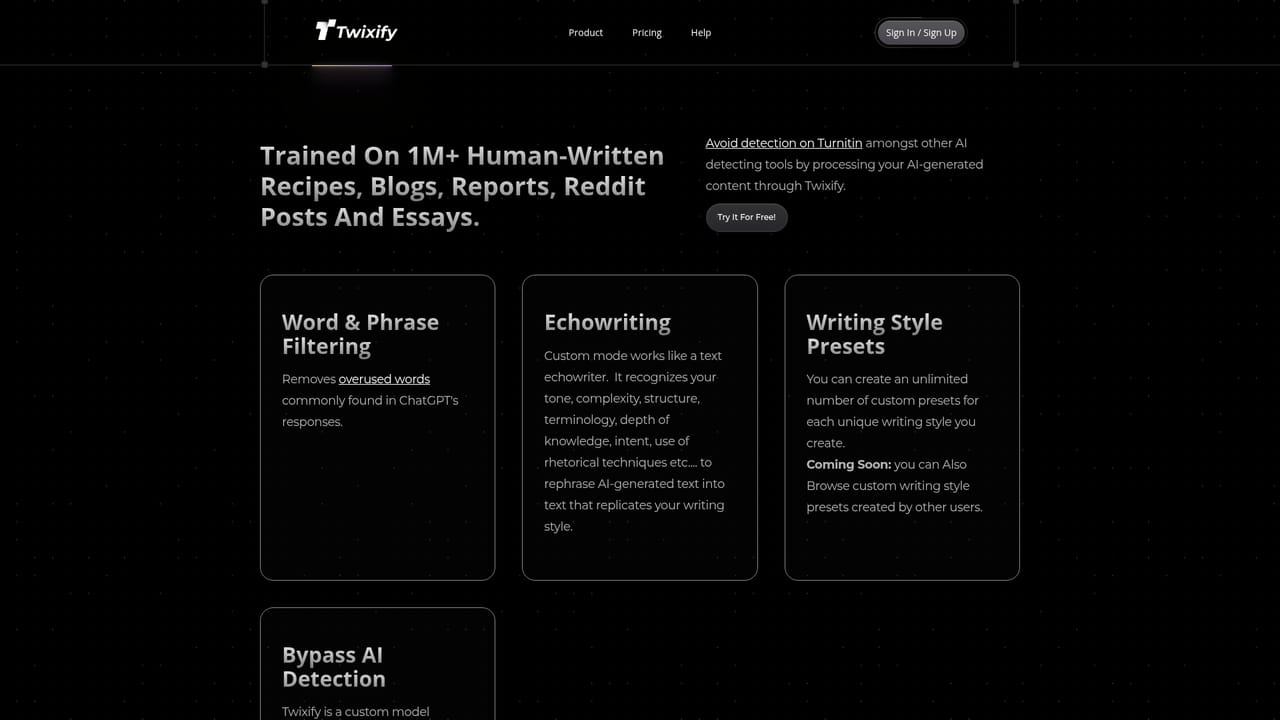
Twixify is a rewriting tool built around what its team calls echowriting: the model takes text you supply and rebuilds it in a style that resembles human writing rather than generic chatbot output. The core promise is twofold. First, it converts AI generated or copied passages into phrasing that it claims bypasses both AI detectors and plagiarism checkers. Second, it tries to preserve the original meaning while doing so, so the output stays usable as real content instead of just scrambled prose. The second function is style mimicry. Rather than applying one fixed tone, Twixify lets you paste a sample of your own writing alongside the text you want rewritten. The model analyses that sample for vocabulary, sentence rhythm and structure, then produces new text that follows those patterns. A set of preset tones (personable, empathetic, direct, friendly, analytical, reflective) covers cases where you do not have a sample. A depth and length control, paired with an additional knowledge insertion field, lets you expand the output and add supporting facts while keeping the rewritten voice. The tool suits copywriters, bloggers, marketers and students who already work with large language models and need the final draft to sound consistent with their own published voice. In practice the workflow is short: paste content, optionally paste a style sample, pick a tone, adjust length, and copy the result out. A before and after example on the site shows the same definition rendered first in plain ChatGPT phrasing and then in a looser conversational register. Among humanizer tools, Twixify differentiates on the style mimic rather than on volume processing. Its published user feedback is candid about limits: one testimonial puts effectiveness against GPTZero at roughly 90 percent. Pricing tiers, plan limits and the exact list of detectors tested against are not detailed on the homepage, so budget conscious buyers should confirm those before committing.
A free trial is promoted on the homepage and the main app can be tried free, though the trial length and usage caps are not stated.
Learn moreThe homepage advertises 25 percent off for the first 7 million users and offers a free try, but it does not publish plan names, prices, word limits or billing intervals. Buyers should confirm current tiers before subscribing.
Learn moreSupport is offered by email at help@twixify.com, and users can suggest or vote on features through a public requests page.
Learn moreTwo main functions: humanizing AI or copied text to bypass AI and plagiarism detectors while keeping meaning, and echowriting, which rewrites any text to match your personal style and tone. Supporting controls include preset tones, a depth and length slider, additional knowledge insertion and a sample writing field.
Learn more AI Angels400+ customizable AI girlfriends for NSFW chat, voice calls, and roleplay
 Candy AIExperience the future of companionship with AI friends who chat, role-play, and connect with you on a human level.
 ourdream.aiA vast AI roleplay platform with millions of characters for chat, images, video and voiceAI Angels400+ customizable AI girlfriends for NSFW chat, voice calls, and roleplayCandy AIExperience the future of companionship with AI friends who chat, role-play, and connect with you on a human level.ourdream.aiA vast AI roleplay platform with millions of characters for chat, images, video and voice


