Unblur Image

Free AI tool that sharpens blurry photos and upscales them up to 4x, no sign-up needed.

Beginner
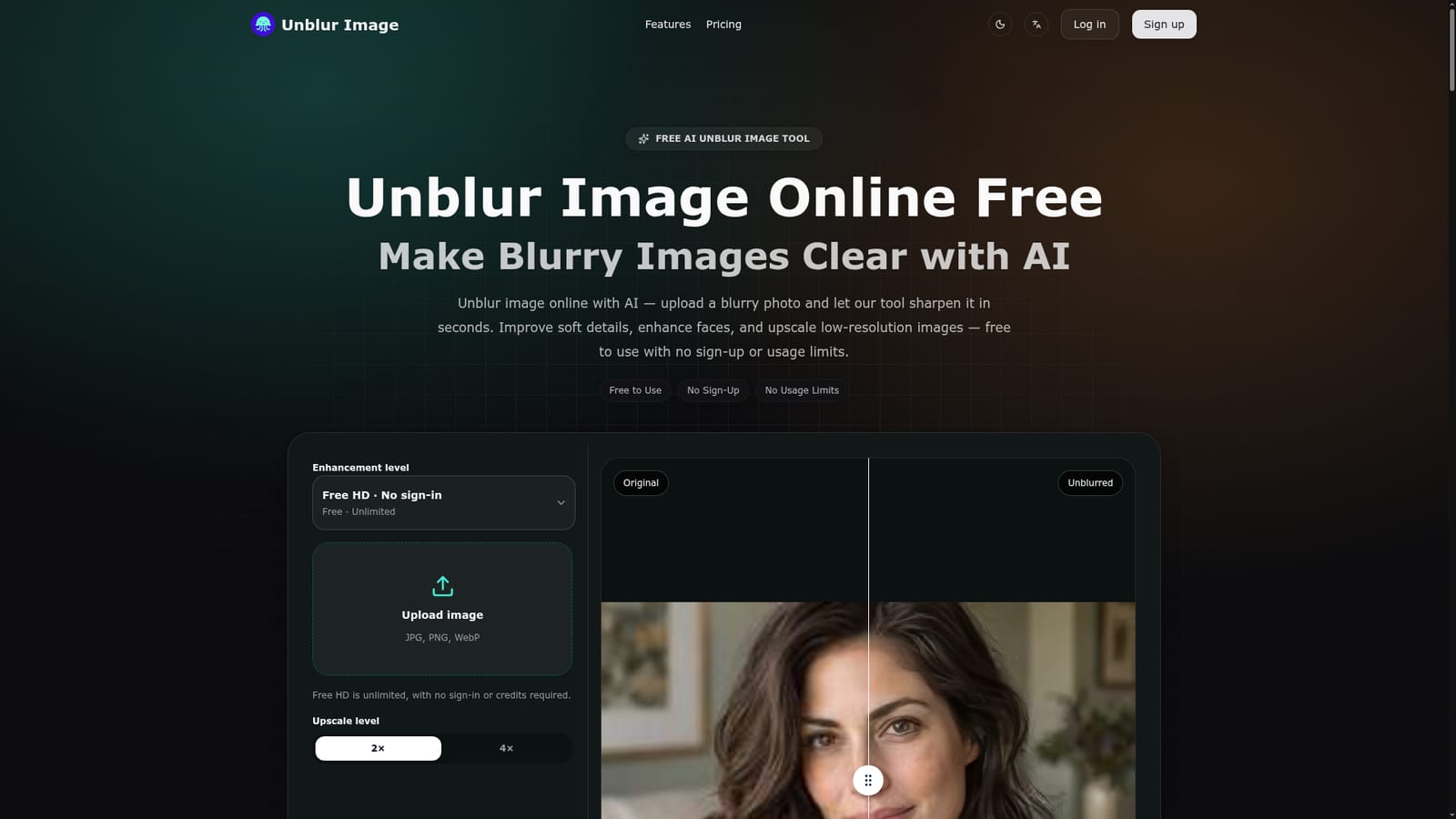
Screenshot of Unblur Image, Free AI tool that sharpens blurry photos and upscales them up to 4x, no sign-up needed

What is Unblur Image?

Unblur Image is a free, no-sign-up AI tool that sharpens blurry photos, enhances faces, reduces noise, and upscales images up to 4x directly in the browser.

Unblur Image is a browser-based AI tool built around one task: taking a blurry, soft, or low-resolution photo and making it clearer. Users upload a JPG, PNG, or WebP file, and the underlying model analyzes the areas affected by motion blur, lens blur, or soft focus, then applies targeted sharpening to edges, texture, and detail rather than relying on a basic contrast or sharpness filter. An optional face enhancement mode targets eyes, hair, and facial edges in portraits, and an upscale control lets users enlarge the result by 2x or 4x while the detail work happens. The tool is aimed at people who need a quick fix for a single image rather than a full editing suite. Online sellers use it to clean up product photos before listing them, people restoring old family prints use it to recover detail lost to age or scanning, and content creators use it to sharpen screenshots, whiteboard photos, or scanned documents so text becomes legible again. None of these use cases require photography or editing experience, since the entire workflow is upload, adjust a couple of settings, and download. In practice, the process runs in three steps: drag in the image, let the AI process it while choosing an upscale level and toggling face enhancement, then compare the result in a before/after slider before downloading. There is no account creation, no credit system, and no watermark added to the output, which sets it apart from many competing upscalers that gate full resolution or watermark-free downloads behind a paid tier. Among alternatives in the photo enhancement space, Unblur Image positions itself as a narrow, fast, no-friction option rather than a full editor. It will not replace dedicated restoration software for heavily damaged photos or professional retouching workflows, but for a single blurry shot that needs quick clarity, it removes the usual account and payment barriers.
How do you use Unblur Image?

  1. 1Upload a blurry image
    Drag and drop a photo onto the upload area or click to browse. PNG, JPEG, JPG, and WebP files are accepted directly from the browser.
    Unblur Image — Upload a blurry image
  2. 2Pick an upscale level and enable face enhancement
    Choose 2x or 4x upscaling and turn on face enhancement if the image is a portrait that needs extra sharpening around eyes and edges.
  3. 3Let the AI process the image
    The tool analyzes the blur pattern and applies sharpening to edges, texture, and detail, typically finishing within seconds depending on image size and load.
  4. 4Compare before and after
    Use the slider to compare the original against the enhanced version before deciding whether to download or adjust settings and rerun.
  5. 5Download the result
    Save the unblurred, upscaled image with no watermark and no account required.

Pros and cons

Pros

  • Free HD mode has no sign-up, no credits, and no stated usage quotaAI
  • Downloads are watermark-free for personal or commercial useAI
  • Supports JPG, PNG, and WebP with a before/after comparison sliderAI
  • Includes optional face enhancement alongside 2x and 4x upscalingAI
  • Runs fully in the browser on both desktop and mobile without installing anythingAI

Cons

  • Effectiveness depends heavily on the original image quality and blur typeAI
  • Images below roughly 200x200 pixels or completely out of focus may see little improvementAI
  • No batch upload or bulk processing is described for handling multiple images at onceAI
  • A pricing page exists but the homepage does not disclose what, if anything, sits behind itAI
  • No API, plugin, or third-party integration options are mentionedAI

How much does Unblur Image cost?

Free trial

No trial is required since the core unblur and upscale functionality is described as free and unlimited without sign-up.

Learn more

Pricing

The homepage describes the Free HD mode as fully free with no credit card, trial period, credits, or usage limits, though a separate pricing page exists whose contents are not detailed on the homepage.

Learn more

Support

A contact page is available for reaching the team, alongside an FAQ section on the homepage covering common usage questions.

Learn more

Features

AI deblurring for motion blur, lens blur, and soft focus, face recovery for portraits, 2x/4x upscaling, noise and artifact reduction, text and document sharpening, and a before/after preview slider.

Frequently asked questions about Unblur Image

  • How much does Unblur Image cost?
    The homepage describes the Free HD mode as fully free with no credit card, trial period, credits, or usage limits, though a separate pricing page exists whose contents are not detailed on the homepage.
  • Does Unblur Image offer a free trial?
    No trial is required since the core unblur and upscale functionality is described as free and unlimited without sign-up.
  • How do you use Unblur Image?
    The walkthrough on this page covers 5 steps: 1. Upload a blurry image 2. Pick an upscale level and enable face enhancement 3. Let the AI process the image 4. Compare before and after 5. Download the result.
  • What platforms does Unblur Image support?
    Unblur Image is available on Web App.
  • What are the limitations of Unblur Image?
    Effectiveness depends heavily on the original image quality and blur type. Images below roughly 200x200 pixels or completely out of focus may see little improvement. No batch upload or bulk processing is described for handling multiple images at once.

Status

StatusActive
Views0
Outbound clicks0
Added10/17/2026

Platforms

Web App

Pricing

Free