Vidlogi

One studio for short clips, images, voice tracks and written drafts

Beginner
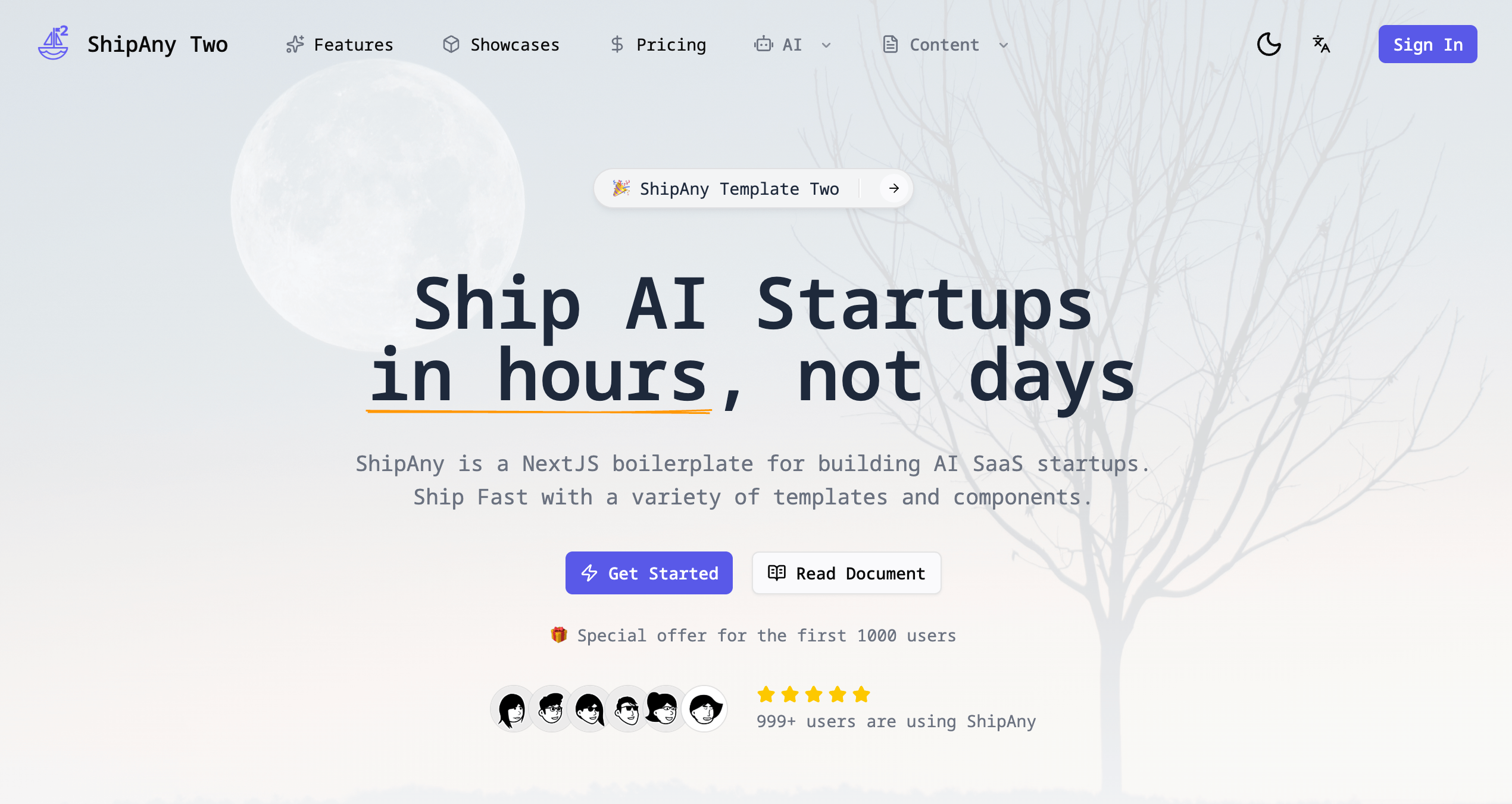
Screenshot of Vidlogi, One studio for short clips, images, voice tracks and written drafts

What is Vidlogi?

Vidlogi is an AI studio for short video clips, images, text to speech, video summaries, video to article drafts and 3D product concepts, with the VIDA coding assistant for VS Code. It shows estimated credit costs before each generation and expects users to review drafts before publishing.

Vidlogi is an AI studio that bundles several production workflows into one web workspace rather than selling a single generator. The service list covers short video clips created from a prompt or a source image, image generation, text to speech for scripts, video summaries, video to article conversion and an initial 3D concept for product previews. A separate offering, VIDA, is a coding assistant that runs inside VS Code and is aimed at developers rather than content creators. The product is built around a single flow: pick the workflow that matches the task, supply a prompt or upload a supported file, then review and refine the output before publishing. Vidlogi states that each service takes different inputs and has different limits, and the Studio surface shows the available options plus an estimated credit cost before any generation runs. That credit estimate is the main guardrail against spending on a job that is badly specified. Vidlogi is honest about scope in ways worth noting. The video generator produces short shots only and explicitly will not assemble a complete long YouTube video from one request. Video summaries and video to article both return drafts that are meant to pass through human review, and the 3D preview is positioned as an initial concept to inspect rather than a finished asset. Images created in the studio stay private and are not published to the public showcase. Fit depends on the job. Teams that need a single polished long form video tool will find the clip length limit restrictive, and anyone wanting deep manual editing will still need a conventional editor alongside it. The appeal is breadth for creators and small teams who want several asset types from one account with one credit balance, plus the unusual option of a coding agent under the same roof. Buyers should read the per service limits and credit costs on the pricing page before committing, since the homepage does not publish figures.

How do you use Vidlogi?

  1. 1Pick the workflow that matches your task
    Open the Studio and choose from short video clips, image generation, text to speech, video summaries, video to article or 3D product preview. Each entry lists its own inputs and limits.
  2. 2Check an example before you build
    The showcase gallery shows outputs from the different services, which helps set expectations for clip length, image style and voice quality before spending credits.
  3. 3Enter a prompt or upload a supported file
    Depending on the service, you either write a prompt, upload a video for summarising or article conversion, or supply a reference image for a 3D concept. Review the estimated credit cost shown before you generate.
  4. 4Review and refine the result
    Outputs are drafts. Check image details, edit summary and article text for accuracy, and inspect the 3D concept from multiple angles before it goes anywhere near a customer.
  5. 5Compare plans and credit pricing
    The pricing page lists the available plans. Read it against your expected volume per service, since each workflow consumes credits at its own rate.
  6. 6Set up VIDA if you also write code
    VIDA is a separate coding agent that runs inside VS Code, reads your project and helps search, explain and edit code. Install it from the VIDA page if development work is part of your scope.

Pros and cons

Pros

  • Several output types sit under one account, from clips and images to voice tracks and article draftsAI
  • The Studio displays estimated credit cost before generation, so spend is visible up frontAI
  • Service descriptions are candid about limits, such as short clips rather than full long form videosAI
  • Drafts from the summariser and video to article tool are framed for editorial review, which suits publishing workflowsAI
  • VIDA adds a coding agent inside VS Code for teams that also do development workAI

Cons

  • The video generator is limited to short shots and will not build a complete long video from a single requestAI
  • No published pricing figures on the homepage, so credit costs and plan value need checking before signing upAI
  • Generated summaries, articles and 3D concepts all require manual review, which adds a human editing step to every jobAI
  • Each service takes different inputs and enforces different limits, so users must learn separate rules per workflowAI
  • No depth on manual editing is described, meaning finished assets likely need another toolAI

How much does Vidlogi cost?

Pricing

Vidlogi uses a credit model. The Studio shows an estimated credit cost before each generation, and each service has different inputs and limits. The homepage does not state plan prices or credit amounts; those are listed on the pricing page.

Learn more

Integrations

VIDA runs inside VS Code. No other third party integrations are described on the homepage.

Learn more

Features

Six content workflows plus a coding agent: short video clips from a prompt or image, image generation, text to speech for scripts, video summaries, video to article conversion and a 3D product preview concept. The Studio shows available options and an estimated credit cost before generation, and results are returned as drafts for review. VIDA is an AI coding agent inside VS Code.

Learn more

Frequently asked questions about Vidlogi

  • How much does Vidlogi cost?
    Vidlogi uses a credit model. The Studio shows an estimated credit cost before each generation, and each service has different inputs and limits. The homepage does not state plan prices or credit amounts; those are listed on the pricing page.
  • How do you use Vidlogi?
    The walkthrough on this page covers 6 steps: 1. Pick the workflow that matches your task 2. Check an example before you build 3. Enter a prompt or upload a supported file 4. Review and refine the result 5. Compare plans and credit pricing 6. Set up VIDA if you also write code.
  • What platforms does Vidlogi support?
    Vidlogi is available on Web App, Windows, MacOS and Linux.
  • What does Vidlogi integrate with?
    VIDA runs inside VS Code. No other third party integrations are described on the homepage.
  • What are the limitations of Vidlogi?
    The video generator is limited to short shots and will not build a complete long video from a single request. No published pricing figures on the homepage, so credit costs and plan value need checking before signing up. Generated summaries, articles and 3D concepts all require manual review, which adds a human editing step to every job.

Status

StatusActive
Views0
Outbound clicks0
Added10/21/2026

Platforms

Web AppWindowsMacOSLinux

Pricing

FreemiumSubscription