Visual Field Test

Home perimetry that maps your peripheral vision in about five minutes per eye

Beginner
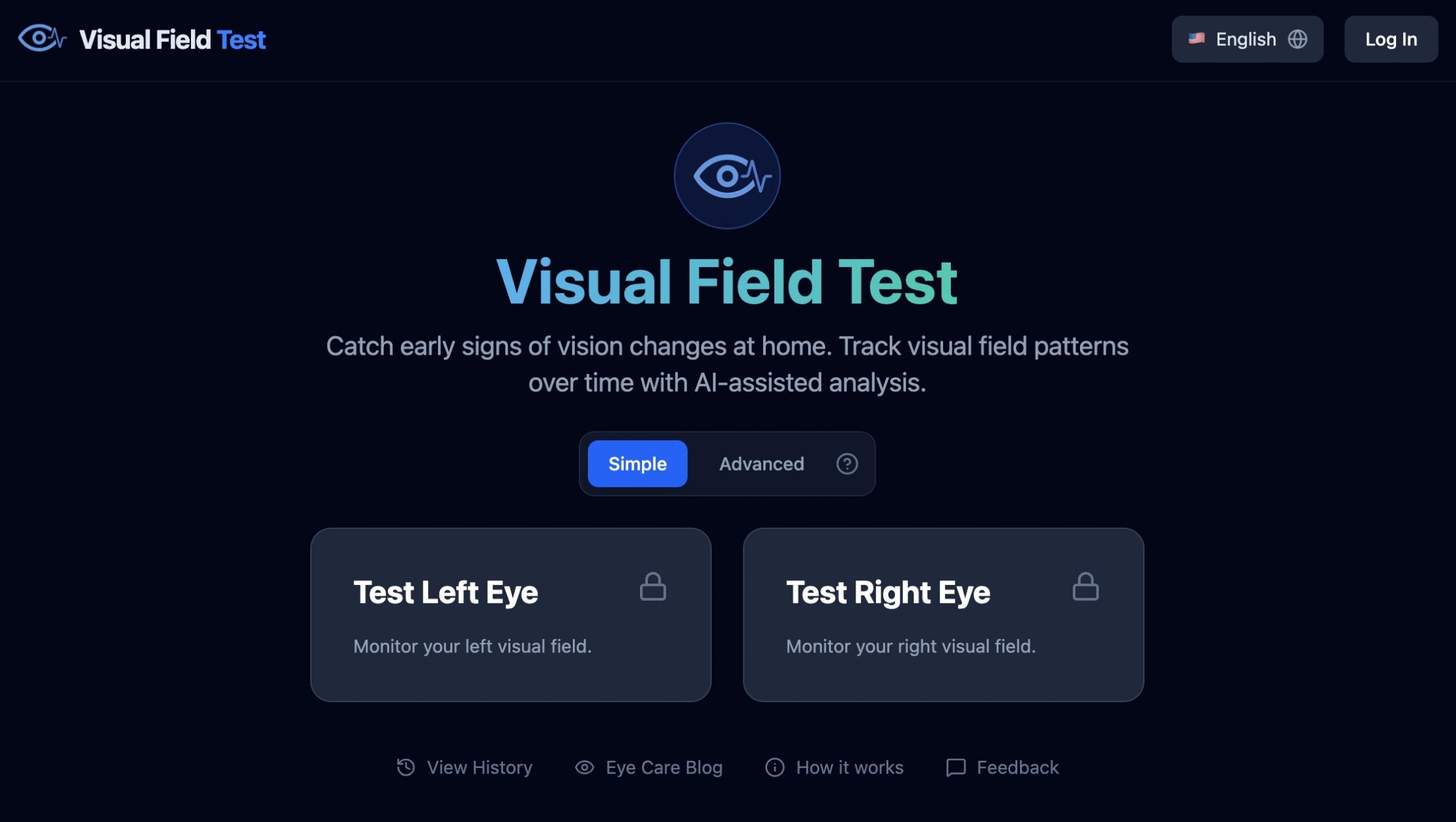
Screenshot of Visual Field Test, Home perimetry that maps your peripheral vision in about five minutes per eye

What is Visual Field Test?

Visual Field Test is an education tool. A browser-based visual field screening and monitoring tool. Cover one eye, fix on a center cross and click when a flash appears; Simple mode gives a fast check, Advanced mode measures threshold sensitivity in decibels with MD and PSD.

Visual Field Test is a browser-based perimetry tool that lets you screen and monitor your peripheral vision from a home computer. The premise is straightforward: glaucoma and several other eye conditions erode side vision gradually, and the brain fills in the gaps so convincingly that people often notice nothing until damage is well advanced. The site positions the product as a way to build a personal record between professional exams, not as a diagnostic instrument, and it states that limitation plainly on the homepage. The mechanics follow the shape of a clinic test. You cover one eye, fix your gaze on a central cross, and press space or click whenever a small light flashes somewhere in your peripheral field, whether or not you can pinpoint it. Two modes serve different purposes. Simple mode skips screen calibration and runs a quick check that flags unreliable responses through false clicks and rechecks missed points. Advanced mode requires monitor calibration and performs threshold testing, measuring sensitivity at each grid point in decibels and reporting Mean Deviation and PSD alongside an overall score, on a 24-2 style grid. Output is where the product does the most work. Each run produces a color-coded map (blue for seen points, orange for misses), a score, duration and consistency checks, plus an AI generated summary written in plain language. Results save automatically and chart into weekly, monthly and yearly trends per eye. A comparison view lines tests up chronologically, separating points that recovered on retest from newly missed ones and computing overall change. Printable PDFs bundle a threshold map, grayscale, total deviation, probability map and global indices for a clinician to review, and read-only sharing lets a doctor or relative see the history. It suits people with a glaucoma diagnosis or family history, anyone over 40 with elevated eye pressure, and patients asked to monitor between clinic visits. The interface and reports are available in 30 languages. Anyone expecting parity with in-clinic Humphrey perimetry should read the FAQ first: the site itself says home testing on a screen is not identical to a clinical exam.

How do you use Visual Field Test?

  1. 1Pick your test mode
    Start on the homepage test panel and choose Simple for a quick uncalibrated screen or Advanced for threshold testing, which requires you to calibrate your screen first.
  2. 2Read how the test works
    The How it works page walks through covering one eye, holding fixation on the center cross and clicking anywhere when a flash appears. A minute here prevents wasted runs.
  3. 3Test each eye separately
    Run the left eye and right eye tests one at a time, keeping the non-tested eye fully covered. A full field option tests both eyes together for a driving-style assessment.
  4. 4Review the map and AI summary
    After each run you get a color-coded map with seen and missed points, your score, duration and consistency checks, plus a plain-language summary of your responses.
  5. 5Compare and trend your history
    Open the history view to chart results weekly, monthly or yearly per eye, and use the comparison view to see which points recovered and which are newly missed.
  6. 6Export or share with your eye doctor
    Download a printable PDF report or invite a clinician to view your history with secure read-only access before your next appointment.

Pros and cons

Pros

  • Advanced mode reports decibel thresholds plus Mean Deviation and PSD, which is unusually detailed for a free home perimetry toolAI
  • Comparison view distinguishes points that recovered on retest from newly missed ones, which is more informative than a raw score deltaAI
  • Read-only sharing and permanent test deletion give users real control over who sees their historyAI
  • PDF reports include threshold map, grayscale, total deviation and probability map, matching the structure clinicians expectAI
  • Simple mode needs no calibration and returns a result in about five minutes per eyeAI

Cons

  • Results depend heavily on your own monitor, lighting and physical setup, so comparability across sessions is not guaranteed in the way a calibrated clinic device isAI
  • Advanced mode requires screen calibration, an extra step that casual users may skip and thereby weaken their dataAI
  • No pricing information appears on the homepage, so cost after any free use is unclear before signing upAI
  • It is explicitly a screening and trend tool, so it cannot substitute for perimetry performed in a clinical settingAI
  • No details are given about data storage location, encryption or regulatory clearance for the health data collectedAI

How much does Visual Field Test cost?

Features

Two test modes (uncalibrated Simple and calibrated Advanced with decibel thresholds), separate left, right and full field tests, color-coded result maps with scored consistency checks, AI plain-language summaries, side-by-side test comparison with recovered versus new points, trend charts by week, month and year, printable PDF reports with threshold, grayscale, deviation and probability maps, and secure read-only sharing.

Frequently asked questions about Visual Field Test

  • How do you use Visual Field Test?
    The walkthrough on this page covers 6 steps: 1. Pick your test mode 2. Read how the test works 3. Test each eye separately 4. Review the map and AI summary 5. Compare and trend your history 6. Export or share with your eye doctor.
  • What platforms does Visual Field Test support?
    Visual Field Test is available on Web App.
  • What are the limitations of Visual Field Test?
    Results depend heavily on your own monitor, lighting and physical setup, so comparability across sessions is not guaranteed in the way a calibrated clinic device is. Advanced mode requires screen calibration, an extra step that casual users may skip and thereby weaken their data. No pricing information appears on the homepage, so cost after any free use is unclear before signing up.

Status

StatusActive
Views0
Outbound clicks0
Added10/21/2026

Platforms

Web App

Pricing

Free