ExamParserVerified: ExamParser's team confirmed this listing with the aiwizard badge on its website

Turns exam papers into ready-to-import quizzes for Canvas, Moodle and more

Beginner
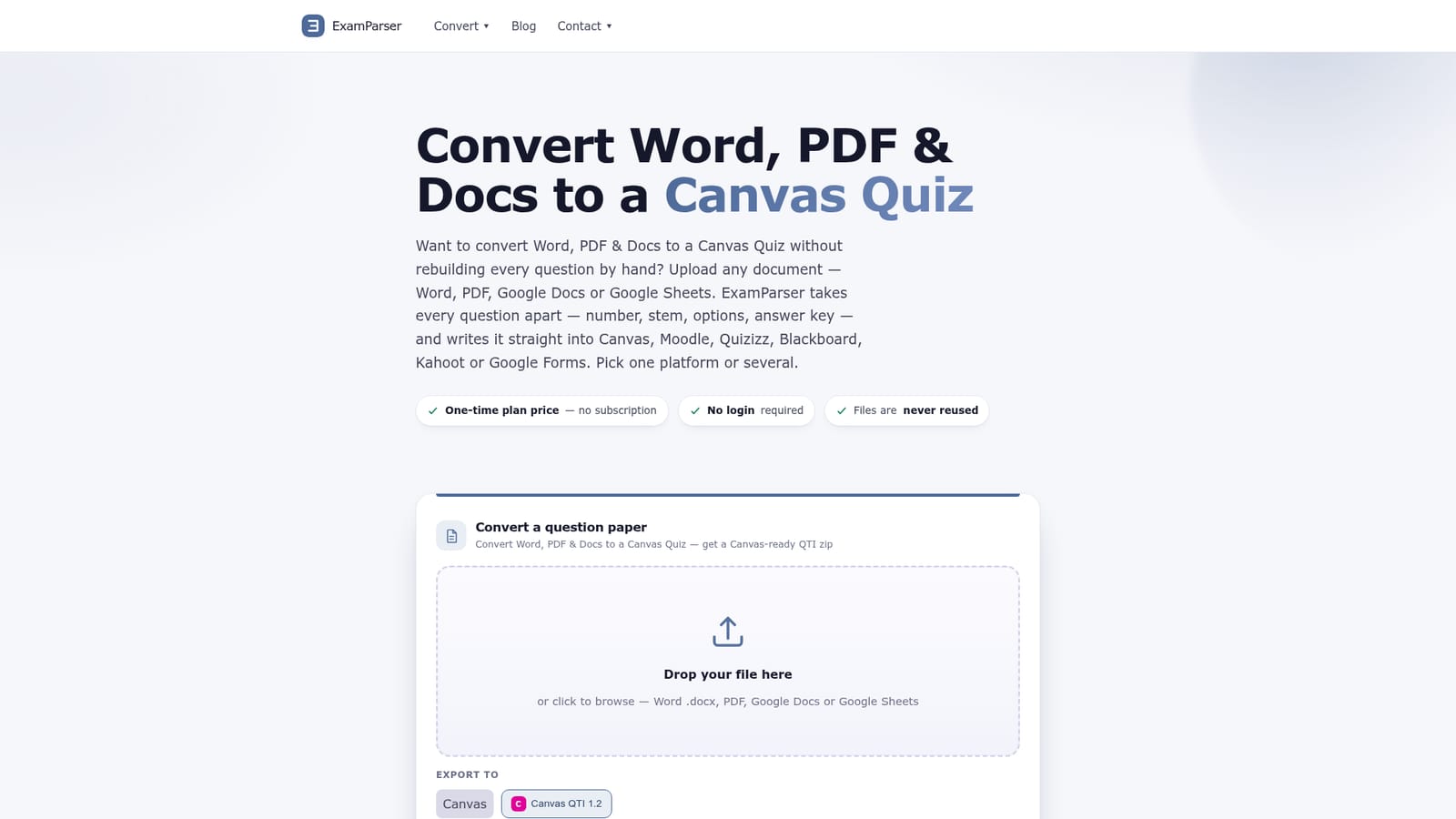
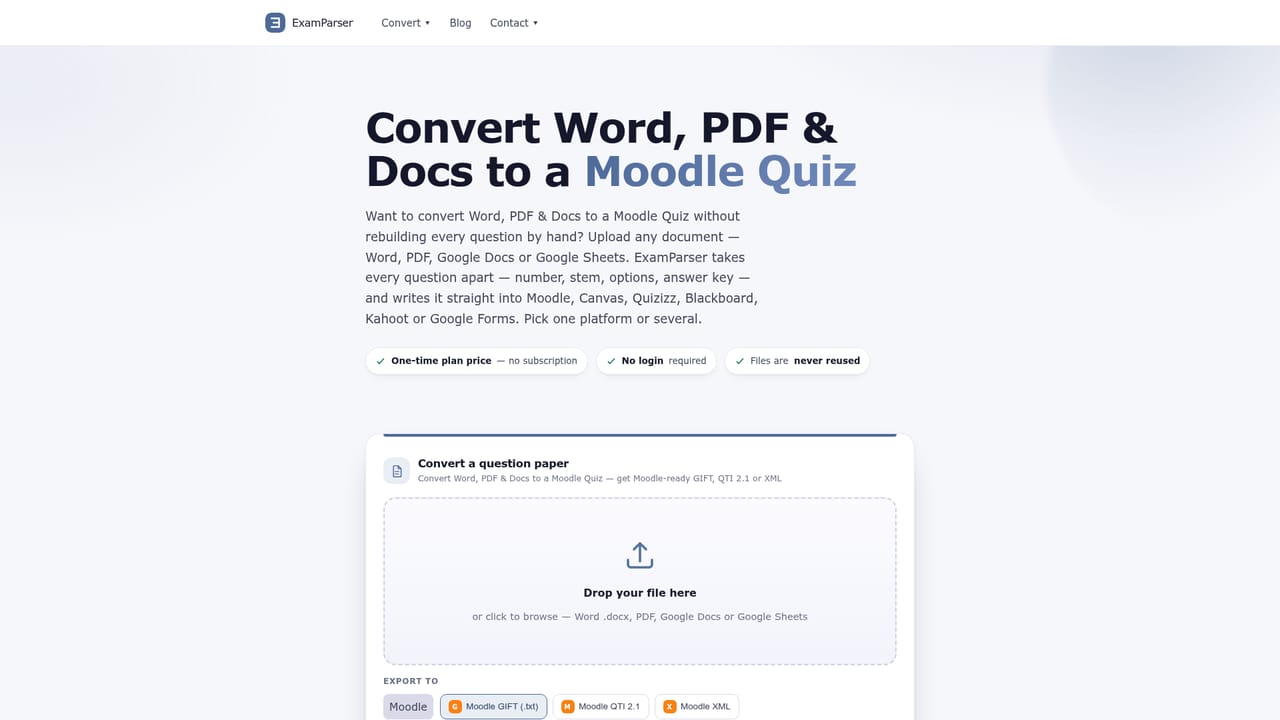
Screenshot of ExamParser, Turns exam papers into ready-to-import quizzes for Canvas, Moodle and more

What is ExamParser?

ExamParser is an education tool that turns exam papers into ready-to-import quizzes for Canvas, Moodle and more. ExamParser parses Word, PDF, Google Docs and Sheets into structured question banks, then exports them as Canvas QTI, Moodle, Blackboard, Kahoot, Quizizz or Google Forms files, with no login or subscription required.

ExamParser is a document-to-quiz converter built for teachers and instructional designers who need to move existing exam papers into a learning management system without retyping every question. It accepts Word documents, PDFs, Google Docs, Google Sheets and even scanned past papers, then parses each item into its component parts: number, stem, answer options and correct answer. Because the answer key stays attached to its question rather than being extracted separately, the resulting files import cleanly into the target platform instead of arriving as a wall of unlinked text. The tool is aimed at anyone who regularly turns paper or digital exams into online quizzes: classroom teachers, university staff managing question banks, and course designers working across multiple platforms at once. In practice, a user uploads a file, reviews a parsed grid showing every question as a row with its stem, options and key, corrects anything that looks off, then exports to one or several destinations at once. Supported exports include Canvas QTI, Moodle QTI/GIFT/XML, Blackboard QTI and tab-delimited files, Quizizz and Kahoot spreadsheets, Brightspace CSV, Neo LMS and Learn365 LMS QTI, Google Forms via a generated script, and generic Word, Excel or CSV output. The parser also claims to preserve images, tables and math formulas where the destination format supports them, and to handle multiple languages within a single document. Compared with manually rebuilding a quiz bank or using an LMS's native import tools, ExamParser positions itself as a format-agnostic bridge: one parse, many export targets, no subscription commitment. It sits closer to a conversion utility than a full quiz-authoring platform, so it fits workflows where the source material already exists as a document and the bottleneck is reformatting it for a specific LMS.
How do you use ExamParser?

  1. 1Upload the exam document
    Drop a Word, PDF, Google Docs or Google Sheets file, including scanned past papers, into the converter on the homepage. No account is required to start.
    ExamParser — Upload the exam document
  2. 2Review the parsed question grid
    Check the generated rows, each showing a question number, stem, options and correct answer. Make corrections directly in the grid before exporting.
  3. 3Choose one or more export formats
    Select up to three export formats at once, such as Canvas QTI, Moodle GIFT or a Kahoot spreadsheet, depending on where the quiz will be used.
  4. 4Download the generated file
    Pay the one-time price based on question count, then download the package, for example a Canvas-ready QTI zip or a Moodle XML file.
  5. 5Import into the target platform
    In Canvas, use Settings then Import Course Content and select the QTI zip; other platforms such as Moodle or Blackboard follow a similar import step with their own upload tool.
    ExamParser — Import into the target platform

Pros and cons

Pros

  • Keeps each question's number, options and answer key bound together across every export formatAI
  • Supports a wide range of destinations including Canvas, Moodle, Blackboard, Kahoot, Quizizz and Google FormsAI
  • Handles scanned past papers via OCR and works across multiple languages in one fileAI
  • One-time per-file pricing instead of a recurring subscription, with free upload and previewAI
  • Preserves images, tables and math formulas in formats that support themAI

Cons

  • Pricing scales with question count per file, which can add up for institutions converting many exams regularlyAI
  • Image, table and formula preservation does not work in CSV or plain Excel exportsAI
  • No native API mentioned, so bulk or automated workflows outside the web interface are not supportedAI
  • Google Forms export relies on a generated Apps Script rather than a direct import, adding an extra manual stepAI
  • Accuracy of parsing for unusual layouts or heavily formatted exams is not demonstrated beyond the sample shownAI

How much does ExamParser cost?

Free trial

Uploading and previewing a parsed document is free for any file size; payment is only required when downloading the converted export.

Learn more

Pricing

One-time, per-file pricing based on question count: up to 50 questions for $5.9, up to 1,000 for $19.9, up to 5,000 for $59, and 5,000+ for $79. No subscription or login required, and all export formats are included at every tier.

Learn more

Support

Support is available by email at support@examparser.com, with a contact option and a blog listed on the site; no live chat or phone support is mentioned.

Integrations

Exports directly to Canvas, Moodle, Blackboard, Kahoot, Quizizz, Brightspace, Schoology, Neo LMS, Learn365 LMS and Google Forms, plus generic Word, Excel and CSV output.

Learn more

Features

Parses Word, PDF, Google Docs and Sheets, including scanned papers via OCR, into structured question rows with number, stem, options and answer key intact, then exports to Canvas, Moodle, Blackboard, Kahoot, Quizizz, Brightspace, Schoology, Neo LMS, Learn365 and Google Forms, preserving images, tables and math formulas where the format allows.

Frequently asked questions about ExamParser

  • How much does ExamParser cost?
    One-time, per-file pricing based on question count: up to 50 questions for $5.9, up to 1,000 for $19.9, up to 5,000 for $59, and 5,000+ for $79. No subscription or login required, and all export formats are included at every tier.
  • Does ExamParser offer a free trial?
    Uploading and previewing a parsed document is free for any file size; payment is only required when downloading the converted export.
  • How do you use ExamParser?
    The walkthrough on this page covers 5 steps: 1. Upload the exam document 2. Review the parsed question grid 3. Choose one or more export formats 4. Download the generated file 5. Import into the target platform.
  • What platforms does ExamParser support?
    ExamParser is available on Web App.
  • What does ExamParser integrate with?
    Exports directly to Canvas, Moodle, Blackboard, Kahoot, Quizizz, Brightspace, Schoology, Neo LMS, Learn365 LMS and Google Forms, plus generic Word, Excel and CSV output.
  • What are the limitations of ExamParser?
    Pricing scales with question count per file, which can add up for institutions converting many exams regularly. Image, table and formula preservation does not work in CSV or plain Excel exports. No native API mentioned, so bulk or automated workflows outside the web interface are not supported.

Status

StatusActive
Views0
Outbound clicks0
Added10/19/2026

Platforms

Web App

Pricing

FreemiumPaid