Free trial
The generator offers free credits after login, and a Generate For Free button appears on the text-to-music page, so a first track can be produced without payment details stated on the homepage.
Learn moreTurn a text prompt into a finished, royalty-free song in seconds
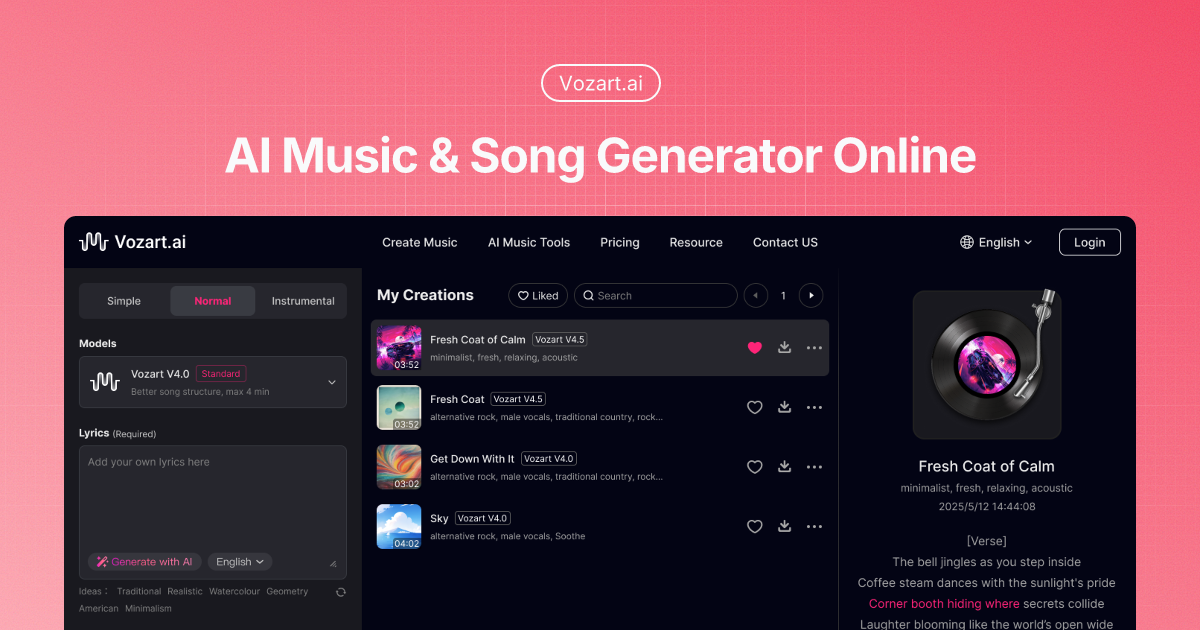
Vozart is an audio editing tool that turns a text prompt into a finished, royalty-free song in seconds. Vozart is an AI music generator that turns text prompts or lyrics into finished, royalty-free songs, then adds stem splitting, vocal removal, track extension, sound effects and music video tools in the same workspace.
Vozart is a browser-based music production suite built around a text-to-song generator. The core workflow takes a written prompt (genre, mood, instrumentation, vocal style) or a set of user-supplied lyrics and returns a complete track, with the site claiming output in under 30 seconds. A prompt box with a 400 character limit sits at the centre of the interface, alongside toggles for simple and custom modes and an instrumental option. Idea presets such as Peaceful Evening, Night of Celebration and Forest Walk are offered for users who want a starting point rather than a blank field. The product is not only a generator. Vozart bundles a lyric writer that produces verses, choruses and bridges from a theme, a vocal remover for building karaoke or instrumental versions, a stem splitter that separates vocals, bass, drums and melody, and a music extender that loops a short clip out to whatever length a video needs. Also included are a sound effect generator driven by description, an image to music tool that reads a photo's mood, and a music video generator that syncs visuals to a track. That combination puts it closer to a lightweight production workspace than a single-purpose song generator. The audience is broad by design: short-form video creators who need copyright-clean background beds, indie game developers scoring interactive worlds, video and podcast producers after intros and outros, marketing teams wanting on-brand campaign audio, and songwriters using generated melodies or lyrics as a spark. No musical training is assumed, and the site positions the tool for beginners and creators alike. Compared with bare text-to-music services, the value is the surrounding utilities: splitting, extending and visualising the same track without leaving the platform. Anyone needing fine DAW-level mixing or deep parameter control should expect less granularity than a dedicated audio workstation, and pricing tiers are not detailed on the homepage, so budget checks require the in-app plans.
The generator offers free credits after login, and a Generate For Free button appears on the text-to-music page, so a first track can be produced without payment details stated on the homepage.
Learn moreCore tools cover text to music, an AI lyrics generator, vocal removal for instrumentals, a stem splitter for vocals, bass, drums and melody, and a music extender that loops short clips to any length. Extras include a described sound effect generator, image to music composition and a music video generator that syncs visuals to the track.
Learn more AI Angels400+ customizable AI girlfriends for NSFW chat, voice calls, and roleplay
 Candy AIExperience the future of companionship with AI friends who chat, role-play, and connect with you on a human level.
 ourdream.aiA vast AI roleplay platform with millions of characters for chat, images, video and voiceAI Angels400+ customizable AI girlfriends for NSFW chat, voice calls, and roleplayCandy AIExperience the future of companionship with AI friends who chat, role-play, and connect with you on a human level.ourdream.aiA vast AI roleplay platform with millions of characters for chat, images, video and voice



