Free trial
A free version can be downloaded and tried, with the full voice library reserved for the paid edition. The homepage does not state how many voices or characters the free tier includes.
Learn moreDesktop text to speech studio with 3000+ voices, cloning and a rap maker
Own WooTechy VoxDo? Verify ownership to get a dofollow link
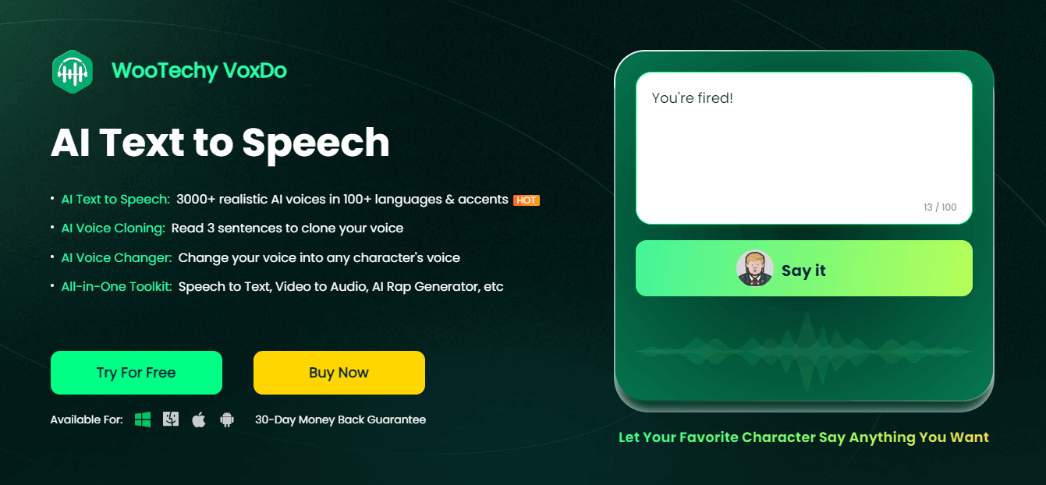
WooTechy VoxDo is an audio editing tool. Windows desktop voice studio combining 3000+ AI voices in 100+ languages, three-sentence voice cloning, a character voice changer, mood controls, audio editing and noise reduction, plus speech to text, video to audio and a rap generator.
WooTechy VoxDo is a Windows desktop application for turning written scripts into spoken audio. The voice library advertises more than 3000 AI voices across 100+ languages and accents, which makes it practical to produce the same narration in several languages rather than commissioning separate recordings. A short demo voice can be tested on the website, while access to the full library requires the paid version. Voice cloning sits at the centre of the product. Reading three sentences is enough to build a replica of a speaker's voice, which the tool then uses for future voiceovers. Alongside cloning, an AI voice changer rewrites uploaded audio into a different character voice, and mood settings (happy, sad, angry, excited, dull and others) apply emotional colour with a single click. The surrounding toolkit covers real-time and third-party recording, audio cutting and merging, enhancement, and noise reduction that targets breaths, mouth clicks, heavy S sounds and popping P sounds. Speech to text and video to audio conversion round out the package, and a rap generator writes or accepts lyrics and performs them in a chosen rapper voice. Scenarios named on the site include YouTube, TikTok and Instagram videos, podcast voiceover, game and movie commentary, vlog narration, animation, audio novels, children's audiobooks, ads, promos, online education, presentations, training tutorials and phone messages. That breadth points to solo creators, teachers and small production teams who cannot justify hiring a voice actor for every script, and to anyone who needs the same content localized across languages. Competition comes from browser based TTS services and from professional voice platforms. VoxDo's argument is consolidation: dubbing, cloning, editing and conversion live in one installed program instead of several subscriptions. The tradeoff is that it is a downloadable Windows tool rather than a web app, so the working files and the processing stay on one machine.
A free version can be downloaded and tried, with the full voice library reserved for the paid edition. The homepage does not state how many voices or characters the free tier includes.
Learn moreThe homepage promotes a free download alongside an option to unlock all voices, and states a 30 day money back guarantee. No plan tiers, prices or per word limits appear on the homepage, so exact costs need checking on the purchase page.
Learn moreA dedicated VoxDo support page exists on the WooTechy site, and the homepage lists a 30 day money back guarantee. Phone, chat or email response times are not described on the homepage.
Learn moreText to speech with 3000+ voices in 100+ languages and accents, three-sentence voice cloning, a character voice changer, mood presets, recording, audio cutting and merging, enhancement, noise reduction for clicks and plosives, speech to text, video to audio conversion, and an AI rap generator.
 AI Angels400+ customizable AI girlfriends for NSFW chat, voice calls, and roleplay
 Candy AIExperience the future of companionship with AI friends who chat, role-play, and connect with you on a human level.
 ourdream.aiA vast AI roleplay platform with millions of characters for chat, images, video and voiceAI Angels400+ customizable AI girlfriends for NSFW chat, voice calls, and roleplayCandy AIExperience the future of companionship with AI friends who chat, role-play, and connect with you on a human level.ourdream.aiA vast AI roleplay platform with millions of characters for chat, images, video and voice




