Free trial
A free starting point is offered through the signup button (Start for free). Paid plans are referenced and some keyword features are marked as paid only, but the homepage does not list prices or trial length.
Learn moreContent strategy and workflow workspace run by brand-aware AI agents

Yahini is a content operations workspace where AI agents trained on your brand handle keyword research, strategist-level briefs, first drafts and meta tags, then push everything into a task board with assignments, statuses and a calendar. Best for marketing teams and agencies that want strategy and execution in one system.
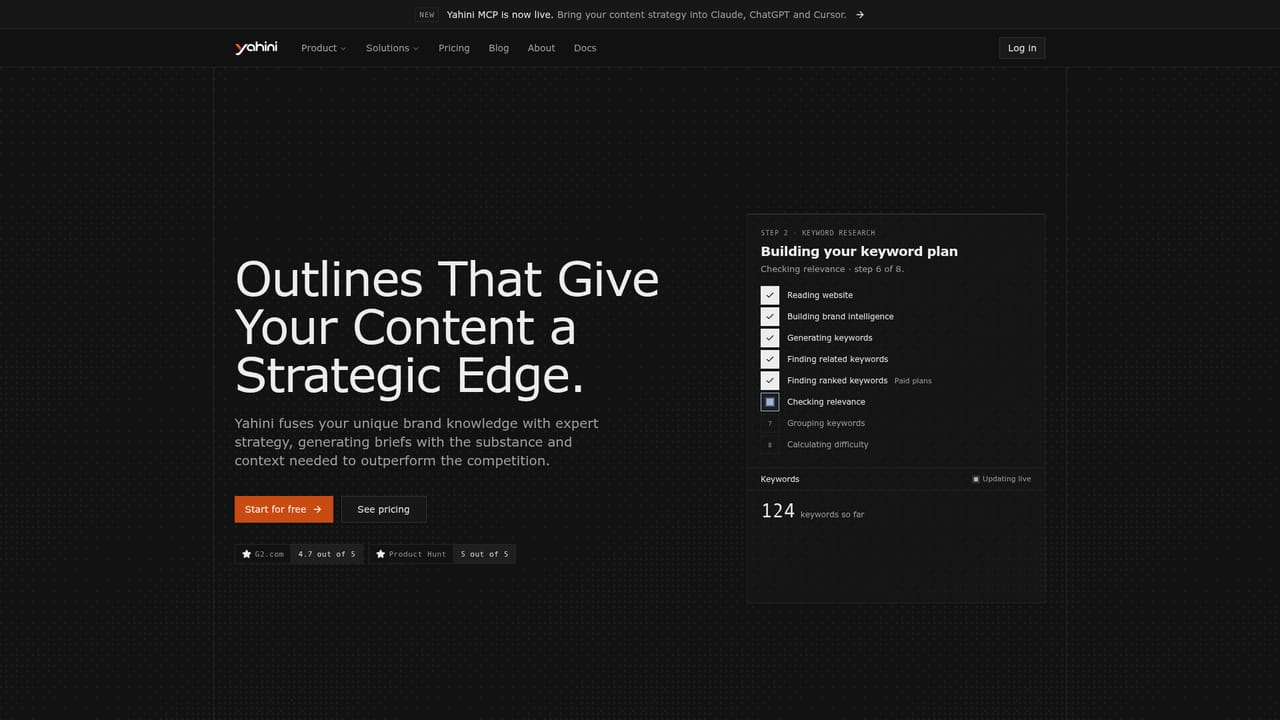
Yahini is a content operations workspace that pairs AI agents with a structured workflow, so strategy and execution live in the same place. The starting point is the brand. You enter your website URL and Yahini reads the site to build what it calls a Brand Intelligence Hub: products, features, use cases, pain points, positioning and audience. Every agent and every brief afterwards draws on that profile rather than on a blank prompt. From there the agents handle the research layer. Keyword research reads your site and your competitors, then finds, scores, groups and maps searches to funnel stages (TOFU, MOFU, BOFU). Separate agents expand topics, pull in competitor keywords, and import queries your site already appears for in Google Search Console. Keyword plans are prioritized by estimated business impact, and you can add your own keywords and have the agent fill in volume, difficulty and funnel stage. Content generation is deliberately stepped rather than one click. A content brief agent plans a single piece for a single keyword, covering angle, structure and sections to cover, informed by your positioning. A draft agent then writes from that brief in a tone you choose, and a meta agent supplies the search snippet. Briefs and drafts become trackable content items on a task board with assignments, status stages (not started through published) and a calendar, so writers and editors pick up work rather than starting from nothing. The tool suits in-house marketing teams, agencies and founders who want repeatable, brand-specific content without assembling separate SEO, prompting and project tools. It is not aimed at people who want a finished article from one prompt, or who have no site or market for the system to analyze. Yahini also offers an MCP integration for use inside Claude, ChatGPT and Cursor.
A free starting point is offered through the signup button (Start for free). Paid plans are referenced and some keyword features are marked as paid only, but the homepage does not list prices or trial length.
Learn moreCustomer support is praised in user testimonials on the homepage, but no support channels, hours or help centre policy are documented in the provided content.
Yahini MCP lets you use the tool inside Claude, ChatGPT and Cursor. Keyword import from Google Search Console is referenced on the homepage.
Learn moreBrand Intelligence Hub built from your URL, plus a set of AI content agents: keyword research with scoring and funnel mapping, topic expansion, competitor keywords, content briefs, drafts in a chosen tone, meta title and description, Search Console keyword import, and data fill-in for your own keyword lists. A content operations layer adds a task board, calendar, assignments, status tracking and collaboration.
Learn more AI Angels400+ customizable AI girlfriends for NSFW chat, voice calls, and roleplay
 Candy AIExperience the future of companionship with AI friends who chat, role-play, and connect with you on a human level.
 ourdream.aiA vast AI roleplay platform with millions of characters for chat, images, video and voiceAI Angels400+ customizable AI girlfriends for NSFW chat, voice calls, and roleplayCandy AIExperience the future of companionship with AI friends who chat, role-play, and connect with you on a human level.ourdream.aiA vast AI roleplay platform with millions of characters for chat, images, video and voice


