Pricing
Studio Pro costs $25 per month and includes 500 credits (about 5 Fast designs, 2 Pro designs or 4 revisions) plus Agent mode. Team-made custom designs are quoted per project. Kits are priced separately from live LEGO prices.
Learn moreTurn a photo or idea into a buildable custom LEGO set
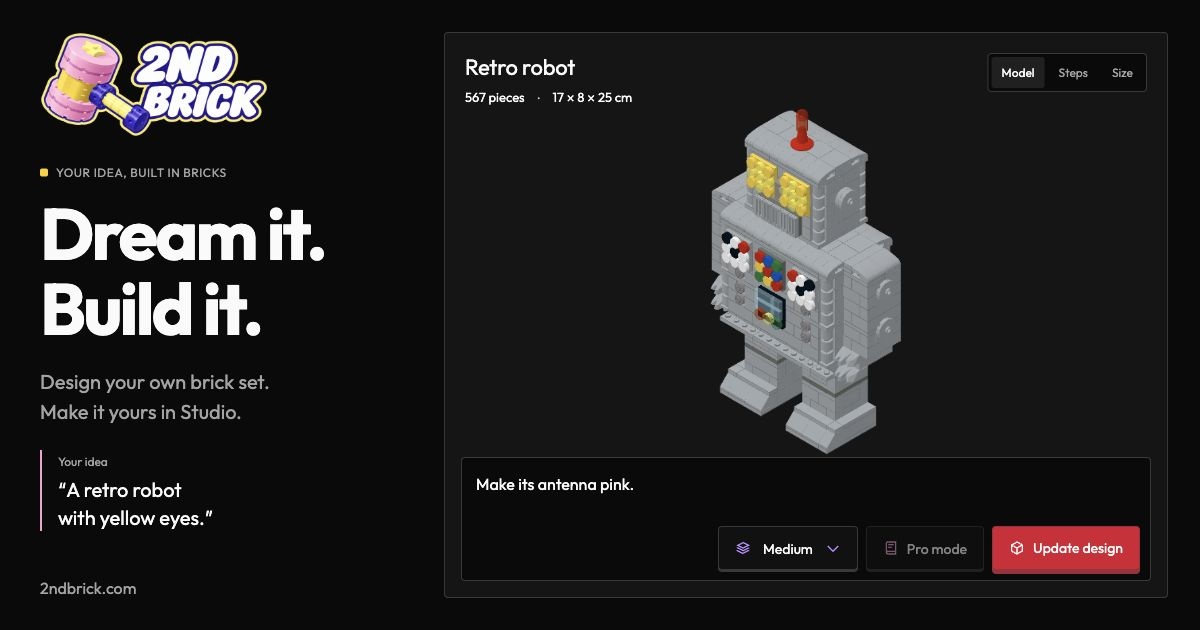
2nd Brick is a card generator tool that turns a photo or idea into a buildable custom LEGO set. 2nd Brick generates custom LEGO sets from text ideas, photos or logos, delivering a 3D model made of real pieces, building instructions and a kit price.
2nd Brick converts a written idea, a photo or a logo into a custom set built from real LEGO pieces. The output is a 3D model that can be rotated and inspected, plus step-by-step building instructions and a kit price based on live LEGO piece prices. Typical subjects shown on the site include pets, cars, buildings, bonsai trees, company logos and corporate gifts, with sizes running from a few dozen pieces up to 5,000 or more. There are two ways to use it. The self-serve route is Studio, where a user describes a set, optionally attaches up to four reference images, and generates a model that can then be revised with AI. Designing runs on a credit system: the Studio Pro plan includes 500 credits a month, a new design starts at 100 credits and a revision costs 120. Once a design is ready, a Buy link opens Stripe Checkout for the kit, and kit pricing is kept separate from the cost of designing. The second route is a done-for-you request form, where the 2nd Brick team emails a design and quote within 12 to 24 hours, with no account or payment needed up front. That time covers the design only, not manufacturing or delivery. An agent mode is also included with Studio Pro. A user creates a key, pastes the setup block into a coding agent such as Claude Code or Codex, and the agent can start designs, wait for drafts, request revisions and surface a purchase link, while payment stays with the human. The service suits gift buyers, pet owners, hobbyists who want a display piece, and businesses ordering branded sets or logo builds in quantity. It sits between generic 3D generators, which rarely produce something buildable from real bricks, and manual digital brick design tools, which demand skill and hours of work. The tradeoff is that the final piece count, price and delivery timing are confirmed per project, so budgeting requires an estimate rather than a fixed catalog price.
Studio Pro costs $25 per month and includes 500 credits (about 5 Fast designs, 2 Pro designs or 4 revisions) plus Agent mode. Team-made custom designs are quoted per project. Kits are priced separately from live LEGO prices.
Learn moreAgent mode works with Claude Code and Codex through an MCP endpoint and an agent key. Kit purchases are handled through Stripe Checkout.
Text and image to 3D LEGO model, AI revisions, sizes from Micro (25 pieces) to Large (up to 5,000), building instructions, kit pricing, a team design service for logos, gifts and photos, and an agent mode for coding agents.
Learn more AI Angels400+ customizable AI girlfriends for NSFW chat, voice calls, and roleplay
 Candy AIExperience the future of companionship with AI friends who chat, role-play, and connect with you on a human level.
 ourdream.aiA vast AI roleplay platform with millions of characters for chat, images, video and voiceAI Angels400+ customizable AI girlfriends for NSFW chat, voice calls, and roleplayCandy AIExperience the future of companionship with AI friends who chat, role-play, and connect with you on a human level.ourdream.aiA vast AI roleplay platform with millions of characters for chat, images, video and voice


