Free trial
Free accounts receive a starting credit balance that covers initial generations, with advanced models and higher quality options reserved for paid plans.
Learn moreTurn prompts, photos or multiple views into downloadable 3D models
Own 3DGenerator.io? Verify ownership to get a dofollow link

3DGenerator.io is a generative art tool that turns prompts, photos or multiple views into downloadable 3D models. A browser based AI 3D generator that turns text prompts, reference images, or multiple views into downloadable 3D models, with exports in GLB, OBJ, FBX, STL, PLY, USDZ, and 3MF plus built in conversion, repair, compression, and volume tools.
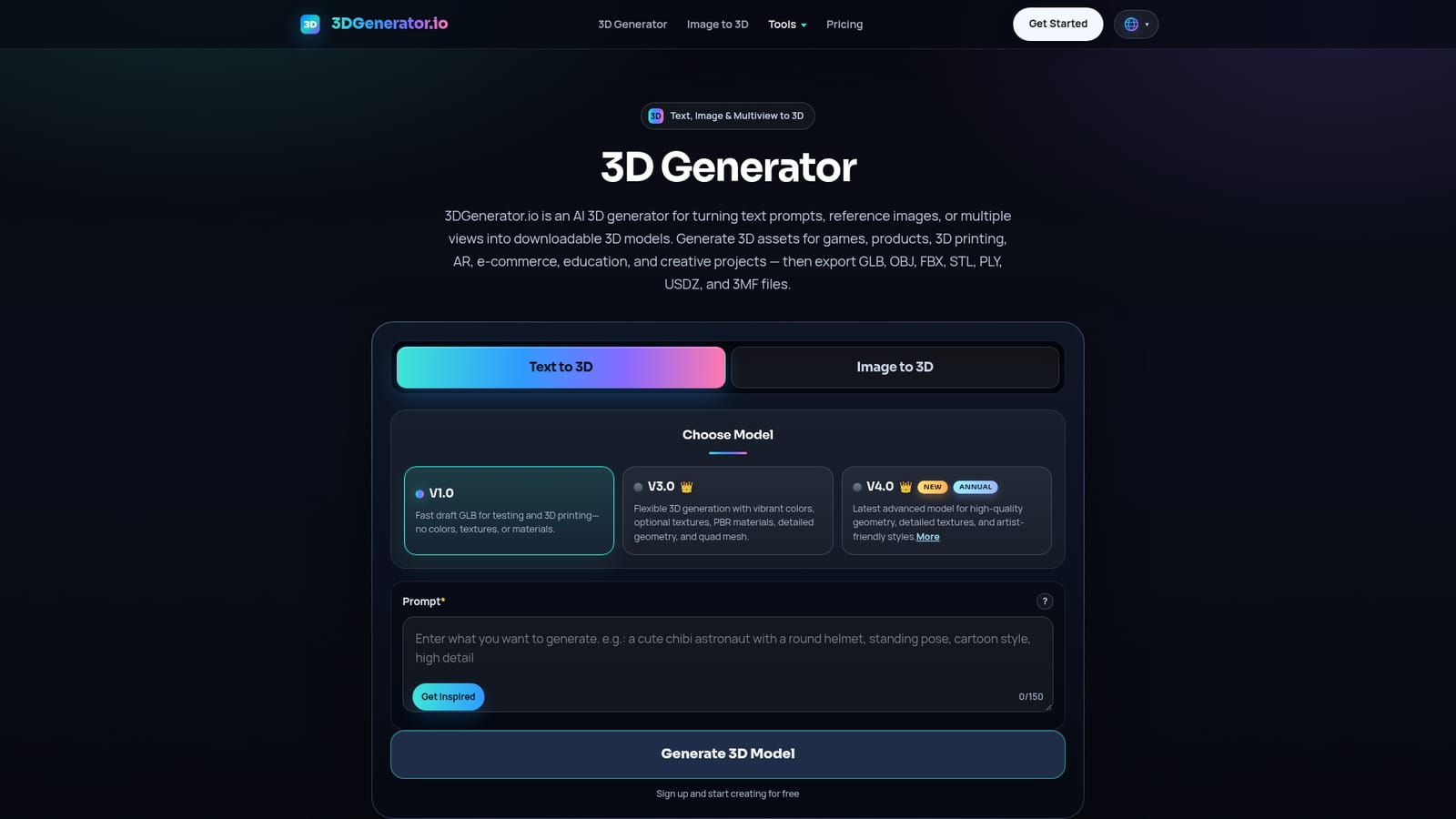
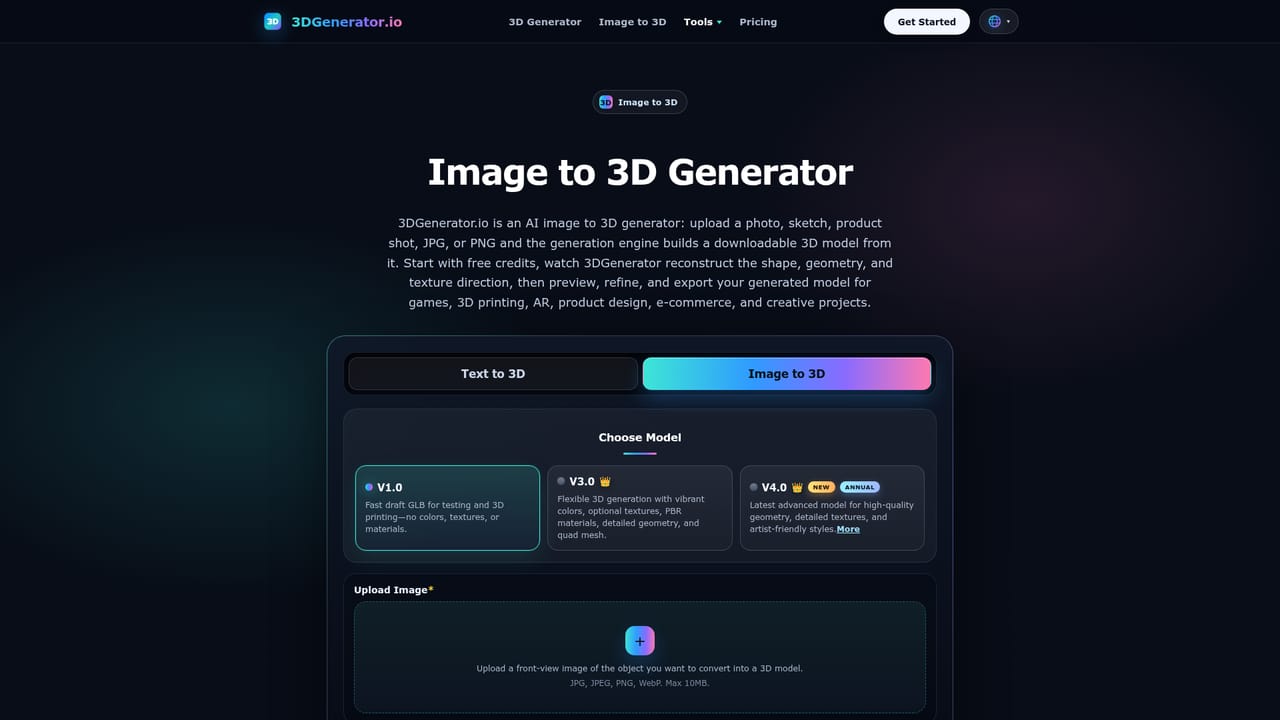
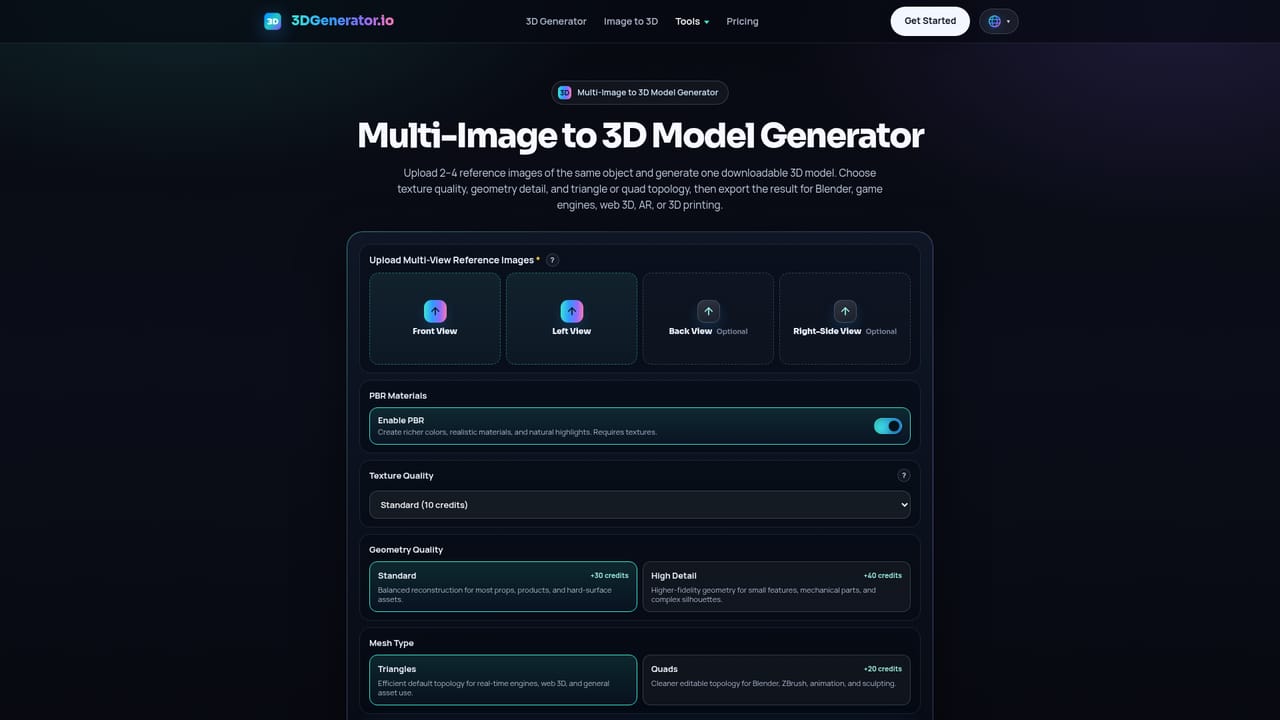
3DGenerator.io is a browser based AI 3D generator that converts a text prompt, a single reference image, or a set of multiple views into an actual 3D mesh. Rather than stopping at a flat render, it produces geometry you can inspect in an online viewer and export as GLB, OBJ, FBX, STL, PLY, USDZ, or 3MF. That spread of formats is the practical core of the product: a GLB or USDZ for web and AR previews, STL or 3MF for a slicer, FBX for a game engine or DCC tool, and OBJ or PLY for interchange and geometry work. Nothing installs and no local GPU is required. The tool offers three input paths. Text to 3D builds a model from a written description of a prop, character, product, creature, vehicle, or environment object. Image to 3D takes an uploaded product photo, sketch, or concept art and models the main subject. Multiview to 3D accepts front, side, and back views so the generator can resolve proportion and hidden detail, which the site presents as the most consistent route when accuracy matters. Three model versions sit behind these modes: a fast draft model with no color or materials, a flexible model with textures and PBR materials, and a newer premium model aimed at cleaner geometry and richer surfaces. Around generation, 3DGenerator.io bundles a small toolset for the work that follows: conversion between 3D formats, mesh repair, compression of GLB and glTF files, volume calculation for print or packaging planning, AI renders of assets, preview video creation, and a browser viewer. The most obvious audiences are indie game developers needing prototype props and creatures, makers preparing printable objects, product designers exploring early forms, AR creators wanting lightweight GLB or USDZ objects, and educators building visual or printable teaching assets. The honest positioning is speed over craft. This is a generator for first drafts, concept exploration, and placeholder assets, not a replacement for a modeling suite or a retopology workflow. Output quality depends heavily on prompt clarity and reference image quality, and detailed results sit behind paid plans.
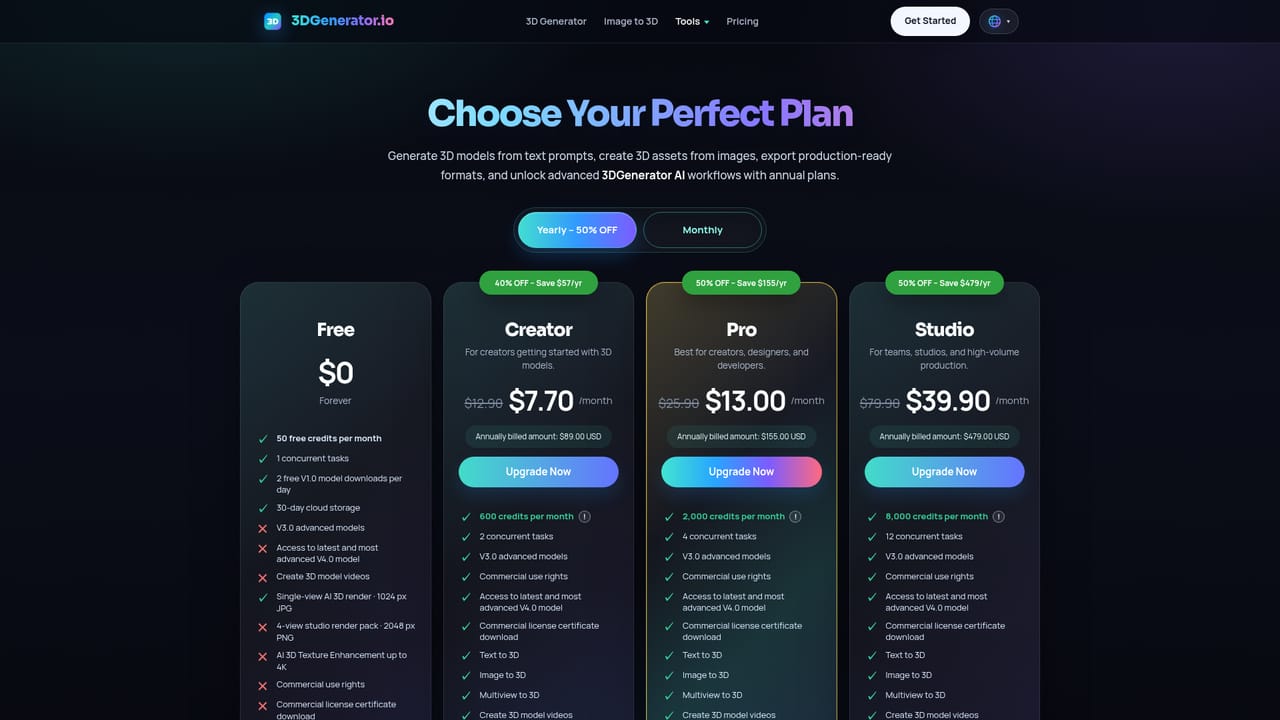
Free accounts receive a starting credit balance that covers initial generations, with advanced models and higher quality options reserved for paid plans.
Learn moreFree users start with free credits. Paid plans grant 600 to 8,000 credits per month, unlock the V3.0 and V4.0 advanced models, unlimited downloads and commercial licensing, up to 12 concurrent tasks, and unlimited use of the converter, compressor, viewer, and volume calculator.
Learn morePaid plans include 24/7 customer support, described on the site as fast premium support available around the clock.
Learn moreText to 3D, Image to 3D, and Multiview to 3D generation across three model versions; an online 3D viewer; export to GLB, OBJ, FBX, STL, PLY, USDZ, and 3MF; plus a format converter, mesh repair, GLB and glTF compression, volume calculation, AI renders, and rotating preview videos.
Learn more AI Angels400+ customizable AI girlfriends for NSFW chat, voice calls, and roleplay
 Candy AIExperience the future of companionship with AI friends who chat, role-play, and connect with you on a human level.
 ourdream.aiA vast AI roleplay platform with millions of characters for chat, images, video and voiceAI Angels400+ customizable AI girlfriends for NSFW chat, voice calls, and roleplayCandy AIExperience the future of companionship with AI friends who chat, role-play, and connect with you on a human level.ourdream.aiA vast AI roleplay platform with millions of characters for chat, images, video and voice