Free trial
A free account is available and supports generating and downloading simple designs. Advanced features sit behind paid plans, which the homepage describes as affordable without naming prices.
Learn moreTurn a text prompt or a photo into a printable black-and-white coloring page.

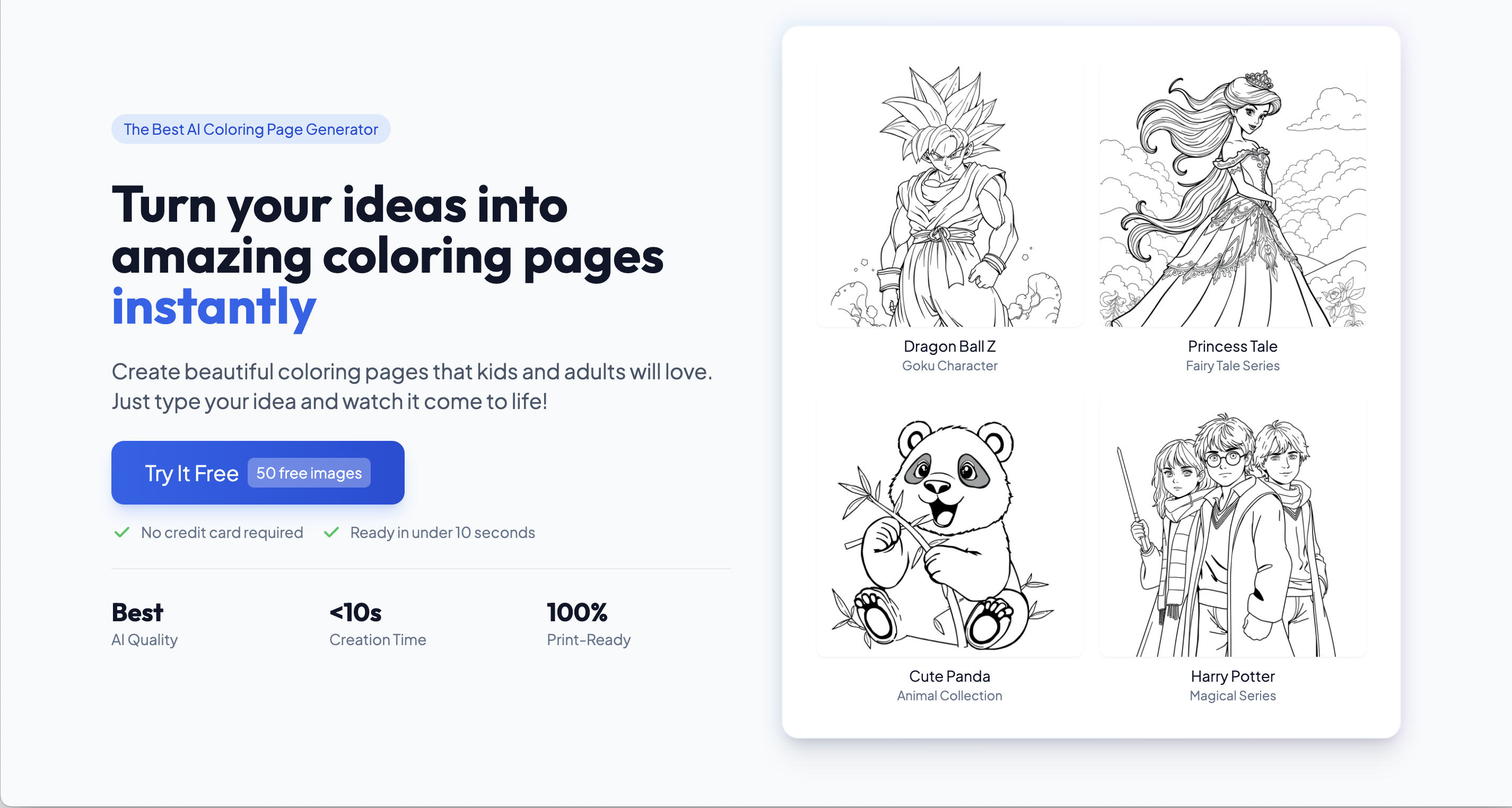
Colorings is a coloring pages tool that turns a text prompt or a photo into a printable black-and-white coloring page. An AI generator that converts text prompts or uploaded photos into printable coloring pages, with difficulty and size controls plus a library of over 100,000 ready-made templates for kids, adults, teachers, and sellers.
Colorings is a browser-based generator that produces black-and-white line art ready for printing and coloring. The core workflow is prompt driven: a description such as a puppy in a meadow or a castle under the stars is submitted, a difficulty level is chosen, an output shape (square for greeting cards, landscape for posters, vertical for standard sheets) is selected, and the page is rendered in seconds. Photos can also be uploaded and converted into coloring artwork, which is the route for turning a holiday snapshot or a family pet into something a child can fill in with markers. Alongside generation sits a library of more than 100,000 pre-made templates grouped by audience and theme, including sections for adults (mandalas, abstract patterns, artistic landscapes), flowers, and designs aimed at girls such as fairies and unicorns. Finished pages download as PNG or PDF, so the same file works for a home printer, a classroom handout, or a digital coloring app. Difficulty settings let one tool serve a toddler tracing simple shapes and an adult working through dense detail. The audience splits roughly three ways. Parents and families use it for rainy-day activities and personalized projects. Teachers build worksheets around numbers, geography, or historical figures to hold attention in class. Illustrators, designers, and small sellers use it as an idea generator or a source of downloadable products. The site states that commercial use requires the Pro subscription, so anyone planning to sell pages should budget for that tier. Alternatives fall into two groups: stock coloring page libraries, which are cheaper but fixed, and general text-to-image generators, which are flexible but rarely output clean line art sized for printing. Colorings sits between them, trading general image capability for coloring-specific controls. The homepage publishes no credit counts or per-tier generation limits, so heavy users should check the pricing page before committing.
A free account is available and supports generating and downloading simple designs. Advanced features sit behind paid plans, which the homepage describes as affordable without naming prices.
Learn moreFree account with basic generation and downloads, plus affordable premium plans for advanced features. Commercial use requires the Pro plan. The homepage does not list tier prices, credit allowances, or generation limits.
Learn moreText-to-coloring-page generation, photo-to-coloring-page conversion, difficulty levels, selectable output sizes (square, landscape, vertical), PNG and PDF downloads, and a library of over 100,000 pre-designed templates grouped by theme and audience such as adults, flowers, and girls.
Learn more AI Angels400+ customizable AI girlfriends for NSFW chat, voice calls, and roleplay
 Candy AIExperience the future of companionship with AI friends who chat, role-play, and connect with you on a human level.
 ourdream.aiA vast AI roleplay platform with millions of characters for chat, images, video and voiceAI Angels400+ customizable AI girlfriends for NSFW chat, voice calls, and roleplayCandy AIExperience the future of companionship with AI friends who chat, role-play, and connect with you on a human level.ourdream.aiA vast AI roleplay platform with millions of characters for chat, images, video and voice