Free trial
A 7-day free trial is offered before subscribing. It requires creating an account first, and the trial applies to the full feature set rather than a limited scene.
Learn moreRehearse real-life conversations with AI characters in 13 languages.

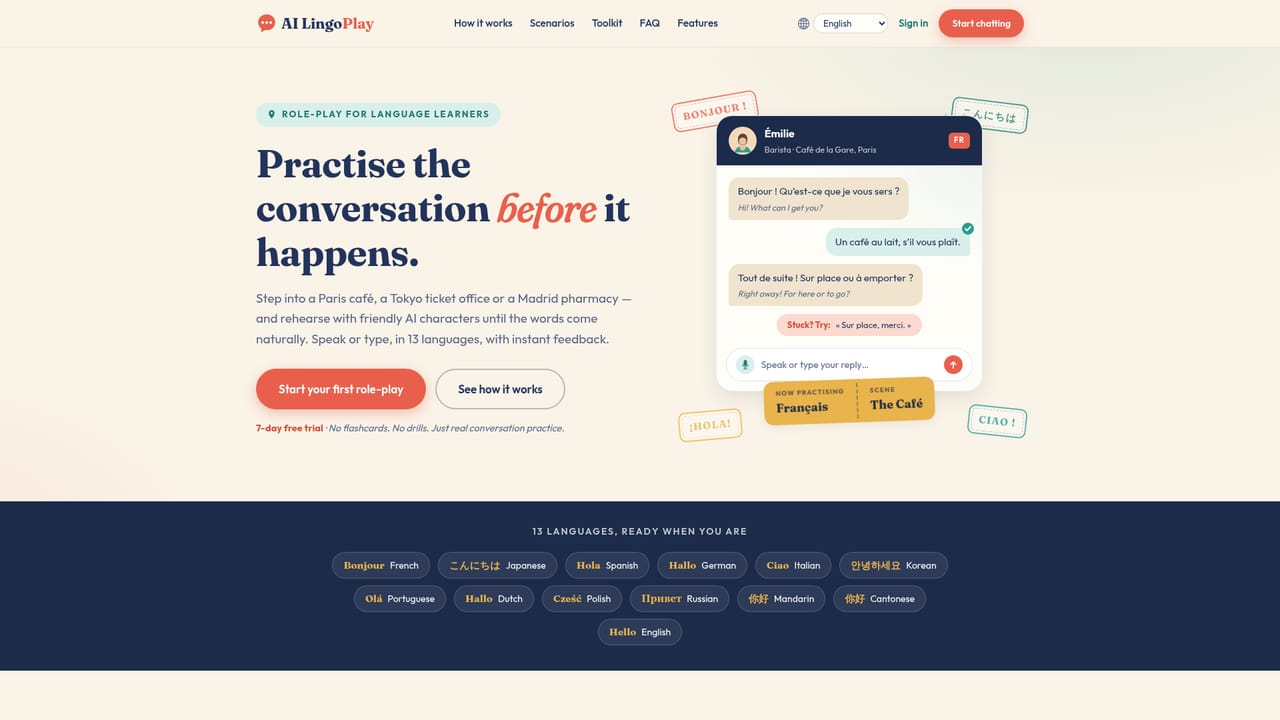
AI LingoPlay is a language learning tool. A role-play practice tool for spoken languages: pick a scene, talk or type with an AI character that answers in voice, and get instant corrections plus a wrap-up review. 13 languages, 30+ everyday scenarios, browser only.
AI LingoPlay is a browser-based rehearsal space for spoken language, built around role-play rather than lessons. Users pick one of 13 languages (French, Spanish, Italian, German, Portuguese, Dutch, Polish, Russian, Japanese, Korean, Mandarin, Cantonese and English), set a level from beginner to advanced, then step into a scene: a Paris cafe, a Kyoto hotel desk, a Mexico City market stall, a pharmacy, a train station, a job interview. Each scene pairs a situation with a character who replies in both text and lifelike voice, so the exchange behaves like a conversation instead of a flashcard drill. In practice the learner either speaks into the microphone, with speech transcribed into the chat, or types when quiet surroundings make voice impractical. Support tools sit inside the chat rather than beside it. Any reply can be translated in one tap, individual words can be highlighted for a definition, and Japanese learners get furigana and romaji. Every outgoing message is checked gently: correct answers pass, slightly unnatural phrasing gets a better alternative, and a suggested response can be requested at any point to keep the dialogue moving. A deeper breakdown of vocabulary, grammar and nuance is available for any reply, and finishing a scene triggers a wrap-up review with personal tips that carry into later sessions. The product is aimed at travellers with a trip on the calendar, self-study learners who know words but freeze in sentences, and new arrivals who need to rehearse the doctor, the bank or a flat viewing before doing it for real. It is explicitly not a curriculum, so it works best as a companion to a course, app or textbook. More than 30 scenes are available, with scenario requests from learners feeding the roadmap. It is a web app that needs no installation, requires a quick account to save languages, level, history and tips, and is built by a single independent developer, Alex (GrumpyChap), who also makes Rollover Tasks.
A 7-day free trial is offered before subscribing. It requires creating an account first, and the trial applies to the full feature set rather than a limited scene.
Learn moreA 7-day free trial leads into a $2.50 per month subscription, which the site frames as roughly the price of one espresso. That covers every language, every scenario, voice, translations and feedback, with no commitment and cancellation in a couple of clicks.
Learn moreSupport runs through the solo developer: the site invites comments, questions and scenario ideas directly, and feedback reaches the person who builds the app. No help centre or ticket system is described.
Voice or typed input with lifelike spoken replies, one-tap translation and single-word lookup, furigana and romaji for Japanese, gentle per-message corrections, suggested responses when stuck, full vocabulary and grammar breakdowns, and end-of-scene wrap-up reviews with personal tips. Over 30 scenes across 13 languages, all in the browser.
 AI Angels400+ customizable AI girlfriends for NSFW chat, voice calls, and roleplay
 Candy AIExperience the future of companionship with AI friends who chat, role-play, and connect with you on a human level.
 ourdream.aiA vast AI roleplay platform with millions of characters for chat, images, video and voiceAI Angels400+ customizable AI girlfriends for NSFW chat, voice calls, and roleplayCandy AIExperience the future of companionship with AI friends who chat, role-play, and connect with you on a human level.ourdream.aiA vast AI roleplay platform with millions of characters for chat, images, video and voice


