Ai sprite sheetVerified: Ai sprite sheet's team confirmed this listing with the aiwizard badge on its website

Turns one character image into consistent, engine-ready 2D animation sprite sheets.

Beginner
Screenshot of Ai sprite sheet, Turns one character image into consistent, engine-ready 2D animation sprite sheets

What is Ai sprite sheet?

Ai sprite sheet is a generative image tool that turns one character image into consistent, engine-ready 2D animation sprite sheets. AISpriteSheet converts a single character image or text prompt into consistent, engine-ready 2D animation sprite sheets covering idle, walk, run, jump, and attack cycles for Unity, Godot, and other game engines.

AISpriteSheet is a web-based generation pipeline that converts a single character portrait, or a text description of one, into a full set of 2D game animations: idle, walk, run, jump, attack, and more. Instead of redrawing a character for every action, the system keeps silhouette, palette, and proportions locked across frames, then compiles the output into a grid-aligned, transparent PNG sprite sheet with accompanying animation metadata. The tool is built for indie game developers, small 2D studios, and solo creators working in Unity, Godot, GameMaker, Phaser/PixiJS, RPG Maker, or Aseprite who need animation-ready assets without hiring a dedicated animator or hand-drawing every frame. Dedicated generators cover specific styles and motions, including pixel art walk cycles, anime and chibi characters, NPC loops, and combat animations, so a team can match a particular visual direction rather than working with one generic model. In practice, a user uploads existing artwork or generates a new character from a prompt, selects an action such as a walk or run cycle, and reviews the generated frame sequence in a live preview before exporting. Export packages are tailored per engine: Unity gets sliceable PNG sheets with metadata, Godot receives native AnimatedSprite2D/SpriteFrames data, GameMaker gets strip-import frames, and Phaser, RPG Maker, and Aseprite each get their own compatible formats. Compared with buying pre-made sprite packs or animating manually frame by frame, the appeal here is speed and character consistency across many actions from one source image. It fits best as a prototyping and production aid for teams that need multiple animation states quickly and are willing to work within a credit-based subscription rather than a flat one-time purchase.

How do you use Ai sprite sheet?

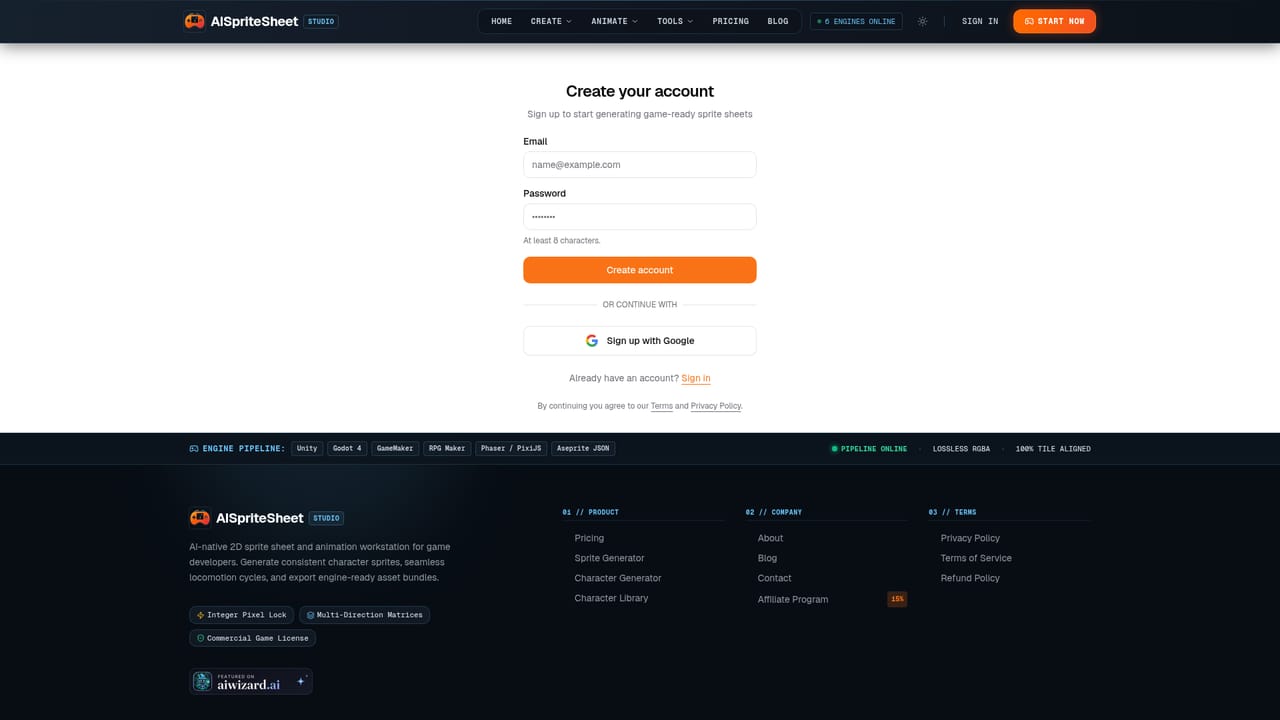
  1. 1Create a starter account
    Sign up to receive 30 starter credits with no card required, enough to generate one character or put toward an animation.
    Ai sprite sheet — Create a starter account
  2. 2Upload or generate a character
    Bring an existing character image or create a new one from a text prompt using the character generator.
    Ai sprite sheet — Upload or generate a character
  3. 3Pick an animation action
    Choose idle, walk, run, jump, attack, or a custom motion from the available sprite sheet pipelines.
    Ai sprite sheet — Pick an animation action
  4. 4Generate and preview the frames
    Run the generation and watch the animation play back in real time before committing credits to a final export.
  5. 5Export the sprite sheet
    Download the grid-aligned, transparent PNG sprite sheet along with metadata formatted for your target engine.

Pros and cons

Pros

  • Keeps silhouette, palette, and proportions consistent across idle, walk, run, jump, and attack framesAI
  • Exports directly into formats for Unity, Godot 4, GameMaker, Phaser/PixiJS, RPG Maker, and AsepriteAI
  • Free starter tier with 30 credits and no card required to test the workflowAI
  • Dedicated generators for specific styles such as pixel art, anime, chibi, and NPC animation setsAI

Cons

  • Output volume is capped by a credit system, so heavy production use requires a paid subscription tierAI
  • Commercial use is restricted to paid plans; the free tier is personal use onlyAI
  • No mention of an API, so the generator cannot be wired into a custom or automated asset pipelineAI
  • Web-only product with no desktop or mobile app for offline or in-editor workflowsAI
  • Project retention is time-limited on lower tiers (7 days on Starter), which could affect long-running projectsAI

How much does Ai sprite sheet cost?

Pricing

Starter is free with 30 credits and no card required. Creator runs $19/month or $10/month billed annually with 1,200 credits/month. Studio runs $49/month or $30/month billed annually with 3,600 credits/month and priority generation; paid tiers include commercial use.

Learn more

Support

Support is available through a contact page and an FAQ section covering engine compatibility, animation consistency, transparency handling, and pixel art fidelity.

Learn more

Integrations

Native export support for Unity, Godot 4, GameMaker, Phaser/PixiJS, RPG Maker, and Aseprite, including engine-specific formats like Universal Atlas JSON, SpriteFrames, and frame-tagged Data JSON.

Features

Generates consistent character sprite sheets and animation cycles (idle, walk, run, jump, attack, death) from an uploaded image or text prompt, with transparent-background PNG output, pixel-art and anime style modes, 4/8-direction coverage, and export packages for Unity, Godot, GameMaker, Phaser/PixiJS, RPG Maker, and Aseprite.

Learn more

Frequently asked questions about Ai sprite sheet

  • How much does Ai sprite sheet cost?
    Starter is free with 30 credits and no card required. Creator runs $19/month or $10/month billed annually with 1,200 credits/month. Studio runs $49/month or $30/month billed annually with 3,600 credits/month and priority generation; paid tiers include commercial use.
  • How do you use Ai sprite sheet?
    The walkthrough on this page covers 5 steps: 1. Create a starter account 2. Upload or generate a character 3. Pick an animation action 4. Generate and preview the frames 5. Export the sprite sheet.
  • What platforms does Ai sprite sheet support?
    Ai sprite sheet is available on Web App.
  • What does Ai sprite sheet integrate with?
    Native export support for Unity, Godot 4, GameMaker, Phaser/PixiJS, RPG Maker, and Aseprite, including engine-specific formats like Universal Atlas JSON, SpriteFrames, and frame-tagged Data JSON.
  • What are the limitations of Ai sprite sheet?
    Output volume is capped by a credit system, so heavy production use requires a paid subscription tier. Commercial use is restricted to paid plans; the free tier is personal use only. No mention of an API, so the generator cannot be wired into a custom or automated asset pipeline.

Status

StatusActive
Views0
Outbound clicks0
Added11/15/2026

Platforms

Web App

Pricing

FreeFreemiumSubscription