AI to Human Text Converter

Rewrites AI-generated text into natural, human-sounding copy in seconds.

Beginner
Screenshot of AI to Human Text Converter, Rewrites AI-generated text into natural, human-sounding copy in seconds

What is AI to Human Text Converter?

AI to Human Text Converter is a content writing tool that rewrites AI-generated text into natural, human-sounding copy in seconds. A free, browser-based tool that rewrites AI-generated text from ChatGPT, Gemini, Claude and similar models into natural, human-sounding copy while preserving the original meaning.

AI to Human Text Converter, built by CopyChecker, takes text produced by ChatGPT, Gemini, Claude or other language models and rewrites it so it reads as if a person wrote it, without changing the underlying meaning. It targets the telltale signs of machine writing, such as stiff tone, repetitive sentence patterns and overused phrasing, and replaces them with varied rhythm, natural transitions and more conversational wording. The tool is aimed at students, bloggers, content writers, SEO specialists, digital marketers and businesses that rely on AI drafts but need the final copy to read naturally. It covers a wide range of content types, including essays, blog posts, website copy, marketing material, emails, reports, cover letters and social captions, making it useful for job seekers polishing a resume as much as for a marketing team editing landing page copy. In practice, a user pastes text or uploads a TXT, PDF or DOCX file, then selects settings for readability level, writing purpose and rewrite strength before running the humanize step. The free tier works directly in the browser with no signup and caps input at 500 words, with a premium upgrade available for longer documents and additional features. The output can be checked against CopyChecker's own AI Detector to gauge whether it reads as human before publishing, and the site states that submitted content is not stored on its servers. Within the humanizer category, the tool sits alongside paraphrasers and detector bypass tools like Quillbot or Originality.ai competitors, differentiated mainly by its no-login access and its place inside a larger CopyChecker suite of writing, PDF and image utilities.
How do you use AI to Human Text Converter?

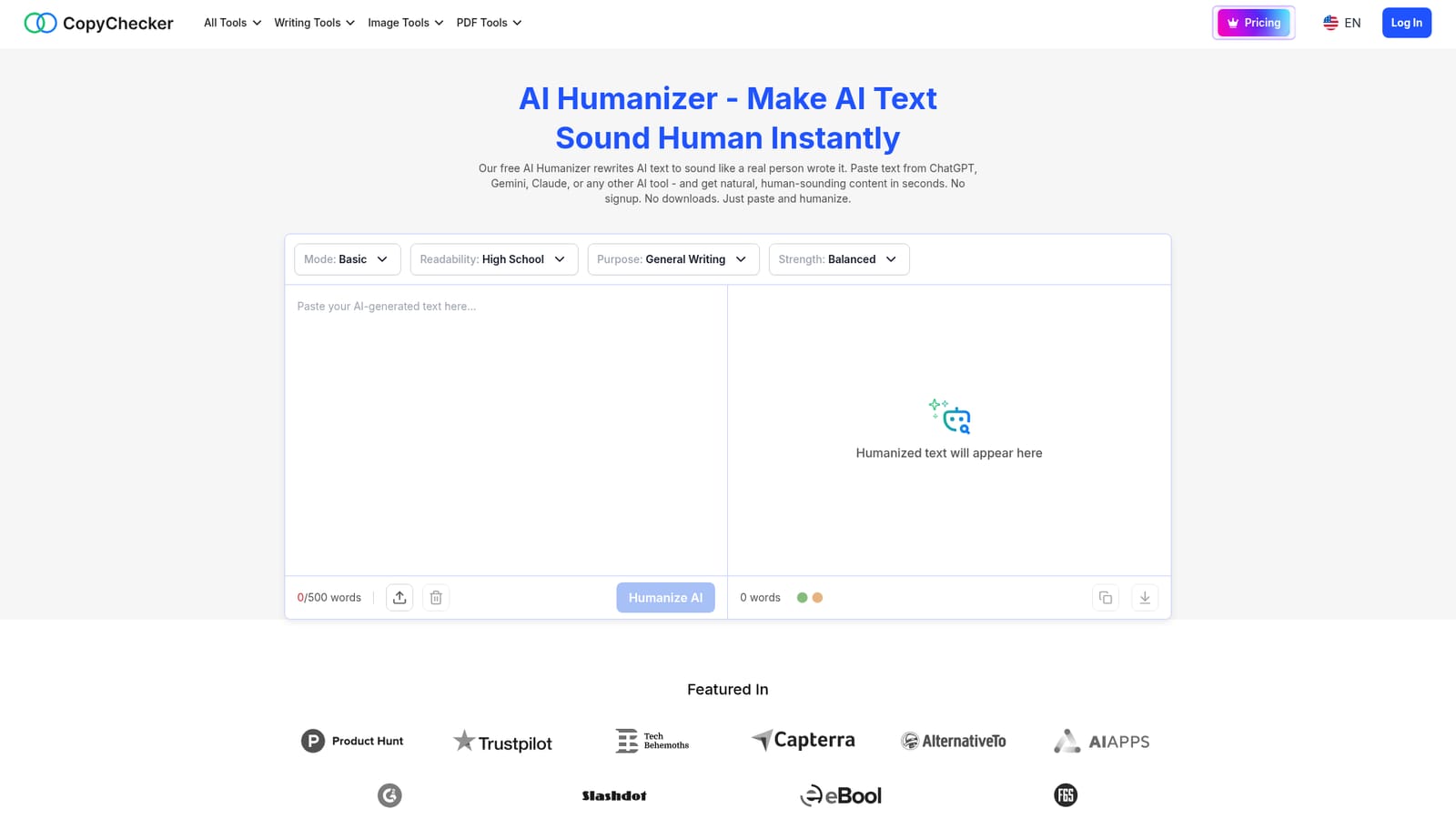
  1. 1Paste or upload your AI text
    Paste text generated by ChatGPT, Gemini, Claude or another AI tool into the input box, or upload a TXT, PDF or DOCX file.
    AI to Human Text Converter — Paste or upload your AI text
  2. 2Set readability, purpose and strength
    Choose a readability level, a writing purpose and a rewrite strength so the output matches the type of content being humanized.
  3. 3Click Humanize AI
    Run the rewrite to produce human sounding text that keeps the original meaning and key points intact.
  4. 4Review the rewritten text
    Read through the output for tone and accuracy, since the tool is designed to preserve meaning but a final check is still advisable.
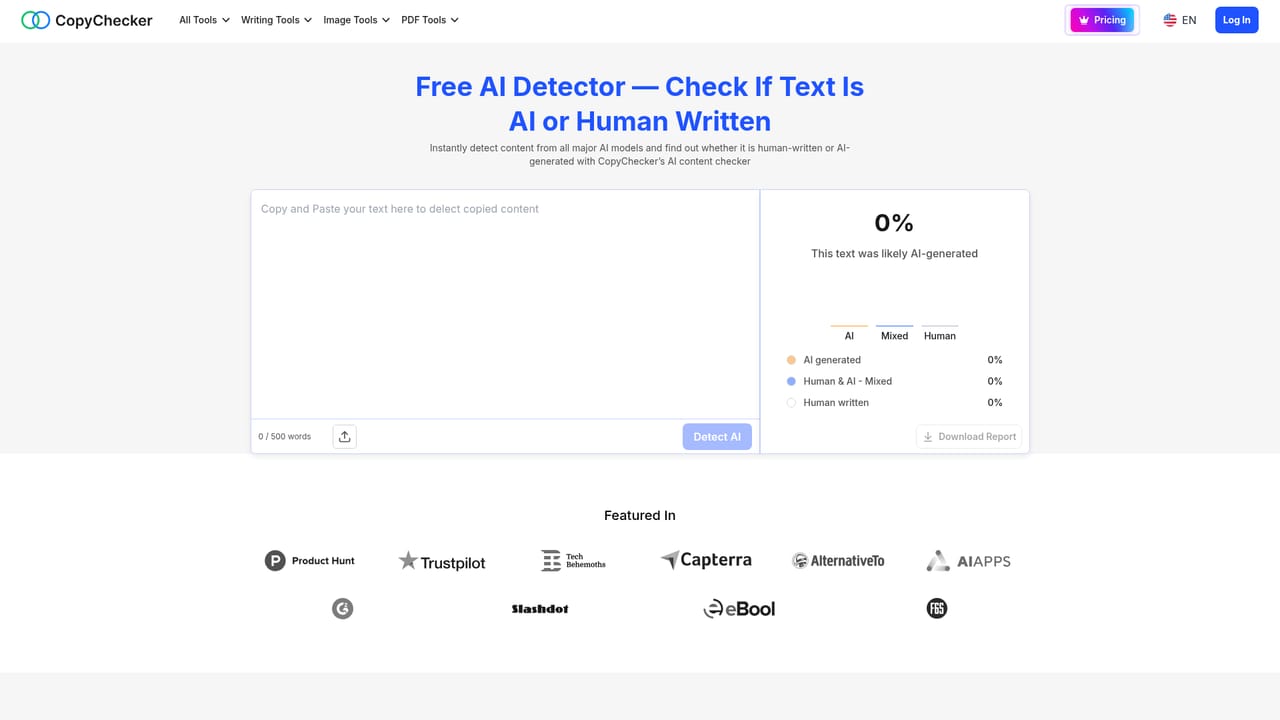
  5. 5Verify with an AI detector
    Paste the humanized text into CopyChecker's AI Detector to see whether it now reads as human before publishing it elsewhere.
    AI to Human Text Converter — Verify with an AI detector

Pros and cons

Pros

  • No signup required to use the free tier directly in the browserAI
  • Accepts pasted text or uploaded TXT, PDF and DOCX filesAI
  • Adjustable readability level, purpose and rewrite strength for different content typesAI
  • Part of a broader CopyChecker suite that includes an AI detector for checking resultsAI
  • States that submitted content is not stored on the provider's serversAI

Cons

  • Free plan limits input to 500 words, which restricts use on longer documentsAI
  • No specific premium pricing figures are published on the page, only that an upgrade existsAI
  • Claims about bypassing specific AI detectors cannot be independently verified from the homepageAI
  • No mention of an API, team features, or native mobile or desktop appsAI
  • Support channels and detailed privacy or data handling practices are not describedAI

How much does AI to Human Text Converter cost?

Pricing

The core humanizer is free to use with a 500 word limit per request. A premium upgrade is mentioned for higher word limits and extra features, but no specific prices are listed on the page.

Learn more

Features

Rewrites AI-generated text into natural, human-sounding prose while preserving meaning, with controls for readability level, writing purpose and rewrite strength, support for pasted text or TXT, PDF and DOCX uploads, multi-language rewriting, and compatibility with output from ChatGPT, Gemini, Claude, Grok and Copilot.

Frequently asked questions about AI to Human Text Converter

  • How much does AI to Human Text Converter cost?
    The core humanizer is free to use with a 500 word limit per request. A premium upgrade is mentioned for higher word limits and extra features, but no specific prices are listed on the page.
  • How do you use AI to Human Text Converter?
    The walkthrough on this page covers 5 steps: 1. Paste or upload your AI text 2. Set readability, purpose and strength 3. Click Humanize AI 4. Review the rewritten text 5. Verify with an AI detector.
  • What platforms does AI to Human Text Converter support?
    AI to Human Text Converter is available on Web App.
  • What are the limitations of AI to Human Text Converter?
    Free plan limits input to 500 words, which restricts use on longer documents. No specific premium pricing figures are published on the page, only that an upgrade exists. Claims about bypassing specific AI detectors cannot be independently verified from the homepage.

Status

StatusActive
Views0
Outbound clicks0
Added10/13/2026

Platforms

Web App

Pricing

Freemium

Creator

@_copychecker

Twitter / X