AILogoArt

Turns an existing logo into AI-rendered brand visuals

Beginner
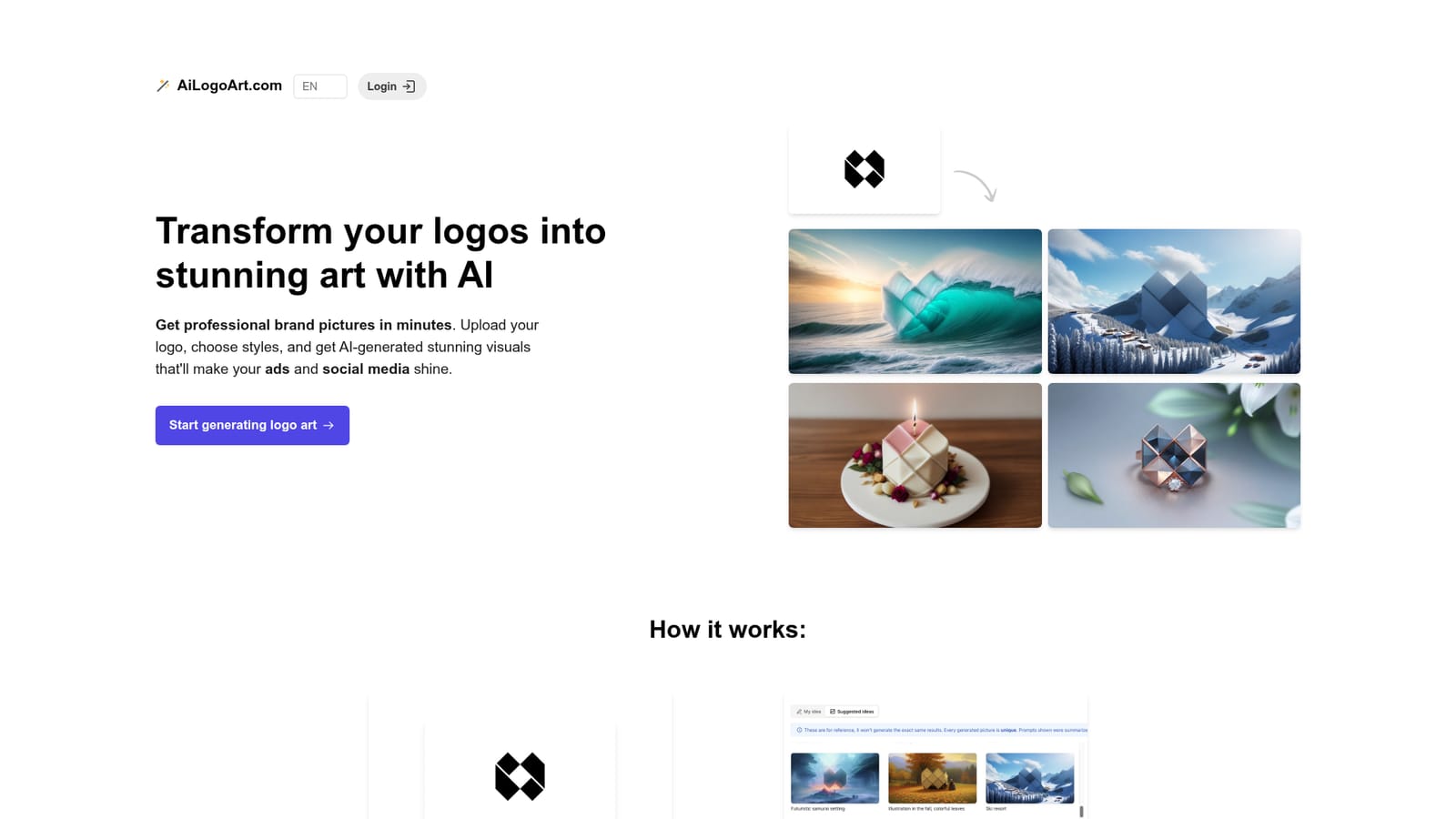
Screenshot of AILogoArt, Turns an existing logo into AI-rendered brand visuals

What is AILogoArt?

AILogoArt is a generative image tool that turns an existing logo into AI-rendered brand visuals. AI Logo Art uploads an existing logo and renders it into themed, commercially licensed brand pictures. You pick a prepared idea or write a scene, get at least four high-resolution images per idea in about a minute, and pay through prepaid credit packs.

AI Logo Art is a browser-based tool that takes a logo you already own and renders it into themed promotional artwork. You upload a flat logo file, pick a ready-made idea prompt or write your own scene, and the service places your mark inside an AI-generated picture that keeps the original aspect ratio and logo position. The output is aimed at ad creatives, social posts and campaign imagery rather than logo design itself. The workflow is deliberately narrow. Uploads must be JPG or PNG, and the site recommends submitting a stripped-back version of the mark: white or black background, a single color or just black, outlines welcome, text removed. Both the placement of the logo inside the upload and the empty margin around it carry through into the result, so framing is decided partly at the upload stage. Each idea returns at least four pictures, typically within about a minute, and you can queue several ideas at once before downloading the ones you keep in high resolution. Buyers are mostly small brands, marketers and designers who need campaign-ready visuals without a photo studio or a retoucher. Freelance designers may find the multi-logo use case practical for client pitches, since one account covers as many logos as you want. Three prepaid credit packs set the volume: 5 ideas and 20 pictures, 25 ideas and 100 pictures, or 125 ideas and 500 pictures. Its main constraint is that it cannot invent a logo. Any tool that generates a mark from scratch solves a different problem. AI Logo Art is a post-production step for brands whose identity is already settled but whose imagery budget is not. Picture generation consumes credits, so experimenting with scene prompts has a real cost, and there is no refund path once rendering begins.

How do you use AILogoArt?

  1. 1Prepare a stripped-back version of your logo
    Export the mark as a JPG or PNG on a white or black background with as few colors as possible, ideally black only, and without text. Outlines also work.
  2. 2Upload the logo
    Use the upload step to submit the file. The logo's position and the empty margin around it will carry over into the generated picture, so frame the canvas deliberately.
    AILogoArt — Upload the logo
  3. 3Choose an idea or write your own
    Pick from the suggested ready-to-use prompts that are known to produce good results, or describe your own scene. Several ideas can be queued for generation at once.
  4. 4Wait for the renders
    Each idea produces at least four pictures, usually in about a minute. Review the set and note which direction fits the brand.
  5. 5Download and check your account
    Download the favorites in high resolution for use on a website or social media. Returning buyers sign in to reach purchased credits and past generations.
    AILogoArt — Download and check your account

Pros and cons

Pros

  • Keeps your existing logo intact while generating campaign imagery around itAI
  • Buyers get full commercial ownership and a license over the generated picturesAI
  • Each idea returns at least four options in roughly a minute, which is fast for creative reviewAI
  • One account works across unlimited logos, which suits designers handling several clientsAI
  • Simple four-step flow needs no design software or prompt engineering experienceAI

Cons

  • No logo generation at all: an input image is mandatory, so it is useless for brands starting from zeroAI
  • Only JPG and PNG uploads are accepted, with no vector or SVG supportAI
  • Refunds are refused once rendering starts, so failed experiments still cost creditsAI
  • Results depend heavily on a clean upload, and text in the logo or a busy background will degrade outputAI
  • Idea and credit packs are prepaid rather than a recurring plan, so volume has to be estimated upfrontAI

How much does AILogoArt cost?

Pricing

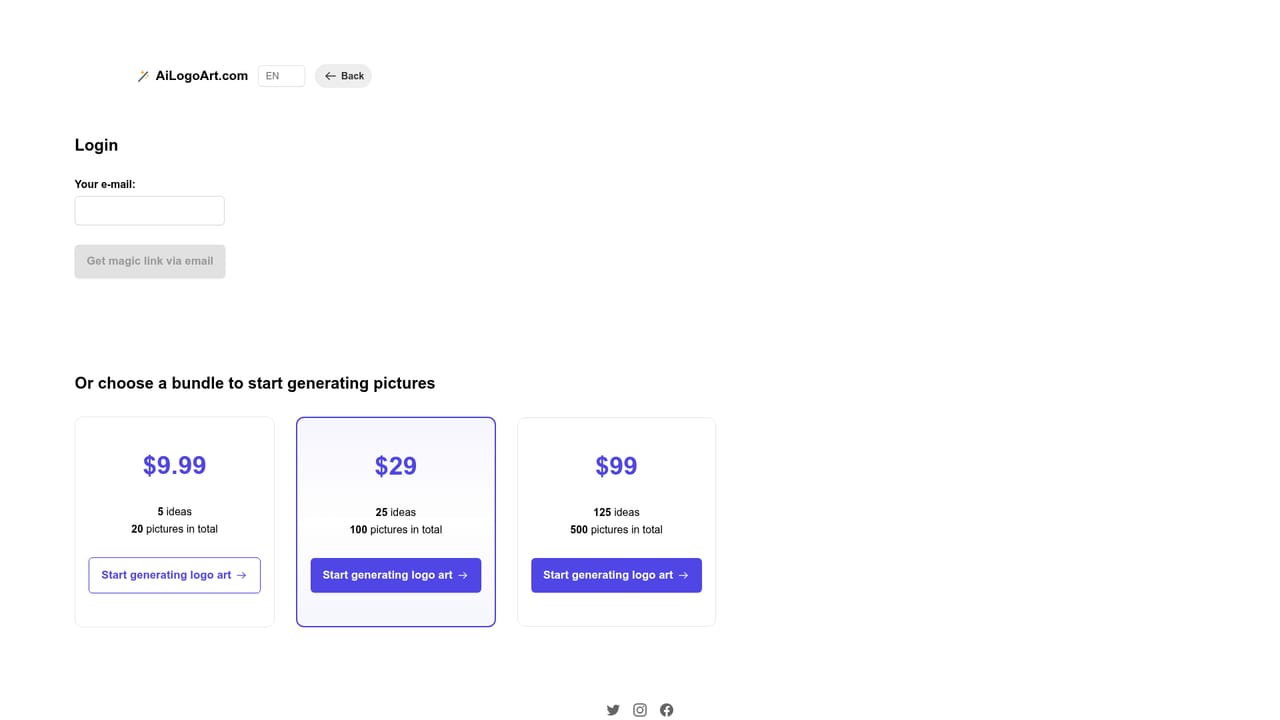
Three prepaid packs: $9.99 for 5 ideas and 20 pictures, $29 for 25 ideas and 100 pictures, and $99 for 125 ideas and 500 pictures. Each idea returns at least four pictures. Checkout runs through Gumroad. No refunds once the AI has started generating.

Learn more

Features

Upload a simple logo (JPG or PNG, few colors, white or black background, no text preferred) and choose a suggested idea prompt or write your own. The AI generates at least four pictures per idea in about a minute, preserving the logo's aspect ratio and position. High-resolution downloads, a full commercial license and ownership over the results, and use with unlimited logos on one account.

Frequently asked questions about AILogoArt

  • How much does AILogoArt cost?
    Three prepaid packs: $9.99 for 5 ideas and 20 pictures, $29 for 25 ideas and 100 pictures, and $99 for 125 ideas and 500 pictures. Each idea returns at least four pictures. Checkout runs through Gumroad. No refunds once the AI has started generating.
  • How do you use AILogoArt?
    The walkthrough on this page covers 5 steps: 1. Prepare a stripped-back version of your logo 2. Upload the logo 3. Choose an idea or write your own 4. Wait for the renders 5. Download and check your account.
  • What platforms does AILogoArt support?
    AILogoArt is available on Web App.
  • What are the limitations of AILogoArt?
    No logo generation at all: an input image is mandatory, so it is useless for brands starting from zero. Only JPG and PNG uploads are accepted, with no vector or SVG support. Refunds are refused once rendering starts, so failed experiments still cost credits.

Status

StatusActive
Views0
Outbound clicks0
Added10/21/2026

Platforms

Web App

Pricing

Paid


