AIPPT

Turn a topic, PDF or URL into editable slides in minutes

Beginner
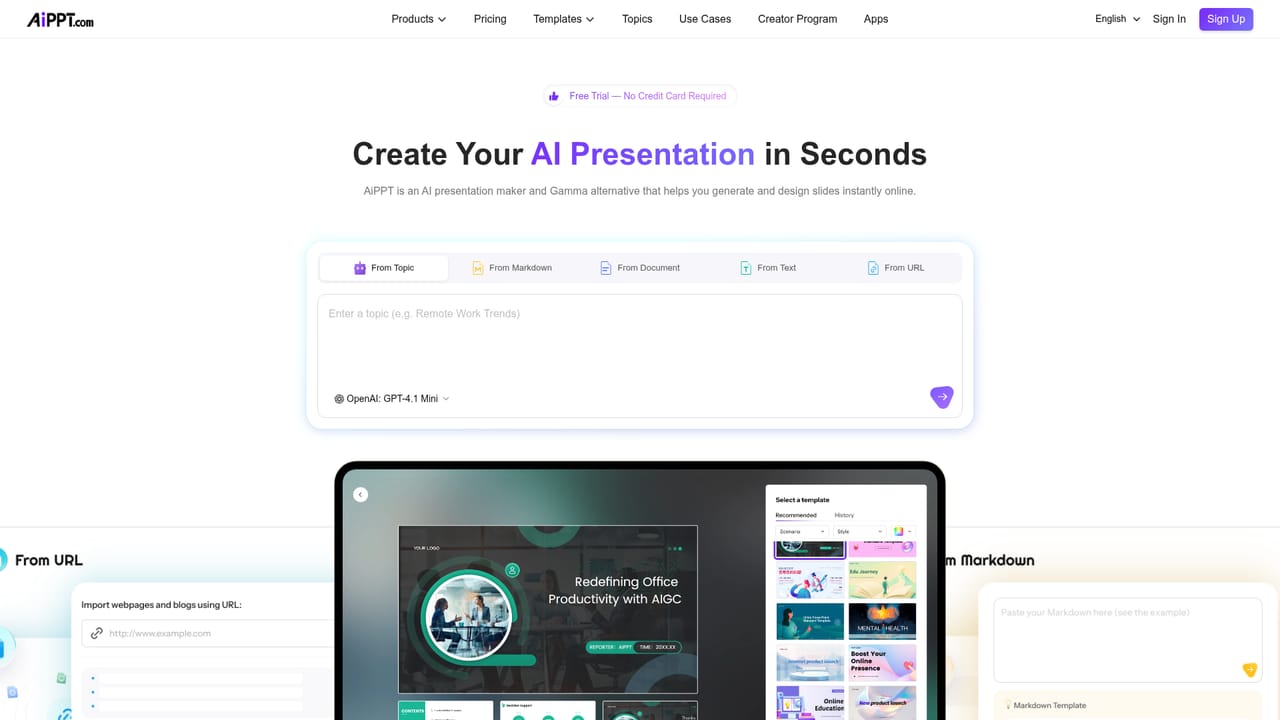
Screenshot of AIPPT, Turn a topic, PDF or URL into editable slides in minutes

What is AIPPT?

AIPPT is an animate powerpoint tool that turns a topic, PDF or URL into editable slides in minutes. AiPPT builds editable slide decks from a topic, pasted text, PDFs, Word files, Excel sheets, images or URLs, then lets users refine content and layout through natural language instructions.

AiPPT is a web based presentation builder that converts raw material into structured slide decks. The starting point can be a short topic description, pasted text, a PDF, a Word or PowerPoint file, an Excel sheet, an image, or a URL. The system parses the source, extracts the key points, and lays them out as an ordered set of slides with a theme applied. Four generation modes sit on top of that engine: Agent for guided deck building, Classic for the familiar prompt to outline to slides path, Flow for adaptive presentation structure, and Visual for image forward decks. Editing is where the product diverges from most slide generators. Instead of dragging elements by hand, users give instructions in natural language and the tool rewrites copy, adjusts layouts, inserts charts, swaps themes, or reworks visuals. A design refinement layer then handles typography, spacing, visual hierarchy, and page level balance, which is the part most people get wrong when assembling decks quickly. Output can be downloaded as PPTX, PDF, or images, and the files stay editable in PowerPoint and Google Slides, so a team is not locked into the AiPPT editor after export. The template library is unusually deep and leans hard into education, with galleries for lesson plans, classroom decks, thesis defenses, subject specific sets for math, chemistry, biology and history, plus business categories such as pitch decks, project proposals, business plans and roadmaps. Diagram and chart templates cover SWOT analysis, fishbone diagrams, flowcharts, mind maps and org charts. Image generation runs on Flux, Imagen, Seedream, and Nano Banana models, while slide motion and presentation video lean on Kling and Vidu workflows. It suits teachers, students, consultants, marketers and small teams who build decks often but do not have a designer. The tradeoff is that heavy users will spend real time correcting AI drafted content, and the strongest features sit behind the paid tiers.

How do you use AIPPT?

  1. 1Pick a generation mode
    Compare Agent, Classic, Flow and Visual on their own pages and choose the workflow that matches the deck. Classic follows the standard prompt to outline to slides path, while Visual favors image led layouts.
    AIPPT — Pick a generation mode
  2. 2Feed in your source material
    Enter a topic, paste text, or upload a PDF, Word file, spreadsheet or image. A URL can also be used as the starting point, and the parser extracts the structure and key points.
  3. 3Choose a theme or template
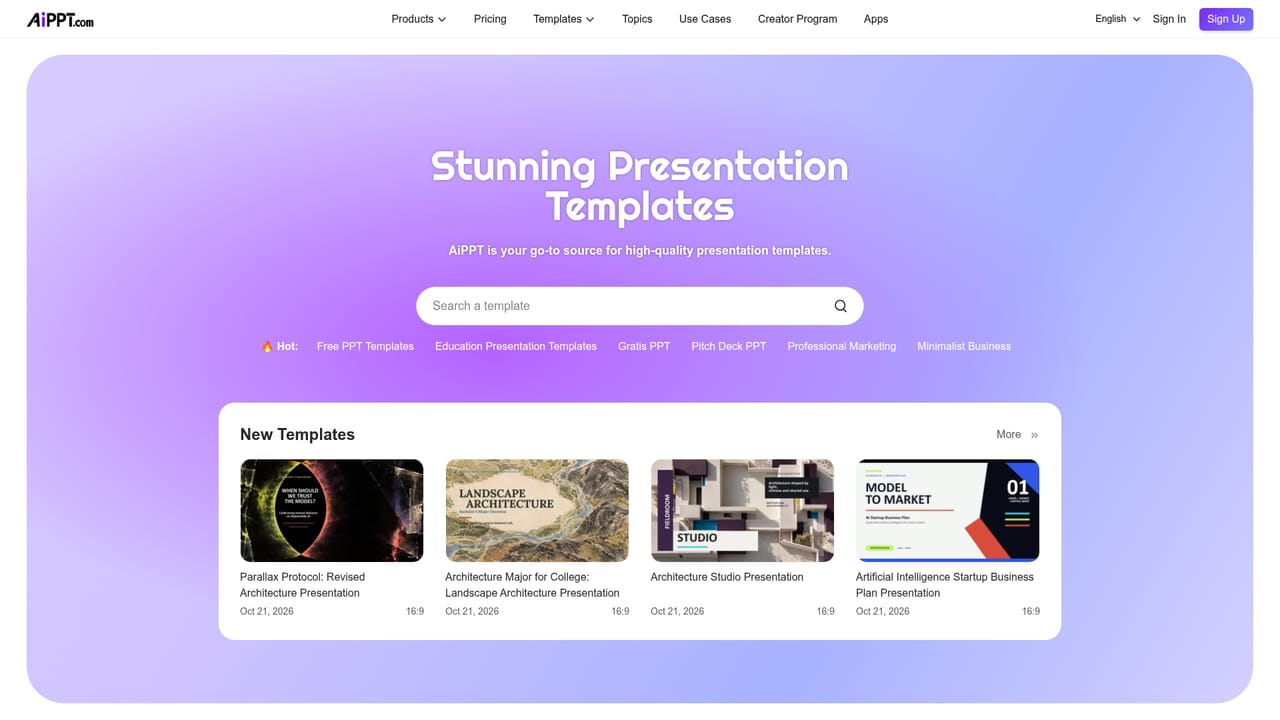
    Browse the template galleries by scenario such as education, business, pitch deck or roadmap, or upload a custom theme so the deck matches existing brand assets.
    AIPPT — Choose a theme or template
  4. 4Refine with conversational edits
    Ask for changes in plain language: rewrite a section, tighten a layout, add a chart or update the color theme. The design refinement layer rebalances spacing and hierarchy after each edit.
  5. 5Export or share the deck
    Download as PPTX, PDF or image files, or share a link. Exported files stay editable in PowerPoint and Google Slides for further work by collaborators.

Pros and cons

Pros

  • Accepts a wide range of inputs, including PDF, Word, PowerPoint, Excel, images and URLs, not just a text promptAI
  • Exports to PPTX, PDF and image formats that remain editable in PowerPoint and Google SlidesAI
  • Conversational editing lets users rewrite copy, swap themes and insert charts without manual slide workAI
  • Template galleries are extensive and deep on education, business, diagrams and poster formatsAI
  • Built in design refinement handles typography, spacing and layout balance automaticallyAI

Cons

  • Homepage does not state pricing amounts, generation limits or what each tier unlocksAI
  • Generated copy still needs human fact checking and rewriting before a deck is presentation readyAI
  • Image and video generation depends on third party models, so quality varies by mode and promptAI
  • Template and feature depth can overwhelm users who just want a quick five slide deckAI
  • No public API or third party integration details are documented on the homepageAI

How much does AIPPT cost?

Features

Four generation modes (Agent, Classic, Flow, Visual), smart parsing of PDFs, Word, PowerPoint, Excel, images and URLs, conversational editing by instruction, automatic design refinement for typography and spacing, a large template library spanning education, business, diagrams and posters, plus image generation with Flux, Imagen, Seedream and Nano Banana and slide video via Kling and Vidu.

Learn more

Frequently asked questions about AIPPT

  • How do you use AIPPT?
    The walkthrough on this page covers 5 steps: 1. Pick a generation mode 2. Feed in your source material 3. Choose a theme or template 4. Refine with conversational edits 5. Export or share the deck.
  • What platforms does AIPPT support?
    AIPPT is available on Web App.
  • What are the limitations of AIPPT?
    Homepage does not state pricing amounts, generation limits or what each tier unlocks. Generated copy still needs human fact checking and rewriting before a deck is presentation ready. Image and video generation depends on third party models, so quality varies by mode and prompt.

Status

StatusActive
Views0
Outbound clicks0
Added10/21/2026

Platforms

Web App

Pricing

FreeFreemiumSubscription