Support
Contact details and a newsletter signup are referenced on the site, and a feedback form is linked in the footer. No help centre, documentation, or stated response times appear on the homepage.
A social media agent that works alongside three specialist AI teammates
Own Alfred by Simbli.ai? Verify ownership to get a dofollow link

Alfred by Simbli.ai is a content tool. Alfred is the social media agent within Simbli's four-agent AI team, built for creators, teams, and learners who want role-specific help instead of a blank general chatbot.
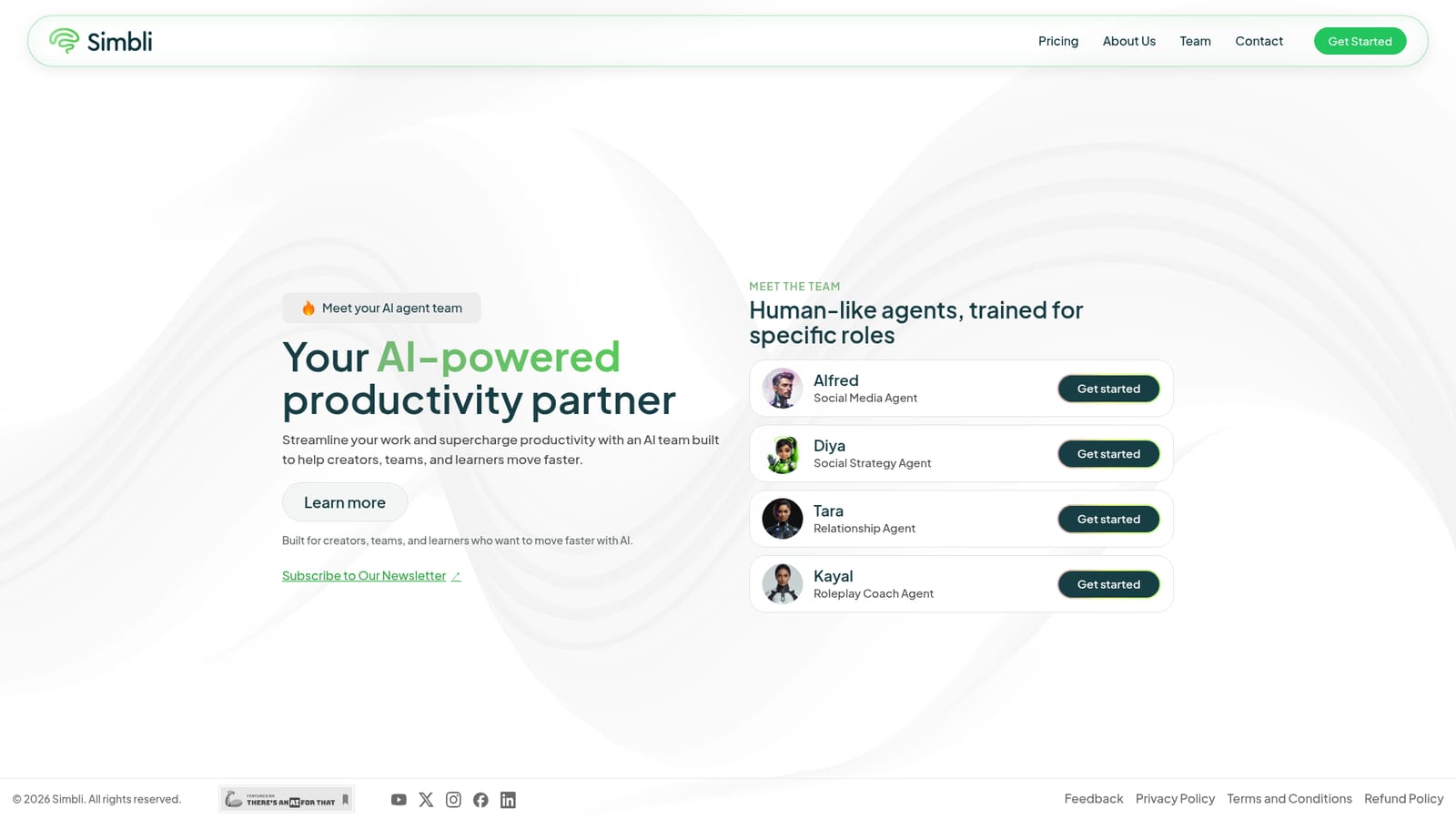
Alfred is one of four role-trained AI agents on the Simbli platform, positioned as a social media agent. Instead of presenting a single general-purpose assistant, Simbli assembles a small team of named agents, each narrowed to a distinct job. Alfred handles the social media slot, Diya covers social strategy, Tara manages relationship work, and Kayal acts as a roleplay coach. The pitch is straightforward: pick the agent whose role matches the task rather than prompting a blank chatbot and hoping the output lands in the right register. The platform is aimed at creators, teams, and learners who want to move faster without building a workflow from scratch. A solo creator scheduling and drafting posts, a small marketing team splitting strategy from execution, or a learner practising conversation skills all sit inside the stated audience. Because each agent is trained for a specific role, the expected benefit is less setup per task: the agent already knows what kind of output it should produce, so the user spends time reviewing rather than explaining context. In practice the flow is simple. A visitor lands on the Simbli homepage, browses the team roster, and selects the agent that fits the job at hand, then gets started. The homepage does not document what happens after that click, so the depth of each agent's workspace, the controls available, and how work is saved or shared are not verifiable from public material. Buyers should treat the four-agent structure as the core product claim and confirm the details directly. Among alternatives, Simbli sits closer to a packaged assistant suite than to a single-model chat tool. Tools like ChatGPT or Claude offer breadth through one general model; Simbli bets on narrow, named roles instead. That trade-off favours users who want a pre-shaped workflow over users who want maximum flexibility in a single interface. The site also references a refund policy, which suggests paid access exists, though no prices, tiers, or quotas are published on the homepage.
Contact details and a newsletter signup are referenced on the site, and a feedback form is linked in the footer. No help centre, documentation, or stated response times appear on the homepage.
Four named agents divided by role: Alfred for social media, Diya for social strategy, Tara for relationships, and Kayal as a roleplay coach. Simbli frames the set as an AI team for creators, teams, and learners, with individual agent cards that lead directly into a starting flow. Detailed feature documentation is not published on the homepage.
 AI Angels400+ customizable AI girlfriends for NSFW chat, voice calls, and roleplay
 Candy AIExperience the future of companionship with AI friends who chat, role-play, and connect with you on a human level.
 ourdream.aiA vast AI roleplay platform with millions of characters for chat, images, video and voiceAI Angels400+ customizable AI girlfriends for NSFW chat, voice calls, and roleplayCandy AIExperience the future of companionship with AI friends who chat, role-play, and connect with you on a human level.ourdream.aiA vast AI roleplay platform with millions of characters for chat, images, video and voice


