Amazing Crossword

Turn any vocabulary list into a printable crossword in seconds

Beginner
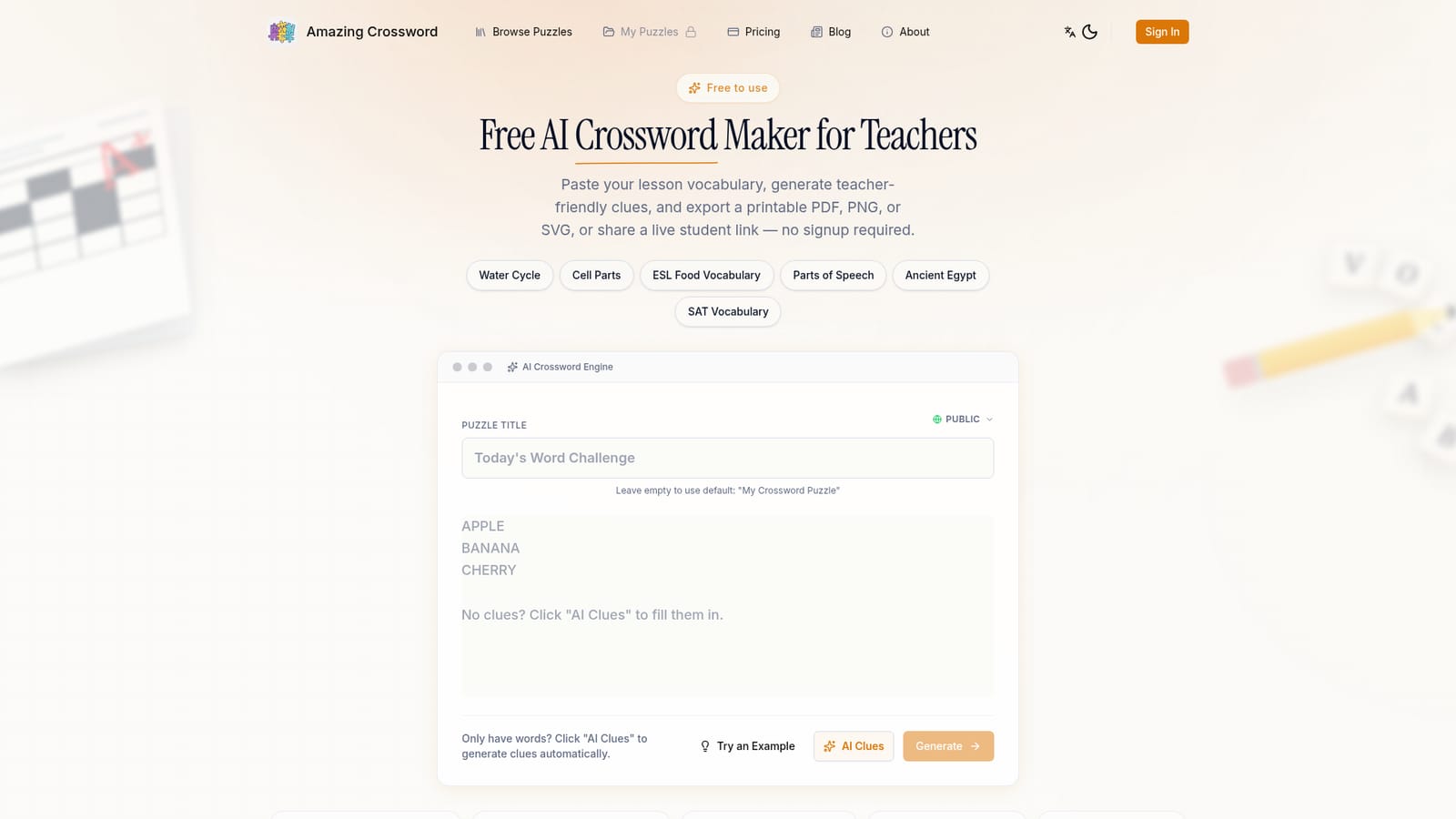
Screenshot of Amazing Crossword, Turn any vocabulary list into a printable crossword in seconds

What is Amazing Crossword?

Amazing Crossword is a language learning tool that turns any vocabulary list into a printable crossword in seconds. Free browser-based crossword maker for K-12 and ESL teachers. Paste up to 50 words, generate AI clues, and export a print-ready PDF, PNG or SVG with answer key, or share a live student solve link with no signup and no watermarks.

Amazing Crossword is a browser-based crossword puzzle generator aimed squarely at teachers. The core workflow is simple: paste a list of answers (between 2 and 50 letter-based entries), optionally add clues, and the tool composes a compact grid. Clues can be written in any language, and a built-in AI clue helper proposes definitions when only a word list is available, which shortens prep time for weekly vocabulary, spelling, or ESL sets. In practice the editor is the whole product. After generation, skipped entries are surfaced so the teacher can see which words failed to place and adjust the list or regenerate the layout until it looks right. The word list stays loaded in the editor between attempts, so refining clues does not mean starting over. Finished puzzles leave the tool in three formats: a print-ready PDF with academic-style typography and a matching answer key, a high-resolution PNG, and an SVG for anyone who needs scalable output. For classrooms that cannot rely on printing, the same puzzle can be shared as a live resolve link with no student accounts and no installs. Students solve directly in the browser on phones and tablets, which makes it viable for homework or quick review sessions. The public library also offers ready-made puzzles for situations like substitute teacher coverage. It sits in the same space as generic puzzle makers, but the positioning is editorial: teacher-first, privacy-light (no signup to generate or export), and with no watermarks on free output. Teachers who need saved puzzle libraries, re-editing over time, and ongoing management get that through an optional account rather than paying for the generator itself.

How do you use Amazing Crossword?

  1. 1Paste your vocabulary list
    Open the editor and paste 2 to 50 letter-based answers, or add entries one at a time. Clues can be entered in any language, and you can leave them blank if you plan to generate them.
    Amazing Crossword — Paste your vocabulary list
  2. 2Generate clues with AI
    If you only have words, click the AI Clues button and let the tool draft definitions. Review each one and rewrite anything that is too vague or off-level for your grade.
  3. 3Generate the grid and review skipped words
    Run the generator to build a compact layout, then check the list of entries that failed to fit. Regenerate or trim the word list until the grid looks clean.
  4. 4Export or share
    Download a print-ready PDF with answer key, a high-resolution PNG, or an SVG, or copy the live solve link so students can complete the puzzle on any device.
  5. 5Create an account to save puzzles
    Register if you want to store puzzles, edit them later, and manage a library across the school year. The generator itself works without this step.

Pros and cons

Pros

  • Core generator is free and exports carry no watermarksAI
  • No account needed to build, export, or share a puzzleAI
  • PDF, PNG and SVG output plus a matching answer key for every puzzleAI
  • Live student links work on phones and tablets without installs or student loginsAI
  • AI clue generation and multi-language clue support reduce prep timeAI

Cons

  • Hard cap of 50 words per puzzle, which limits longer unit reviewsAI
  • Word placement can fail on some entries and needs manual regenerationAI
  • Puzzle library, saving and later editing require an accountAI
  • No stated LMS or Google Classroom integration, so sharing is link-based onlyAI
  • Grid styling is fixed to the tool's typography with no custom layout controlAI

How much does Amazing Crossword cost?

Pricing

The core crossword generator is described as free forever: unlimited puzzles, no credit card, and no watermarks on exports. An account is optional and is framed as necessary only for saving, editing, and managing a puzzle library over time. The homepage does not list paid tiers or prices.

Learn more

Features

Instant grid generation from a word list, editable clues with an AI clue assistant, multi-language clue entry, review of entries that could not be placed, PDF, PNG and SVG export with answer keys, live student solve links that work without accounts, and a public puzzle library. Puzzles hold up to 50 words.

Frequently asked questions about Amazing Crossword

  • How much does Amazing Crossword cost?
    The core crossword generator is described as free forever: unlimited puzzles, no credit card, and no watermarks on exports. An account is optional and is framed as necessary only for saving, editing, and managing a puzzle library over time. The homepage does not list paid tiers or prices.
  • How do you use Amazing Crossword?
    The walkthrough on this page covers 5 steps: 1. Paste your vocabulary list 2. Generate clues with AI 3. Generate the grid and review skipped words 4. Export or share 5. Create an account to save puzzles.
  • What platforms does Amazing Crossword support?
    Amazing Crossword is available on Web App.
  • What are the limitations of Amazing Crossword?
    Hard cap of 50 words per puzzle, which limits longer unit reviews. Word placement can fail on some entries and needs manual regeneration. Puzzle library, saving and later editing require an account.

Status

StatusActive
Views0
Outbound clicks0
Added11/3/2026

Platforms

Web App

Pricing

FreeFreemium