Free trial
A free tier provides 10 credits on sign up. Because one generation is listed at 40 credits, testing the character video tool at full settings requires upgrading or earning extra credits.
Learn moreTurn character stills into videos that keep the same face
Own AnimateImage.net? Verify ownership to get a dofollow link

AnimateImage.net is an animate face tool that turns character stills into videos that keep the same face. A web based generator that takes up to three reference images of a character and animates them into short 1080p videos while holding facial features and identity steady across frames.
AnimateImage.net is a generative media platform built around a consistent character video tool. The premise is narrow and useful: you bring still images of a character, the system learns the facial structure and identifying traits, and it produces moving footage in which that character remains recognisably the same person from the first frame to the last. The tool sits inside a broader suite that also covers text to image, image editing, 3D generation and ordinary video generation, so character work is one module rather than the whole product. The workflow is upload driven. You supply up to three reference images of your character, ideally in different poses or settings, and the generator extracts the features worth preserving. From there you can specify which elements must stay locked, write a prompt describing the scene, and set duration, resolution and aspect ratio. The current interface exposes a Vidu-powered model with 5 second clips at 1080p and a choice of 16:9, 9:16 or 1:1 framing, plus movement amplitude and optional background music. This is short form output, aimed at social clips, character intros and scene transitions rather than long narrative sequences. It suits creators who already have a character design and need it to survive motion: animators prototyping sequences, marketers building a recurring brand persona, game developers previewing a protagonist, and social teams producing serialised content. The commercial use question is answered directly on the page, which states the tool is licensed for personal and commercial projects. The value proposition is repetition: once a character is locked, variations across environments and expressions become cheap. Against dedicated character consistency tools, the draw here is bundling. A team can generate the initial character image, animate it, and push stills into 3D without leaving the platform. The trade off is that the consistency engine is tuned for clips measured in seconds, and the site gives no published detail on how it handles longer sequences or heavy stylistic shifts.
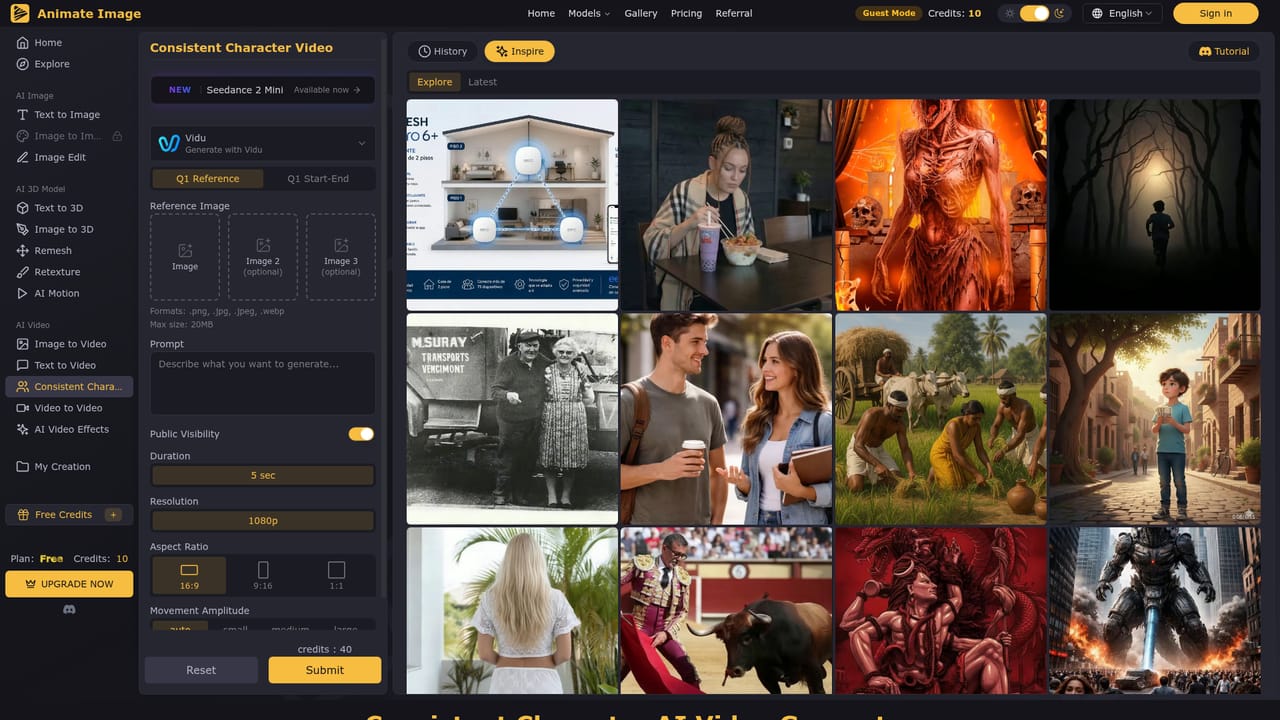
A free tier provides 10 credits on sign up. Because one generation is listed at 40 credits, testing the character video tool at full settings requires upgrading or earning extra credits.
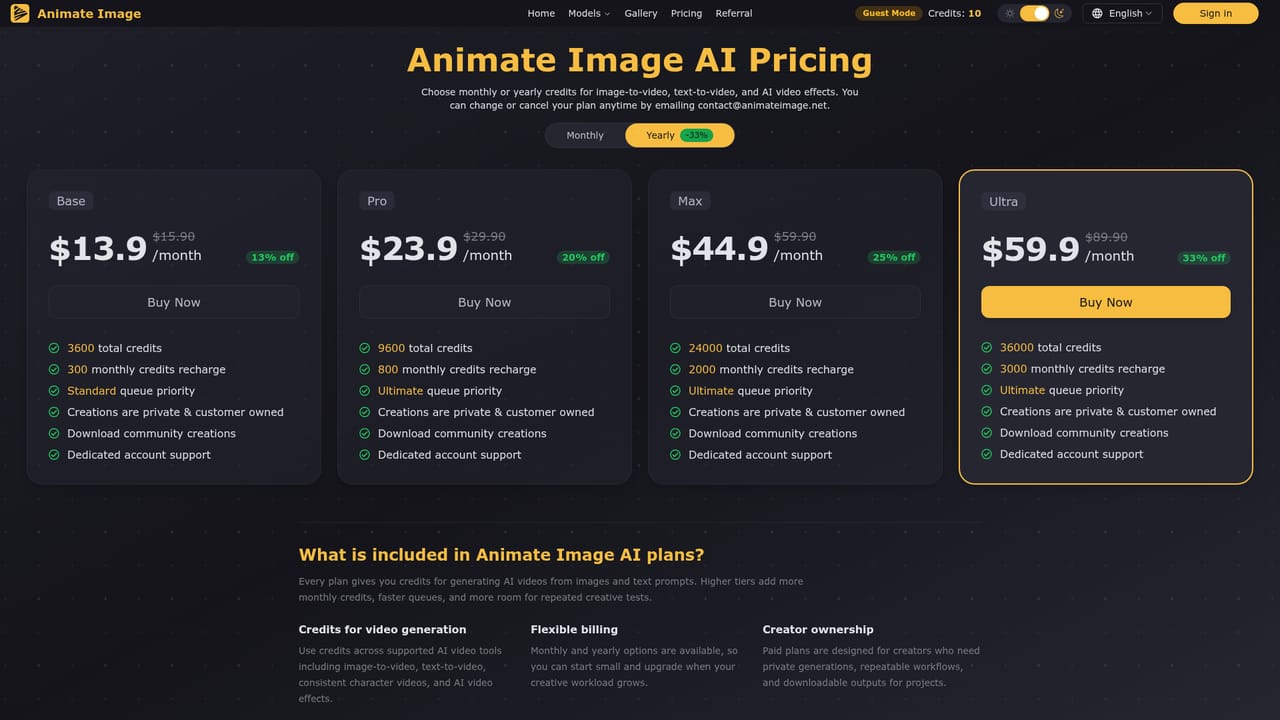
Learn moreThe site shows a Free plan with 10 credits and an upgrade path. A single character video generation is listed at 40 credits, so the free allowance does not cover one full run at that setting. Paid tiers are described on the pricing page but no rates are quoted on the homepage.
Learn moreSupport runs through the project's Discord server, which is linked from the generator page and also hosts the tutorial entry point.
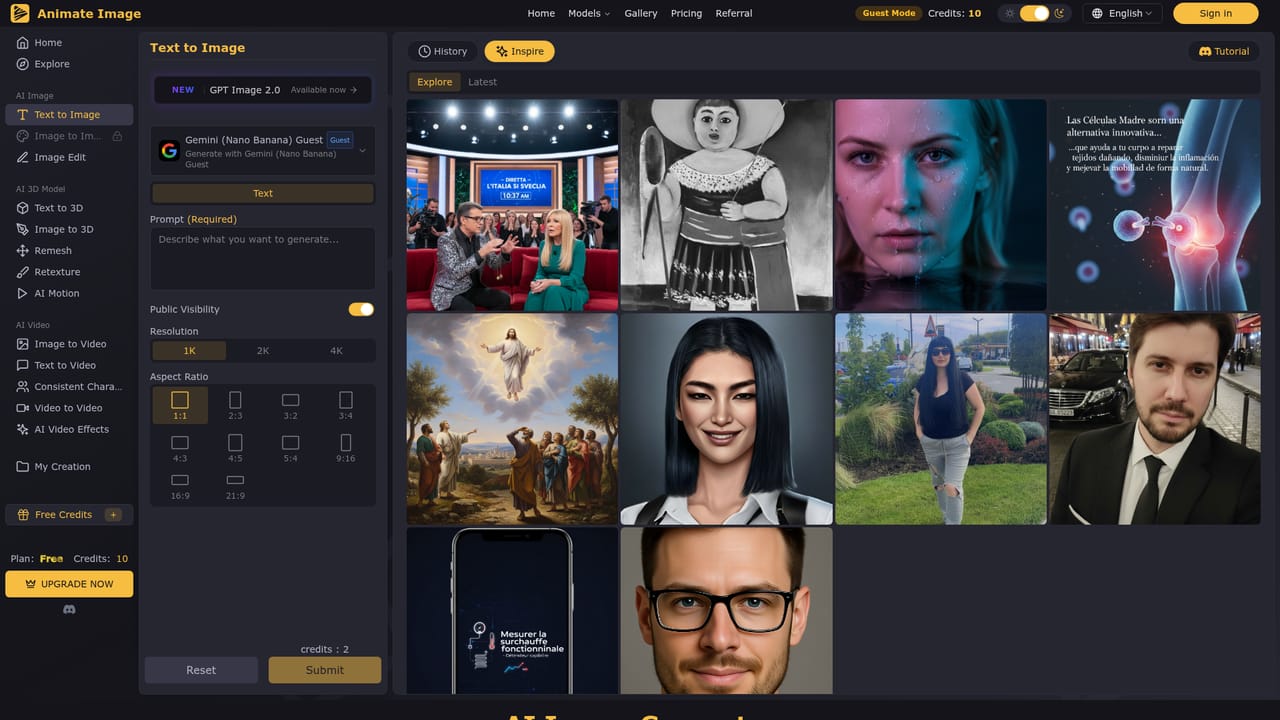
Reference based character animation from up to three uploaded images, selective control over which traits stay fixed, prompt driven scene and motion setting, 5 second 1080p output in 16:9, 9:16 or 1:1, adjustable movement amplitude and optional background music. The same account also covers text to image, image editing, text and image to 3D, remesh, retexture, motion generation and standard video tools.
Learn more AI Angels400+ customizable AI girlfriends for NSFW chat, voice calls, and roleplay
 Candy AIExperience the future of companionship with AI friends who chat, role-play, and connect with you on a human level.
 ourdream.aiA vast AI roleplay platform with millions of characters for chat, images, video and voiceAI Angels400+ customizable AI girlfriends for NSFW chat, voice calls, and roleplayCandy AIExperience the future of companionship with AI friends who chat, role-play, and connect with you on a human level.ourdream.aiA vast AI roleplay platform with millions of characters for chat, images, video and voice