Free trial
Daily free animations are offered without an account, so the tool can be tested on a real photo before any plan is bought.
Learn moreTurn old family photos into short videos with speech, song and music
Own Animate Old Photos? Verify ownership to get a dofollow link
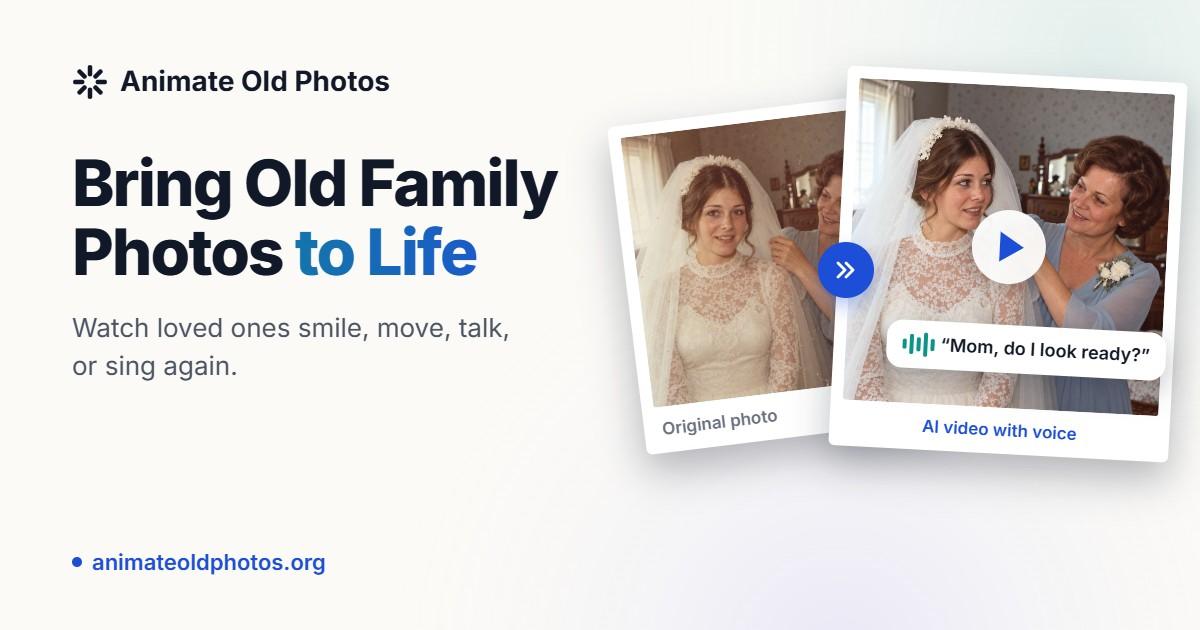
Animate Old Photos is an animate face tool that turns old family photos into short videos with speech, song and music. A web tool that turns scanned family photos into short animated videos, with optional speech, singing and background music.
Animate Old Photos is a browser based tool for converting still photographs, mostly family pictures and portraits, into short animated videos. A face that has sat motionless in an album for decades can smile, blink or wave, and the Pro model adds native audio with lip sync so a subject appears to speak or sing. Users can also lay a background music track under the clip. The output is a downloadable video rather than an editable timeline, which keeps the workflow narrow but also keeps it approachable. The product is aimed at people with personal archives rather than professional video editors. Family historians, people assembling memorial tributes, and anyone who wants a keepsake for a birthday or anniversary are the obvious audience. The site also bundles adjacent jobs around the same photo collection: restoration for scratches, fading and blur with an optional colorization pass, a Merge Images editor that stitches two separate photographs into one frame, and a dedicated hug generator built on top of it. An Add Loved One to Photo feature places an absent or deceased person into a group shot, wedding picture or memorial portrait. In practice the flow is upload, optional prompt, generate, download. Prompts describe motion in plain language, such as two children on a swing or a woman waving, and leaving the field empty lets the service pick a movement on its own. Most renders complete in two to five minutes according to the site. Results live in My Creations for 30 days, and files are auto deleted afterwards, so anything worth keeping needs downloading. A failed render caused by prohibited content or peak load is not charged. Among photo animation services, this one leans harder into the sentimental family use case than into novelty clips or celebrity meme output, though the example gallery shows some of that too. It competes on restoration and composite features sitting beside the animation engine, not on cinematic control. Anyone wanting camera moves, scene cuts or precise timing will find the prompt driven approach limiting.
Daily free animations are offered without an account, so the tool can be tested on a real photo before any plan is bought.
Learn moreFree to try, with daily free animations available and no login needed. Extra videos require a paid plan chosen at any time. The site does not publish credit amounts or prices on the homepage. Subscriptions can be cancelled whenever, and unused credits remain available after cancellation.
Learn moreA contact form reaches the support team, and replies to support requests arrive as in-app notifications. The site also hosts prompt guides, an FAQ and a changelog.
Learn morePhoto to video animation with natural face movement, plus optional speech, singing and background music. The Pro model adds native audio with lip sync and clips up to 15 seconds. Supporting tools cover old photo restoration with colorization, a Merge Images editor, an AI hug video generator with an Advanced model, and Add Loved One to Photo for composites.
Learn more AI Angels400+ customizable AI girlfriends for NSFW chat, voice calls, and roleplay
 Candy AIExperience the future of companionship with AI friends who chat, role-play, and connect with you on a human level.
 ourdream.aiA vast AI roleplay platform with millions of characters for chat, images, video and voiceAI Angels400+ customizable AI girlfriends for NSFW chat, voice calls, and roleplayCandy AIExperience the future of companionship with AI friends who chat, role-play, and connect with you on a human level.ourdream.aiA vast AI roleplay platform with millions of characters for chat, images, video and voice