Support
Contact options and a general FAQ page are published on the AR Code site for questions about model generation and AR delivery.
Learn moreTurn one photo into an AR-ready 3D model

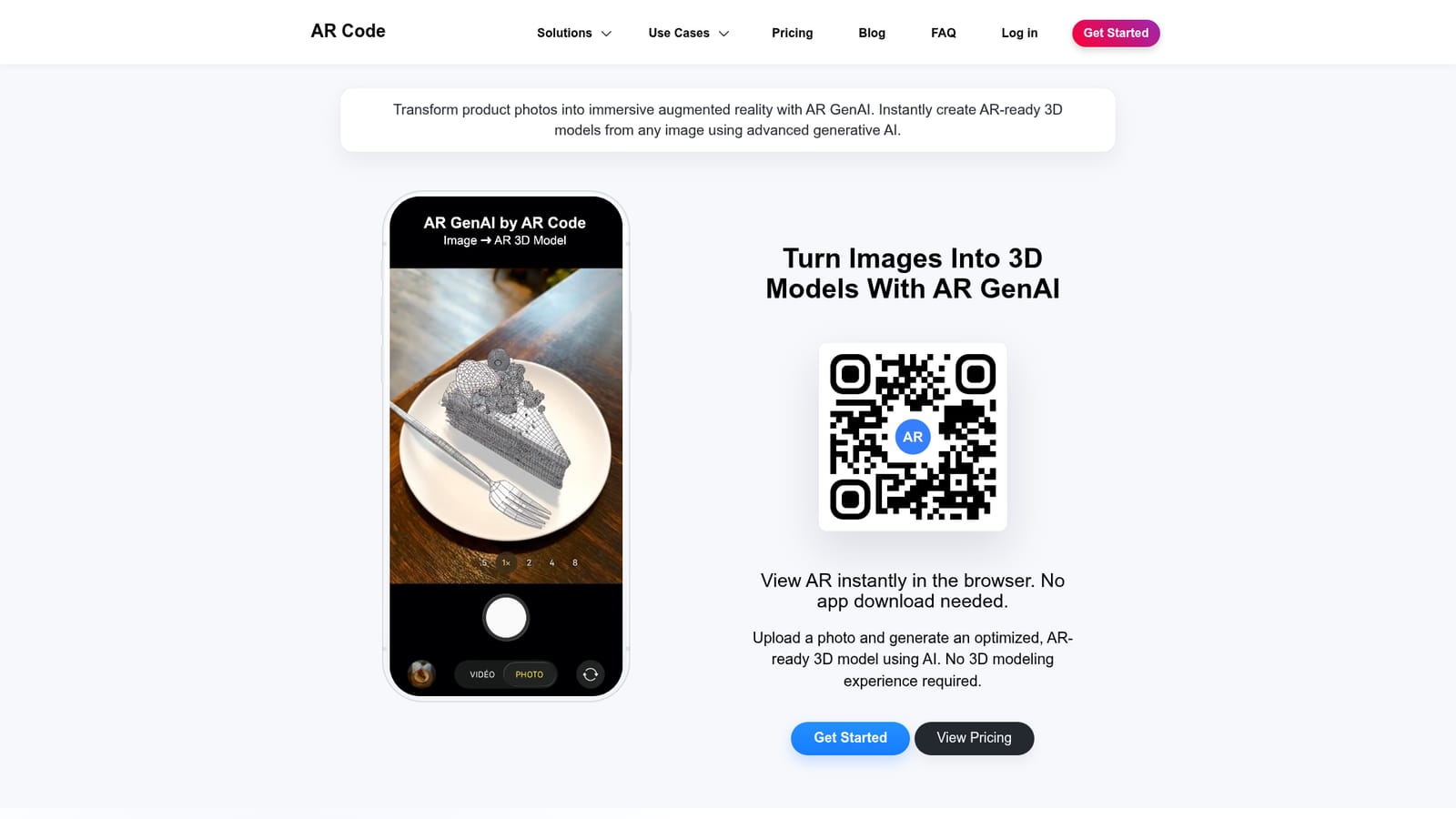
AR GenAI is a generate concepts tool that turns one photo into an AR-ready 3D model. AR GenAI from AR Code converts a single photo into an optimized, textured 3D model and pairs it with an AR QR Code, so the result opens in browser-based augmented reality on phones and headsets without an app or 3D skills.
AR GenAI is a product from AR Code that converts a single photograph into a textured, AR-ready 3D model. The image is uploaded through the browser and the system reconstructs geometry in a native 3D latent space, then applies high-fidelity, physically based textures. Output is optimized so it loads and renders smoothly in a browser session, which means the finished asset can be seen in augmented reality on a phone, tablet or headset without installing an app. Distribution runs through AR QR Codes. Each generated model gets a code that can be printed on packaging, menus, signage or placed on a web page, and scanning it opens the 3D object in AR on Android, iOS, iPadOS, Meta Horizon OS and Apple visionOS. AR Code also reports analytics on scans, so teams can see how the content performs after it leaves the studio. The tool targets people who have product or subject photos but no 3D pipeline. Retail and showroom teams use it to let customers preview furniture in real rooms; restaurants convert food shots into explorable menu items; museums and educators turn exhibit photos into interactive lessons; and workshops generate models to support prototyping and 3D print preparation. The vendor cites products, artwork, food, characters and both simple and complex shapes as supported subjects. Compared with photogrammetry tools such as AR Code Object Capture, which require capturing a subject from multiple angles, AR GenAI works from one frame, which is faster but leaves less geometric evidence for the reconstruction. It sits inside a larger AR Code suite alongside AR Video, AR Portal, AR Face and 3D model upload, so it suits teams already publishing AR content through that platform more than those wanting a standalone 3D editor.


Contact options and a general FAQ page are published on the AR Code site for questions about model generation and AR delivery.
Learn morePart of the AR Code suite and works alongside AI Code, Object Capture, AR Splat, AR Text, AR Photo, AR Portal, AR Logo, AR Video, AR Face and 3D model upload. No outside integrations are listed.
Learn moreSingle-image to 3D conversion using deep learning and native 3D latent spaces, high-fidelity physically based textures, browser-optimized models, AR QR Code generation for each asset, cross-device AR viewing on Android, iOS, iPadOS, Meta Horizon OS and Apple visionOS, and scan analytics through the AR Code platform.
 AI Angels400+ customizable AI girlfriends for NSFW chat, voice calls, and roleplay
 Candy AIExperience the future of companionship with AI friends who chat, role-play, and connect with you on a human level.
 ourdream.aiA vast AI roleplay platform with millions of characters for chat, images, video and voiceAI Angels400+ customizable AI girlfriends for NSFW chat, voice calls, and roleplayCandy AIExperience the future of companionship with AI friends who chat, role-play, and connect with you on a human level.ourdream.aiA vast AI roleplay platform with millions of characters for chat, images, video and voice





