ArticleRewriter

Paraphrasing tool with five rewrite modes and ten language versions

Beginner
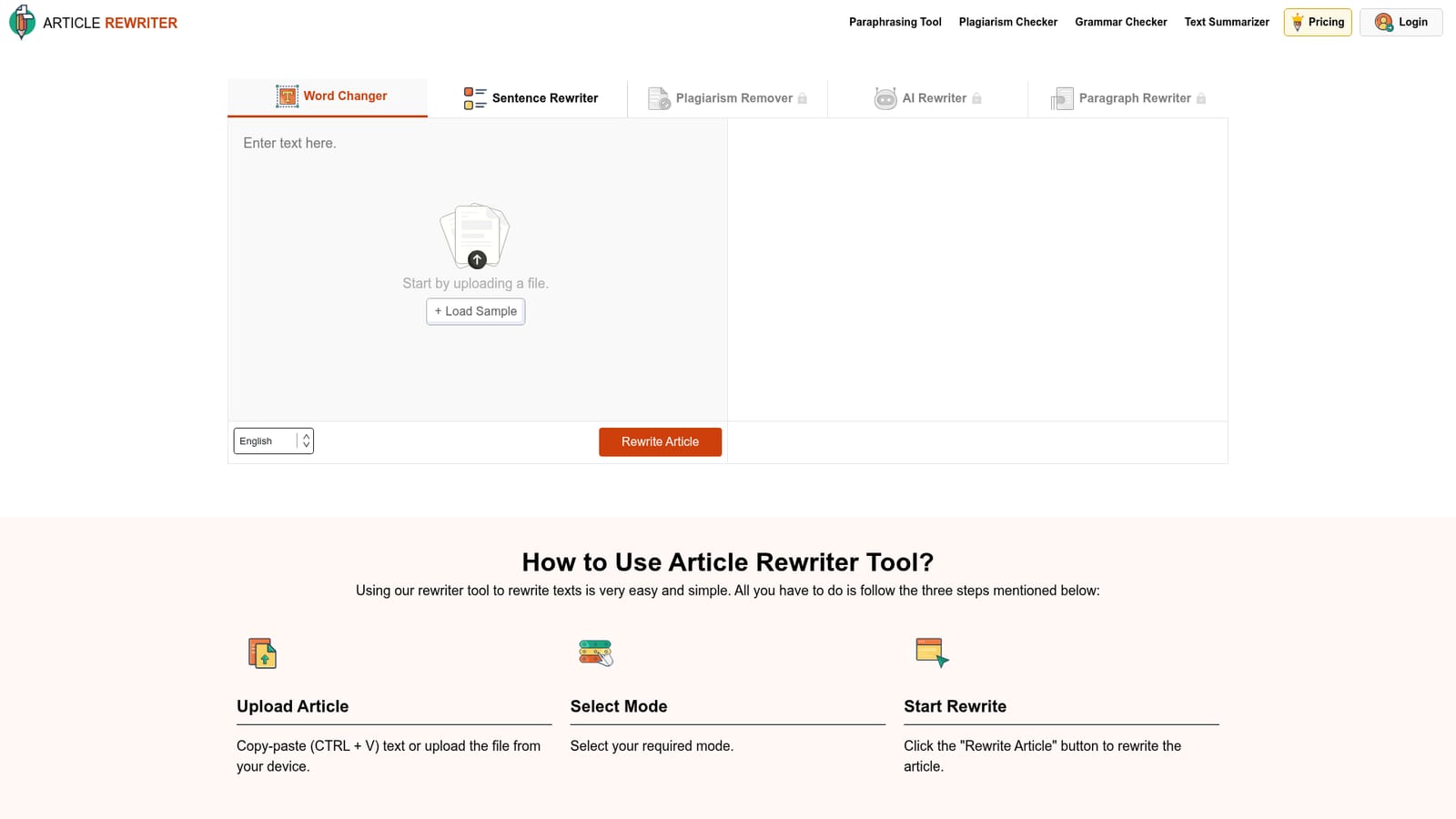
Screenshot of ArticleRewriter, Paraphrasing tool with five rewrite modes and ten language versions

What is ArticleRewriter?

ArticleRewriter is a content writing tool. A free web paraphrasing tool with five rewrite modes (Word Changer, Sentence Rewriter, Plagiarism Remover, AI Rewriter, Paragraph Rewriter), grammar cleanup on output, and localized versions in ten languages. No account needed to start; heavier modes sit behind a premium lock.

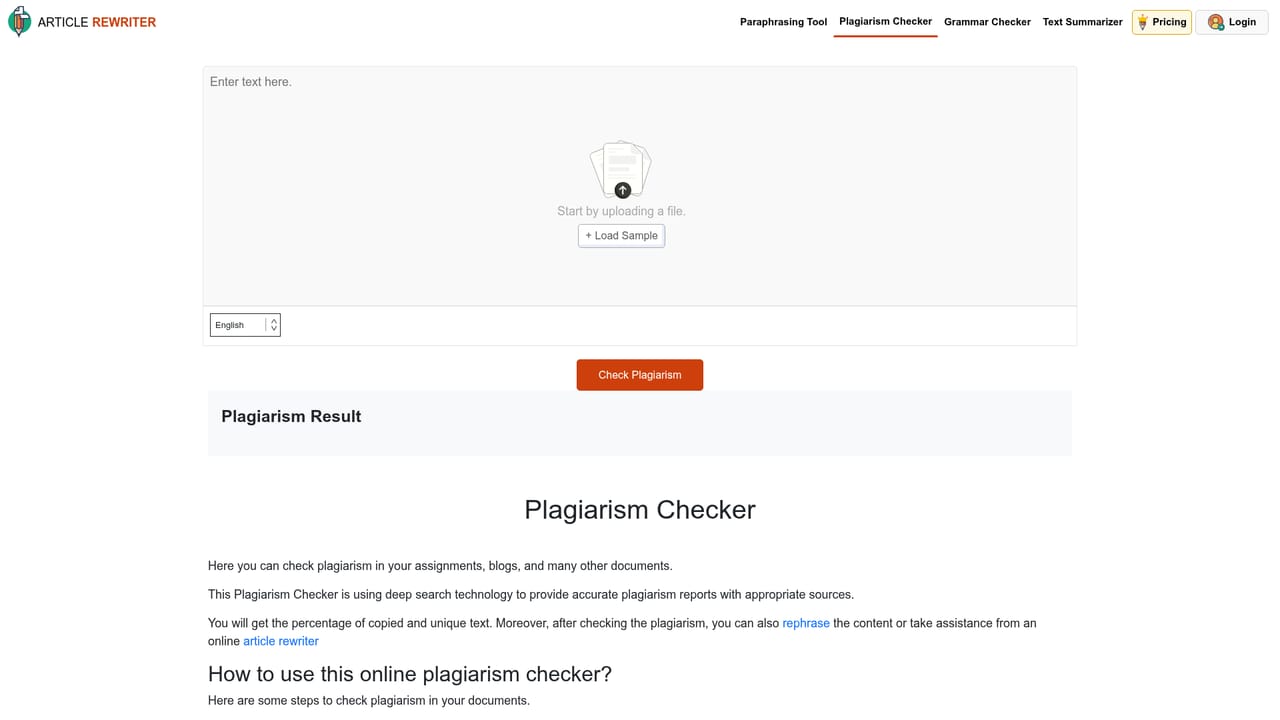
ArticleRewriter is a browser based paraphrasing tool built around a single text box and a set of rewriting modes. Paste a passage or upload a file, pick a mode, press the rewrite button, and the tool returns altered text within seconds. The homepage states that the underlying algorithm is designed to preserve the original meaning while swapping wording, and that grammar and spelling errors in the input are corrected during rewriting. Output can be copied or downloaded from the results panel. The five modes differ in how aggressively they touch the text. Word Changer only substitutes individual words with synonyms, leaving sentence structure intact, which suits light edits or vocabulary practice. Sentence Rewriter restructures sentences, for instance converting passive constructions to active ones or tightening phrases. Plagiarism Remover is aimed at producing wording that reads as unique. AI Rewriter and Paragraph Rewriter are the heavier options, working with context at sentence and paragraph level respectively. On the homepage the last three modes carry a lock icon and the interface notes a 1,500 word input ceiling. The intended audience is broad: students rewriting essays and notes, researchers and writers working from prior studies, bloggers refreshing old posts, and SEO specialists preparing site copy. The tool is also localized into ten languages, including Spanish, French, German, Portuguese, Russian and Italian, each on its own subpage. It sits in a crowded field alongside standalone paraphrasers and general chatbots, and its differentiation is the mode picker rather than a single paraphrase button. The same site bundles a separate grammar checker, plagiarism checker, summarizer and paraphrasing tool, so ArticleRewriter works as one entry point into a small suite. No account is required to start, though signing in is offered through Google or an email form.

How do you use ArticleRewriter?

  1. 1Open the tool and paste your text
    Go to the homepage and drop your article into the editor, either by pasting with CTRL + V or by uploading a file from your device. Keep it under the 1,500 word ceiling that the editor displays.
    ArticleRewriter — Open the tool and paste your text
  2. 2Pick a rewriting mode
    Use the mode selector to choose between Word Changer, Sentence Rewriter, Plagiarism Remover, AI Rewriter and Paragraph Rewriter. Word Changer is unlocked by default; the others are marked premium.
  3. 3Start the rewrite
    Press the Rewrite Article button and watch the progress indicator. Results are typically returned within seconds and appear in the output panel.
  4. 4Review, copy or download the output
    Read the rewritten text for meaning drift, then use the copy or download icons to take it away. Run it through a plagiarism checker if uniqueness matters for your case.
    ArticleRewriter — Review, copy or download the output
  5. 5Create an account or upgrade
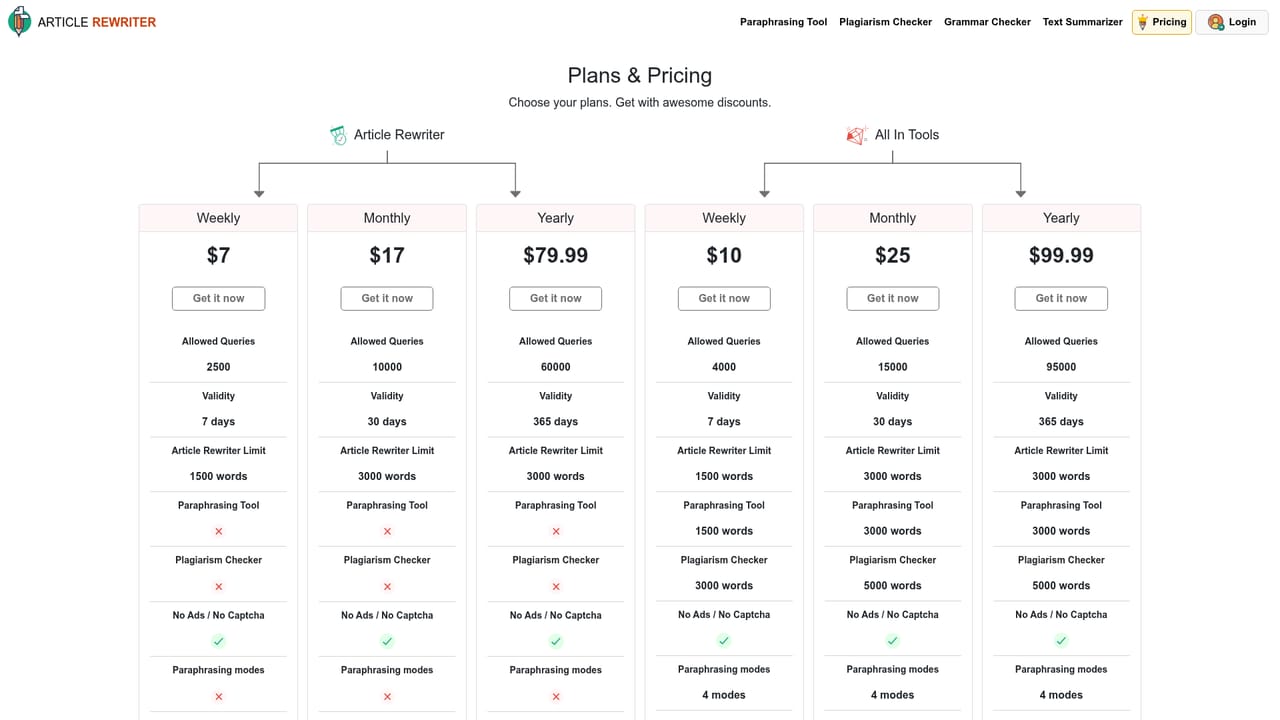
    Signing up with an email address or Google account keeps your work accessible; the pricing page covers the paid plans that unlock the premium modes.
    ArticleRewriter — Create an account or upgrade

Pros and cons

Pros

  • Five distinct rewrite modes let users match the tool to the job instead of accepting one paraphrase styleAI
  • No sign-up required for basic use, which lowers friction for quick one-off rewritesAI
  • Grammar and spelling fixes are applied during rewriting, so rough input still comes back cleanAI
  • Interface and tool pages are localized into ten languages, useful for non-English writersAI
  • Sits alongside grammar, plagiarism and summarizer tools on the same site, covering a full editing passAI

Cons

  • The three most useful modes (AI Rewriter, Plagiarism Remover, Paragraph Rewriter) are locked behind a premium upgradeAI
  • Input is capped at 1,500 words, with a stricter 1,000 word limit noted in the editor, so long documents must be splitAI
  • No integrations or API are mentioned, which rules out wiring the rewriter into an existing CMS or writing pipelineAI
  • Claims of 100 percent unique output are marketing assertions; users still need the site's plagiarism checker to verify resultsAI
  • The page is cluttered with affiliate banners and cross-promotions, which gets in the way of a clean writing workflowAI

How much does ArticleRewriter cost?

Pricing

The site runs a free tier with an upgrade path: the editor prompts users to upgrade and the pricing page lists paid plans. The FAQ describes the tool as free to use with no daily limits, while three of the five rewrite modes are shown as premium and locked. Exact plan prices are not stated on the homepage.

Learn more

Support

Support is handled through the site's contact page. A forgot password flow and Google sign-in are provided for account access, and a refund policy is published for paid plans.

Learn more

Features

Five rewrite modes with different depth: Word Changer for synonym swaps, Sentence Rewriter for structural changes, Plagiarism Remover for originality, plus AI Rewriter and Paragraph Rewriter for context aware changes at sentence and paragraph level. Rewriting corrects grammar and spelling, output can be copied or downloaded, and the tool is available in ten languages including Spanish, French, German and Russian.

Learn more

Frequently asked questions about ArticleRewriter

  • How much does ArticleRewriter cost?
    The site runs a free tier with an upgrade path: the editor prompts users to upgrade and the pricing page lists paid plans. The FAQ describes the tool as free to use with no daily limits, while three of the five rewrite modes are shown as premium and locked. Exact plan prices are not stated on the homepage.
  • How do you use ArticleRewriter?
    The walkthrough on this page covers 5 steps: 1. Open the tool and paste your text 2. Pick a rewriting mode 3. Start the rewrite 4. Review, copy or download the output 5. Create an account or upgrade.
  • What platforms does ArticleRewriter support?
    ArticleRewriter is available on Web App.
  • What are the limitations of ArticleRewriter?
    The three most useful modes (AI Rewriter, Plagiarism Remover, Paragraph Rewriter) are locked behind a premium upgrade. Input is capped at 1,500 words, with a stricter 1,000 word limit noted in the editor, so long documents must be split. No integrations or API are mentioned, which rules out wiring the rewriter into an existing CMS or writing pipeline.

Status

StatusActive
Views0
Outbound clicks0
Added10/21/2026

Platforms

Web App

Pricing

FreeFreemiumPaid