Assistly

An AI receptionist that reads your website and chats with visitors day and night.

Beginner
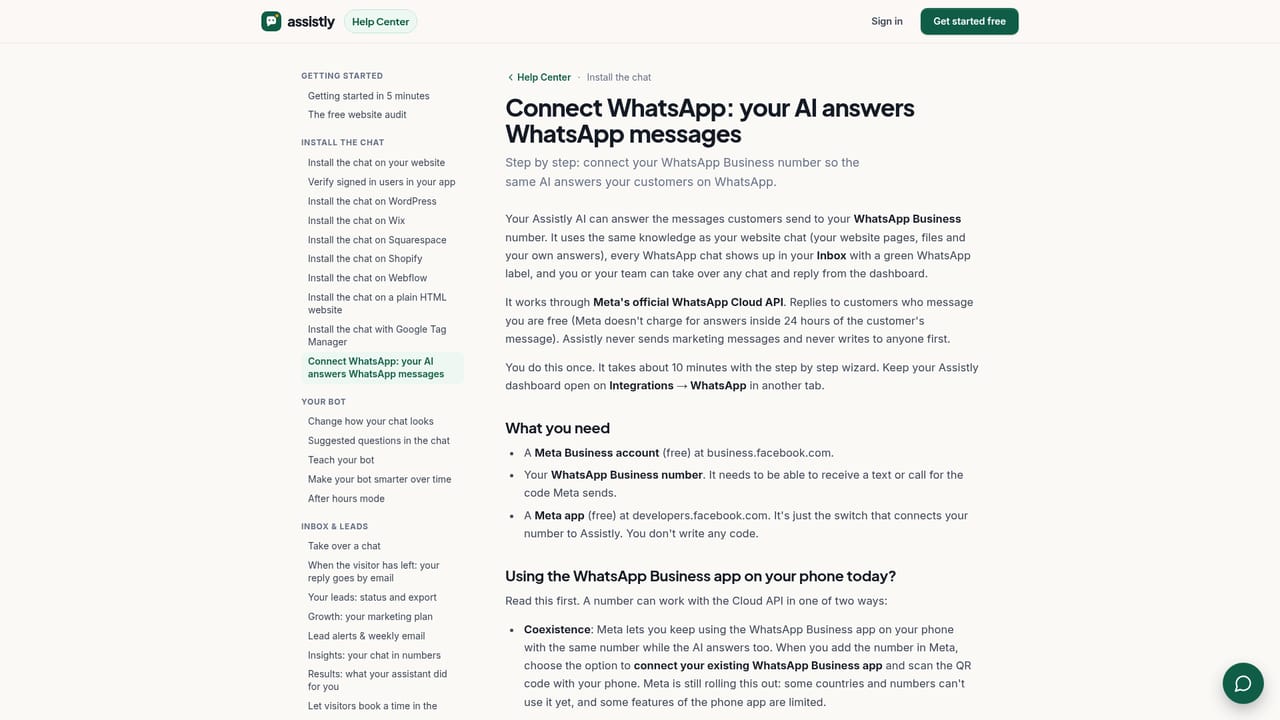
Screenshot of Assistly, An AI receptionist that reads your website and chats with visitors day and night

What is Assistly?

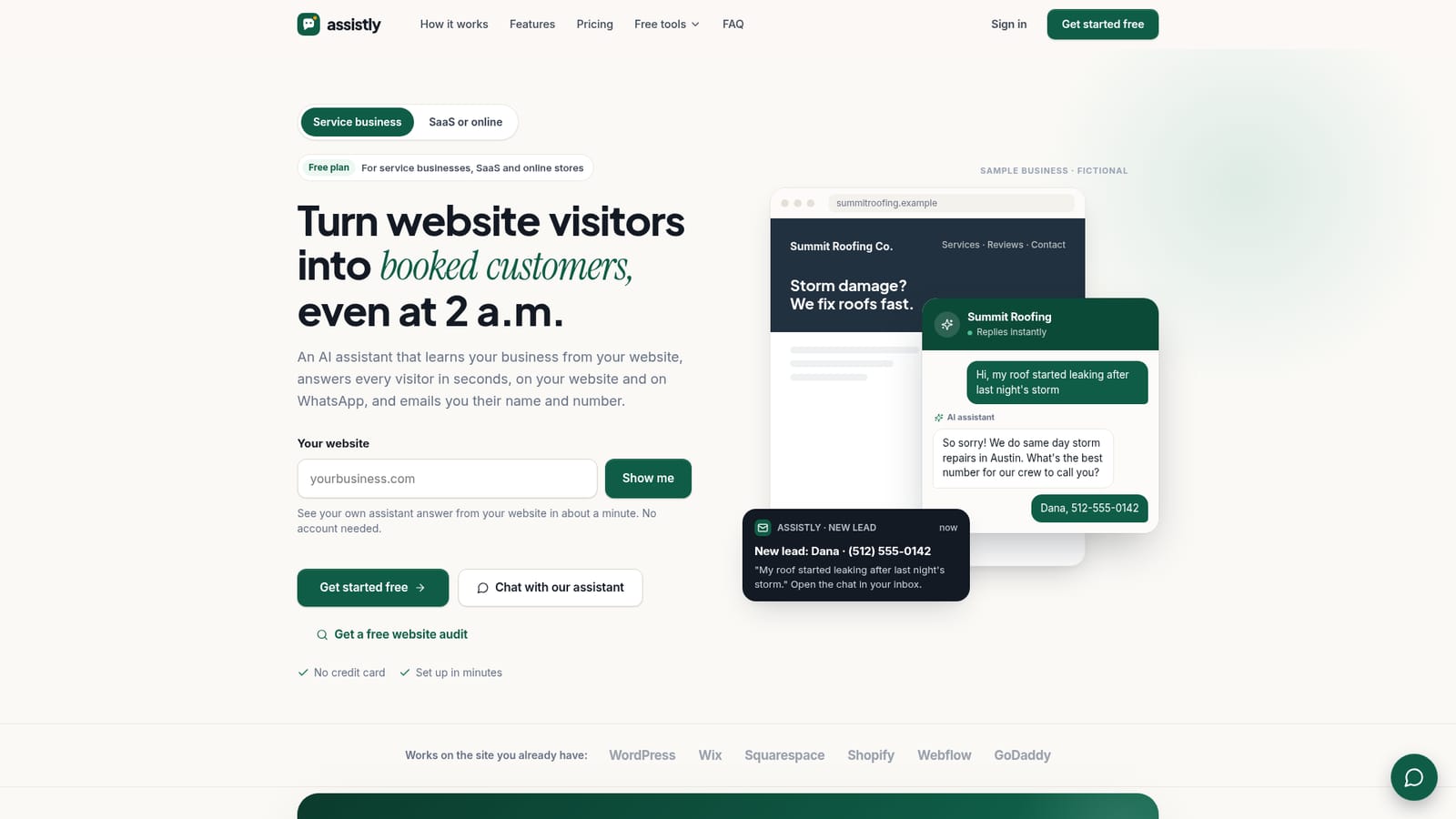
Assistly is an AI chat assistant that learns a business's website and documents, answers visitors 24/7 on site and WhatsApp, and captures every lead with instant alerts in one shared inbox.

Assistly is a website chat assistant built for businesses that cannot staff a live reception desk around the clock. It reads a business's own web pages and uploaded documents such as price lists, menus or FAQs, then uses that material to answer visitor questions in real time, in whatever language the visitor writes in. Every conversation lands in a single inbox, and any lead who leaves a name, phone number or email is logged automatically with an instant email alert so the business can follow up. The tool is aimed at local service businesses (roofers, plumbers, clinics) as well as SaaS and online store teams that get a steady stream of website questions and do not want to lose leads outside business hours. It installs on common platforms including WordPress, Wix, Squarespace, Shopify, Webflow and GoDaddy, which makes it approachable for owners without development resources. Setup involves entering the business website, letting the assistant read a set number of pages (25 on Free, up to 1,000 on Premium), then pasting a single script tag into the site. In daily use, a staff member can monitor the shared inbox, read incoming leads, and tap to take over any chat personally; the AI steps back immediately and the visitor is told they are now speaking with a person. When the assistant does not know an answer, it says so rather than guessing, and instead asks for contact details. A WhatsApp connection through Meta's official API extends the same trained assistant to that channel, with replies to inbound customer messages handled in the same inbox. Within the live chat and chatbot category, Assistly positions itself less as a generic FAQ bot and more as a lead capture layer tied directly to a business's existing content, with an emphasis on honest answers, visible pricing, and a no card required trial rather than opaque enterprise contracts.
How do you use Assistly?

  1. 1Create a free account and enter your website
    Sign up without a card and type in your business website address so Assistly can read your pages and learn what your business offers.
    Assistly — Create a free account and enter your website
  2. 2Preview your assistant
    Test the assistant's answers directly on the homepage before creating an account, to see how it responds using your own site content.
  3. 3Add one line of code to your site
    Paste the provided script tag into your website's code, or send it to whoever manages your site; it works on WordPress, Wix, Squarespace, Shopify, Webflow and GoDaddy.
    Assistly — Add one line of code to your site
  4. 4Upload supporting documents
    Add price lists, menus or FAQs as PDF, Word, text or CSV files so the assistant can answer from material that is not already on your website.
  5. 5Connect WhatsApp
    Link your WhatsApp Business number through Meta's official connection so the same trained assistant answers customer messages there too.
    Assistly — Connect WhatsApp
  6. 6Work from the shared inbox
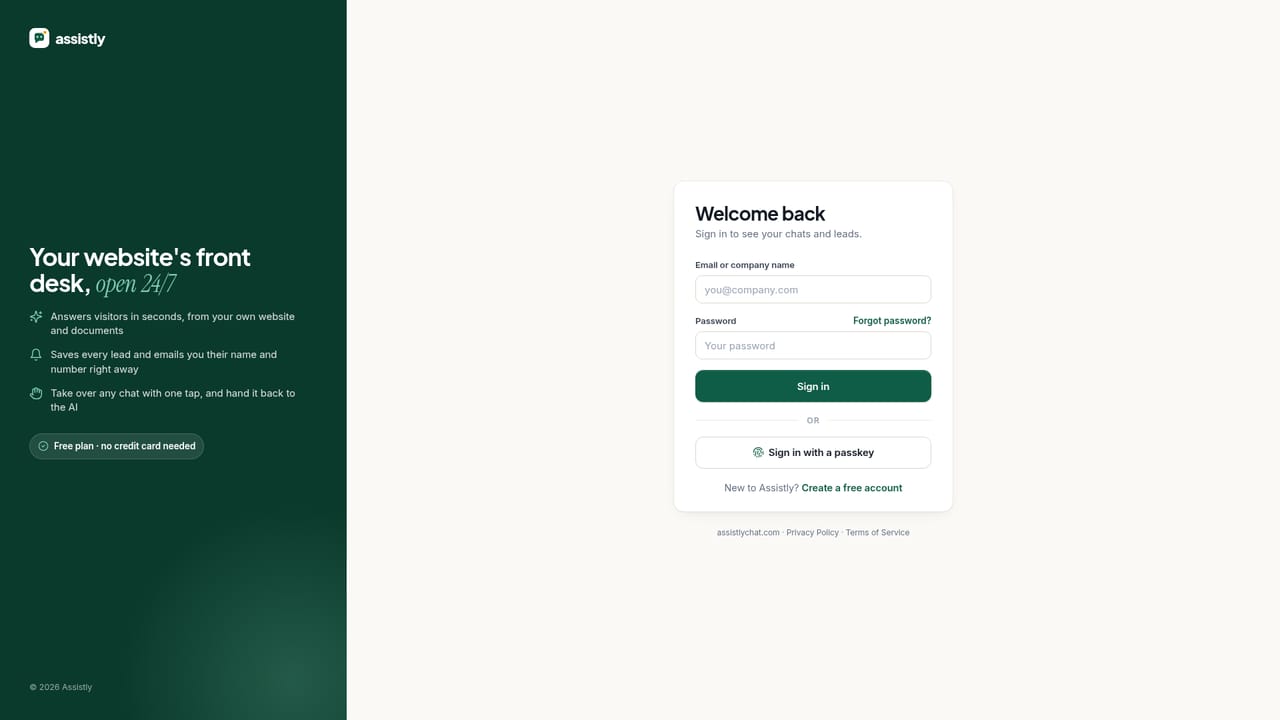
    Monitor incoming chats and leads in one inbox, take over any conversation with one tap, and review lead status and weekly reports.

Pros and cons

Pros

  • Answers visitors continuously using the business's own site content and uploaded documents, with no manual FAQ scriptingAI
  • Captures lead name, phone or email automatically and sends an instant email alert, even for partial contact detailsAI
  • Combines website chat and WhatsApp in one inbox, with one tap human takeover when neededAI
  • Free plan available with no card required, and every paid tier includes a 30 day free trialAI
  • Installs with a single line of code on WordPress, Wix, Squarespace, Shopify, Webflow and GoDaddyAI

Cons

  • Free plan is limited to 50 chats a month and only 25 pages of site content, which suits small sites onlyAI
  • WhatsApp is bundled into Basic and higher plans but costs an added $19.99 a month as an extra integration on FreeAI
  • Free and Basic plans restrict accounts to a single sign in, so small teams cannot collaborate without upgradingAI
  • Once the monthly chat quota is reached, inbox replies pause until upgrade or the count resets, which can delay follow upsAI
  • No stated public API, and integrations beyond the website chat and WhatsApp are limited to paid add ons like Zapier or MakeAI

How much does Assistly cost?

Free trial

Every new account starts with a 30 day free trial of the Pro plan, no credit card required; when the trial ends the account drops to Free and keeps its data.

Learn more

Pricing

Free plan covers 50 chats a month. Paid plans are Basic $29.99, Starter $79, Pro $149 and Premium $299 per month, each cheaper when billed yearly, and each including a 30 day free trial with no card required.

Learn more

Support

Offers a help center with setup guides including WhatsApp configuration and a free website audit tool; Premium plan subscribers receive priority support.

Learn more

Integrations

Works via a single script tag on WordPress, Wix, Squarespace, Shopify, Webflow and GoDaddy, connects to WhatsApp Business through Meta's official API, and offers extra paid integrations such as Zapier or Make.

Features

Learns from a business's website and uploaded documents, answers in the visitor's language, captures lead name, phone and email with instant alerts, unifies website and WhatsApp chats in one inbox, supports live takeover, weekly reports and lead status tracking.

Frequently asked questions about Assistly

  • How much does Assistly cost?
    Free plan covers 50 chats a month. Paid plans are Basic $29.99, Starter $79, Pro $149 and Premium $299 per month, each cheaper when billed yearly, and each including a 30 day free trial with no card required.
  • Does Assistly offer a free trial?
    Every new account starts with a 30 day free trial of the Pro plan, no credit card required; when the trial ends the account drops to Free and keeps its data.
  • How do you use Assistly?
    The walkthrough on this page covers 6 steps: 1. Create a free account and enter your website 2. Preview your assistant 3. Add one line of code to your site 4. Upload supporting documents 5. Connect WhatsApp 6. Work from the shared inbox.
  • What platforms does Assistly support?
    Assistly is available on Web App.
  • What does Assistly integrate with?
    Works via a single script tag on WordPress, Wix, Squarespace, Shopify, Webflow and GoDaddy, connects to WhatsApp Business through Meta's official API, and offers extra paid integrations such as Zapier or Make.
  • What are the limitations of Assistly?
    Free plan is limited to 50 chats a month and only 25 pages of site content, which suits small sites only. WhatsApp is bundled into Basic and higher plans but costs an added $19.99 a month as an extra integration on Free. Free and Basic plans restrict accounts to a single sign in, so small teams cannot collaborate without upgrading.

Status

StatusActive
Views0
Outbound clicks0
Added10/19/2026

Platforms

Web App

Pricing

FreemiumFree TrialSubscription

Categories