Free trial
Free credits are available, so the converter can be tried on a real recording before any payment. The homepage does not state how many minutes or files the free allowance covers.
Learn moreTurn audio files into editable transcripts, subtitles and summaries
Own Audio To Text Converter? Verify ownership to get a dofollow link
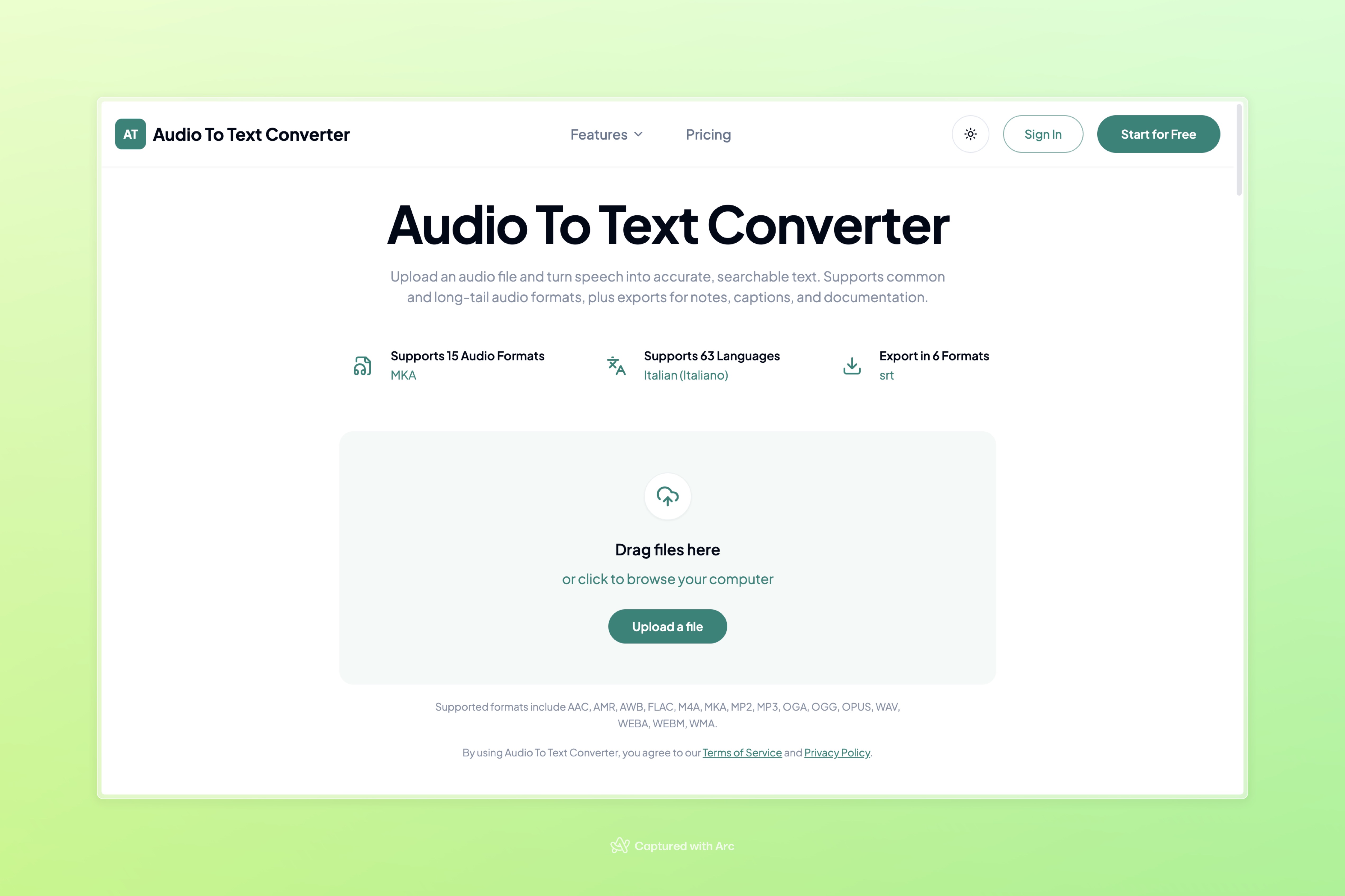
Audio To Text Converter is an AI transcriber tool that turns audio files into editable transcripts, subtitles and summaries. A browser based AI transcriber that accepts 15 audio formats, produces editable transcripts in 63 languages, generates summaries and mind maps, and exports to TXT, PDF, DOCX, SRT, VTT or CSV.
Audio To Text Converter is a browser based transcription tool that takes uploaded recordings and returns written transcripts generated by an AI speech recognition engine. It accepts 15 audio formats directly, including MP3, WAV, M4A, AAC, FLAC, OGG, OPUS, WEBM, WEBA, AMR, AWB, MP2, MKA and WMA, so most files can go in as they are rather than being re-encoded first. The interface is a drag and drop uploader, and the site notes that it is built to handle large audio and video files while showing progress as the file is prepared. The workflow goes beyond a plain transcript. After the text is generated it stays editable and searchable, and the tool can produce summaries, key points and visual mind maps from longer recordings. Finished work exports in six formats, with TXT, PDF and DOCX suited to reading and documentation, SRT and VTT for timed captions, and CSV when a structured table is more useful. The site reports support for 63 languages, and a format guide on the homepage explains where each source type usually comes from and what to check before uploading. The tool is aimed at people who work from recordings rather than from typing: meeting and interview notes, lecture and research material, podcast production assets, and spoken voice memos that need to become checklists or drafts. Practical advice on the site is honest about the limits of the technology, noting that accuracy depends on the source audio and that no format conversion can restore speech that was never captured clearly. Compared with full editing suites that bundle transcription, this is a narrower, single purpose converter, which makes it easy to reach for but means editing and speaker separation are described only in general terms. Access starts with free credits before any upgrade, which suits occasional users with short files. Heavier workloads, longer recordings and more monthly transcription minutes sit behind a paid tier, and the pricing page is where those limits are set out.
Free credits are available, so the converter can be tried on a real recording before any payment. The homepage does not state how many minutes or files the free allowance covers.
Learn moreFree credits are included so a transcript can be generated before exporting or saving it in an account. Upgrading unlocks longer audio files, larger workloads and more monthly transcription minutes. The homepage does not list prices or the size of the free credit allowance.
Learn moreTranscribes 15 audio formats (AAC, AMR, AWB, FLAC, M4A, MKA, MP2, MP3, OGA, OGG, OPUS, WAV, WEBA, WEBM, WMA) across 63 languages. Transcripts are editable and searchable, and long recordings can be turned into summaries, key points and mind maps. Exports cover TXT, PDF, DOCX, SRT, VTT and CSV, with SRT and VTT ready for caption workflows.
Learn more AI Angels400+ customizable AI girlfriends for NSFW chat, voice calls, and roleplay
 Candy AIExperience the future of companionship with AI friends who chat, role-play, and connect with you on a human level.
 ourdream.aiA vast AI roleplay platform with millions of characters for chat, images, video and voiceAI Angels400+ customizable AI girlfriends for NSFW chat, voice calls, and roleplayCandy AIExperience the future of companionship with AI friends who chat, role-play, and connect with you on a human level.ourdream.aiA vast AI roleplay platform with millions of characters for chat, images, video and voice





