Free trial
A free tier is available with no credit card required, limited to 3 files per day, 25-minute files, lower processing priority and a single workspace.
Learn moreAI transcription for meetings, lectures, podcasts and calls.

AudioScribe is an AI transcriber tool. AudioScribe.io turns audio and video files, plus in-app recordings, into text across web, iPhone and Android. Free tools cover many file formats and use cases; paid plans add speaker identification, 18 languages, summaries and AI chat over transcripts.
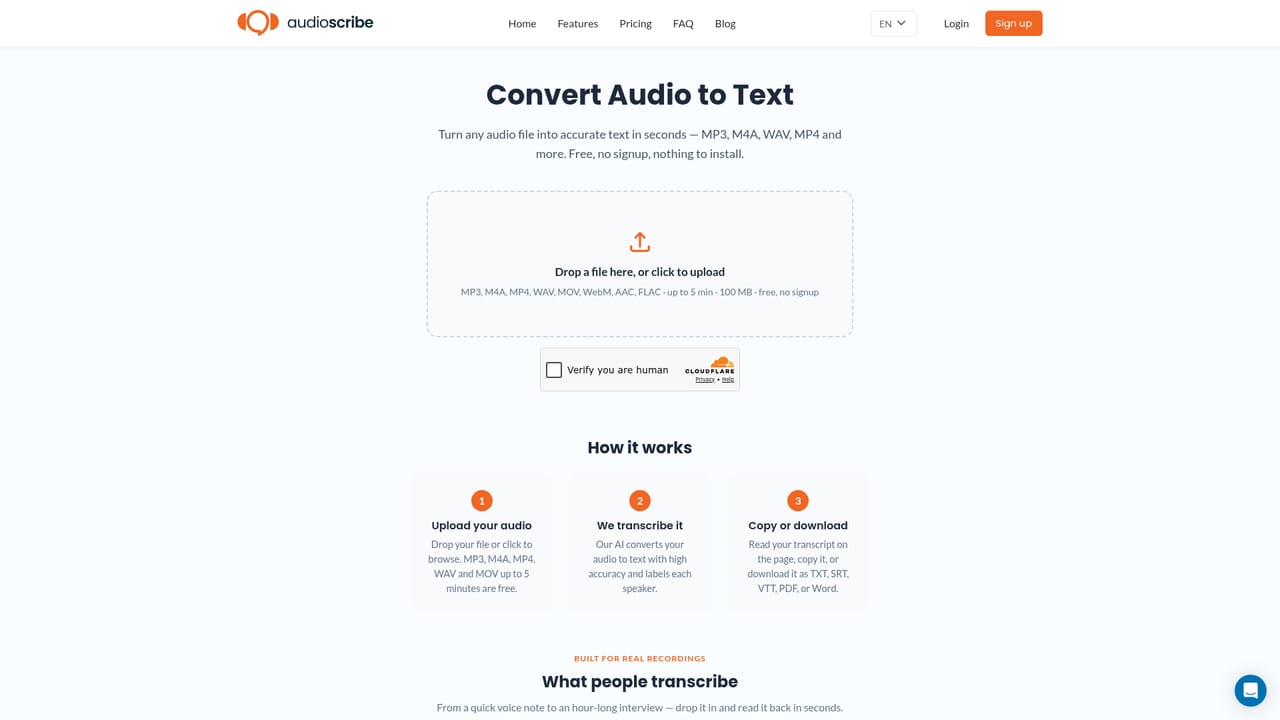
AudioScribe.io is an AI transcription service that converts audio and video files, or live recordings, into readable text. It targets students, researchers, podcasters, journalists and professionals who need a written record of spoken material without manual typing. The platform runs in a web browser and also ships as native apps for iPhone and Android, and recordings made on a phone stay in sync with the web account. The workflow starts with an upload or an in-app recording. Users can drop in audio files (MP3, M4A, WAV, AAC, FLAC) or video files (MP4, MOV, WebM, MKV) and receive a transcript. A dedicated set of free tools handles single files without an account, organized by format and by use case such as Zoom, Teams, Google Meet, lectures, interviews, sales calls, depositions and phone calls. Paid plans add speaker identification and support for 18 languages, including English, Spanish, French, German, Mandarin, Japanese, Korean, Hindi and Arabic-adjacent markets are not listed, so check the language list before committing. Beyond raw text, AudioScribe layers a few analysis features on top. Full-index search locates a phrase across a library of transcripts, AI summaries condense long recordings, and an AI chat feature lets users ask questions grounded in the transcript content. The same LLM layer is described as a way to analyze sentiment and pull out key topics, though the company lists that capability as coming soon rather than live. Exports are available as TXT, SRT and VTT, so transcripts can move into subtitle or caption workflows. The product sits in a crowded field alongside general transcription services and the built-in transcription of meeting platforms. Its differentiators are the breadth of free format-specific converters, native mobile recording, and the combined search and summary layer. Its weaknesses are the absence of transcript editing at launch, no stated API, and a free tier that caps files at 25 minutes with lower processing priority. Buyers who need precise timecoded output, legal-grade certification or heavy team collaboration should test carefully before standardizing.
A free tier is available with no credit card required, limited to 3 files per day, 25-minute files, lower processing priority and a single workspace.
Learn moreThree tiers. Free: 3 files per day, 25-minute file cap, AI summaries and chat, lower processing priority, 1 workspace. Standard: $19.99 per month for unlimited transcripts, files up to 10 hours, top priority, speaker identification, 18 languages, 3 workspaces. Enterprise: custom quote with SSO and private deployment.
Learn moreSupport is handled by email at support@audioscribe.io, with a sales address for enterprise, bulk transcription and custom quote inquiries. The homepage FAQ covers accuracy, file length, security and mobile availability.
AI transcription of audio and video with full-index search, AI summaries and transcript-grounded chat. Paid plans add speaker identification, 18 languages, files up to 10 hours and TXT, SRT and VTT export. Free single-file converters cover eleven formats and twelve use cases including Zoom, Teams, Meet, lectures and depositions.
 AI Angels400+ customizable AI girlfriends for NSFW chat, voice calls, and roleplay
 Candy AIExperience the future of companionship with AI friends who chat, role-play, and connect with you on a human level.
 ourdream.aiA vast AI roleplay platform with millions of characters for chat, images, video and voiceAI Angels400+ customizable AI girlfriends for NSFW chat, voice calls, and roleplayCandy AIExperience the future of companionship with AI friends who chat, role-play, and connect with you on a human level.ourdream.aiA vast AI roleplay platform with millions of characters for chat, images, video and voice





