Integrations
The homepage names HubSpot and ConvertKit as supported sync targets, with setup described as a few clicks. No other connectors are listed on the site.
A brand-trainable AI chatbot that turns website chats into leads

AWSME AI is a trainable conversational chatbot for websites. It learns from FAQs, uploaded files or your site, adopts your brand voice, recommends products and links, qualifies leads and syncs with HubSpot and ConvertKit.
AWSME AI is a conversational chatbot platform built for company websites. You feed it knowledge in three ways: pasting in FAQ entries, uploading files such as PDFs, or pointing it at your live website so it can read the pages itself. From that material it answers visitor questions in open-ended conversation rather than forcing people down a fixed button tree. The vendor reports a 42 percent engagement lift over button-based chats and notes that roughly half of conversations happen outside working hours, which is the core argument for automating first-line reply. The product leans hard on personality. The chat widget inherits your brand colors, and the bot is trained to mirror the tone of your best human responders, so answers read like the company rather than a generic assistant. Replies are not limited to text: the widget can surface videos, links and GIFs inside a conversation. On the commercial side, the bot works out where a visitor sits in the buying journey, tags them, and hands over relevant links or next actions, then passes that context into HubSpot or ConvertKit. Practical setup follows a short path. Train the bot, style it, drop the embed snippet onto your site, and connect your CRM. Team features let colleagues assign and share bot work so the knowledge base is maintained by more than one person. Performance tracking collects real-time feedback on answers, so weak responses can be corrected and the training data sharpened over time. The company also states it has partnered with OpenAI and integrated GPT technology into the platform. The tool suits marketing and sales teams at small to mid-sized businesses that already generate steady inbound questions and want to deflect repetitive ones without losing the personal touch. It sits in the same territory as general support chatbots and live chat suites, but positions itself on tone matching and lead qualification rather than ticket routing. Buyers who need deep helpdesk workflows should compare carefully against dedicated support platforms.
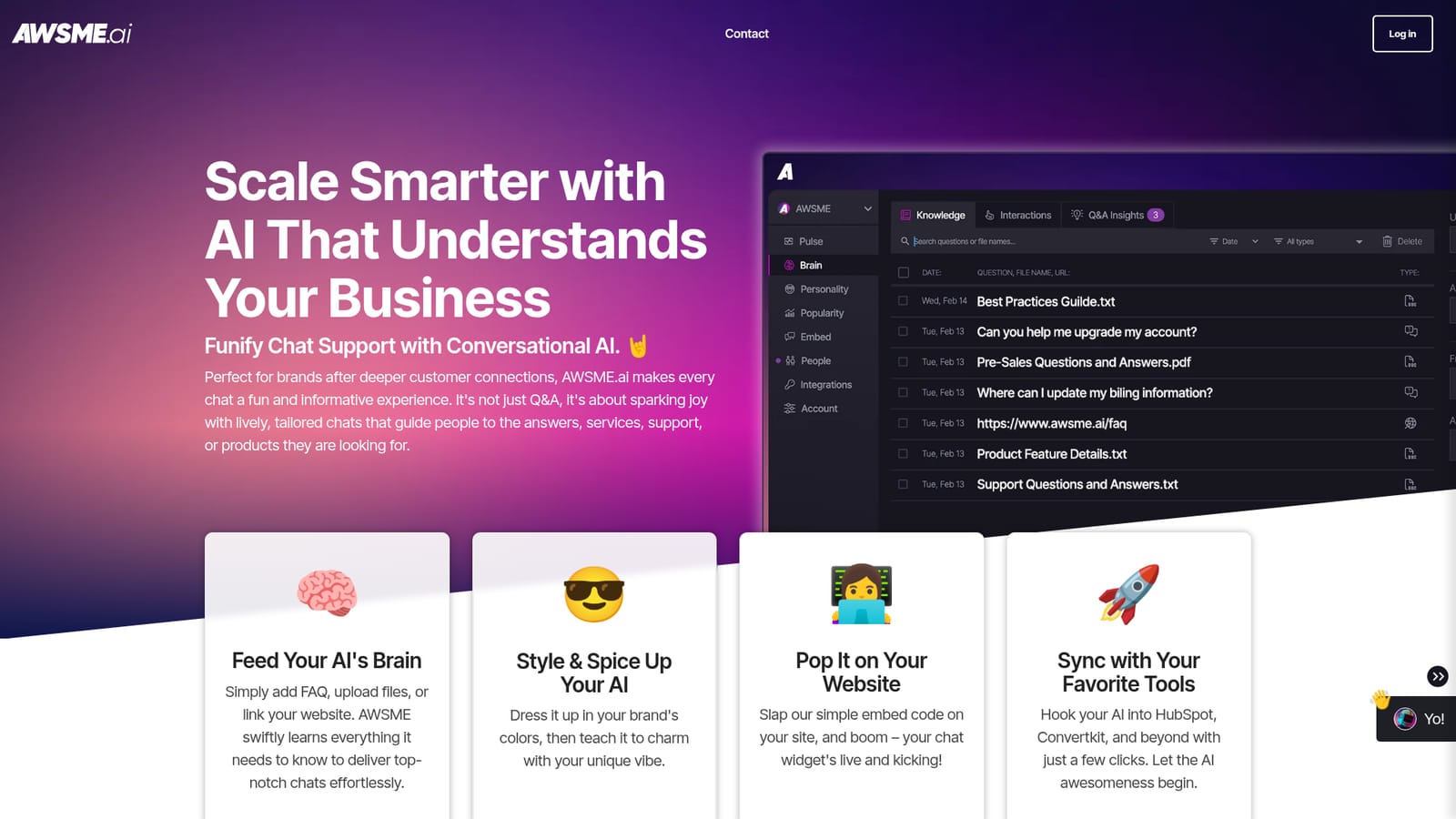
The homepage names HubSpot and ConvertKit as supported sync targets, with setup described as a few clicks. No other connectors are listed on the site.
Training from FAQs, uploaded files or your live website; brand-colored widget with a custom trained tone; multimedia replies with videos, links and GIFs; lead qualification and journey-stage tagging; real-time answer feedback for ongoing training; team assignment and sharing; connections to HubSpot and ConvertKit; OpenAI GPT technology integrated.
Learn more AI Angels400+ customizable AI girlfriends for NSFW chat, voice calls, and roleplay
 Candy AIExperience the future of companionship with AI friends who chat, role-play, and connect with you on a human level.
 ourdream.aiA vast AI roleplay platform with millions of characters for chat, images, video and voiceAI Angels400+ customizable AI girlfriends for NSFW chat, voice calls, and roleplayCandy AIExperience the future of companionship with AI friends who chat, role-play, and connect with you on a human level.ourdream.aiA vast AI roleplay platform with millions of characters for chat, images, video and voice


