BeeHelp Assistant

Free 24/7 ChatGPT chatbot that answers customer questions from your own FAQ bank

Beginner
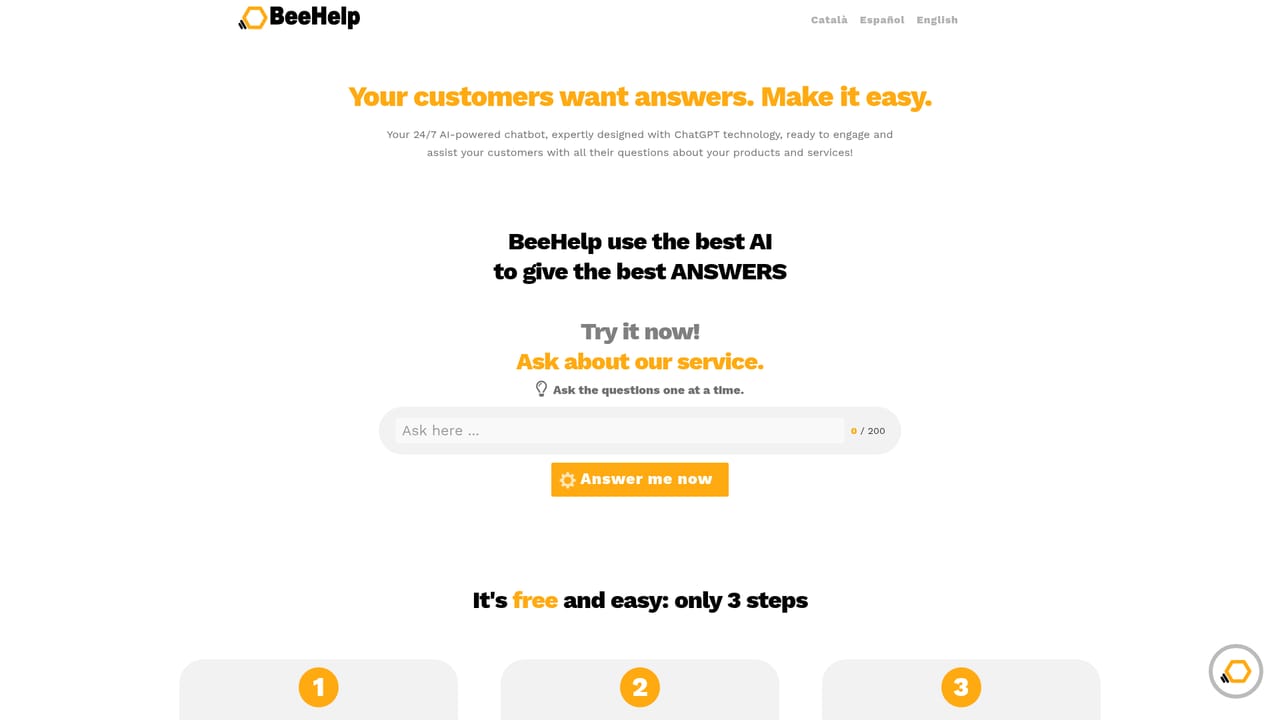
Screenshot of BeeHelp Assistant, Free 24/7 ChatGPT chatbot that answers customer questions from your own FAQ bank

What is BeeHelp Assistant?

BeeHelp Assistant is an AI chat bot tool. A hosted ChatGPT powered chatbot that answers visitor questions from a manually curated bank of FAQs. Free tier allows 100 FAQs and 100 classic answers per day; premium adds 10,000 FAQs and AI generated replies at 0.01 EUR each.

BeeHelp Assistant is a hosted chatbot for answering routine customer questions around the clock. You supply the knowledge, in the form of question and answer pairs written in plain language, and OpenAI models handle the matching and the phrasing when a visitor types a question into the chat. The product is deliberately narrower than a general purpose assistant: it is a support layer for a website or a standalone help page, not a writing tool or an agent that takes actions on your behalf. The setup model is manual and transparent. An account is free and needs no card. You add up to 100 FAQs on the free tier, organise them into categories, and can translate them into several languages. Each account can hold more than one independent collection, so a business can keep sales oriented answers in one bank and technical answers for existing customers in another, then attach the appropriate collection to the right page. BeeHelp also hosts a public page at beehelp.net for accounts that have no website of their own, and offers three embeddable widgets for those that do: a categorised list of questions, a standalone search box, and a floating bubble that opens a modal chat. Two answer modes sit underneath. Classic answers are semantic retrieval: the system surfaces the two closest FAQs from your bank and shows them as written. Processed answers ask ChatGPT to compose a fresh reply drawing on those two references, which reads more naturally and saves the visitor from merging two entries themselves. Free accounts get classic answers only, capped at 100 per day. Premium raises the bank to 10,000 FAQs with longer limits and unlocks processed replies billed at 0.01 EUR each. The honest framing is that answer quality tracks the effort you put into curation. BeeHelp itself notes that the first weeks require active monitoring and the addition of new entries based on real visitor questions. It cannot ingest PDFs or crawl a URL today, so teams expecting to upload a manual and walk away will be disappointed. It competes with generic chat widgets and with retrieval based knowledge bots, and wins where price predictability and simple FAQ curation matter more than deep document ingestion. Freelancers, small companies and public offices handling repetitive enquiries are the clearest fit.

How do you use BeeHelp Assistant?

  1. 1Open a free BeeHelp account
    Register from the site with no credit card. The free tier gives you a working chatbot with up to 100 FAQs, which is enough to test the workflow properly.
    BeeHelp Assistant — Open a free BeeHelp account
  2. 2Add your question and answer pairs
    Write the FAQs your customers actually ask, keeping questions under 20 words and answers under 120 words on the free plan. Group them into categories as you go.
  3. 3Translate or create additional collections
    Add versions of the same content in other languages, or start a second collection for a different audience such as existing customers. Each collection is attached separately.
  4. 4Choose how visitors reach the assistant
    Use the hosted page BeeHelp gives you, or embed one of the three widgets (question list, search box, floating bubble) on your own site and point it at the right collection.
  5. 5Test as a visitor and refine
    Ask the assistant the questions your visitors would ask and check which FAQs it surfaces. Fill gaps with new entries over the first weeks, which is when curation matters most.

Pros and cons

Pros

  • Free plan is genuinely usable for small sites, with no credit card required at signupAI
  • Per answer pricing at 0.01 EUR avoids a fixed monthly fee for low traffic sitesAI
  • Three widget types plus a hosted page cover sites with and without an existing web presenceAI
  • Multiple independent FAQ collections let one account serve different audiencesAI
  • Works in any language, including on the visitor side of the conversationAI

Cons

  • No document or URL ingestion, so every FAQ entry has to be typed in by handAI
  • Free tier is capped at 100 answers per day and gives retrieval only, no generated repliesAI
  • Premium billing per answer means costs scale with traffic, which is hard to forecast for busy sitesAI
  • Classic answers can return two FAQs at once, leaving the visitor to work out which one fitsAI
  • Accuracy depends on ongoing curation, with the first weeks described as the most labour intensiveAI

How much does BeeHelp Assistant cost?

Free trial

No time limited trial is needed because the free plan is permanent and requires no credit card. It is limited to 100 FAQs and 100 classic answers per day, so it works as an evaluation of retrieval quality but not of generated replies.

Learn more

Pricing

Freemium with no monthly subscription. The free plan covers up to 100 FAQs, questions of 20 words and answers of 120 words, 100 classic answers per day. Premium allows 10,000 FAQs, longer question and answer limits and AI generated processed responses, charged at 0.01 EUR per processed answer with an optional daily spending cap.

Learn more

Support

No dedicated support page is published on the site. Help is handled through an extensive FAQ covering features, pricing and accuracy, plus a live demo of the assistant on the homepage.

Integrations

Sites embed BeeHelp through three widget types: a categorised question list, an inline search box, and a floating bubble that opens a modal. Widgets are configured to use a specific FAQ collection.

Learn more

Features

Hosted ChatGPT chatbot built from a manually curated FAQ bank. Two response modes: classic semantic retrieval of the two closest FAQs, and processed replies composed by ChatGPT from those references. Multiple independent collections per account, categories within each collection, multilingual content and interface, a hosted help page at beehelp.net, and three embeddable widgets including a floating chat bubble.

Learn more

Frequently asked questions about BeeHelp Assistant

  • How much does BeeHelp Assistant cost?
    Freemium with no monthly subscription. The free plan covers up to 100 FAQs, questions of 20 words and answers of 120 words, 100 classic answers per day. Premium allows 10,000 FAQs, longer question and answer limits and AI generated processed responses, charged at 0.01 EUR per processed answer with an optional daily spending cap.
  • Does BeeHelp Assistant offer a free trial?
    No time limited trial is needed because the free plan is permanent and requires no credit card. It is limited to 100 FAQs and 100 classic answers per day, so it works as an evaluation of retrieval quality but not of generated replies.
  • How do you use BeeHelp Assistant?
    The walkthrough on this page covers 5 steps: 1. Open a free BeeHelp account 2. Add your question and answer pairs 3. Translate or create additional collections 4. Choose how visitors reach the assistant 5. Test as a visitor and refine.
  • What platforms does BeeHelp Assistant support?
    BeeHelp Assistant is available on Web App.
  • What does BeeHelp Assistant integrate with?
    Sites embed BeeHelp through three widget types: a categorised question list, an inline search box, and a floating bubble that opens a modal. Widgets are configured to use a specific FAQ collection.
  • What are the limitations of BeeHelp Assistant?
    No document or URL ingestion, so every FAQ entry has to be typed in by hand. Free tier is capped at 100 answers per day and gives retrieval only, no generated replies. Premium billing per answer means costs scale with traffic, which is hard to forecast for busy sites.

Status

StatusActive
Views0
Outbound clicks0
Added10/21/2026

Platforms

Web App

Pricing

FreemiumFreePaid