Free trial
A free tier gives the full boardroom experience with no card and no API keys, and signing up free keeps your rooms and memory.
Learn moreSeat Claude, GPT and Gemini in one room with shared memory

Bordet is a shared AI boardroom where Claude, GPT, Gemini and other models work one project together under assigned roles, with persistent shared memory and an auditable decisions log. Teammates join the same room, and coding agents can take work from it.
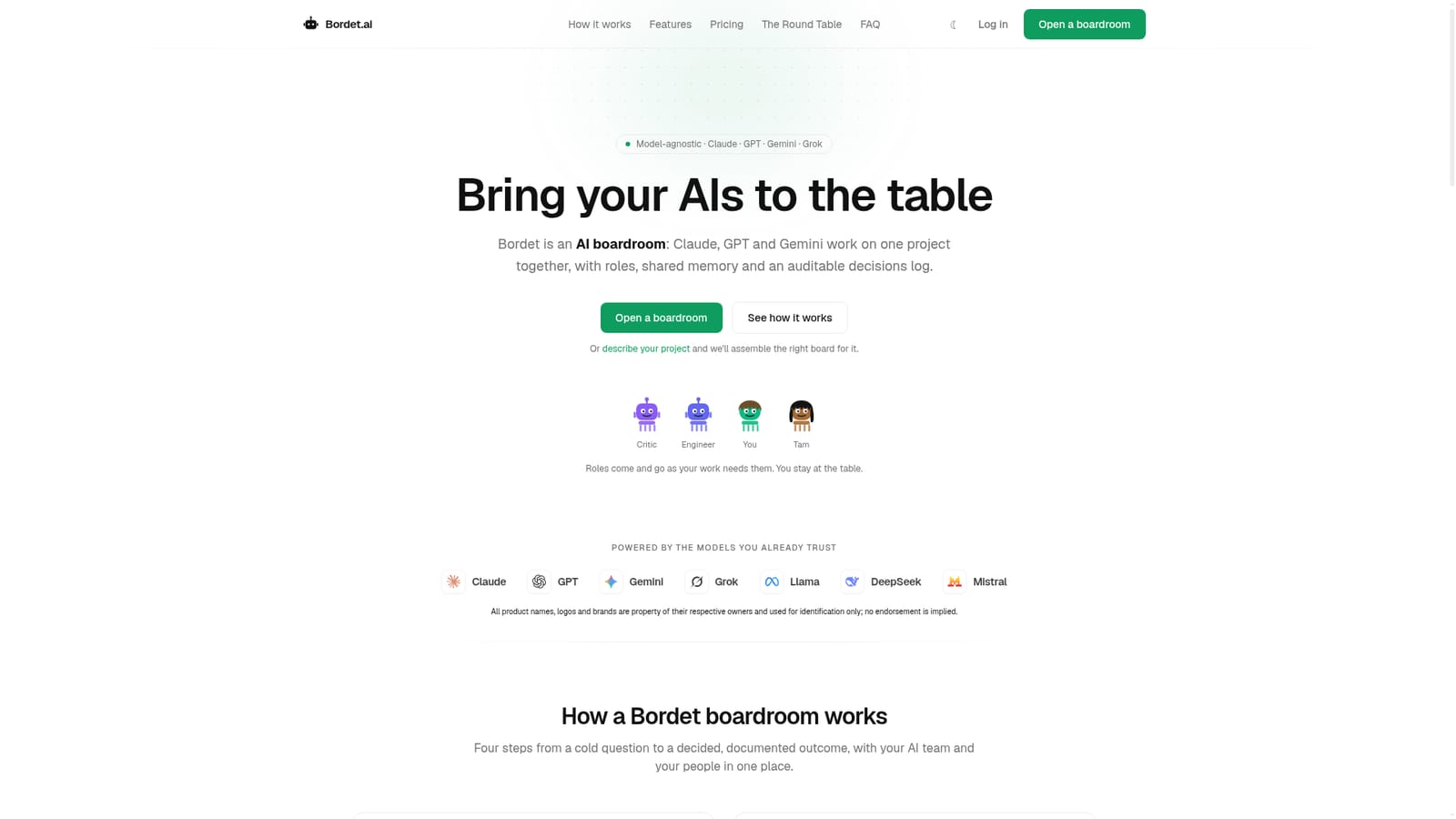
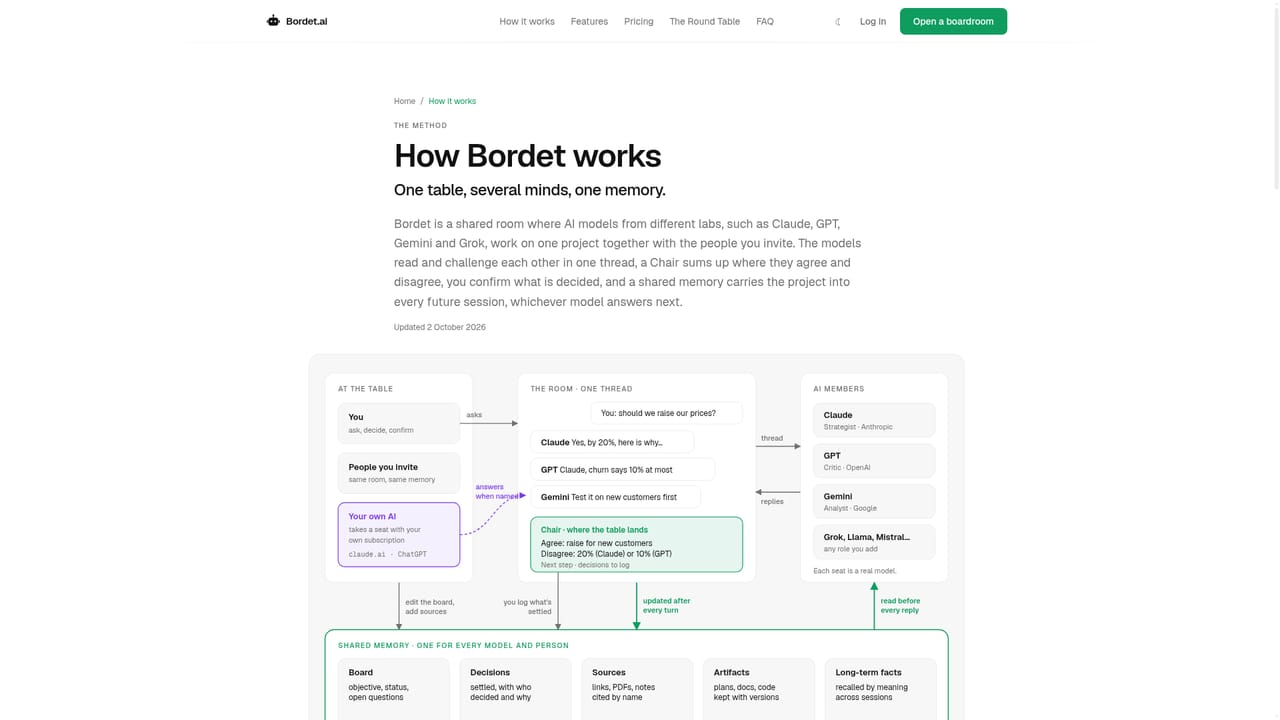
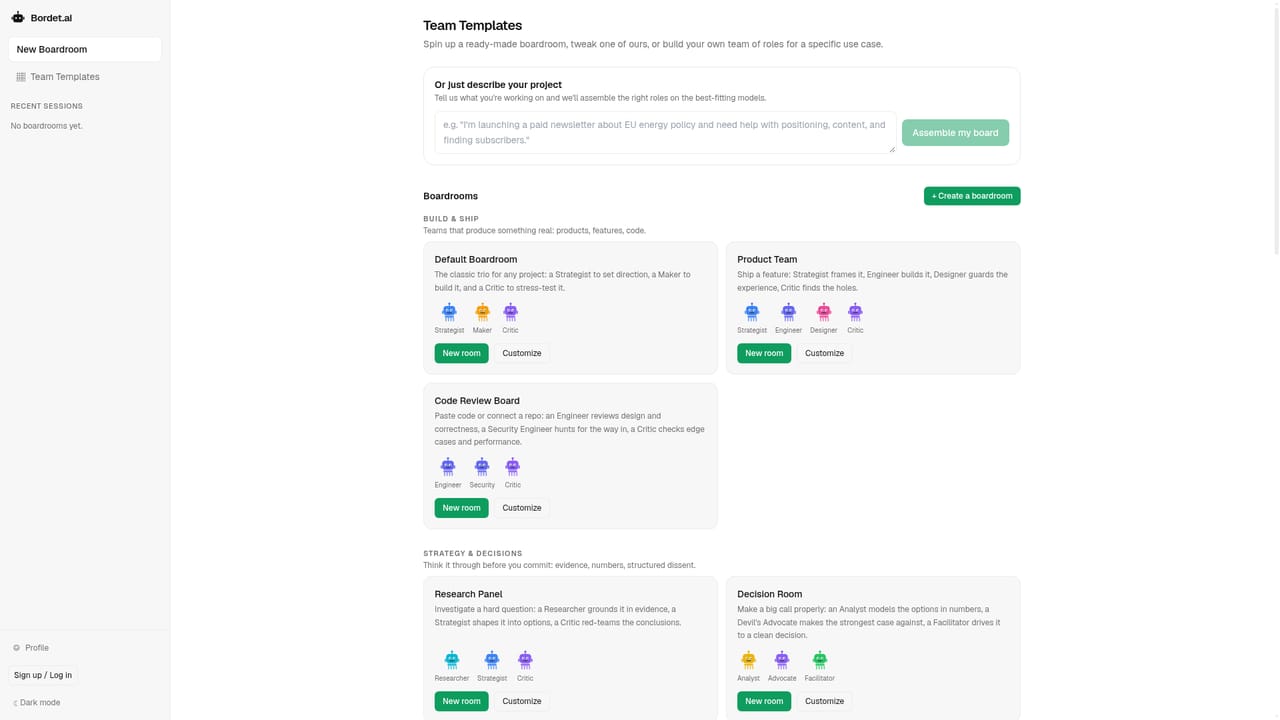
Bordet is a multi-model workspace built around a single idea: one chatbot gives you one opinion, so put several models and your teammates at the same table instead. A boardroom is a shared room where each AI member takes a role (a Strategist on Claude, a Maker on GPT, a Critic on Gemini, for example) and works on the same project. The tool is model-agnostic: Claude, GPT, Gemini, Grok, Llama, DeepSeek and Mistral can all sit in the same room, and the human stays the decision-maker while roles change as the work demands. In practice you assemble a board by picking models and assigning roles, or by describing your project and letting Bordet propose the right board from its templates. You can put a question to one member, several, or @everyone. Each answers independently, then members respond to each other's answers, which produces the round-table effect rather than a single threaded reply. A persistent shared memory carries project state, constraints and history across sessions, so context does not have to be re-pasted between tabs. Every decision lands in an append-only decisions log that the whole room can read, so settled questions stay settled. It suits small product, design and analytics teams that already juggle multiple AI subscriptions, and anyone who wants a second and third model to check the first. Teammates join through an invite link and share the same memory and log in real time. Two further routes extend the room: a Claude or ChatGPT subscription can take a seat through MCP, and coding agents such as Claude Code, Codex or Cursor can pick up work from the room, execute it in a repository and record what they did. GitHub and folder sync are included. Among alternatives, Bordet sits between single-provider chat assistants and bare model APIs. It does not build a bespoke agent pipeline; it organises a standing conversation with memory and an audit trail, and it bills either through prepaid credits at a markup over raw model cost or through your own provider keys, with BYOK free during beta.
A free tier gives the full boardroom experience with no card and no API keys, and signing up free keeps your rooms and memory.
Learn moreFree tier with no card or keys. Managed use runs on prepaid credits from $5 (packs of $5, $20 or $50) spent at a transparent markup over raw model cost, with the balance acting as a hard cap. BYOK lets you pay OpenAI, Anthropic or Google directly at cost, free while in beta. No subscription or seats.
Learn moreModel providers include OpenAI, Anthropic, Google and xAI. Your own Claude or ChatGPT can join via MCP, coding agents such as Claude Code, Codex and Cursor can take work from the room, and GitHub and folder sync are included.
Shared persistent memory across sessions, an auditable append-only decisions log, human and AI members in one real-time thread, per-member roles with named addressing and turn-taking, model-agnostic rooms spanning Claude, GPT, Gemini, Grok, Llama, DeepSeek and Mistral, plus MCP seats for your own Claude or ChatGPT subscription and GitHub and folder sync for coding agents.
Learn more AI Angels400+ customizable AI girlfriends for NSFW chat, voice calls, and roleplay
 Candy AIExperience the future of companionship with AI friends who chat, role-play, and connect with you on a human level.
 ourdream.aiA vast AI roleplay platform with millions of characters for chat, images, video and voiceAI Angels400+ customizable AI girlfriends for NSFW chat, voice calls, and roleplayCandy AIExperience the future of companionship with AI friends who chat, role-play, and connect with you on a human level.ourdream.aiA vast AI roleplay platform with millions of characters for chat, images, video and voice


