Brandblast

AI social content engine built for GoHighLevel agencies

Beginner
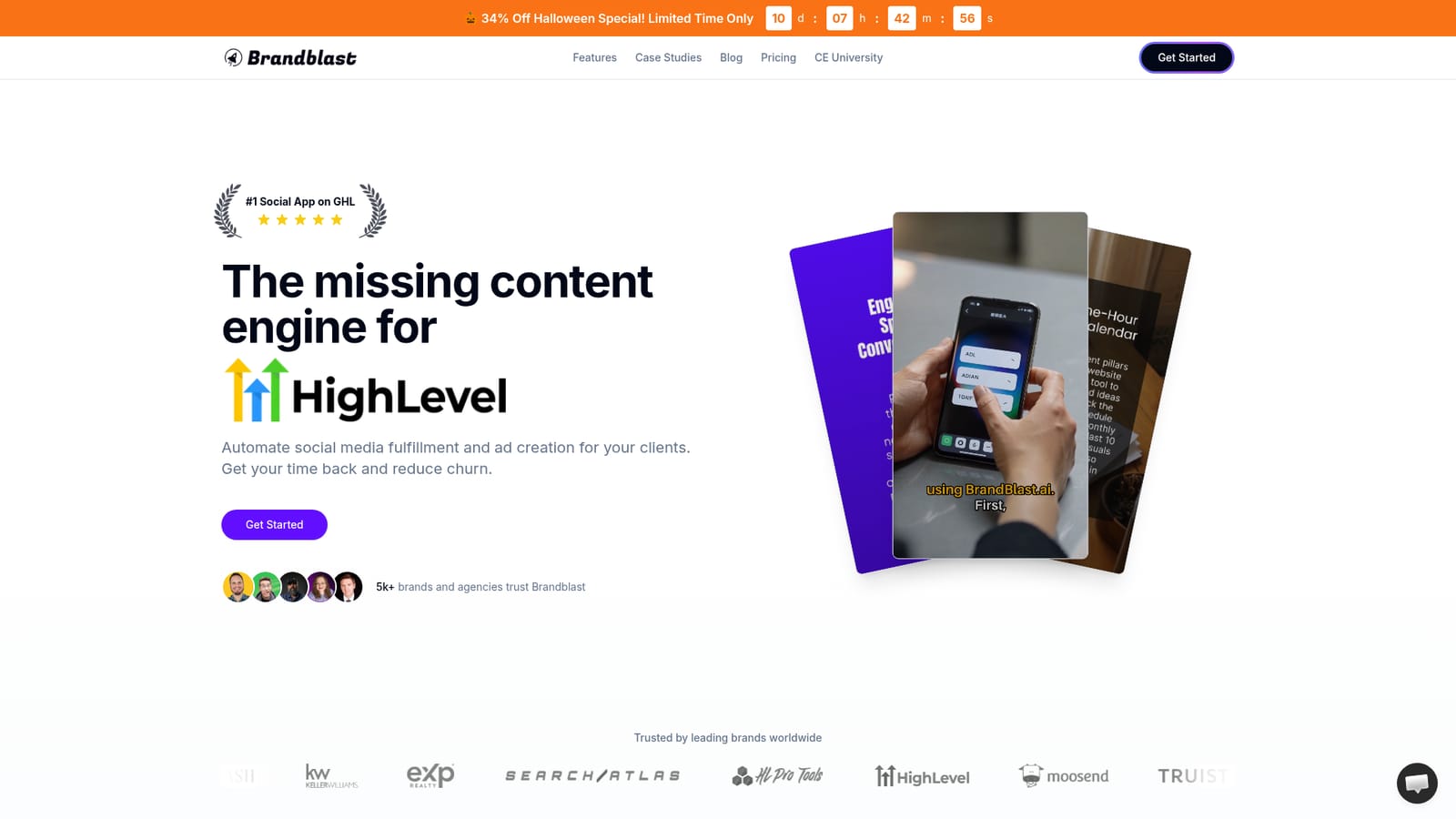
Screenshot of Brandblast, AI social content engine built for GoHighLevel agencies

What is Brandblast?

Brandblast is a content tool. An AI content automation platform for GoHighLevel agencies that generates branded posts, carousels, reels and ad creatives, then syncs them to Social Planner for review and automatic publishing across all client sub-accounts.

Brandblast is an AI content platform aimed squarely at marketing agencies running their client accounts inside GoHighLevel. Its central proposition is fulfillment: instead of building graphics and captions by hand for every sub-account, an agency feeds the system brand information once and lets it produce a month of social posts, carousels, reels and ad creatives in a fraction of the time. The homepage reports usage across more than 5,000 brands and agencies, with logos from franchised real estate, ecommerce and marketing software businesses. Setup works in two stages of brand training. First, a URL is submitted so the AI can absorb general information about the business. Second, agencies upload documents, freeform text and their own product photos to deepen what the model knows; the system analyzes each image so captions reference it accurately. Output then follows the language of the source material, which means non-English brands can generate posts in their own language without a separate configuration step. Teams that want the content to sound like the client rather than a generic template will spend most of their onboarding time on this second stage. Once content exists, autopost handles publishing on a schedule, and generated material syncs into HighLevel's Social Planner for review and approval. A single dashboard covers every client, showing what is queued, what went live and how it is performing. Supporting tools include AI UGC avatars for creator-style ad footage, a template-driven video and image editor, and white-label rebilling through HighLevel's wallet so agencies can mark up usage and bill clients automatically. The stated commercial logic is twofold: cut production hours, and reduce churn by keeping client feeds consistently active. The tool is a fit for agencies already invested in GoHighLevel and for small teams that would otherwise hire VAs or designers. It is a poor fit for brands outside that ecosystem that want a standalone scheduler, and the marketing leans heavily on agency economics rather than individual creator workflows.

How do you use Brandblast?

  1. 1Connect your HighLevel agency account
    Start from the Brandblast site, create an account and link it to your GoHighLevel agency so sub-accounts and Social Planner can be reached from the Brandblast dashboard.
    Brandblast — Connect your HighLevel agency account
  2. 2Add a client brand and submit its URL
    Create a brand for each client sub-account and paste the client's website URL. The first training phase pulls general information about the business from that page.
  3. 3Run deep knowledge training
    Drag in documents or write freeform text describing the brand, its offers and its tone, then upload your own product photos. This second phase is what pushes captions away from generic output.
  4. 4Generate a batch of posts and ad creatives
    Use Content Engine to produce a month of social posts plus ad creatives, then edit individual pieces in the video and image editor if a template or visual needs adjusting.
  5. 5Review in Social Planner and enable autopost
    Synced content lands in HighLevel's Social Planner for approval and scheduling. Once the queue looks right, turn on autopost so publishing continues without manual work.
  6. 6Set up reselling and learn the workflow
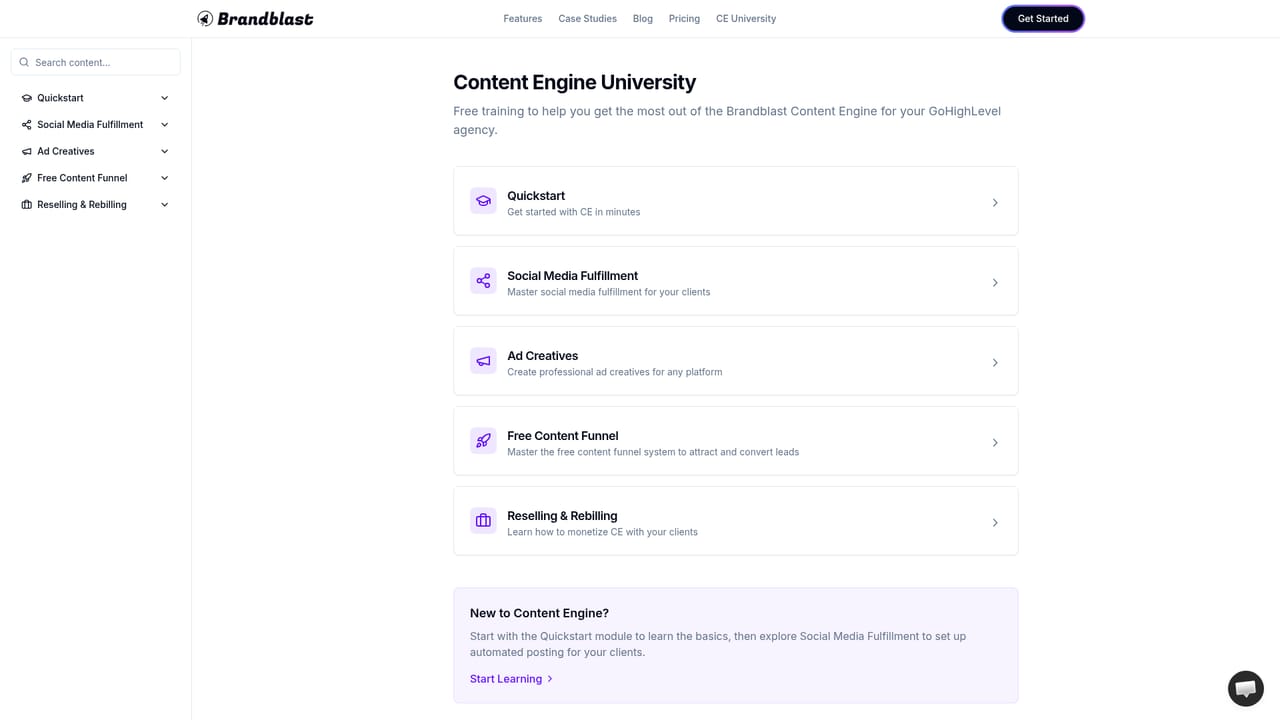
    Configure white-label rebilling through HighLevel wallet meters and work through the training material on the Content Engine University page to get the most out of the engine.
    Brandblast — Set up reselling and learn the workflow

Pros and cons

Pros

  • Brand training accepts a website URL plus uploaded documents and photos, which produces noticeably less generic output than prompt-only toolsAI
  • Autopost plus HighLevel Social Planner sync turns generated content into scheduled publishing without manual uploadsAI
  • White-label rebilling through HighLevel wallets lets agencies mark up usage and bill sub-accounts automaticallyAI
  • One dashboard covers every client account, so fulfillment status across sub-accounts is visible in one placeAI
  • Built-in UGC avatars and a template editor reduce the need for outside designers or creatorsAI

Cons

  • Value is tied closely to GoHighLevel; agencies on other stacks lose the planner sync and rebilling features that justify the priceAI
  • The $197 per month figure on the homepage is presented as a limited-time agency offer, so actual long-term cost is unclearAI
  • No free tier is described, and the pricing page itself is not linked from the homepage, which makes plan comparison difficult before signing upAI
  • Output quality depends on how much brand material is uploaded, so generic results are likely for clients with thin documentationAI
  • Most testimonials and case claims come from the vendor, with no independent benchmarks for content performance or churn reductionAI

How much does Brandblast cost?

Pricing

The homepage advertises an Agency White Label plan at $197 per month, reduced from $297 as a limited-time offer, with unlimited brands and sub-accounts, autopost, planner integration, UGC avatars, the editor, rebilling and priority onboarding. It includes a 30-day money-back guarantee. No other tiers are shown.

Learn more

Support

Reach the team through the chat option on the site; the homepage says enquiries get a reply within 24 hours. The Agency White Label plan lists priority support and onboarding, and a Content Engine University page holds training material.

Learn more

Integrations

Syncs with GoHighLevel, using its Social Planner for scheduling and publishing and its rebilling and wallet features for white-label reselling to sub-accounts.

Features

Automated post creation in each client's brand voice, ad creative generation, autopost scheduling, AI UGC avatars, a template-based video and image editor, a multi-client dashboard, HighLevel Social Planner sync and white-label rebilling. Brands are trained from a website URL plus uploaded documents, text and images, and the AI generates in the language of the source content.

Frequently asked questions about Brandblast

  • How much does Brandblast cost?
    The homepage advertises an Agency White Label plan at $197 per month, reduced from $297 as a limited-time offer, with unlimited brands and sub-accounts, autopost, planner integration, UGC avatars, the editor, rebilling and priority onboarding. It includes a 30-day money-back guarantee. No other tiers are shown.
  • How do you use Brandblast?
    The walkthrough on this page covers 6 steps: 1. Connect your HighLevel agency account 2. Add a client brand and submit its URL 3. Run deep knowledge training 4. Generate a batch of posts and ad creatives 5. Review in Social Planner and enable autopost 6. Set up reselling and learn the workflow.
  • What platforms does Brandblast support?
    Brandblast is available on Web App.
  • What does Brandblast integrate with?
    Syncs with GoHighLevel, using its Social Planner for scheduling and publishing and its rebilling and wallet features for white-label reselling to sub-accounts.
  • What are the limitations of Brandblast?
    Value is tied closely to GoHighLevel; agencies on other stacks lose the planner sync and rebilling features that justify the price. The $197 per month figure on the homepage is presented as a limited-time agency offer, so actual long-term cost is unclear. No free tier is described, and the pricing page itself is not linked from the homepage, which makes plan comparison difficult before signing up.

Status

StatusActive
Views0
Outbound clicks0
Added10/21/2026

Platforms

Web App

Pricing

PaidSubscription