Free trial
A free mode gives access to the workspace without payment, and paid plans can be added later. No time limited trial period is described on the homepage.
Learn moreOne chat window for 55+ AI models, image and video tools, and cloud agents

Cabina.AI is an AI chat bot tool. A single web workspace that bundles 55+ AI models for chat, image, video and audio work, plus document knowledge bases, an image editor and always on cloud agents. Best for people juggling several separate AI subscriptions.
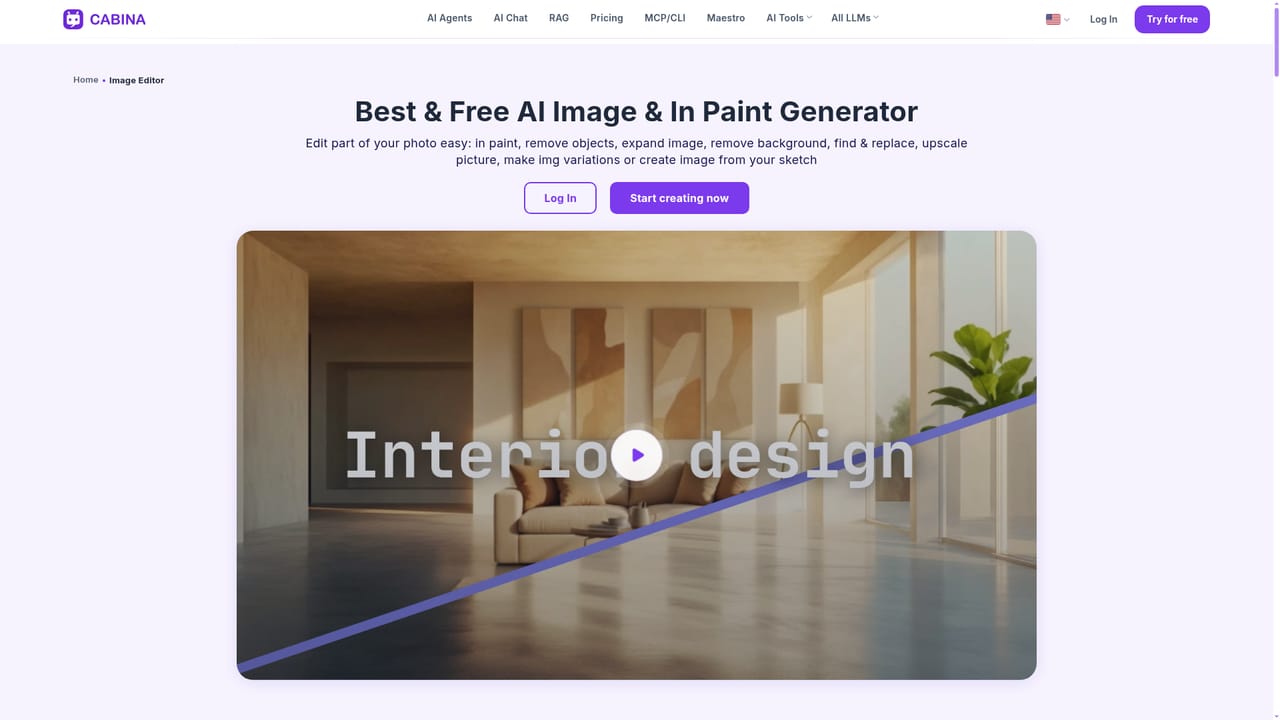
Cabina.AI is a web workspace that puts dozens of third party AI models behind a single account. Instead of paying separately for ChatGPT, Claude, Gemini, Flux, Runway, ElevenLabs and others, you get one chat interface where those models can be called, switched and compared side by side. The homepage counts more than 55 LLM models and over 35 built in tools, spanning text, image generation, video generation and audio. The workspace is built around a few working modes. A standard chat lets you pick a model per message; comparison mode puts two models (or two versions of the same model) against each other in one thread. Uploaded PDF, DOCX, XLSX, CSV, TXT and MD files can be grouped into knowledge bases and queried with retrieval, so answers quote the source document. A prompt library, saved roles and reusable skills carry your setup into every new chat rather than rebuilding it each time. The image editor handles local edits such as inpainting, object removal, background removal and outpainting on top of generated or uploaded pictures. For heavier work there are AI agents that run in their own cloud environment around the clock, break a task into sub agent roles, remember ongoing projects, and can push finished files to Telegram. An MCP connection exposes Cabina features to external coding assistants such as Claude Code, Cursor and Codex, and users can reach the same tools through apps built on that key. It suits freelancers, small marketing teams and independent researchers who use several AI services weekly and want the subscription sprawl gone. It is a router and interface over other companies' models rather than a model of its own, so output quality tracks whichever provider you select. The vendor is a small team based in Ukraine, and the free tier is the practical way to judge latency and model coverage before committing to a plan.
A free mode gives access to the workspace without payment, and paid plans can be added later. No time limited trial period is described on the homepage.
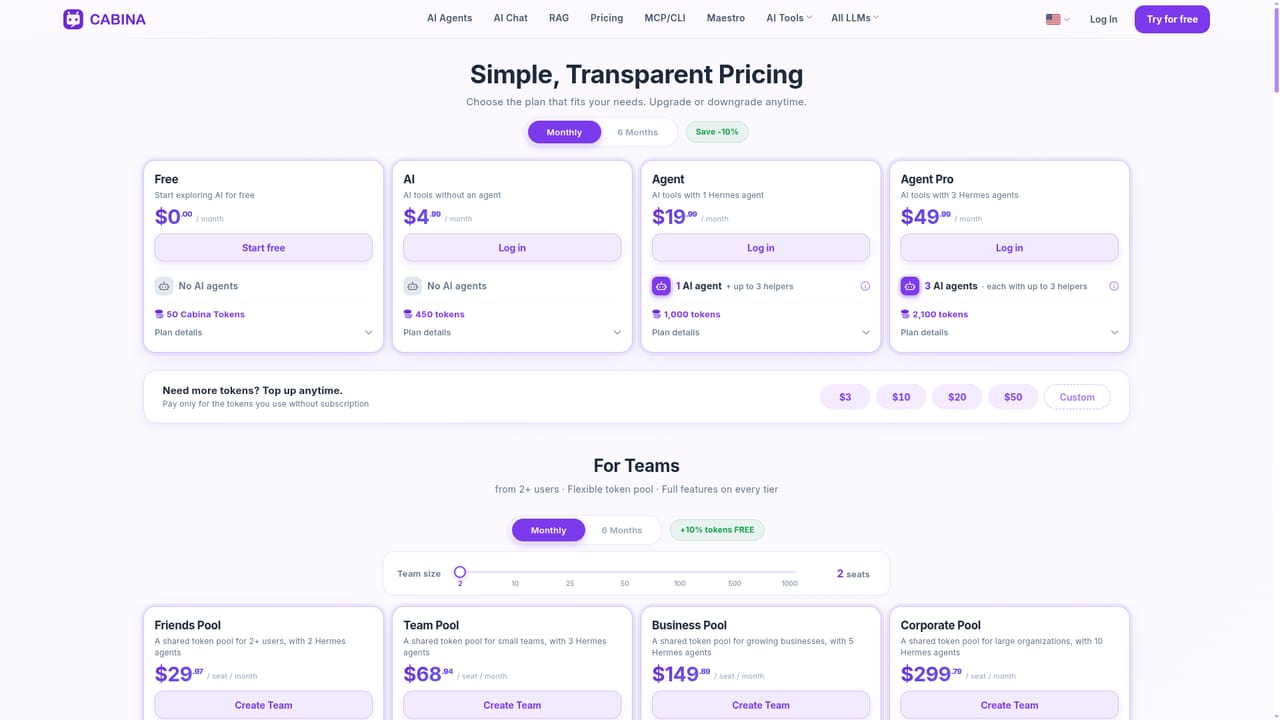
Learn moreFree mode exists alongside Pay-As-You-Go from 3 USD and three subscriptions: AI at 4.99 USD, Agent at 19.99 USD and Agent Pro at 49.99 USD per month. A six month commitment starts from 4.49 USD per month. The homepage also shows a separate from 449 USD per month figure, so confirm the current tiers on the pricing page.
Learn moreSupport runs through the contact page, and the homepage carries a FAQ covering models, pricing, languages, security and file handling. A blog publishes usage guides and model roundups.
Learn moreFiles can be pulled from local storage, Google Drive and OneDrive. An MCP connection links Cabina to Claude Code, ChatGPT Codex, Cursor, Kimi Code and Copilot, and agents can send results to Telegram.
Chat with and compare 55+ models, generate images and video from text or images, transcribe and generate audio, query uploaded documents through knowledge bases with RAG, store prompts, roles and skills for reuse, edit images with inpainting and object removal, run cloud agents with sub agents and Telegram delivery, and connect features to external AI apps through MCP.
 AI Angels400+ customizable AI girlfriends for NSFW chat, voice calls, and roleplay
 Candy AIExperience the future of companionship with AI friends who chat, role-play, and connect with you on a human level.
 ourdream.aiA vast AI roleplay platform with millions of characters for chat, images, video and voiceAI Angels400+ customizable AI girlfriends for NSFW chat, voice calls, and roleplayCandy AIExperience the future of companionship with AI friends who chat, role-play, and connect with you on a human level.ourdream.aiA vast AI roleplay platform with millions of characters for chat, images, video and voice


