What sound matcher tools do
A sound matcher takes a piece of audio, or a description of a sound, and returns something that matches it. The input might be a few hummed bars, a recording of a song, or a project open in a music workstation. The output might be a list of song candidates, a set of amp and pedal settings, or samples that sit well with the rest of a track.
The tools here are for guitarists chasing a recorded tone, producers who lose hours digging through sample libraries, and anyone who remembers a melody but not its name. They replace manual work: scrolling through folders of loops, tweaking knobs by ear until a tone gets close, or typing half-remembered lyrics into a search box and hoping.
Sound matching is a broad idea, so these tools are not interchangeable. Each one matches a different thing, and the right choice depends on what you start with and what you want back.
How to choose a sound matcher
Start with the input. If all you have is a tune in your head, look for a tool that accepts humming or singing. If you have a finished recording, look for one that analyzes an uploaded song. If you are working inside a session, a plugin that reads the project directly saves exporting files.
Next, check the output. A list of song candidates, a set of rig settings and a set of suggested samples are three different results, and only one will fit your task.
Then look at where the tool runs. Browser-based apps need no installation, while plugins require a compatible computer and a host application. Platform support is listed for each tool, so confirm it before signing up.
Finally, compare pricing. Some tools offer a free trial or a free tier, and others are subscription-based. Trying the free option on one real example shows quickly whether the matches are useful.
Notable tools
hum to search lets you hum, sing or upload a clip and returns song candidates in the browser. It is a web app with a free trial and paid plans.
TonesMatch turns a song into amp and pedal settings for your own rig, which suits guitarists who want to approach a recorded tone with the gear they already own. It is a web app with a freemium and subscription model.
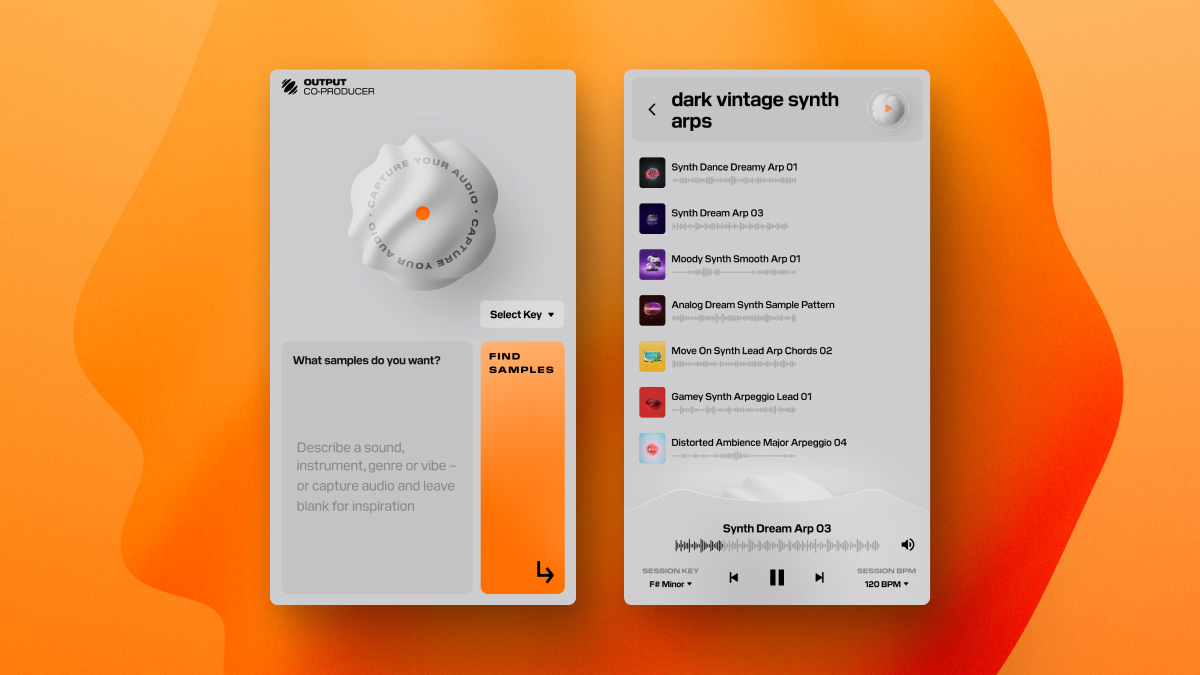
Co-Producer is a plugin that listens to your DAW session and finds samples that fit. It runs on MacOS and Windows and is offered as a subscription with a free trial.
Common questions
What is a sound matcher?
A sound matcher is a tool that compares audio you provide against a catalog or a model and returns a close match. Depending on the tool, that match is a song, a tone setting or a sample.
What is sound matching used for?
Sound matching helps identify a tune from a hummed melody, recreate a recorded guitar tone on personal gear, and find samples that suit a track in progress. It cuts down on trial and error in each case.
Do these tools need a special setup?
It varies. A web app works in a browser with nothing to install, while a plugin needs a supported operating system and a DAW. Check the platform listed for each tool first.
When to look elsewhere
If the goal is to name a sound rather than match it, the Sound Identifier category is the closer fit. If you want effects for a scene or clip rather than matches for existing audio, Sound Effect Finder covers that ground.