Free trial
A free two week trial is offered with no credit card required. Start it from the pricing page.
Learn moreAI chat agents that qualify leads, support customers, and scale with your business.

Chattitude builds AI chat agents for sales and support that train on your own content, connect to CRM, helpdesk, and calendar tools, and deploy via a code snippet. The vendor advertises a two week free trial and setup in about 15 minutes, with multilingual support across 90+ languages.
Chattitude is a platform for building and deploying AI chat agents that handle customer service, lead qualification, and internal knowledge access around the clock. The product is aimed at businesses that want to automate repetitive conversations without expanding headcount: support teams fielding routine questions, sales teams that need to qualify inbound interest, and operations groups that want a single conversational layer across customer and employee workflows. In practice, an agent is assembled in a handful of steps. You configure its look and tone, write instructions (or start from a template library), train it on your own material such as website content and support tickets, connect your CRM, helpdesk, and calendar, then paste a snippet into any website or app. From there the agent answers FAQs, checks order status, books demos against calendar availability, pushes conversation data into your CRM or helpdesk, and escalates to a human when a thread exceeds its scope. The same agent can operate in more than 90 languages, which matters for merchants selling across borders. Chattitude positions itself as a broad operating layer rather than a single-purpose widget. It advertises multiple agents on one platform and the ability to accept data from any API and execute API functions through large language models, so teams can extend agents into existing software rather than replacing it. The vendor cites impact figures of up to 70 percent fewer internal inquiries, 20 to 70 percent lower support costs, and response time reductions of up to 80 percent, along with a setup window as short as 15 minutes. Compared with lighter chat widgets, Chattitude leans toward workflow orchestration and enterprise knowledge access, and it is a heavier commitment than a simple FAQ bot. Teams that mainly need a basic website chat bubble may find it more than necessary, while organizations juggling CRM data gaps, reorders, and ticket routing are closer to the intended buyer.
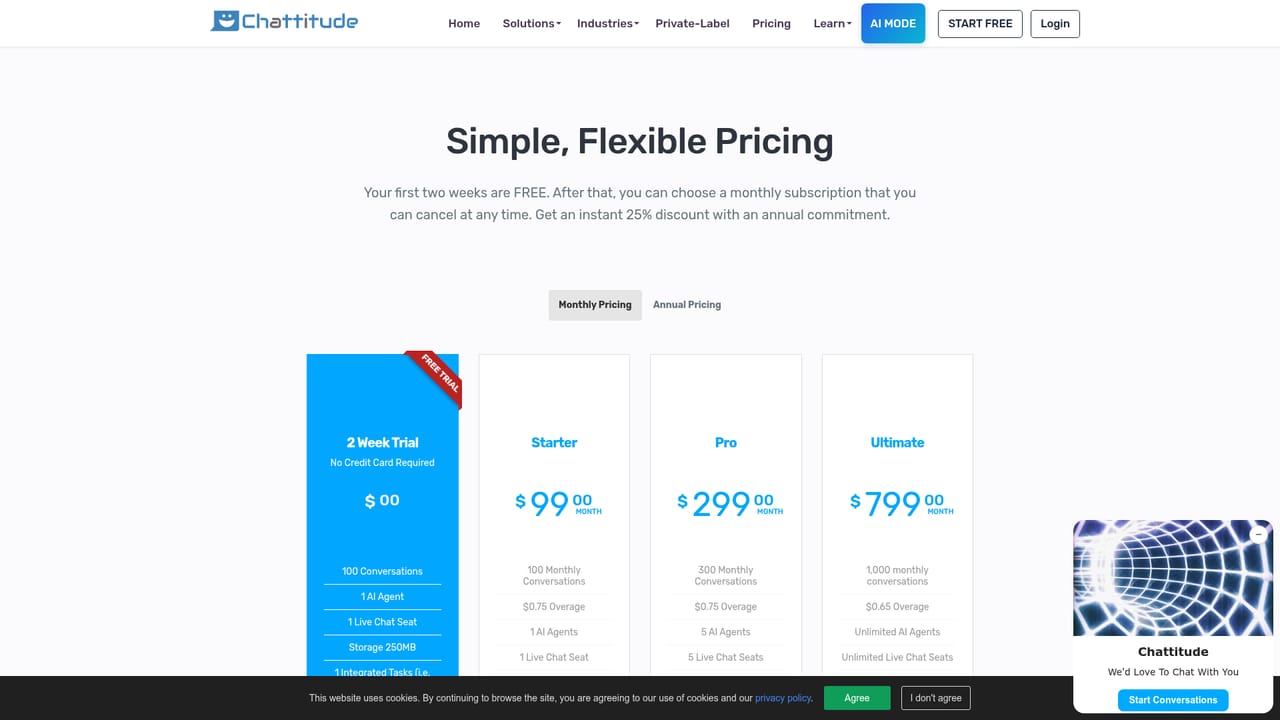
A free two week trial is offered with no credit card required. Start it from the pricing page.
Learn moreA 30 minute meeting can be scheduled with the team from the homepage. No help centre or documentation pages are listed.
Chattitude connects with CRM, helpdesk, and calendar software, and can accept data from any API and execute API functions through large language models.
Agents handle FAQs, qualify leads, book demos via calendar sync, check order status and reorders, push data into CRM and helpdesk tools, escalate to humans, and answer questions trained on your website and support tickets. One platform supports multiple agents, 90+ languages, API-driven actions, and deployment on any website or app.
 AI Angels400+ customizable AI girlfriends for NSFW chat, voice calls, and roleplay
 Candy AIExperience the future of companionship with AI friends who chat, role-play, and connect with you on a human level.
 ourdream.aiA vast AI roleplay platform with millions of characters for chat, images, video and voiceAI Angels400+ customizable AI girlfriends for NSFW chat, voice calls, and roleplayCandy AIExperience the future of companionship with AI friends who chat, role-play, and connect with you on a human level.ourdream.aiA vast AI roleplay platform with millions of characters for chat, images, video and voice


