Free trial
The free tier is a permanent daily allowance rather than a timed trial: up to 3 flowcharts per day before the upgrade prompt appears.
Learn morePaste code, get an interactive flowchart with a plain language explanation
Own Code to Flowchart? Verify ownership to get a dofollow link

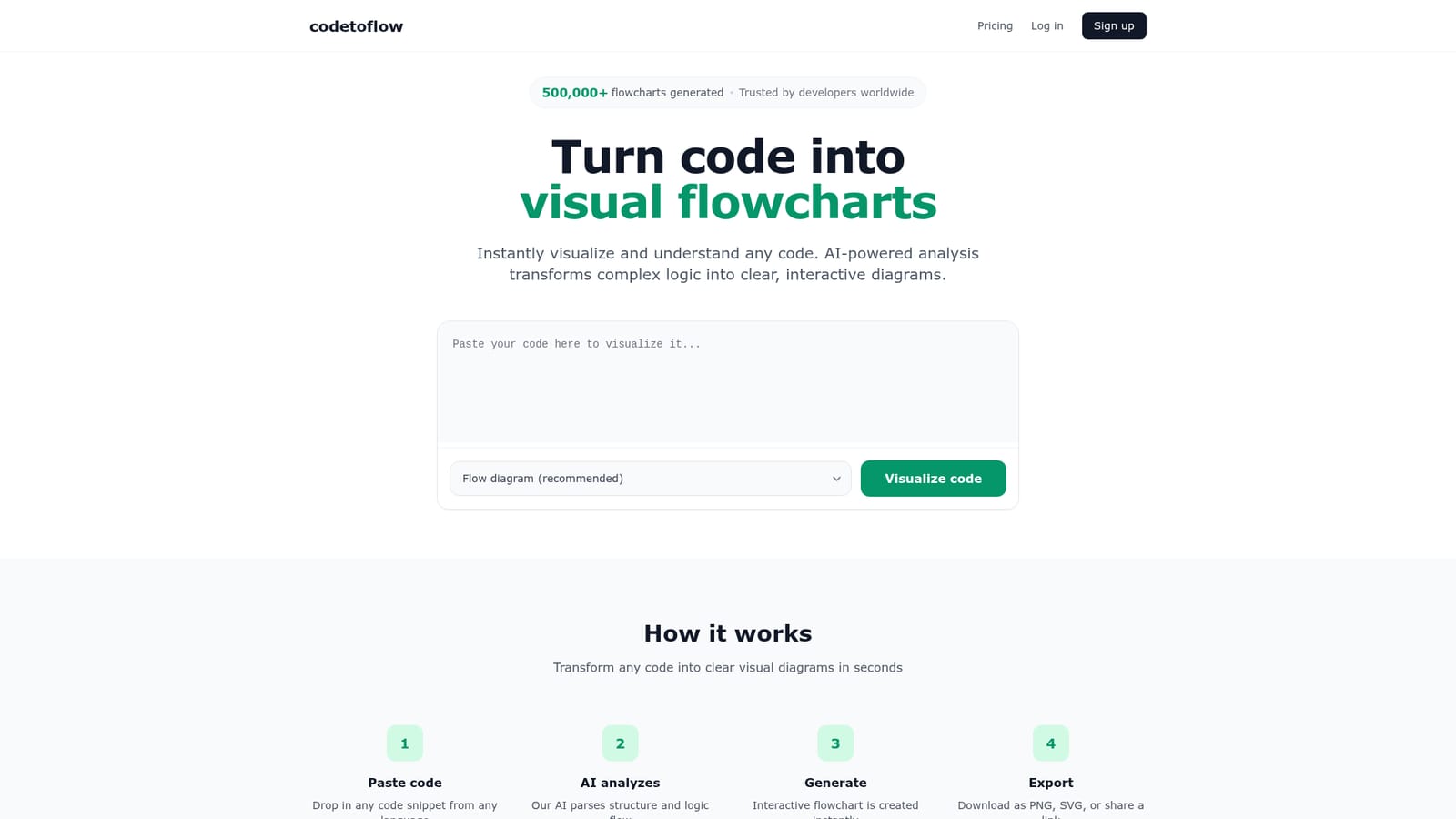
Code to Flowchart is an architecture diagram tool. Paste a code snippet in Python, JavaScript, Java, Go or another major language and Code to Flowchart turns it into an interactive diagram (flow, sequence, class or user journey) with an AI written explanation.
Code to Flowchart is a web tool that reads a block of source code and renders it as an interactive diagram. You paste a snippet in any major language (the site names Python, JavaScript, TypeScript, Java, C, C++, Go, Rust and others), the AI parses the structure and logic flow, and the output appears as a flowchart you can zoom, pan and edit. An explanation panel sits beside the diagram and describes what the code does, which makes the tool as much a reading aid as a drawing aid. The diagram isn't limited to one style. The generator offers flow diagrams as the recommended default plus sequence diagrams, class diagrams, user journeys and concept explanations, so the same input can be viewed as control flow, message order or object structure depending on what you need to communicate. Finished diagrams export as PNG, SVG or PDF, and each one can be shared by link. Edits can be applied to a generated diagram, and the tool accepts corrected text for the diagram and its explanation. The intended audience spans several groups. Developers use it to untangle unfamiliar logic during debugging. Students use it to see programming concepts laid out visually. Teams use it in code reviews when prose descriptions fall short, and technical writers use it to produce diagrams for documentation. It is a visualisation companion rather than a code editor or an analysis suite: there is no repository integration, no linting, no test generation. Compare it to static analysis tools that report metrics and warnings, or to general purpose diagramming software where you draw the boxes yourself. Privacy gets a direct answer on the site: pasted code is never stored, processed to build the diagram and then discarded. Free accounts get three flowcharts per day; a lifetime purchase or a monthly subscription removes the cap, removes ads and lifts the token limit to 8k. Generation runs in the browser, and the workflow is short enough that most users will be pasting and reading within a minute of landing.
The free tier is a permanent daily allowance rather than a timed trial: up to 3 flowcharts per day before the upgrade prompt appears.
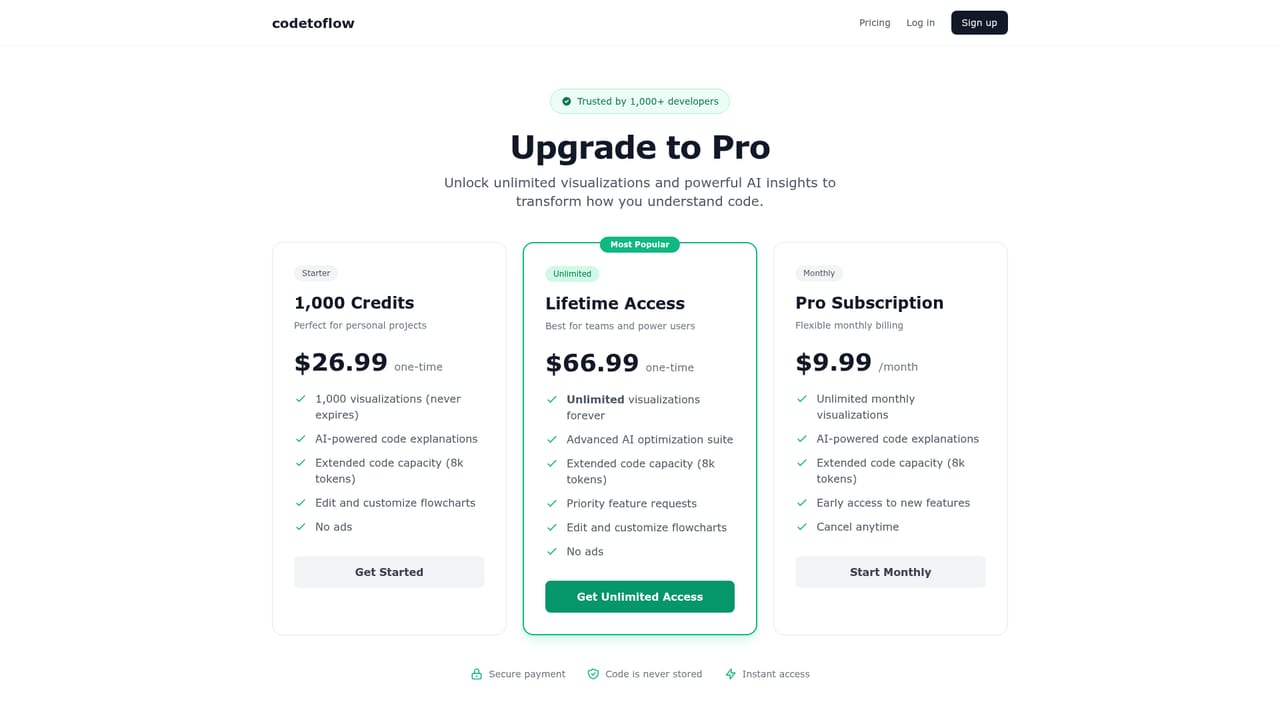
Learn moreFree accounts generate up to 3 flowcharts per day. Paid options are a one-time lifetime purchase at $66.99 and a monthly subscription at $9.99, both including unlimited flowcharts, no ads and an 8k token limit. A 30% discount is offered in exchange for feedback.
Learn moreA feedback option is built into the diagram panel for reporting missing steps, inaccurate output or poor explanations, and the site invites users to share feedback in exchange for a discount. No documentation or help centre is listed.
Supports Python, JavaScript, TypeScript, Java, C, C++, Go, Rust and other major languages. Diagram types include flow, sequence, class, user journey and concept explanations. Outputs export as PNG, SVG or PDF and can be shared by link. Diagrams and explanations can be edited, AI explanations accompany each chart, and pasted code is never stored.
 AI Angels400+ customizable AI girlfriends for NSFW chat, voice calls, and roleplay
 Candy AIExperience the future of companionship with AI friends who chat, role-play, and connect with you on a human level.
 ourdream.aiA vast AI roleplay platform with millions of characters for chat, images, video and voiceAI Angels400+ customizable AI girlfriends for NSFW chat, voice calls, and roleplayCandy AIExperience the future of companionship with AI friends who chat, role-play, and connect with you on a human level.ourdream.aiA vast AI roleplay platform with millions of characters for chat, images, video and voice


