Free trial
Free tools can be used without signing up, and there is no separate trial period described, since the free tier itself serves as the trial.
Learn moreAI code converter across 62 languages, plus generate, explain and refine tools.
Own CodeConvert AI? Verify ownership to get a dofollow link

CodeConvert AI converts code between 62 programming languages and bundles generate, explain and refine tools in a browser workspace, with free tools and unlimited paid plans.
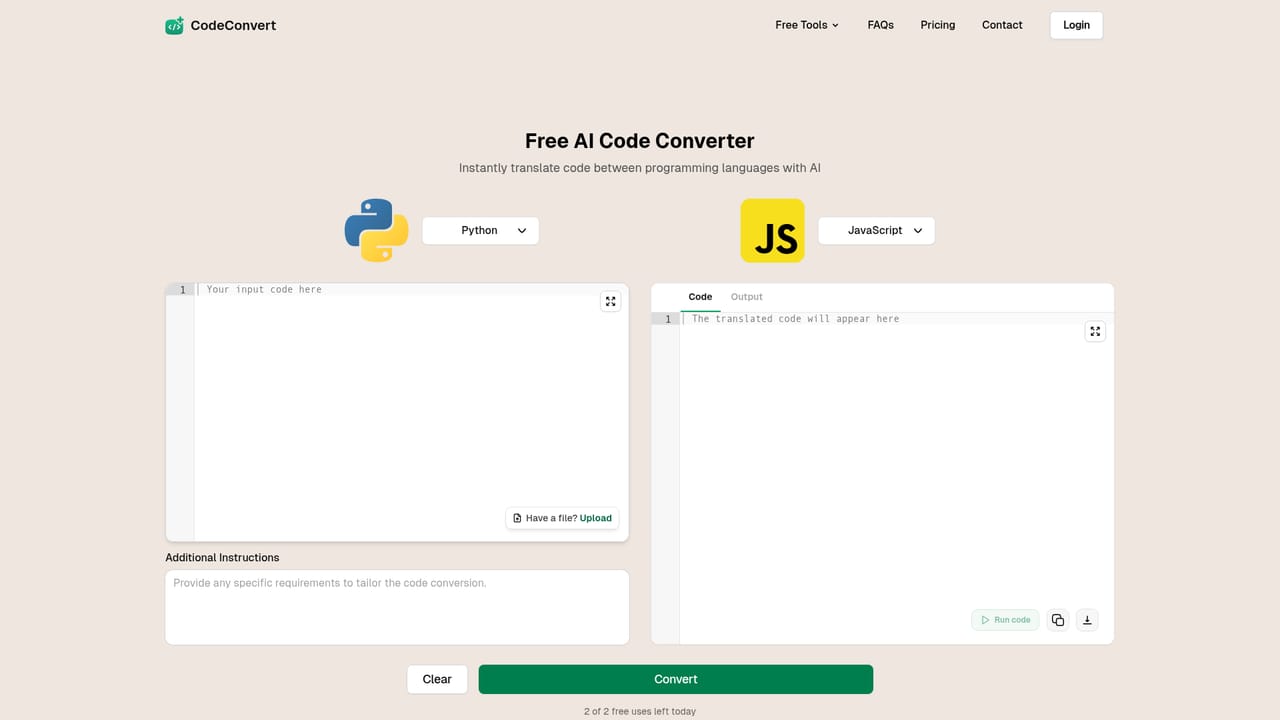
CodeConvert AI is a browser based workspace for developers who need to move or reshape code quickly. Its core is a converter that translates source code between 62 programming languages, including Python, JavaScript, TypeScript, Java, C++, C#, Go, Rust, PHP, Ruby, Swift, Kotlin and SQL. The stated aim is to preserve the logic and structure of the original snippet rather than produce a loose rewrite. Around that converter sit six other focused tools: generate code from a plain description, explain unfamiliar code, and refine results with a built in AI assistant. The product is aimed at working developers rather than learners alone. Typical use is porting a utility function from Python to Go, reading a legacy Java class before touching it, or turning a rough specification into a first draft in a chosen language. Everything happens in the browser with no download or install, and the workspace keeps reference files, pinned converters and conversion history in one place, so a series of related tasks does not require restarting from scratch. In practice the workflow is paste or describe, convert or generate, then iterate through the assistant until the output fits. The site positions the free single purpose converter as an entry point, with the full toolkit behind a login. Free tools run without an account; paid plans remove usage limits across the toolkit. Privacy controls let users keep history local only or in the cloud, delete results, and keep AI requests on zero data retention. The tool fits among general purpose AI coding assistants, but its emphasis is narrower: fast, language to language conversion and short focused code tasks, not full repository editing or agentic software engineering. Teams that mostly need translation and explanation will find the scope sufficient; those wanting deep project context will pair it with an IDE assistant.
Free tools can be used without signing up, and there is no separate trial period described, since the free tier itself serves as the trial.
Learn moreFree tools are available without an account, and paid plans unlock unlimited usage across all tools in the toolkit. The homepage does not list prices or plan tiers beyond that split.
Learn moreConverts code between 62 languages while preserving logic and structure, generates code from a description in a chosen language, explains unfamiliar snippets, and refines results with a built in AI assistant. A workspace adds reference files, pinned converters, history, and privacy controls including local only history and zero data retention for AI requests.
 AI Angels400+ customizable AI girlfriends for NSFW chat, voice calls, and roleplay
 Candy AIExperience the future of companionship with AI friends who chat, role-play, and connect with you on a human level.
 ourdream.aiA vast AI roleplay platform with millions of characters for chat, images, video and voiceAI Angels400+ customizable AI girlfriends for NSFW chat, voice calls, and roleplayCandy AIExperience the future of companionship with AI friends who chat, role-play, and connect with you on a human level.ourdream.aiA vast AI roleplay platform with millions of characters for chat, images, video and voice