Support
Support is offered through a walkthrough request form and an early access signup path. Guided onboarding may be included; no help centre or documentation hub is listed on the site.
Learn moreAI change requests for the software your business already runs
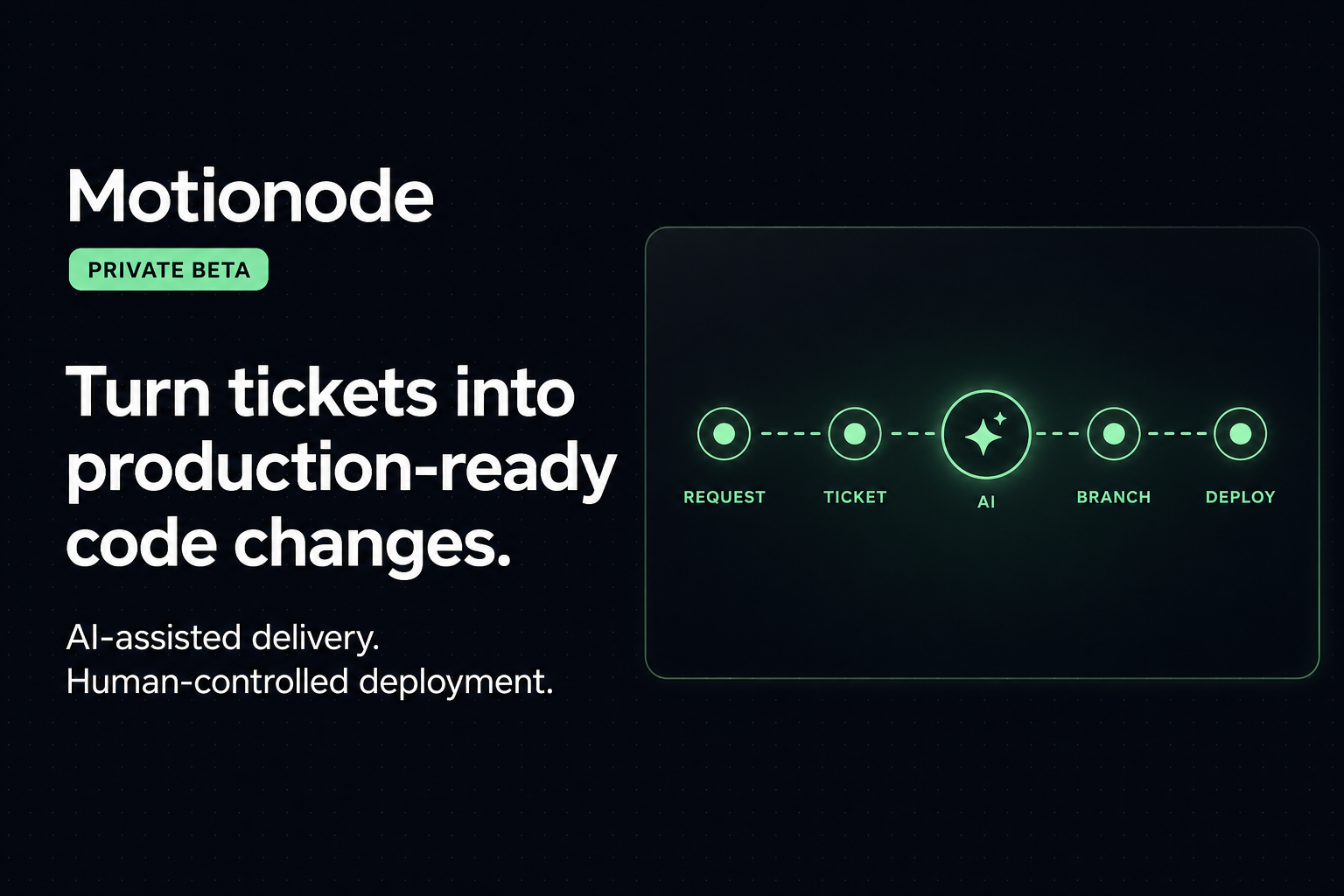
Motionode turns plain English change requests into organized work items, AI-built edits against an existing codebase, and a staged preview that a human approves before release. It targets agencies and teams maintaining live software rather than prototyping from zero.
Motionode is a delivery workspace for teams that need to modify software already in production, not start a new project from scratch. A client, manager or developer describes a change in plain English inside a chat panel, and Motionode splits the request into two parallel jobs: it creates the work item with an owner, status and review flow, and it drives AI to read the existing codebase, edit files and run a pre-check on the result. The staged output is then presented as a preview for a human to review and approve before release. The positioning is deliberately narrow. Prototype builders such as Lovable and Base44 assume an empty starting point, coding assistants such as Cursor serve the developer at the keyboard, and issue trackers such as Jira or Linear only record tickets. Motionode argues that live applications carry users, data, payments, permissions and production risk, so an AI change needs to be tied to a request, a ticket and a review before it touches anything customers see. The chat produces the work; the workflow keeps it safe. The product suits three audiences. Agencies and internal dev teams get client visibility with code control, so non-technical stakeholders can request changes and approve previews without direct production access. Operations and maintenance teams get a route for fixes, admin tweaks and reported bugs that keeps a release history. Owners of existing platforms get AI-assisted delivery layered onto software the business already depends on. In practice the loop is ask, organize and build, preview and approve. Every AI-assisted change stays linked to its originating request, and nothing reaches production until someone signs off. Motionode is currently in early access. Self-serve signup is not open, entry happens through a waitlist at web.motionode.com, and guided onboarding may be included. There is no published pricing or integration catalogue on the site, and the comparison pages set out how the tool differs from prototype builders, coding assistants and trackers.
Support is offered through a walkthrough request form and an early access signup path. Guided onboarding may be included; no help centre or documentation hub is listed on the site.
Learn moreChat to request changes in plain English, automatic work creation with owners, status and review flow, AI code reading and file editing against the existing codebase, an AI pre-check on the built change, a staged preview workspace, an approval gate before release, and release history tied to each originating request.
 AI Angels400+ customizable AI girlfriends for NSFW chat, voice calls, and roleplay
 Candy AIExperience the future of companionship with AI friends who chat, role-play, and connect with you on a human level.
 ourdream.aiA vast AI roleplay platform with millions of characters for chat, images, video and voiceAI Angels400+ customizable AI girlfriends for NSFW chat, voice calls, and roleplayCandy AIExperience the future of companionship with AI friends who chat, role-play, and connect with you on a human level.ourdream.aiA vast AI roleplay platform with millions of characters for chat, images, video and voice