Cover Genius

Paste a job post, get a tailored cover letter in seconds.

Beginner
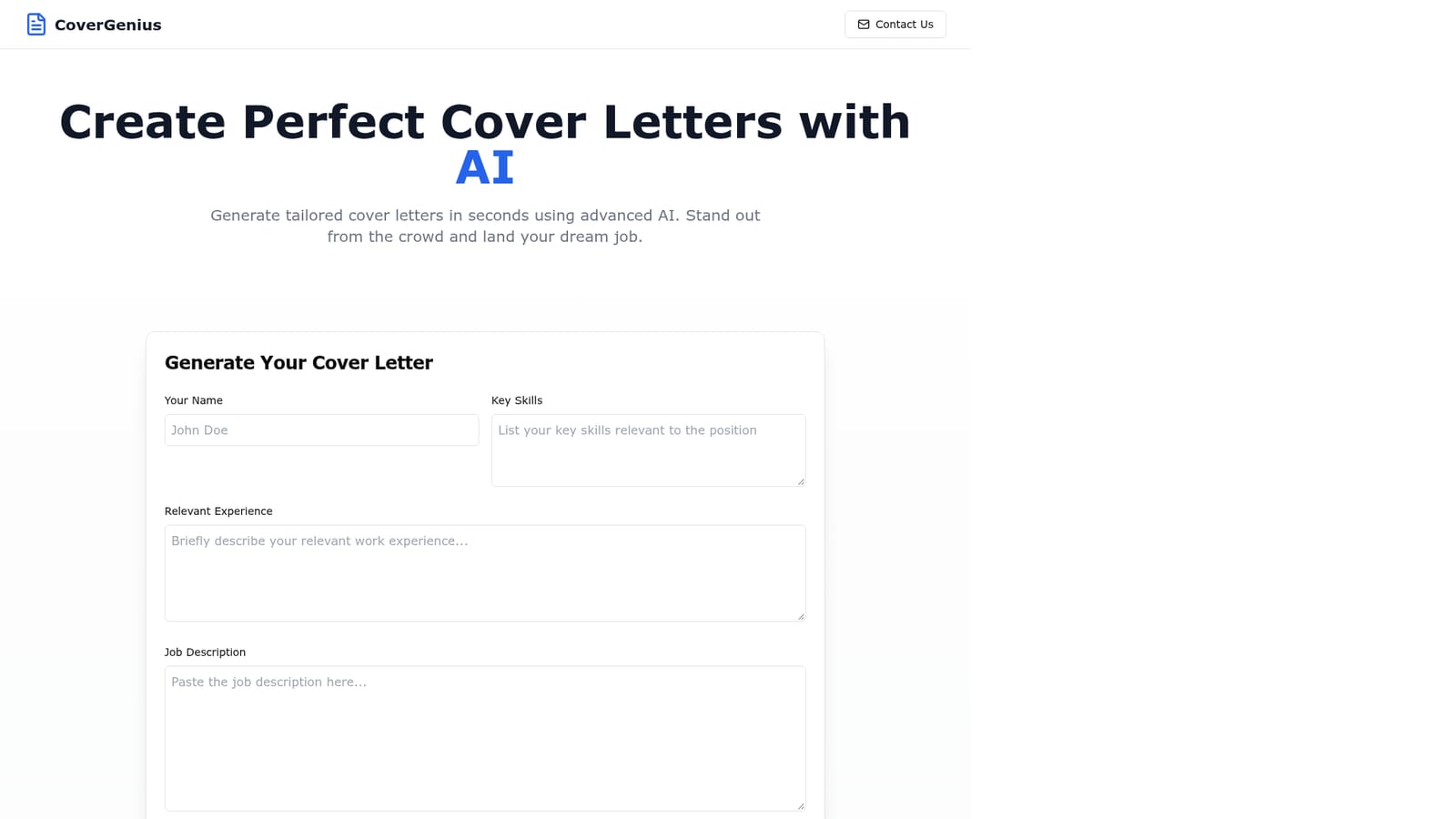
Screenshot of Cover Genius, Paste a job post, get a tailored cover letter in seconds

What is Cover Genius?

Cover Genius is a career tool. A single form web tool that turns a pasted job description plus your skills and experience into a tailored cover letter draft. No account or setup described, and no editing or tracking features.

Cover Genius is a narrow, single purpose web tool for job seekers who want a tailored cover letter without drafting one from scratch. The interface centers on one form: your name, your key skills, your relevant experience, and the job description you are applying against. Submitting the form produces a cover letter written around that specific posting rather than a generic template with the company name swapped in. The site frames the value as speed and fit: an AI pass over the requirements plus an AI pass over your background, with the letter as output. The workflow is deliberately short. The homepage promises a three step process (paste the job description, AI analysis of requirements and experience, then the finished letter), and the case for the tool rests on that brevity. There are no accounts, no document editor, and no visible resume upload described on the page. You type or paste your details, run the generation, and take the resulting text elsewhere to review, adjust and send. Testimonials on the page come from a software engineer, a marketing manager and a product designer, which suggests the intended audience is white collar applicants across technical and creative fields rather than one industry. In practice, the tool fits best as a first draft engine for people applying to several roles in a short window. Cover letters are where generic applications show, and rewriting one per posting is slow; a generated draft that already mirrors the posting's language gives you something concrete to edit down. It does not replace judgment. Output quality depends heavily on how much you put in, so thin skill or experience fields will produce thin letters. Among alternatives, Cover Genius sits at the lighter end of the market. Full resume and application platforms bundle cover letter writing with tracking, templates and storage, while general purpose chatbots can do the same job with more back and forth. Cover Genius trades those options for a single form and no setup, which suits applicants who want one draft fast and are willing to handle review, formatting and submission themselves.

How do you use Cover Genius?

  1. 1Open the generator form
    Load the homepage and scroll to the Generate Your Cover Letter form. It is the only tool on the page, so no sign up step is required to reach it.
    Cover Genius — Open the generator form
  2. 2Fill in your name and skills
    Enter your name and list the key skills you want the letter to lead with. Be specific about tools and methods, since these fields shape what the AI can draw on.
  3. 3Describe your relevant experience
    Summarize the experience that matches this application. Concrete outcomes and job titles give the model more to match against the posting's requirements.
  4. 4Paste the job description
    Copy the full posting into the job description field. The AI reads the requirements here and aligns the letter with them.
  5. 5Generate and review
    Submit the form and read the returned letter critically. Check that claims are accurate, adjust the tone, then copy it into your application or document.

Pros and cons

Pros

  • Very short workflow: one form, one generated letterAI
  • Takes the job description as input, so drafts track the posting's languageAI
  • Free of setup friction, with no account or template browsing describedAI
  • Useful for applicants sending several tailored letters in a short periodAI
  • Testimonials span engineering, marketing and design, so it is not locked to one fieldAI

Cons

  • Homepage gives no privacy details on what happens to the personal and job data you pasteAI
  • No editing, saving or document export described, so you must copy the output elsewhereAI
  • No pricing, plan or usage limit information is published on the homepageAI
  • Output quality depends entirely on how detailed you make the skills and experience fieldsAI
  • Generic AI chat tools cover the same task with more control over tone and revisionAI

How much does Cover Genius cost?

Features

The tool does one thing: it generates a cover letter from four inputs (name, key skills, relevant experience, job description). The stated process is paste the job description, let the AI analyze the requirements against your background, then receive a tailored letter. No editor, template library, resume upload, saving or export features are described on the homepage.

Frequently asked questions about Cover Genius

  • How do you use Cover Genius?
    The walkthrough on this page covers 5 steps: 1. Open the generator form 2. Fill in your name and skills 3. Describe your relevant experience 4. Paste the job description 5. Generate and review.
  • What platforms does Cover Genius support?
    Cover Genius is available on Web App.
  • What are the limitations of Cover Genius?
    Homepage gives no privacy details on what happens to the personal and job data you paste. No editing, saving or document export described, so you must copy the output elsewhere. No pricing, plan or usage limit information is published on the homepage.

Status

StatusActive
Views0
Outbound clicks0
Added10/21/2026

Platforms

Web App

Pricing

Free